Is your light switch flickering and driving you crazy? That annoying flicker isn’t just distracting—it could be a sign of a bigger problem that needs your attention.
You might feel unsure about what’s causing it or how to fix it safely. Don’t worry, this guide will walk you through simple steps you can take right now to stop that flicker for good. By the end, you’ll have the confidence to tackle the issue and keep your home’s lighting steady and safe.
Keep reading to find out exactly what you need to do.

Credit: dkelectricalsolutions.com
Causes Of Flickering Lights
Flickering lights can be annoying and sometimes a sign of a bigger issue. Understanding the causes helps you fix the problem safely. Several reasons can make your lights flicker, from simple to complex. Knowing these causes can save time and money.
Loose Bulbs Or Connections
A loose bulb can cause lights to flicker. Check if the bulb is tight in the socket. Loose connections in the fixture can also make flickering happen. Make sure all parts are secure and clean.
Faulty Light Switch
A damaged switch can cause flickering lights. Over time, switches wear out and fail. Replacing the switch often stops the flicker. Always turn off power before checking the switch.
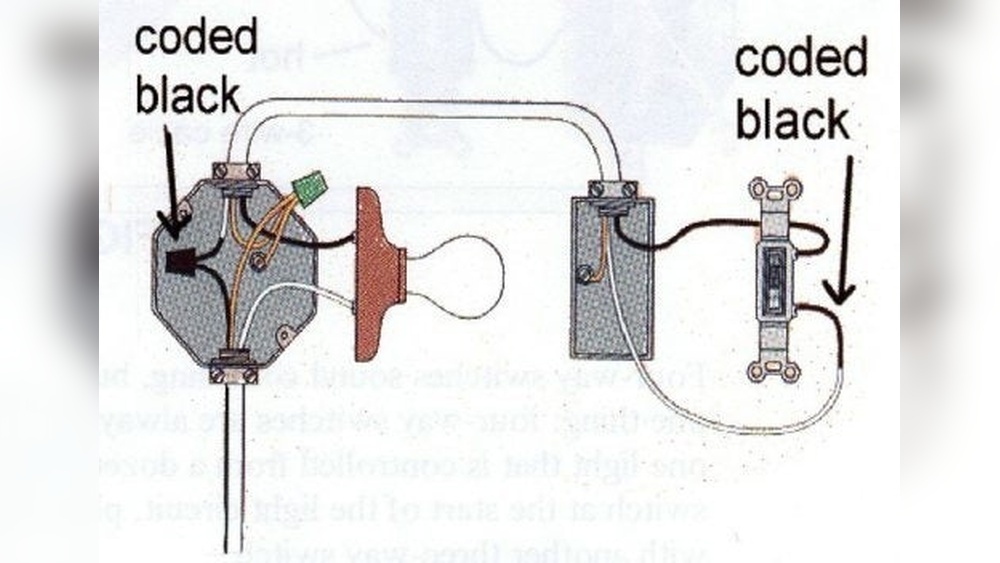
Wiring Issues
Old or damaged wiring can cause flickers. Wires that are loose or frayed create poor connections. This problem needs a professional electrician to fix. Do not ignore wiring problems; they can be dangerous.
Voltage Fluctuations
Changes in voltage can make lights flicker. High or low voltage affects how bulbs work. Appliances turning on can cause voltage dips. A voltage stabilizer or electrician can help control this.
Safety Precautions
Fixing a flickering light switch requires care and attention. Safety is the top priority before starting any electrical work. Taking the right precautions helps avoid accidents and injuries.
Turn Off Power
Always turn off the power at the circuit breaker. This stops electricity from flowing to the switch. Use a tester to check if the power is off. Never skip this step. It keeps you safe from electric shocks.
Use Proper Tools
Use tools designed for electrical work. Insulated screwdrivers and pliers protect against electric shocks. Avoid using damaged or worn-out tools. Proper tools make the job easier and safer.
Wear Safety Gear
Wear safety gloves and goggles. Gloves protect your hands from shocks and sharp edges. Goggles shield your eyes from dust and debris. Safety gear reduces the risk of injury during the repair.
Fixing Loose Bulbs Or Connections
Flickering lights often happen because bulbs or their connections are loose. Fixing these simple issues can stop the flicker fast. It helps to check the bulb and socket carefully. A tight bulb or a good connection can make the light steady again.
Tightening Bulbs
Start by turning off the light switch. Let the bulb cool if it feels warm. Hold the bulb gently and twist it clockwise. Make sure it is snug but not too tight. A loose bulb can cause flickers or dim light. Check if the light stays steady after tightening.
Checking Socket Connections
Turn off the power at the breaker for safety. Remove the bulb and look inside the socket. See if the metal tab at the bottom is pushed up slightly. Use a small tool to lift it gently if needed. Loose or dirty contacts can cause flickering. Clean the socket with a dry cloth if dusty. Put the bulb back and test the light switch again.
Replacing A Faulty Light Switch
Replacing a faulty light switch is a key step to stop flickering. A worn-out switch can cause electrical problems. Changing it is a simple task for basic home repairs. Follow clear steps to replace the switch safely and correctly.
Removing The Old Switch
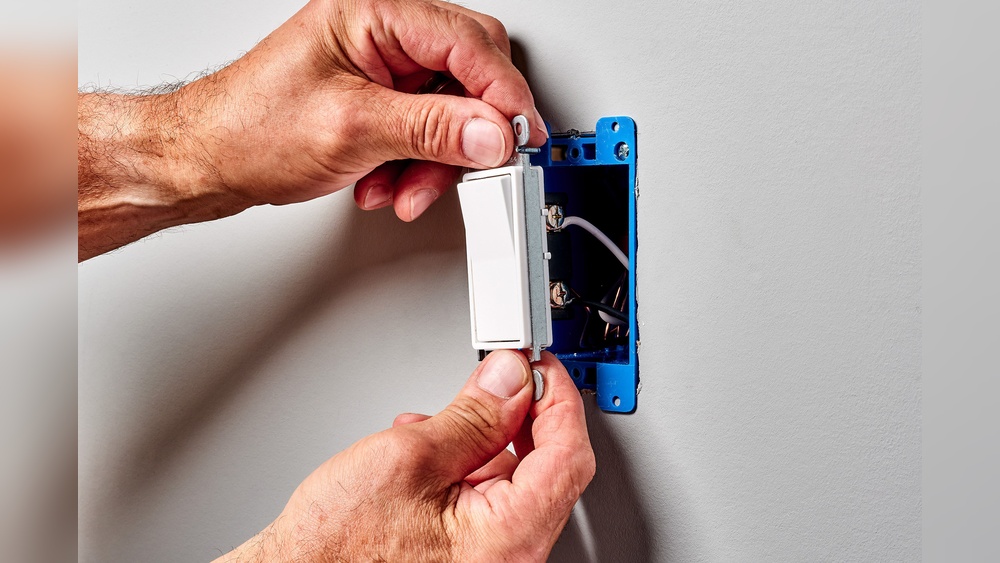
Turn off power at the circuit breaker. Use a voltage tester to confirm no electricity flows. Remove the switch cover plate with a screwdriver. Unscrew the old switch from the electrical box. Carefully pull the switch out to see the wires. Note the wire connections before disconnecting them. Disconnect the wires from the old switch terminals.
Installing A New Switch
Match the wires to the new switch terminals. Connect the wires tightly to avoid loose contacts. Place the new switch back into the electrical box. Screw it securely in place. Attach the cover plate over the switch. Make sure all screws are tight but not over-tightened.
Testing The New Switch
Restore power from the circuit breaker. Flip the new switch on and off several times. Watch for any flickering or unusual behavior. Use a light bulb that works well. If the light stays steady, the switch works fine. If flickering continues, check wiring or call an electrician.
Addressing Wiring Problems
Flickering light switches often point to wiring problems inside the wall. These problems can cause unsafe conditions and damage your electrical system. Checking the wiring carefully helps find the cause of flickering. Fixing wiring issues can stop the flicker and make your switch safe again.
Inspecting Wiring For Damage
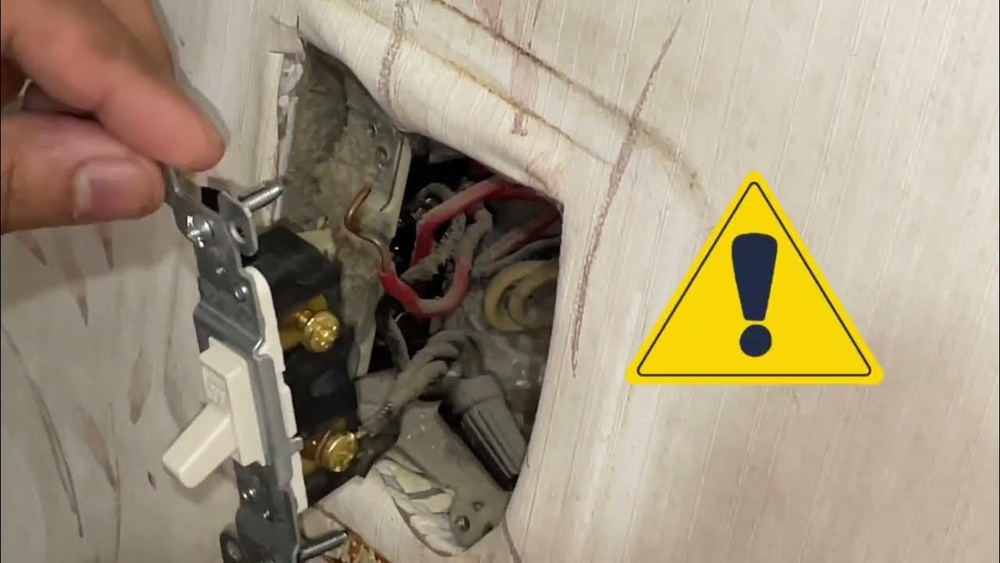
Turn off the power to the switch before starting any inspection. Remove the switch cover and look for loose wires. Check if any wires are frayed or broken. Look for signs of burning or discoloration on wires and terminals. Tighten any loose connections carefully. Damaged wires need to be replaced to avoid hazards.
When To Call An Electrician
Call a professional if you find damaged wires or burnt parts. If the flickering continues after tightening wires, get expert help. Complex wiring issues require specialized tools and knowledge. Never ignore frequent flickering as it may cause electrical fires. A licensed electrician can safely fix wiring problems and ensure your home’s safety.

Credit: www.wikihow.com
Dealing With Voltage Fluctuations
Voltage fluctuations often cause flickering lights. These changes in electrical power can harm devices and disrupt daily activities. Addressing voltage issues is key to stopping flickers and protecting your home’s electrical system.
Using Voltage Stabilizers
Voltage stabilizers keep electricity steady. They adjust power supply to safe levels. Installing a stabilizer can prevent flickering caused by unstable voltage. These devices work well for sensitive electronics and lighting fixtures.
Choose a stabilizer that matches your home’s power needs. Place it near the main electrical panel for best results. Regular checks ensure it works correctly and extends equipment life.
Consulting Your Electric Utility
Your electric utility can help with voltage problems. They monitor and control power supply in your area. Reporting flickering lights lets them check the local grid for issues.
Sometimes, the problem comes from outside your home. The utility company can fix wiring or transformer faults. Contacting them may lead to a permanent solution and safer power.
Preventive Tips To Avoid Flickering
Flickering light switches can be annoying and may signal electrical issues. Preventing flickering helps keep your home safe and your lights steady. Simple steps can reduce the chance of flickering and improve your electrical system’s performance.
Regular Maintenance
Check your light switches regularly for any signs of wear. Loose connections cause flickering and can be dangerous. Tighten screws and clean switch contacts carefully. Replace switches that look old or damaged. Regular inspections help catch problems early. This keeps your lights working smoothly and safely.
Upgrading Electrical Components
Old wiring and switches increase flickering risks. Upgrade to modern switches and wiring for better stability. New components handle electricity more efficiently. They reduce the chance of loose connections and flickering. Hire a qualified electrician to do upgrades safely. This investment improves your home’s electrical safety and light performance.

Credit: www.wikihow.com
Frequently Asked Questions
Why Is My Light Switch Flickering?
A flickering light switch often indicates loose wiring or a faulty switch. It may also signal an overloaded circuit or incompatible bulbs. Checking connections or replacing the switch usually resolves the issue safely.
How Do I Fix A Flickering Light Switch Safely?
Turn off power at the breaker before inspecting the switch. Tighten loose wires or replace the switch if needed. If unsure, consult a licensed electrician to avoid electrical hazards and ensure proper repair.
Can A Flickering Switch Cause Electrical Hazards?
Yes, a flickering switch can lead to overheating or short circuits. Ignoring it may increase fire risk. Promptly fixing or replacing the switch is essential to maintain electrical safety in your home.
What Tools Are Needed To Fix A Flickering Switch?
Basic tools include a screwdriver, voltage tester, and wire stripper. These help safely remove the switch, test power, and secure wiring during repair. Always use insulated tools for electrical work.
Conclusion
Fixing a flickering light switch is easier than it seems. Check the connections carefully and tighten loose wires. Replace damaged parts to ensure safety and proper function. Always turn off power before starting any repairs. Simple steps can stop the flicker and make your home safer.
Keep these tips in mind for quick fixes. A steady light means peace of mind and comfort in your space. Try these solutions to keep your lights working well.