Have you ever found yourself locked out because your deadbolt won’t turn or the key won’t work? It’s frustrating and can make you feel stuck—literally.
But what if you could fix it yourself without calling a locksmith or buying a new lock? Learning how to reset a deadbolt lock is easier than you think, and it puts control back in your hands. In this guide, you’ll discover simple, step-by-step instructions to get your deadbolt working again quickly and safely.
Keep reading, and you’ll never have to worry about a stubborn lock stopping you again.
Tools Needed
Resetting a deadbolt lock requires a few simple tools. Having the right tools makes the process easier and faster. You do not need many items, but each one plays a key role.
Gather these tools before starting to avoid interruptions. Keep them close for quick access. This helps you stay organized and focused.
Phillips Screwdriver
This tool helps remove screws from the lock. Most deadbolts use Phillips screws. It fits well and prevents damage to the screw heads.
Flathead Screwdriver
A flathead screwdriver is useful for prying parts gently. It helps in loosening the lock cover or small clips. Choose one with a narrow tip for better control.
Allen Wrench
Some deadbolts require an Allen wrench to reset. It fits into tiny hex screws inside the lock. Keep a set of different sizes to match your lock.
Replacement Batteries
Electronic deadbolts need fresh batteries for proper reset. Use new batteries to avoid power issues. Check the battery type before buying replacements.
Small Container
Use a small container to hold screws and small parts. This prevents losing them during the reset. It keeps your workspace tidy and safe.
Identify Your Deadbolt Type
Before resetting a deadbolt lock, identify its type. This helps choose the right steps and tools. Different deadbolts work in various ways. Knowing your deadbolt type saves time and avoids mistakes.
Single Cylinder Deadbolt
This deadbolt has a keyhole on the outside. Inside, it uses a thumb turn to lock and unlock. It is the most common deadbolt type for homes. Easy to use and reset.
Double Cylinder Deadbolt
This deadbolt has keyholes on both sides. You need a key to lock or unlock from inside and outside. It adds extra security but can be tricky in emergencies. Requires special steps to reset.
Keyless Deadbolt
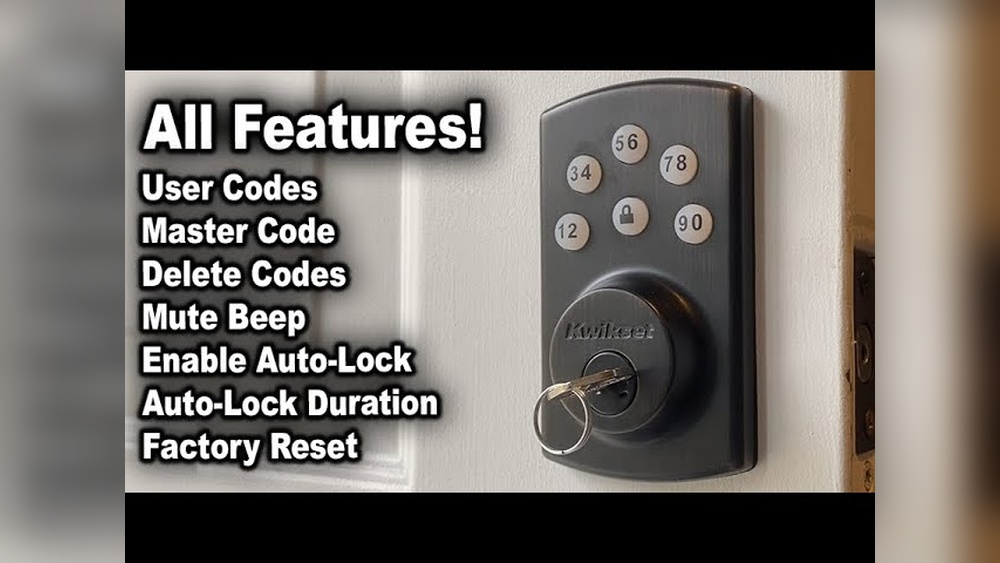
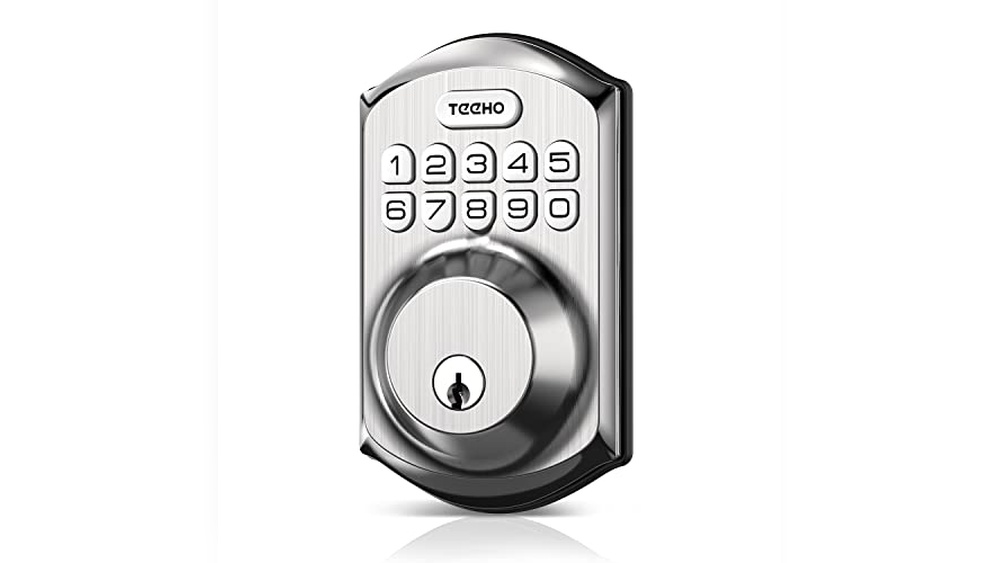
This deadbolt uses a keypad or electronic code instead of a key. Some models use fingerprint or smartphone apps. Resetting involves entering codes or pressing buttons. No physical keys needed.
Remove The Deadbolt
Removing the deadbolt is the first step to reset it. This process helps you access the lock’s inner parts. You need to be careful and follow the steps closely.
Start by taking off the visible parts. Then, remove the lock mechanism from the door. This makes it easier to reset or replace the lock.
Unscrew The Faceplate
Locate the screws on the faceplate of the deadbolt. Use a screwdriver to turn them counterclockwise. Keep the screws in a safe place to avoid losing them.
Once the screws are out, gently pull the faceplate away from the door. This will expose the lock’s internal parts. Handle the faceplate carefully to prevent damage.
Detach The Lock Mechanism
Look for screws holding the lock mechanism on the door’s edge. Unscrew these carefully. The lock mechanism should now come free from the door.
Pull the lock mechanism out slowly. Check for any connecting parts or wires. Set the mechanism aside on a clean surface to avoid dirt or damage.

Credit: www.reddit.com
Reset The Lock Mechanism
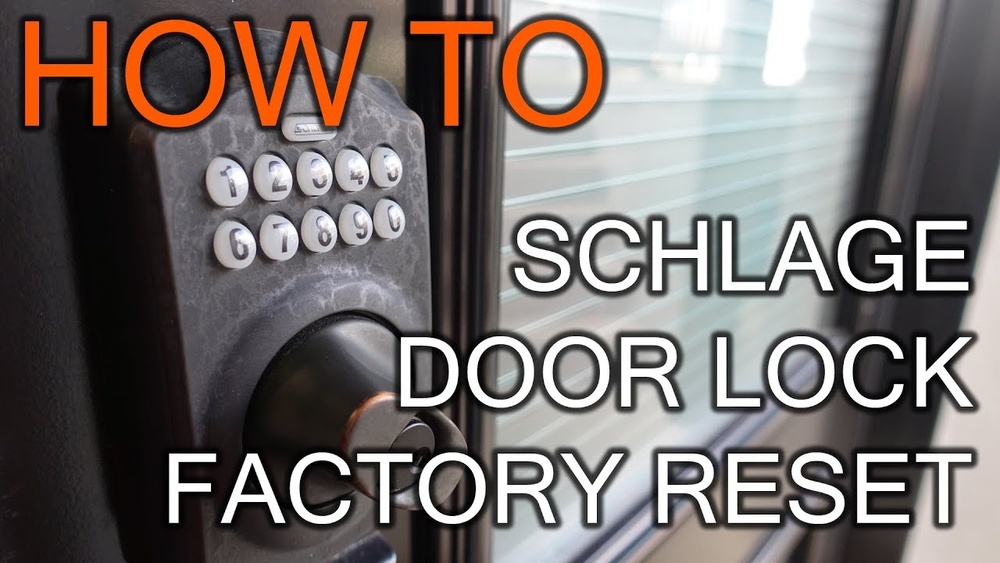
Resetting the lock mechanism is a key step in fixing a deadbolt lock. It allows you to clear old codes or settings and set new ones. This process gives you control over your lock’s security and access.
The reset method varies by lock model. Knowing the exact steps makes the task easier and faster. Follow the steps below carefully to reset your deadbolt lock properly.
Locate The Reset Button Or Pin
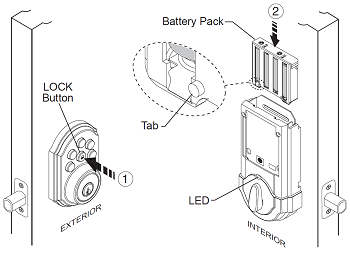
Find the reset button or pin on the lock. It is often inside the lock’s interior side. Sometimes, you need to remove the cover or battery pack to see it.
The reset button is usually small and may need a tool to press. Some locks have a tiny hole for the reset pin. Use a paperclip or pin to press it.
Use The Reset Tool Or Key
Use the reset tool or key that came with the lock. Insert it into the reset slot or hole. Hold it down for a few seconds until you hear a beep or click.
After releasing, the lock will be ready for a new code or key. Follow the lock’s instructions to complete the reset. This step clears old settings and prepares the lock for new access.
Reprogram The Lock
Reprogramming the lock is a key step after resetting a deadbolt. This process updates your lock’s settings to accept a new combination or key. It makes sure your lock works only with the new code or key. Follow the instructions carefully to avoid mistakes.
Set New Combination Or Key
Start by entering the programming mode on your lock. Usually, press and hold a button inside the lock. Then, enter your new combination or insert the new key as instructed. Confirm the new setting by pressing the required button. This step changes the lock’s code or key to your new choice.
Test The New Settings
After setting the new code, test the lock several times. Try unlocking with the new combination or key. Make sure it opens smoothly every time. Test multiple times to confirm the lock remembers the new settings. This step ensures your lock is fully reprogrammed and ready to use.
Credit: support.vivint.com
Reinstall The Deadbolt
Reinstalling the deadbolt is the final step after resetting it. This step ensures the lock works properly and fits securely. Follow each instruction carefully to avoid problems later. Proper installation helps your lock stay safe and last longer.
Align And Secure The Lock
Place the deadbolt on the door carefully. Make sure the bolt fits into the hole smoothly. Line up the screws with the holes on the door. Tighten the screws evenly to hold the lock firmly. Avoid over-tightening to prevent damage to the lock or door.
Check Lock Functionality
Turn the key or thumb turn to test the lock. The bolt should move in and out without sticking. Lock and unlock the deadbolt several times to be sure. Listen for any strange sounds during operation. A smooth action means the lock is installed correctly.
Troubleshooting Tips
Resetting a deadbolt lock can be tricky without the right guidance. Troubleshooting helps identify problems and solve them quickly. Knowing common issues saves time and effort. You can often fix small problems yourself. This section shares practical tips for easy troubleshooting.
Common Issues And Fixes
One common issue is the key not turning smoothly. Dust or dirt might block the lock. Spray a small amount of graphite lubricant inside the keyhole. Avoid oil-based lubricants; they can attract more dirt.
The deadbolt may stick or move slowly. Check if the lock aligns well with the strike plate. Tighten loose screws or adjust the strike plate if needed. Misalignment causes jamming or resistance when locking.
If the lock won’t reset, the battery might be dead for electronic models. Replace the battery with a new one of the correct type. Make sure the battery contacts are clean and secure.
When To Call A Locksmith
Some problems need professional help. Call a locksmith if the deadbolt is broken or jammed hard. For electronic deadbolts, call a specialist if resetting fails after battery replacement.
Do not force the lock. Forcing can cause more damage and higher repair costs. A locksmith has tools and knowledge to fix difficult lock issues safely.

Credit: www.youtube.com
Frequently Asked Questions
How Do I Reset A Deadbolt Lock Without A Key?
To reset a deadbolt lock without a key, remove the lock from the door. Then, access the lock’s interior mechanism to reset or replace the pins. This process often requires disassembling the lock and using specialized tools or calling a locksmith for assistance.
Can I Reset A Deadbolt Lock Myself Easily?
Yes, resetting a deadbolt lock yourself is possible if you have basic tools. Remove the lock, take off the cylinder, and follow manufacturer instructions to change the combination or rekey it. Always ensure the lock is compatible with DIY resetting.
How Long Does It Take To Reset A Deadbolt Lock?
Resetting a deadbolt lock typically takes 10 to 30 minutes. The time depends on the lock type and your experience. Electronic locks may take longer due to programming steps, while mechanical locks reset faster with the right tools.
Is Resetting A Deadbolt Lock Better Than Replacing It?
Resetting a deadbolt lock is usually more cost-effective and quicker than replacing it. However, if the lock is damaged or outdated, replacement may provide better security and durability. Choose based on lock condition and your security needs.
Conclusion
Resetting a deadbolt lock is simpler than you might think. With the right tools and steps, you can do it yourself. Take your time and follow each part carefully. This saves money and avoids waiting for help. A working lock keeps your home safe and secure.
Practice makes perfect, so don’t worry if it takes a few tries. Now, you have the knowledge to handle deadbolt resets confidently. Stay safe and keep your locks in good shape.