Are you ready to enjoy your favorite shows and movies but not sure how to connect your cable from the wall to your TV? You might think it’s complicated, but hooking up your cable is actually quick and simple.
In this guide, you’ll learn exactly what you need to do step-by-step, so you can get your TV up and running without any hassle. Keep reading, and you’ll be watching in no time!
Credit: www.reddit.com
Gather Necessary Tools
Gathering the right tools makes hooking up cable from the wall to your TV easier. It saves time and avoids frustration. Before starting, prepare everything you need. This step helps the process go smoothly.
Check Cable Types
Identify the type of cable coming from your wall. Common types include coaxial and HDMI cables. Coaxial cables are round with a single pin in the middle. HDMI cables are flat with a wide connector. Knowing the cable type helps you choose the right connection method.
Check the cable on your TV too. It must match the wall cable or work with an adapter. Using the wrong cable can cause no signal or poor picture quality.
Prepare Connectors And Adapters
Gather any connectors or adapters you might need. Coaxial cables often need a screw-on connector. HDMI cables usually plug in directly but may need an adapter for different ports. For example, some TVs use mini HDMI ports instead of full-size ones.
Having these items ready avoids last-minute trips to the store. It also ensures a secure and clear connection from wall to TV.
Locate Wall Cable Outlet
Finding the wall cable outlet is the first step in connecting your TV. This outlet sends the cable signal from outside into your home. It usually looks like a small round port on the wall. Knowing where it is helps you connect the cable quickly and easily.
Most homes have a single cable outlet in the living room or near the TV area. Sometimes, outlets appear in bedrooms or other rooms too. Look low on the wall near where you want to place your TV. The outlet may blend in with other wall sockets, so check carefully.
Identify Cable Port
The cable port is a round metal connector with a small hole in the middle. It is designed to fit the coaxial cable from your cable provider. This port may be labeled “Cable In” or “TV.” Some outlets have a cover plate that you need to remove first. Make sure you spot the correct port before connecting.
Inspect Cable Condition
Check the cable that connects to the wall outlet. It should be free of cuts, twists, or damage. A damaged cable can cause poor TV signal or no signal at all. The connectors on both ends must be tight and clean. Replace any worn or broken cables for the best picture quality.
Prepare Tv For Connection
Preparing your TV for connection is an important step before hooking up the cable. It helps ensure the connection is secure and the TV receives the signal properly. Taking a few moments to get your TV ready will save time and avoid problems later.
Find Tv Cable Input
Look at the back or side of your TV to find the cable input. It usually looks like a round port with a threaded outer ring. The label might say “Cable In,” “RF In,” or “ANT In.” This is where the cable from the wall connects to your TV. Make sure you identify the correct port to avoid confusion.
Power Off Tv
Turn off your TV before connecting the cable. Unplug the TV from the power outlet for safety. This stops any electrical issues while you connect the cable. Never connect or disconnect cables while the TV is on. Powering off helps protect both the TV and the cable.
Credit: www.echogear.com
Connect Cable To Wall Outlet
Connecting the cable from your wall outlet to the TV is the first step. It allows your TV to receive the signal for channels. The process is simple and does not need tools.
Follow clear steps to ensure a good connection. This helps avoid poor picture or sound quality on your TV.
Attach Cable Connector
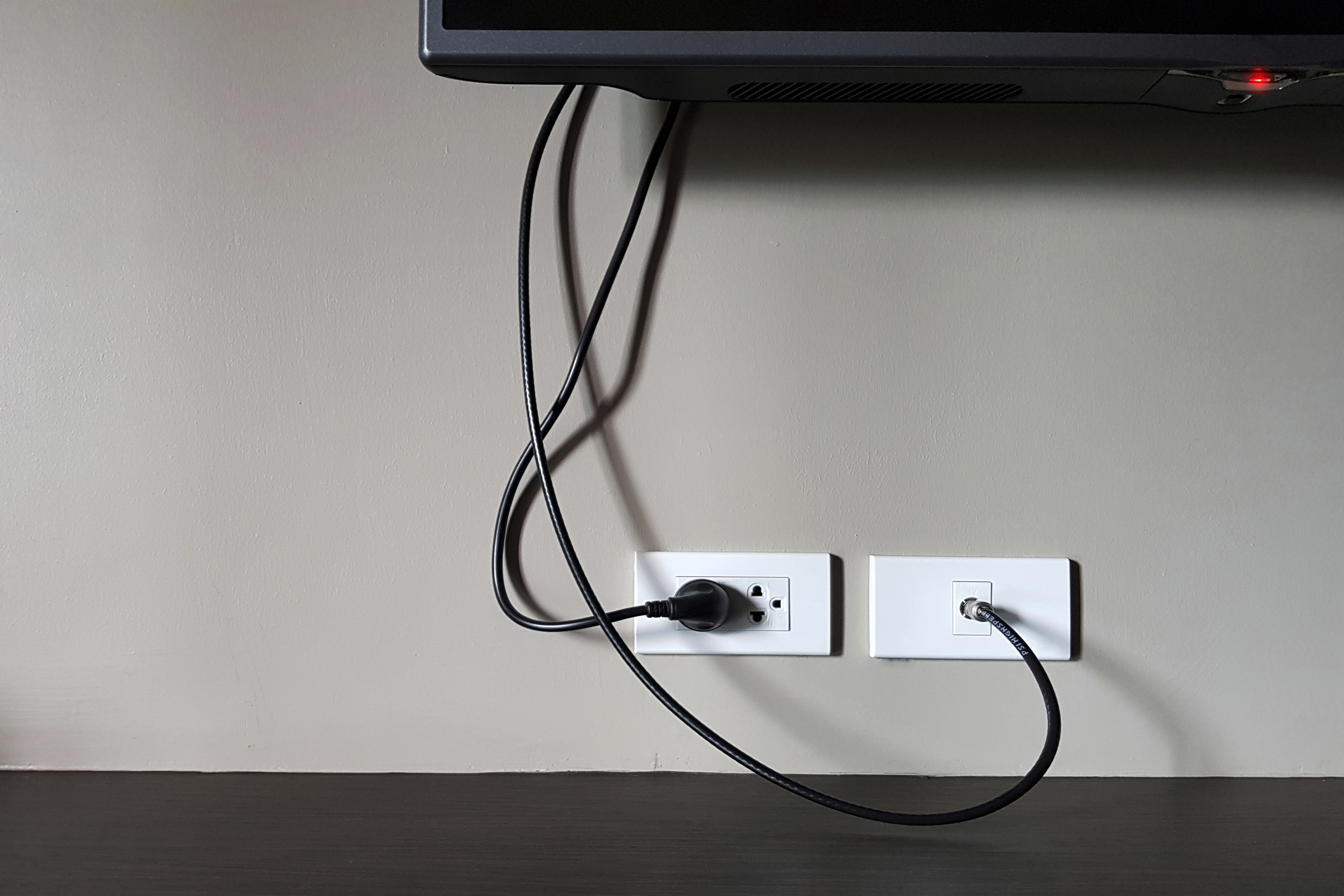
Take the cable that comes from the wall outlet. Look at the end to find the metal connector. This connector fits into the TV’s cable input.
Hold the connector firmly and line it up with the wall outlet port. Push it gently but firmly into the port until it fits snugly. Avoid forcing it to prevent damage.
Secure Connection
Check the connection by giving the cable a slight tug. It should stay in place without moving. A loose connection can cause the TV signal to cut out.
Make sure the cable is not bent sharply near the connector. Sharp bends can damage the cable and reduce signal quality. Keep the cable smooth and straight as much as possible.
Connect Cable To Tv
Connecting the cable to your TV is a simple step. It brings your favorite shows and channels to your screen. Follow clear steps to avoid common mistakes. Make sure the TV is off before starting. This helps protect your devices from damage.
Use the right cable and TV input for the best picture quality. Take your time to secure each connection firmly. This ensures a steady signal without interruptions.
Plug Cable Into Tv Input
Locate the cable input port on your TV. It is usually labeled “Cable In” or “RF.” Hold the cable connector and align it with the port. Push it gently but firmly until it fits snugly. Avoid forcing the cable as it can damage the port.
Check For Loose Connections
After plugging in, check if the cable is loose. A loose cable causes poor signal or no picture. Wiggle the connector slightly to see if it moves. If it does, unplug and plug it back in firmly. Make sure the cable is straight and not bent sharply.
Test The Connection
Testing the connection is a key step after hooking up cable from the wall to your TV. This step confirms if everything works well. You avoid problems later by checking now. Follow simple steps to make sure your TV receives the cable signal correctly.
Power On Tv
First, turn on your TV. Use the remote or the power button on the TV. Watch for the screen to light up. A clear, bright screen means the TV is ready. If the screen stays dark, check the power source and cables.
Scan For Channels
Next, scan for channels using the TV’s menu. Go to settings or setup and find “Channel Scan” or “Auto-tune.” This process searches for all available cable channels. Wait patiently while the TV scans. Once done, you can browse the channels to confirm the connection works.
Troubleshoot Common Issues
Setting up your cable from the wall to the TV can sometimes cause problems. These issues stop your TV from showing channels or make the picture unclear. Troubleshooting helps find and fix these common problems quickly. It saves time and avoids frustration.
No Signal Detected
No signal means your TV cannot find the cable source. Check if the cable is plugged in tightly on both ends. Loose connections cause this issue. Also, ensure your TV input is set to the correct source, like HDMI or Cable. Try restarting your TV and cable box to refresh the connection. If the problem stays, test the cable with another TV or use a different cable.
Poor Picture Quality
Blurry or fuzzy images reduce your viewing pleasure. Inspect the cable for any damage or bends that may affect signal strength. Dirty or corroded connectors can cause static on screen. Clean the cable ends gently with a dry cloth. Adjust the TV’s picture settings to improve clarity. If problems continue, replace the cable with a high-quality one for better signal delivery.

Credit: recpro.com
Frequently Asked Questions
How Do I Connect Cable From Wall To Tv?
First, locate the cable outlet on the wall. Use a coaxial cable to connect the outlet to your TV’s cable input. Tighten both ends securely to ensure a stable connection. Turn on your TV and set it to the cable input source.
What Type Of Cable Is Needed For Tv Hookup?
A standard coaxial cable is used to connect your TV to the wall cable outlet. Ensure the cable is high quality and has F-type connectors for a secure fit. Avoid using damaged or low-quality cables to maintain signal strength.
Can I Hook Up Cable Without A Cable Box?
Yes, if your TV has a built-in digital tuner, you can connect the cable directly. Connect the coaxial cable to your TV and scan for channels using the TV’s menu. Otherwise, a cable box or converter is required.
How To Avoid Poor Signal When Connecting Cable?
Ensure all cable connections are tight and secure. Use high-quality coaxial cables without damage or kinks. Avoid long cable runs or use signal amplifiers if needed. Regularly check and replace old cables to maintain optimal signal quality.
Conclusion
Connecting the cable from the wall to your TV is simple and quick. Just follow the steps carefully and check each connection. This ensures your TV gets the best signal. No need for extra tools or help. Once done, enjoy watching your favorite shows without interruptions.
Cable setup does not have to be hard. A clear picture and sound are just a few steps away. Keep your cables tidy to avoid any problems later. Now, your TV is ready to provide hours of entertainment. Easy, right?