Have you ever wished you could control your lights from two different switches without the hassle of rewiring your walls? Imagine turning on your bedroom light from both the door and your bed, or controlling the living room lamp from multiple spots—all without calling an electrician or tearing up your walls.
You’ll discover simple, clever ways to add a second light switch without any complicated wiring. Keep reading, because making your lighting more convenient is easier than you think.

Credit: www.youtube.com
Tools And Materials Needed
Adding a second light switch without wiring needs some basic tools and materials. These help you install the switch safely and quickly. The right tools make the job easier and prevent damage.
This guide lists everything you need for a smooth installation. Each item plays a role in creating a functional and neat setup.
Smart Wireless Light Switch
A smart wireless light switch controls your lights without wiring. It connects to your home Wi-Fi or a hub. Choose one compatible with your existing lighting system.
Double-sided Mounting Tape
Strong double-sided tape holds the switch on the wall. It avoids drilling holes or using screws. Make sure the tape can support the switch’s weight.
Smartphone Or Tablet
A smartphone or tablet sets up the wireless switch. Use the switch’s app to connect it to your Wi-Fi. You can control the light from your device too.
Level Tool
A small level helps place the switch straight on the wall. This keeps the switch looking neat and professional. It is easy to use and very helpful.
Cleaning Supplies
Clean the wall surface before mounting the switch. Use a cloth and mild cleaner. A clean surface helps the tape stick better and longer.
Types Of Wireless Light Switches
Wireless light switches offer a simple way to control lights without new wiring. They work by sending signals through the air. This makes adding a second switch easy and quick.
There are several types of wireless switches. Each type fits different needs and setups. Understanding these options helps you pick the best one.
Remote Control Switches
Remote control switches use a handheld remote. You press buttons to turn lights on or off. They work from a distance, usually within a room or house. Installation is simple—no wires needed. These are great for easy control without touching the wall.
Smart Wi-fi Switches
Smart Wi-Fi switches connect to your home internet. They let you control lights from a phone or voice assistant. These switches offer timers and schedules for convenience. Setup needs Wi-Fi and a compatible app. Perfect for those who want modern features and remote control.
Battery-powered Switches
Battery-powered switches do not need wiring or plugs. They run on small batteries that last months. These switches can be placed anywhere on the wall. Installation is fast and leaves no marks. Ideal for renters or temporary setups.
Choosing The Right Switch For Your Setup
Choosing the right switch for your setup matters a lot. It affects how well the new switch works with your current lighting. Picking the correct switch makes installation easier and use smoother. This section explains key points to consider before buying a switch.
Compatibility With Existing Fixtures
Check if the switch works with your light fixtures. Some switches work only with certain bulb types like LED or incandescent. Make sure the switch supports the wattage of your lights. Confirm if the switch fits your home’s wiring system, even if no rewiring is needed. Compatibility avoids problems and saves time.
Range And Signal Strength
The switch should connect well to the light from a distance. Wireless switches use signals that may weaken over walls or floors. Know the maximum range the switch can cover. A strong signal prevents delays or failures in turning lights on or off. Test the signal strength before final installation.
Power Source Options
Switches may use batteries or draw power from the wiring. Battery-powered switches are easy to install and move. They need occasional battery changes. Wired switches may need professional setup but offer constant power. Choose the power type that fits your lifestyle and maintenance ability.

Credit: www.youtube.com
Step-by-step Installation Process
Adding a second light switch without wiring is easier than it sounds. This step-by-step guide will walk you through the process. Each step is simple and clear. Follow along to install your switch smoothly and safely.
Preparing The Installation Area
Choose a spot near the light fixture or your main switch. Make sure the wall surface is clean and dry. Remove any obstacles or decorations. Check for power sources or outlets nearby. This ensures the new switch will work without rewiring.
Mounting The Switch
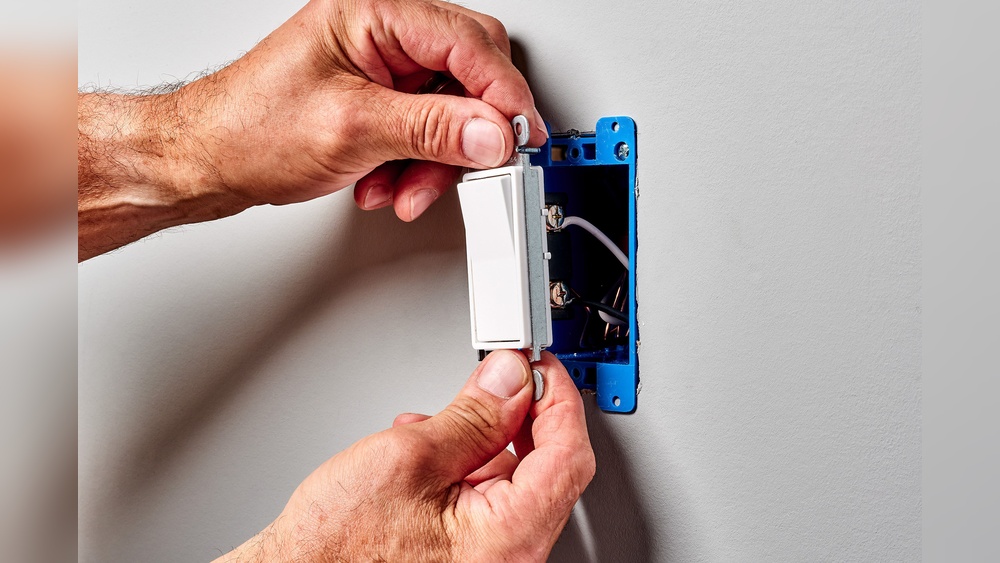
Use the mounting plate that comes with your wireless switch. Attach it to the wall using screws or adhesive strips. Keep the switch at a comfortable height. Press firmly to secure the switch. Avoid loose mounting, as it can cause connection problems.
Pairing The Switch With The Light Fixture
Turn on the main light switch. Follow the manufacturer’s instructions to pair the new switch. Usually, this involves pressing buttons on both devices. Wait for a confirmation signal, like a blinking light. Test the new switch to ensure it controls the light properly.
Testing And Troubleshooting
Testing and troubleshooting are key steps after adding a second light switch without wiring. These steps ensure your switch works safely and correctly. Testing helps you find any issues early. Troubleshooting guides you to fix those problems quickly.
Ensuring Proper Connection
Check that all parts of the switch connect firmly. Loose connections can stop the switch from working. Press the switch and watch the light. If it does not turn on or off, check the switch’s battery. Replace it if needed. Make sure the switch and the light are on the same wireless network. This ensures they communicate well.
Common Issues And Fixes
Sometimes the switch may not control the light properly. The light may flicker or stay off. First, check if the switch battery is low. Change it if it is. If the switch does not respond, reset it by turning it off and on again. Make sure there are no obstacles blocking the signal. Walls or large furniture can cause trouble. If problems continue, consult the switch manual for detailed help.
Benefits Of Wireless Light Switches
Wireless light switches offer many benefits for homes and offices. They provide a simple way to control lights without complex wiring changes. These switches make adding a second switch easy, fast, and cost-effective. Users enjoy convenience and flexibility in managing their lighting.
No Need For Rewiring
Wireless switches do not require any new wires or holes in the walls. This saves time and money on electrical work. It also keeps your walls and paint intact. You avoid the mess and hassle of traditional rewiring. Installation is quick and clean, suitable for any room.
Flexibility In Placement
You can place wireless switches anywhere within range. No need to stay close to the original wiring. This allows you to add switches in hard-to-reach or new locations easily. Moving the switch is simple if you want to change its spot. This flexibility suits renters and homeowners alike.
Energy Efficiency
Wireless switches often use low power and save energy. Many models include features like timers and dimmers. These help reduce electricity use and lower bills. Controlling lights more precisely means no wasted power. It supports a greener and more cost-effective home.
Safety Tips And Maintenance
Adding a second light switch without wiring is simple and safe with the right care. Regular maintenance keeps the switch working well. Safety is important to avoid problems and make your home secure. Follow these tips to keep your wireless switch in good shape.
Battery Replacement
Wireless light switches use batteries. Check the battery level often. Replace batteries before they die. Use the right type of battery. Dead batteries cause the switch to stop working.
Avoiding Interference
Other devices can block the signal. Keep the switch away from strong electronics. Avoid placing it near metal objects. Interference causes the switch to act slow or not work.
Regular Function Checks
Test the switch regularly. Press the switch and check the light. Fix any delays or problems fast. Regular checks keep your lighting system reliable and safe.

Credit: diy.stackexchange.com
Frequently Asked Questions
Can I Add A Second Switch Without Rewiring?
Yes, you can add a second switch using wireless or battery-powered smart switches. These devices communicate via Wi-Fi or RF signals, eliminating the need for new wiring.
What Tools Do I Need For A Second Switch Installation?
You generally need a smart switch kit, a screwdriver, and possibly a drill. No electrical wiring tools are required for wireless models.
Are Wireless Switches Reliable For Controlling Lights?
Yes, modern wireless switches are reliable and responsive. They offer easy installation and work well with most home lighting systems.
Can I Control Two Switches From One Light Fixture?
Yes, smart switches allow multiple controls for one light fixture. They sync via an app or remote, enabling convenient operation.
Conclusion
Adding a second light switch without wiring is easier than you think. Wireless switches offer a simple and safe solution. They do not require cutting walls or handling wires. You can control your lights from two spots with little effort.
Choose the right switch that fits your needs and budget. Follow the steps carefully for a smooth setup. Enjoy the convenience of controlling lights more easily around your home. Small changes can make a big difference in daily comfort. Try it today and see how simple it can be.