If you’ve ever needed to change the keys for your Kwikset Smartkey deadbolt but weren’t sure how, you’re in the right place. Knowing how to reset your Smartkey deadbolt quickly can save you time and give you peace of mind.
Whether you lost your keys, moved into a new home, or just want to upgrade your security, this guide will walk you through every step. By the end, you’ll feel confident handling your lock like a pro—no locksmith needed. Let’s get started and make your home safer today!
Credit: www.youtube.com
Tools Needed
Before starting the reset process, gather the right tools. Having the correct tools makes the job easier and faster. You do not need many items. Just a few simple tools will do.
Phillips Head Screwdriver
This tool is essential for removing screws on the deadbolt. Most Kwikset SmartKey locks use Phillips screws. A medium-sized screwdriver works best. It helps you open the lock cover safely.
Flathead Screwdriver
A flathead screwdriver helps with prying and lifting parts gently. It fits into small gaps. Use it to release the SmartKey reset tool if stuck. Handle with care to avoid damage.
Smartkey Reset Tool
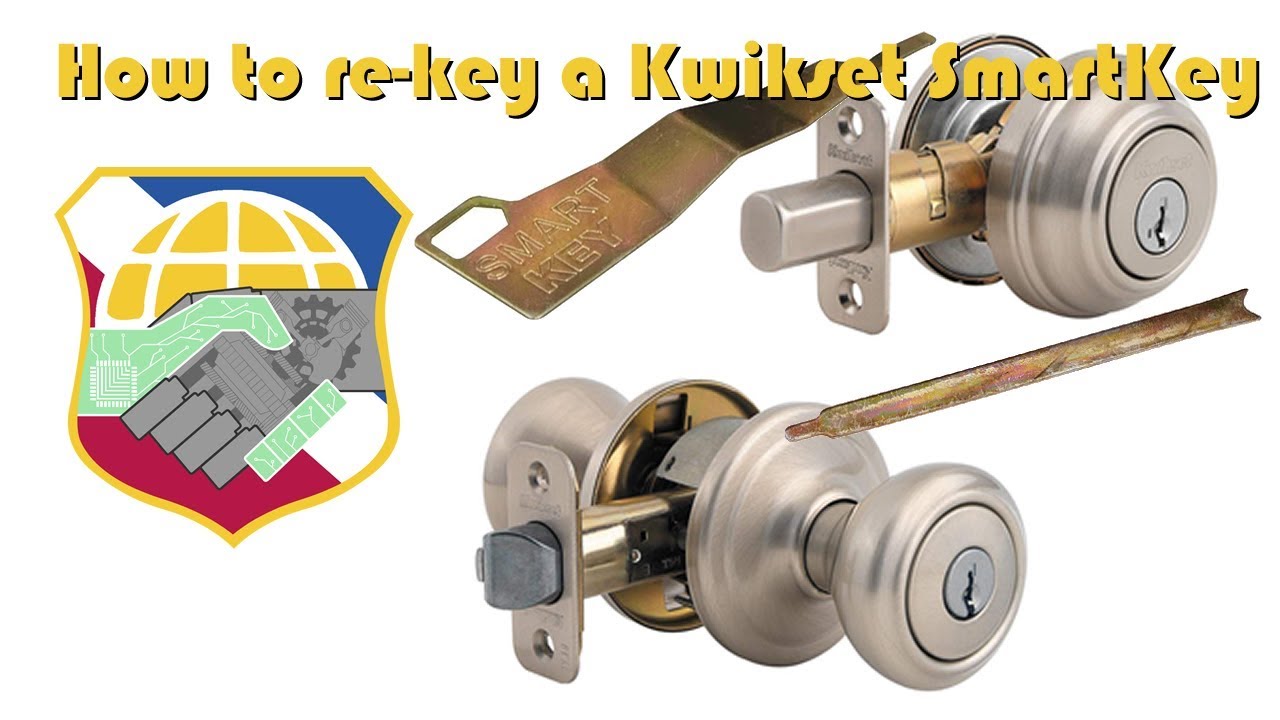
The SmartKey reset tool comes with your lock. It fits into the small reset hole on the lock. This tool allows you to change the lock’s key code. Keep it handy to complete the reset process.
New Key
You need a new key to reprogram the lock. The new key works with the reset tool. It sets the lock to a new key code. Use a key that matches your new lock settings.
Credit: www.homedepot.com
Locate The Reset Slot
Locating the reset slot on your Kwikset SmartKey deadbolt is the first step to resetting the lock. This small slot allows you to change the lock’s key quickly and safely. Knowing exactly where it is helps you avoid frustration and saves time.
The reset slot is usually hidden to keep the lock secure. It is important to find it before starting the reset process. This makes the whole procedure easier and smoother.
Check The Inside Part Of The Deadbolt
Open your door and look at the inside thumb turn of the deadbolt. The reset slot is often near this area. It might be a small hole or a narrow slot.
Use a flashlight to see clearly. The slot is usually just big enough for a thin tool like a paperclip.
Look For A Small Plastic Cover
Some Kwikset models have a tiny plastic cover over the reset slot. It blends with the lock’s color.
Gently press or slide the cover to reveal the slot. Avoid using force to prevent damage.
Use The Right Tool To Spot The Slot
A paperclip or a small flathead screwdriver works well to check the slot. Straighten the paperclip for easy access.
Insert the tool carefully to confirm the slot’s location. Do not push hard to avoid breaking the lock.
Remove The Cylinder
Removing the cylinder from a Kwikset SmartKey deadbolt is a key step in resetting the lock. This part holds the keyhole and connects to the internal mechanism. Taking it out allows you to work directly with the lock’s core. Follow the steps carefully to avoid damage and keep the lock working smoothly.
Gather The Necessary Tools
Start by collecting a screwdriver, usually a Phillips head. You may also need the key that fits the lock. Having these ready makes the process faster and easier. Avoid using tools that might scratch or break the lock.
Remove The Interior Thumb Turn
Locate the screws on the inside of the door near the thumb turn. Use the screwdriver to take them out. Gently pull the thumb turn away from the door. This clears the way to access the cylinder.
Unscrew The Cylinder Retaining Screw
Find the long screw on the edge of the door, at the same height as the cylinder. This screw holds the cylinder in place. Remove it carefully with the screwdriver. Keep this screw safe for reassembly.
Pull Out The Cylinder
Insert the key into the cylinder. Turn it slightly to line up the pins inside. While holding the key turned, pull the cylinder straight out. It should slide out smoothly without force.
Check The Cylinder For Damage
Look over the cylinder for cracks or wear. Damage here can affect the lock’s function. Replace the cylinder if you find any problems before resetting the lock.
Insert The Reset Tool
Inserting the reset tool is a key step in resetting your Kwikset SmartKey deadbolt. This step allows the lock to enter reset mode and accept a new key. The process is simple but requires attention to detail. Follow these instructions carefully to avoid any issues.
Locate The Reset Hole
Find the small reset hole on the side of the deadbolt. This hole is usually near the keyhole. It is designed specifically for the reset tool.
Insert The Reset Tool Firmly
Take the reset tool that came with your lock. Push it straight into the reset hole. Apply steady pressure until it stops.
Turn The Reset Tool
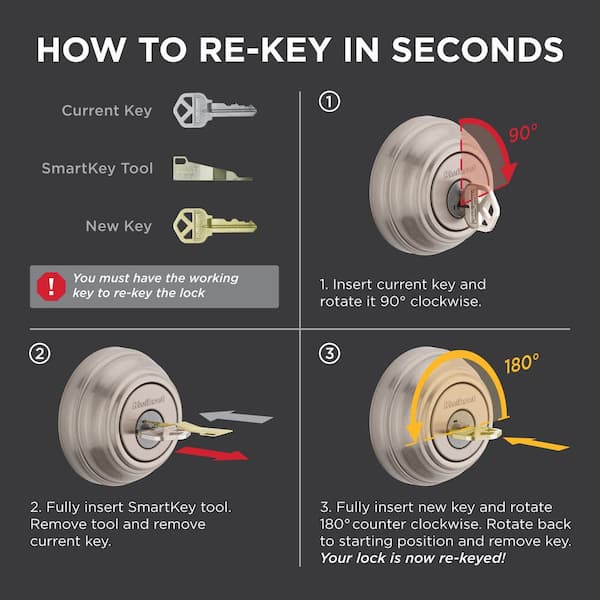
Once inserted, turn the reset tool 90 degrees clockwise. This action activates the reset mode. You will feel a slight click or resistance.
Remove The Reset Tool Carefully
After turning, pull the reset tool out gently. The lock is now ready for the new key to be programmed. Avoid forcing the tool to prevent damage.
Turn The Cylinder
Turning the cylinder is a key step in resetting your Kwikset SmartKey deadbolt. This action prepares the lock to accept a new key. It helps release the old key code and allows you to reprogram the lock quickly. Without turning the cylinder correctly, the reset process will not work.
Locate The Cylinder
Find the key cylinder on the inside of your door. It is usually near the thumb turn or handle. Make sure the door is open for easy access. You need a clear view and space to turn the cylinder smoothly.
Insert The Current Key
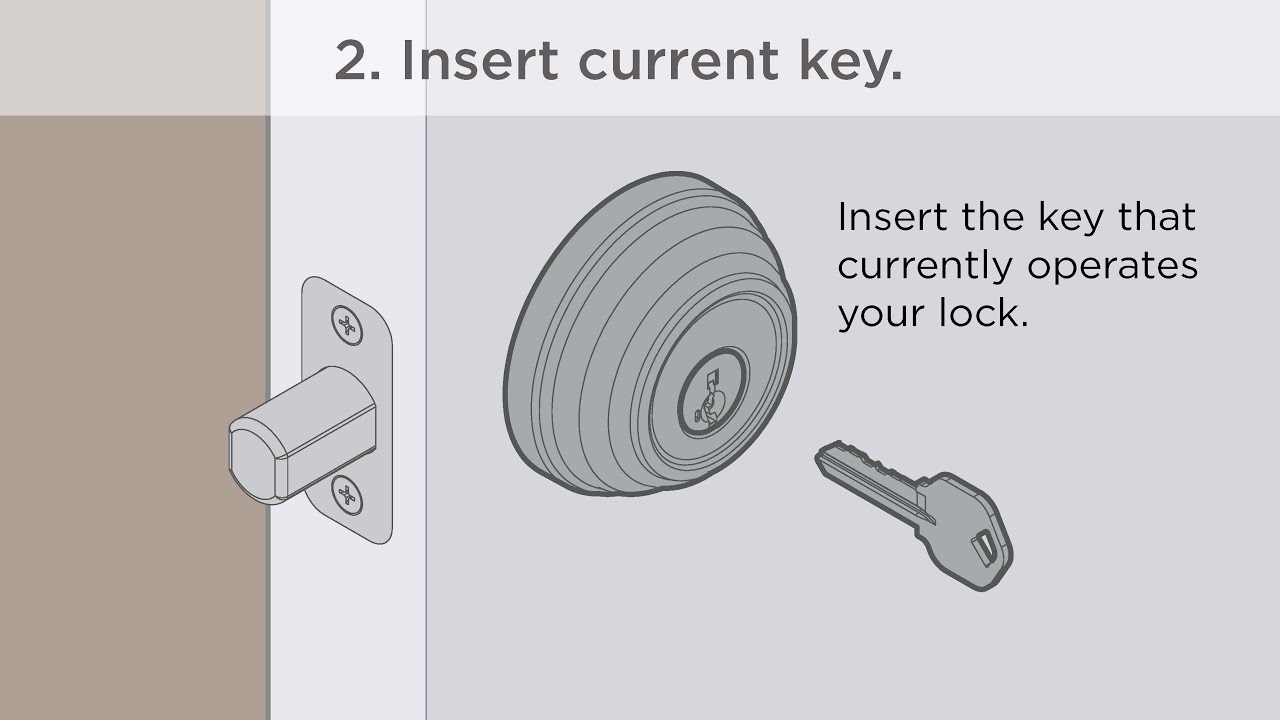
Put your current key fully into the cylinder. The key must fit completely to turn the lock. Gently push it in until it stops. This step ensures the lock recognizes the key before resetting.
Turn The Cylinder 90 Degrees
Turn the cylinder one quarter turn, or 90 degrees, towards the door frame. This means turning it clockwise or counterclockwise depending on your lock model. Stop when the key cannot turn any further without force.
Insert The New Key
While holding the cylinder turned, remove the old key. Quickly insert the new key into the cylinder. Push it all the way in to set the new key code. The lock now starts to memorize the new key pattern.
Turn The Cylinder Back
Turn the cylinder back to the original position. This action locks in the new key code. Remove the new key and test it to confirm the reset was successful. The deadbolt should turn smoothly with the new key.
Set A New Key
Reinstalling the cylinder is an essential step after resetting your Kwikset SmartKey deadbolt. This process puts all parts back in place. It ensures your lock works smoothly and securely. Follow the steps carefully for best results.
Align The Cylinder Correctly
Start by placing the cylinder into the door hole. Make sure the key slot faces outward. Align it so the tailpiece fits into the locking mechanism inside the door. Proper alignment avoids jamming or damage.
Secure The Cylinder With Screws
Use the screws you removed earlier to fix the cylinder. Tighten them evenly but do not over-tighten. Screws must be firm enough to hold the cylinder steady. Loose screws may cause the lock to wobble.
Test The Lock Function
Insert the key and turn it to check the lock. The deadbolt should move smoothly without resistance. Test both locking and unlocking actions. This confirms the cylinder is installed correctly and works well.
Reinstall The Cylinder
Troubleshooting your Kwikset SmartKey deadbolt can solve many common problems. Simple checks often fix the issue. Here are key tips to help you reset and operate your lock smoothly.
Key Won’t Turn
First, check if the key is fully inserted. Dirt or debris inside the lock can block the key. Try spraying a small amount of graphite lubricant into the keyhole. Avoid oil-based lubricants as they can attract dust. Gently wiggle the key while turning it. Do not force the key to avoid damage.
Reset Slot Issues
Make sure the reset slot is clear of dust and dirt. Use a toothpick or a small brush to clean the slot carefully. If the reset tool won’t fit, check if it is the correct size. Press the reset button firmly but avoid pressing too hard. The button should click softly to confirm it has engaged.
Cylinder Stuck
A stuck cylinder may result from rust or debris inside. Apply graphite lubricant to the cylinder and try turning it slowly. Check for any visible damage or misalignment in the lock. If stuck, tap the lock gently with a rubber mallet to loosen it. Avoid using excessive force to prevent breaking the lock.
Credit: www.kwikset.com
Frequently Asked Questions
How Do I Reset A Kwikset Smartkey Deadbolt?
To reset a Kwikset SmartKey deadbolt, remove the lock’s interior knob. Press the SmartKey tool into the small hole and turn it 90 degrees. This resets the lock, allowing you to rekey or set a new key.
Can I Reset The Lock Without The Original Key?
No, you need the original key to reset a Kwikset SmartKey deadbolt. The key is essential to unlock the cylinder before resetting. Without it, resetting or rekeying is not possible.
How Long Does It Take To Reset The Smartkey Deadbolt?
Resetting a Kwikset SmartKey deadbolt usually takes under five minutes. The process is simple and requires minimal tools, making it quick and easy for users.
Is The Smartkey Reset Process Reversible?
Yes, the reset process is reversible. You can rekey the lock multiple times to different keys as needed without replacing the entire lock.
Conclusion
Resetting your Kwikset SmartKey deadbolt is simple and quick. Follow the steps carefully to avoid mistakes. This process helps keep your home safe and secure. Regularly changing your key adds extra protection. Now, you can manage your lock without needing a locksmith.
Take your time and work patiently. Your door will be secure again in no time. Easy to do, right? Keep this guide handy for future reference. Stay safe and confident with your smart lock.