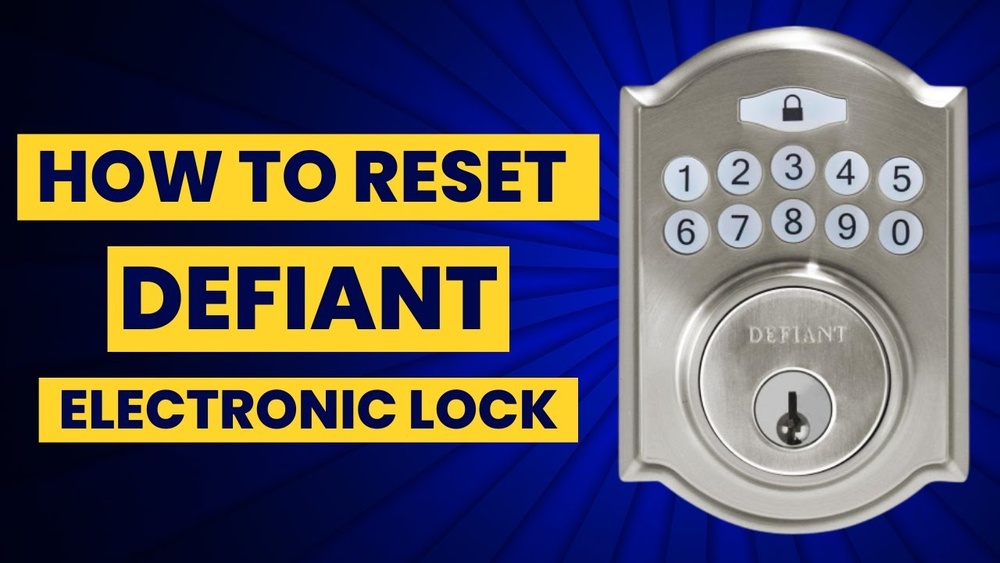
If your Defiant keypad deadbolt isn’t working like it used to, resetting it might be the fix you need. Whether you forgot your code or want to set up a new one, knowing how to reset your lock is key to keeping your home secure and stress-free.
In this guide, you’ll find simple, step-by-step instructions that anyone can follow—no tech skills required. Keep reading to take control of your deadbolt and feel confident about your home’s safety again.
Credit: www.ilockey.com
Tools Needed
Resetting a Defiant keypad deadbolt requires a few simple tools. Having the right tools ready makes the process quick and easy. No need for special equipment or expensive gadgets. Just gather these basic items before you start.
Screwdriver
A screwdriver is essential to remove the screws on the lock. Most Defiant models use a Phillips head screwdriver. Sometimes a flathead screwdriver may be needed. Check your lock screws first to choose the correct type.
New Batteries
Replacing the batteries is a good step during reset. Low battery power can cause issues. Use fresh AA or AAA batteries as per your lock’s requirement. Keep them handy to avoid delay.
Reset Tool Or Paperclip
Some models need a small tool to press the reset button. A paperclip works well if you don’t have the official reset tool. Straighten the paperclip to reach the reset hole easily.
Instruction Manual
The manual guides you through the reset steps. It also explains tool use and safety tips. Keep the manual close for reference at any moment.
Locate The Reset Button
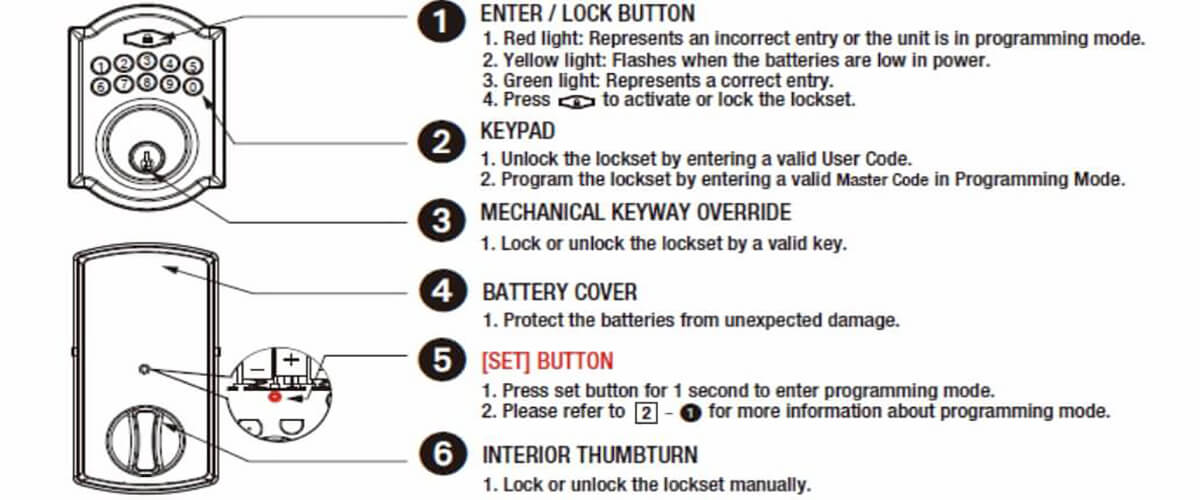
Finding the reset button is the first step to reset a Defiant keypad deadbolt. This button allows you to clear old codes and set new ones. Knowing its exact location saves time and avoids frustration.
The reset button is usually small and recessed. It needs a tool like a paperclip to press it. This design prevents accidental resets during regular use.
Check The Interior Side Of The Deadbolt
Open the door and look at the inside lock panel. The reset button is often near the battery compartment. Remove the cover if needed to see it clearly. It is a tiny hole or a small button.
Look Near The Battery Compartment
The battery compartment is a common place for the reset button. Find the battery cover and take it off. The reset button should be visible inside or close by. Press it gently with a pointed object.
Refer To The User Manual
The user manual shows exact reset button location. It has pictures and step-by-step instructions. Keep the manual handy before starting the reset. It helps avoid mistakes and saves time.
Remove The Battery Cover
Removing the battery cover is the first step to reset your Defiant keypad deadbolt. It gives you access to the batteries and the reset button inside. Without removing this cover, you cannot start the reset process.
The battery cover is usually located on the inside part of the lock. It is designed to be easy to remove but secure enough to stay in place during use. Handling it carefully will prevent damage to the lock.
Locate The Battery Cover
Look on the inside of the deadbolt for a rectangular or square panel. This panel is the battery cover. It may blend with the lock’s color but is usually visible.
Use The Right Tool
Most battery covers can be removed by hand. If it feels stuck, use a flathead screwdriver or a coin. Gently insert it into the slot and twist to open.
Lift The Cover Off
Once the cover is loose, lift it carefully away from the lock. Set it down in a safe place to avoid losing it during the reset process.
Credit: www.ilockey.com
Press And Hold The Reset Button
Pressing and holding the reset button is a key step to reset your Defiant keypad deadbolt. This action clears old settings and prepares the lock for new codes. It ensures the deadbolt works smoothly with updated access codes.
Finding and holding the reset button correctly makes the reset process quick and easy. This step helps you avoid errors and keeps your lock secure. Follow the instructions carefully for the best results.
The reset button is usually inside the battery compartment. Remove the cover gently to see the button. It is often small and red or black. Use a pointed object to press it if needed.
Press And Hold The Button
Press the reset button firmly. Hold it for about 5 to 10 seconds. You may hear a beep or see a light flash. This confirms the reset process has started.
Release And Wait
Let go of the button after holding it. Wait a few seconds for the lock to reset. The keypad will then be ready for programming new codes. Avoid pressing other buttons during this time.
Reinstall The Batteries
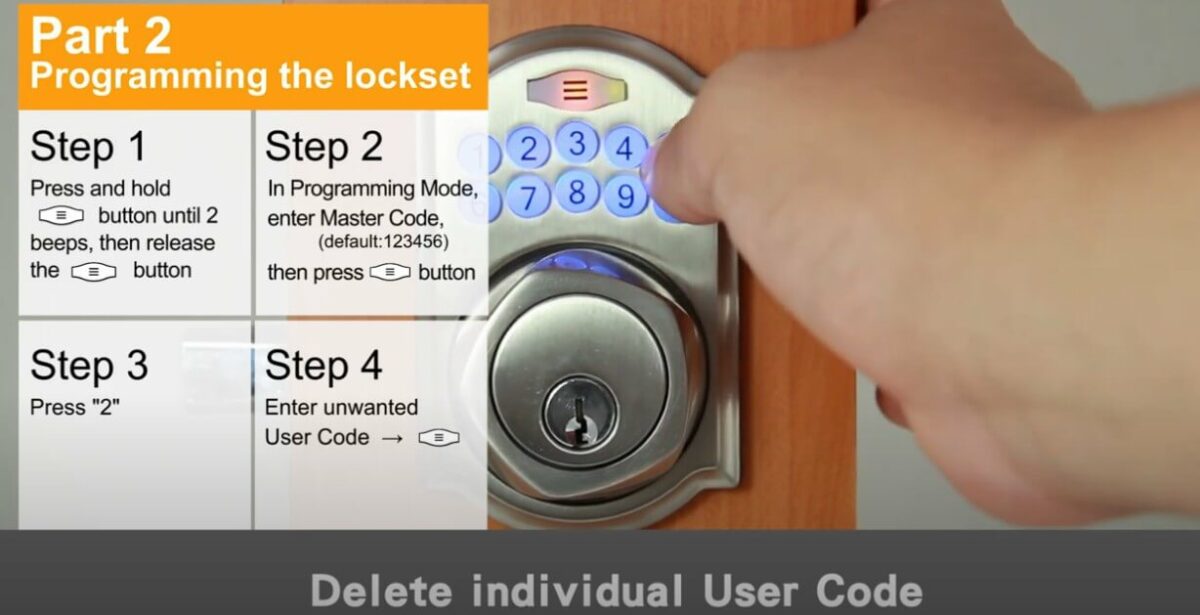
Programming a new code on your Defiant keypad deadbolt is simple. This step lets you secure your door with a fresh set of numbers. Follow each step carefully to ensure your lock works correctly with the new code.
Enter Programming Mode
Start by pressing the gear or program button on the keypad. Hold it until you hear a beep or see the light flash. This action puts the lock into programming mode. You must act quickly before it times out.
Set Master Code
Next, enter a new master code. This code controls all other codes on the lock. Choose numbers easy for you to remember but hard for others to guess. Press the lock or checkmark button to save the new master code.
Add User Codes
After setting the master code, you can add user codes. These codes allow family or friends to open the door. Enter the user code slot number, then type the user code. Confirm by pressing the lock or checkmark button. Repeat for more user codes if needed.
Program A New Code
Testing the deadbolt is the final step after resetting your Defiant keypad lock. This step confirms the lock works correctly with the new settings. It ensures your door secures safely and your new code activates properly.
Take your time to test every function. Check both locking and unlocking. Confirm the keypad responds to the new code. This helps avoid problems later.
Check The Locking Mechanism
Press the lock button or enter the code to lock the door. Listen for the deadbolt sliding into place. The lock should engage smoothly without hesitation. If it sticks or fails, try resetting again.
Verify Unlocking With New Code
Enter the new access code on the keypad. The deadbolt should retract easily. The door must open without force. Multiple tries ensure the code works every time.
Test The Manual Key Option
Use the physical key to test the lock. Turn the key to lock and unlock the door. This backup method must function in case the keypad fails. It confirms all parts work together.
Observe The Battery Indicator
Check the keypad’s battery status light. Low battery can cause malfunctions. Replace batteries if the indicator shows weakness. Strong power supports reliable operation.
Perform A Final Safety Check
Close the door and lock it using the keypad. Try opening from outside and inside. Make sure the deadbolt secures firmly. Safety depends on proper lock performance.
Test The Deadbolt
Facing issues with your Defiant keypad deadbolt? Troubleshooting helps solve many common problems. Simple checks can restore proper function quickly. Follow these tips to identify and fix typical errors. Keep your lock working smoothly and securely.
Battery Issues
Low battery power causes many keypad problems. Replace batteries with fresh, high-quality alkaline ones. Clean battery contacts to ensure good connection. Always check battery orientation before installing. Weak batteries may stop the keypad from responding. Change them regularly to avoid lockouts.
Reset Button Not Working
Sometimes the reset button does not respond. Make sure you press it firmly and hold it for the correct time. Dirt or debris can block the button. Clean around the reset button gently with a soft cloth. If the button feels stuck, try pressing a few times. Persistent issues may need professional help.
Code Programming Errors
Wrong code entry is a common mistake. Double-check the code you enter matches the instructions exactly. Use only numbers and symbols allowed by the manual. Reset the lock and try programming again carefully. Avoid rushing during code setup to prevent errors. Keep a written copy of your new code for reference.

Credit: www.youtube.com
Frequently Asked Questions
How Do I Reset A Defiant Keypad Deadbolt?
To reset, remove the battery cover and batteries. Press and hold the reset button for 5 seconds until lights flash. Reinstall batteries and program a new code following the manual instructions for successful reset.
What Tools Are Needed To Reset Defiant Keypad Deadbolt?
No special tools are required. You only need a screwdriver to remove the battery cover. The reset process mainly involves pressing the reset button and replacing the batteries.
Can Resetting Erase All User Codes On Defiant Deadbolt?
Yes, performing a reset deletes all stored user codes. After reset, you must reprogram new access codes to secure your lock again.
How Long Does It Take To Reset The Lock?
Resetting takes less than 5 minutes. It is a quick process involving battery removal, button press, and code reprogramming.
Conclusion
Resetting a Defiant keypad deadbolt is easier than it seems. Just follow the simple steps carefully. Keep your new code safe and easy to remember. This helps protect your home and avoid lockouts. Practice the reset a few times to feel confident.
A working keypad lock adds security and peace of mind. Stay calm and patient during the process. You can handle this task without extra help. Now, your lock is ready for use again.