Are you ready to take control of your home’s security with a Schlage deadbolt lock? Programming your Schlage lock may sound tricky, but it’s easier than you think.
With just a few simple steps, you can set up your lock to keep your home safe and give you peace of mind. Imagine never worrying about lost keys again or giving access to trusted friends with just a code.
Keep reading, and you’ll learn exactly how to program your Schlage deadbolt quickly and confidently. Your home security is about to get a smart upgrade!
Tools Needed
Programming a Schlage deadbolt lock requires a few simple tools. These tools help you install and set up the lock correctly. Having them ready makes the process smooth and quick.
Most tools needed are common and easy to find. You do not need special equipment or skills. Just basic tools and the lock’s user manual.
Phillips Head Screwdriver
A Phillips head screwdriver is essential. It helps remove and tighten screws on the lock. Make sure the screwdriver fits the screws well. This prevents stripping the screw heads.
Batteries
Schlage electronic locks need batteries to work. Usually, four AA alkaline batteries are required. Check the lock’s manual for the exact type. Fresh batteries ensure the lock powers on and functions properly.
User Manual
The user manual guides you through programming steps. Keep it close during installation and setup. It explains button sequences and codes for your lock model.
Optional: Tape Measure
A tape measure can help check door thickness. Schlage deadbolts fit doors between 1-3/8 to 1-3/4 inches thick. Measuring ensures you have the right lock size.
Credit: www.youtube.com
Locate Programming Code
Locating the programming code is the first step to program your Schlage deadbolt lock. This code lets you add or delete user codes. It is important to find it before starting the programming process.
The programming code is usually a six-digit number. It is different from your user codes. You need this code to enter programming mode on the lock.
Check The User Manual
The easiest way to find the programming code is to check the user manual. The code is often printed on a card or sticker inside the manual. Keep the manual safe for future use.
Look Inside The Lock
Another place to find the code is inside the lock itself. Remove the battery cover on the interior side of the lock. You may see a sticker with the programming code there.
Check The Original Packaging
Sometimes, the programming code is on the original box or packaging. Look for a label or sticker with numbers. Keep this packaging until you program the lock.
Contact Schlage Support
If you cannot find the code, contact Schlage customer support. Provide the lock model and proof of purchase. They can help you retrieve or reset the programming code.
Enter Programming Mode
Entering programming mode is the first step to set up your Schlage deadbolt lock. This mode lets you add or change codes and customize settings easily.
You must follow simple steps to access this mode safely. The process is quick and does not require tools.
Locate The Programming Code
Find the 6-digit programming code on your lock’s manual or inside the battery cover. This code is essential to start programming mode.
Press The Schlage Button
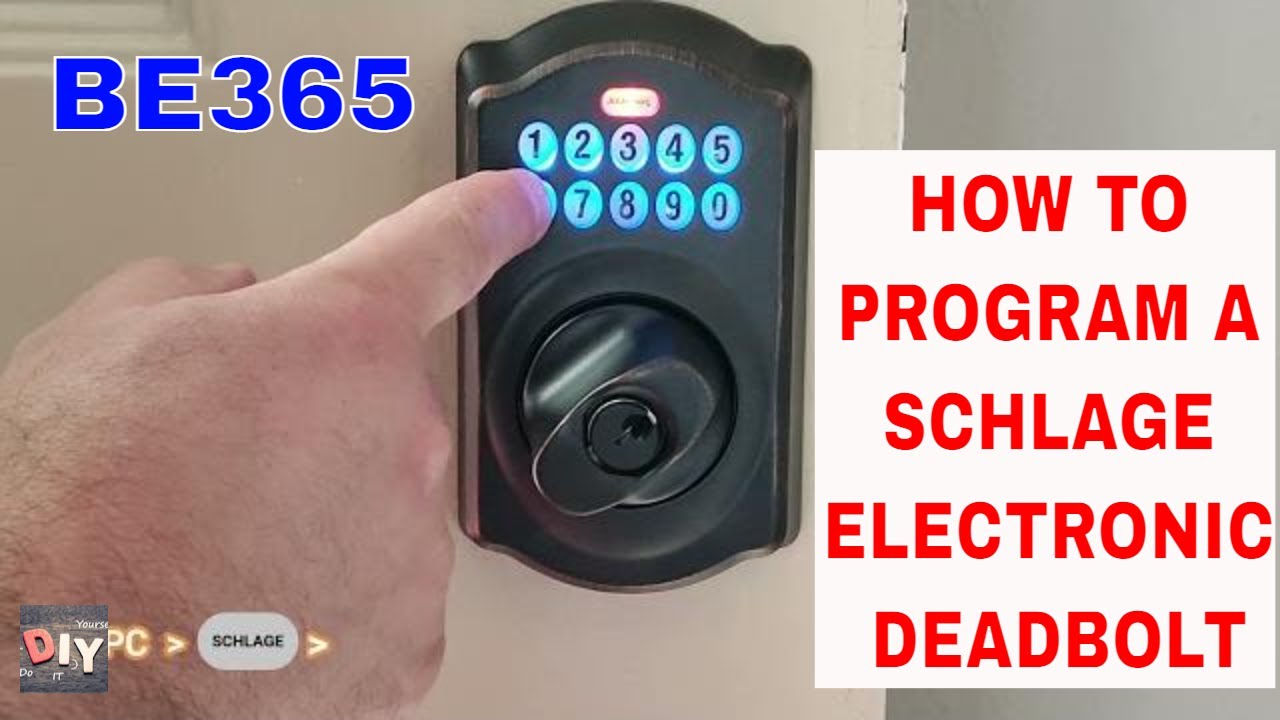
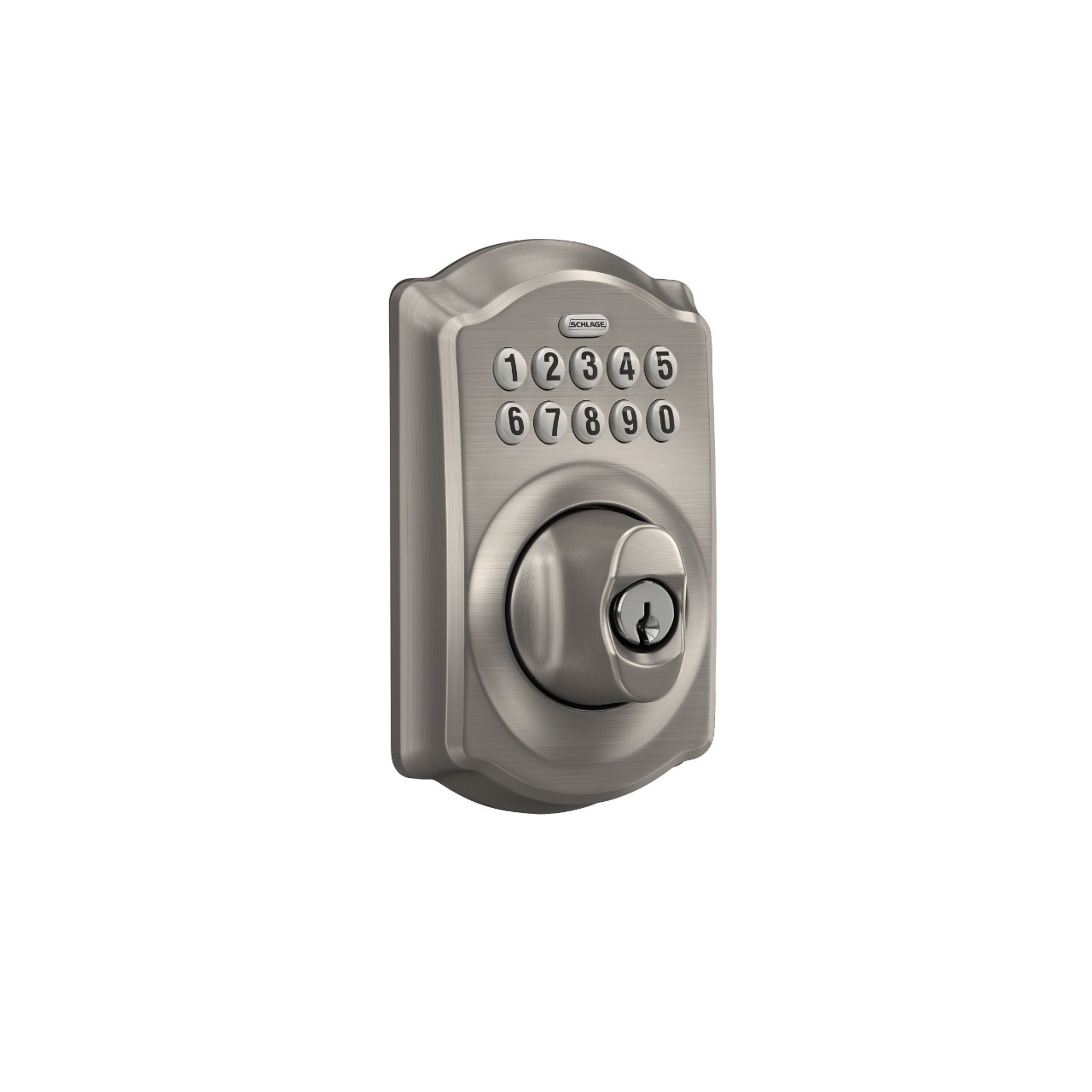
Press the Schlage button on the keypad once. The button will light up, signaling the lock is ready for the next step.
Enter The Programming Code
Type the 6-digit programming code. The Schlage button will flash green, confirming entry into programming mode.
Start Programming Your Lock
After the green light, you can add new user codes or change settings. Follow your lock’s manual for each option.
Add New User Codes
Adding new user codes to your Schlage deadbolt lock allows multiple people to access your home safely. Each code is unique and can be changed anytime. This feature is useful for family members, guests, or service providers. Follow the steps below to program new codes quickly and easily.
Set User Code Length
Start by choosing the length of the user code. Schlage locks usually accept codes between 4 and 8 digits. Shorter codes are easier to remember but less secure. Longer codes provide better security but can be harder to recall. Use the keypad to enter your preferred code length. Confirm your choice before moving on to the next step.
Save User Codes
Enter the new user code using the keypad. Make sure to choose a code that is not easy to guess, such as birthdays or simple sequences. After entering the code, press the Schlage button or follow your lock’s instructions to save it. The lock will confirm the new code with a beep or light signal. Test the code by locking and unlocking the door to ensure it works correctly.
Delete Existing Codes
Deleting existing codes from your Schlage deadbolt is an important step. It helps keep your home safe by removing old or unused codes. This action ensures that only authorized people can enter.
Resetting codes also prevents confusion. It clears all the old numbers so you can start fresh with new codes. The process is simple and quick.
Locate The Programming Code
Find the 6-digit programming code on the lock’s user manual or inside the battery cover. This code is needed to delete existing user codes.
Press the Schlage button. Enter the programming code using the keypad. The lock will beep to confirm entry into programming mode.
Delete All User Codes
Press 7 on the keypad. Then press the Schlage button. The lock will beep twice. This deletes all user codes stored in the lock.
Verify Deletion
Try entering any old user code. The lock should not open. This confirms all previous codes are deleted.
Credit: www.schlage.com
Change Master Code
Changing the master code on your Schlage deadbolt is an important step to keep your home secure. The master code controls who can add or delete user codes. It is different from the user codes that unlock the door. Changing it regularly helps protect your lock from unauthorized access.
This process is simple and can be done with just a few steps. You do not need any special tools. Just follow the instructions carefully. Make sure to write down your new master code and keep it safe.
First, press the Schlage button on the keypad. The keypad will light up. Enter your current master code. Press the Schlage button again. The keypad will flash green, showing you are in programming mode.
Change The Master Code
Press the number 3 on the keypad. The keypad will flash yellow. Enter your new master code. It must be 6 digits long. Press the Schlage button to confirm. A green flash means the code change was successful.
Test The New Master Code
Exit programming mode by waiting 10 seconds. Press the Schlage button again. Enter your new master code. The keypad should flash green. If it does not, repeat the process carefully.
Test The Lock
Testing the Schlage deadbolt lock is an important step. It ensures the programming works correctly. You can avoid lockouts and security problems by testing it thoroughly.
Test the lock several times. Use different codes to check if each one works. This simple step saves trouble later.
Verify The User Codes
Enter each user code one by one. Watch if the lock responds by unlocking. If a code doesn’t work, reprogram it or reset the lock.
Check The Lock’s Manual Override
Use the physical key to open the lock. This confirms the manual override functions properly. Keep the key safe as a backup.
Test The Auto-lock Feature
Close the door and wait for the lock to engage automatically. This feature adds security by locking the door on its own. Make sure it activates correctly.
Confirm Battery Life And Alerts
Look for low battery warnings. Replace batteries if the lock signals low power. Strong batteries keep the lock reliable every day.
Troubleshooting Tips
Troubles with programming a Schlage deadbolt lock can slow you down. Knowing how to fix common problems helps save time. This section shares easy tips to solve issues fast.
Check The Batteries
Deadbolt locks need power from batteries. Weak or old batteries cause errors. Replace batteries if the lock does not respond. Use fresh, high-quality batteries for best results.
Reset The Lock
Resetting clears past errors. It restores the lock to factory settings. Follow the manual to reset the lock properly. After reset, try programming again from the start.
Verify The Programming Code
Enter the programming code carefully. Wrong codes stop the lock from working. Keep the original code safe. If lost, reset the lock to get a new code.
Check The Keypad Buttons
Dirty or stuck buttons can block commands. Clean the keypad gently with a dry cloth. Press each button to test if all work well. Replace the lock if buttons fail often.
Ensure Proper Lock Installation
Misaligned locks cause errors in programming. Check if the deadbolt moves smoothly. Adjust the strike plate or screws if needed. Proper fit helps the lock work without trouble.

Credit: www.wikihow.com
Frequently Asked Questions
How Do I Program A Schlage Deadbolt Lock?
To program a Schlage deadbolt, enter the programming code on the keypad. Press the Schlage button, then the desired user code. Follow the lock’s manual steps to save the code. Test the new code to ensure it works correctly before finalizing.
What Is The Default Programming Code For Schlage Locks?
The default programming code is usually found on the instruction manual or the lock’s interior. It’s a six-digit number used to add or delete user codes. Always change the default code to secure your lock after initial setup.
Can I Add Multiple User Codes To Schlage Locks?
Yes, Schlage locks support multiple user codes. You can add, delete, or manage several codes through the programming mode. This feature allows different people to have unique access without sharing a single code.
How Do I Reset A Schlage Deadbolt Lock?
To reset, remove the lock’s battery pack. Press and hold the Schlage button while reinserting batteries. Release the button when the keypad lights flash. This restores factory settings, erasing all user codes and programming.
Conclusion
Programming a Schlage deadbolt lock is simple and quick. Follow each step carefully for the best results. You can change codes anytime to keep your home safe. Practice a few times to feel confident with the process. This skill helps you control who enters your space.
Keep your instructions nearby for easy reference later. Enjoy the peace of mind that comes with secure access.