Have you ever wondered why your motion sensor light switch isn’t working the way it used to? Maybe it’s turning on at odd times or not responding at all.
Resetting your motion sensor light switch can fix these issues quickly and save you from unnecessary frustration. In this guide, you’ll learn simple, step-by-step methods to reset your device and get your lights back on track. Keep reading—your easy fix is just a few steps away!
Types Of Motion Sensor Switches
Motion sensor light switches come in different types. Each type works in a unique way to detect movement. Knowing the types helps in resetting or troubleshooting the switch. Here are the main types of motion sensor switches used in homes and offices.
Infrared Sensors
Infrared sensors detect heat from moving objects. They sense the warmth of a person or animal. These sensors work best in direct line of sight. They do not detect through walls or glass. Infrared sensors save energy by turning lights off when no heat is detected.
Ultrasonic Sensors
Ultrasonic sensors use sound waves to detect movement. They send out high-frequency waves that bounce back. The sensor notices changes in the waves when something moves. These sensors can cover a wider area than infrared ones. They can detect motion around corners or behind objects.
Dual-technology Sensors
Dual-technology sensors combine infrared and ultrasonic methods. This combination reduces false triggers and improves accuracy. Both sensors must detect motion to switch on the light. They work well in busy areas with pets or small movements. These sensors provide reliable detection and energy savings.

Credit: www.reddit.com
Why Resetting Might Be Needed
Resetting a motion sensor light switch can solve many common problems. Sometimes the sensor does not work as expected. Resetting helps clear errors and restores normal function.
Several reasons might make resetting necessary. Understanding these helps keep your sensor working well.
Malfunction Issues
Motion sensor switches can stop working properly over time. Sensors might miss movement or stay on too long. Resetting fixes bugs and restores accurate detection. It clears any settings that cause errors.
Installation Changes
Changing the wiring or moving the switch can affect its function. The sensor may need a reset to recognize new settings. Resetting helps the device adjust to the new setup. This prevents false triggers or non-responsiveness.
Power Interruptions
Power outages or surges can disrupt sensor settings. The switch may lose memory of its programming. Resetting restores default settings and proper operation. It ensures the sensor responds correctly after power returns.
Tools You’ll Need
Resetting a motion sensor light switch is simple. You only need a few basic tools. These tools help you safely and quickly finish the task. Keep them ready before you start.
Screwdriver
A screwdriver is essential for removing the switch cover. Most switches use screws that need a flathead or Phillips screwdriver. Choose the right one to avoid damage.
Voltage Tester
A voltage tester checks if the power is off. This tool keeps you safe from electric shock. Always test the wires before touching them.
Wire Stripper
A wire stripper helps if you need to strip insulation from wires. It makes clean cuts without harming the wire. This tool is handy for reconnecting wires.
Electrical Tape
Electrical tape insulates wires after resetting the switch. It prevents short circuits and keeps connections secure. Wrap wires tightly with this tape.
Instruction Manual
The instruction manual guides you through the reset process. It shows switch-specific steps and safety tips. Keep it close for reference during the reset.
Step-by-step Reset Process
Resetting a motion sensor light switch can fix many common issues. This process helps restore the switch to its original settings. Follow these clear steps for a safe and easy reset.
Turn Off Power Supply
Start by turning off the power to the switch. Use the circuit breaker or fuse box to cut power. This step prevents any electric shock during the reset.
Remove The Switch Cover
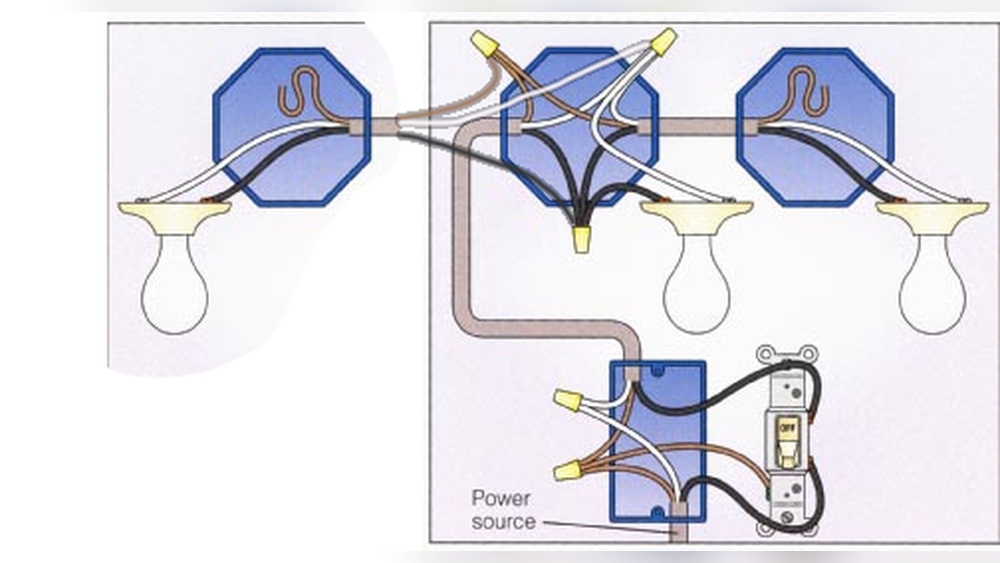
Unscrew the cover plate on the wall switch. Gently pull the cover away from the wall. This exposes the switch and wiring for access.
Locate The Reset Button
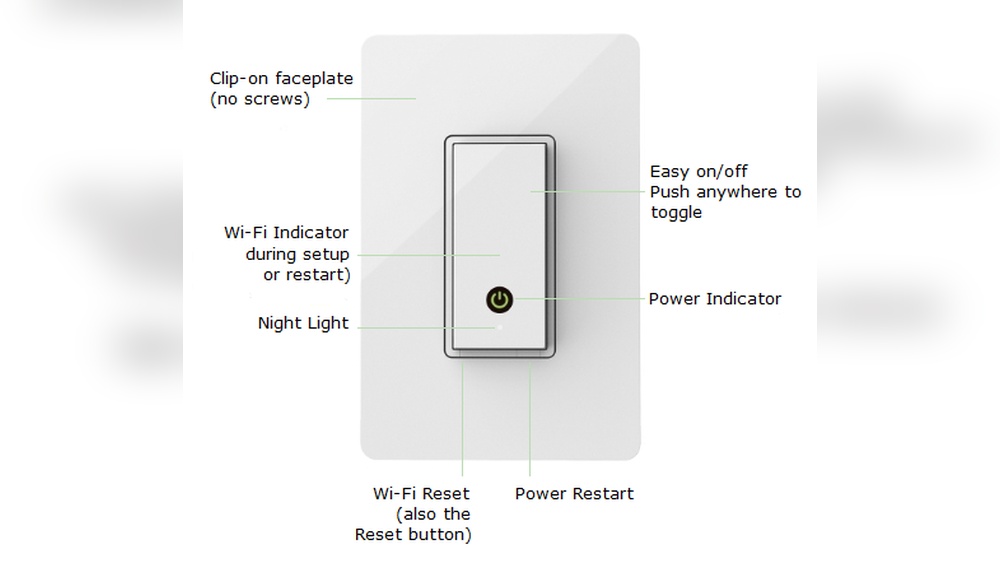
Look for a small reset button on the switch body. It is usually near the sensor or on the front. Check your switch manual if you cannot find it.
Perform The Reset
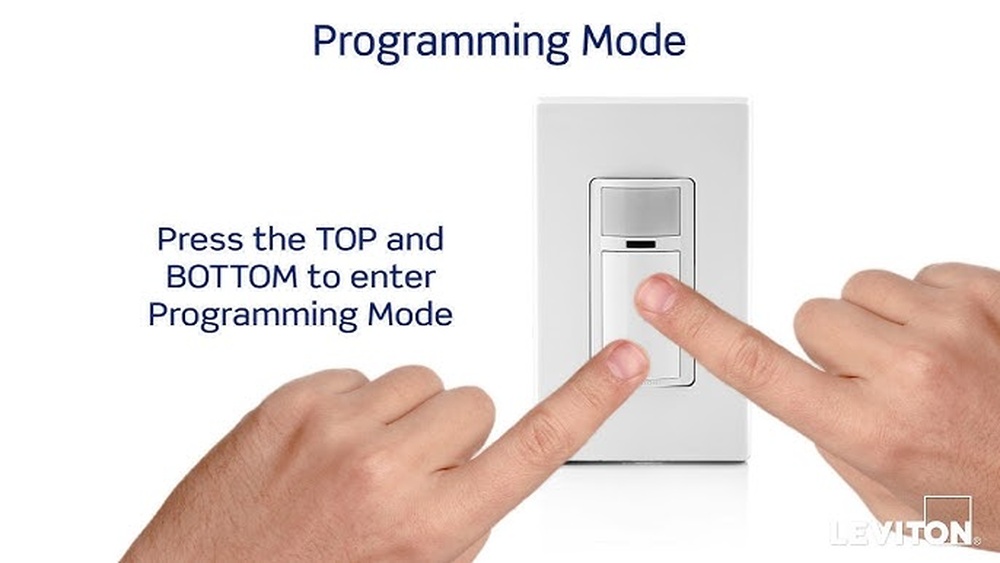
Press and hold the reset button for about 5 to 10 seconds. Release the button once the light flashes or changes. This resets the sensor’s settings to default.
Reassemble And Restore Power
Place the cover plate back and screw it in securely. Turn the power back on at the breaker or fuse box. Test the motion sensor light to confirm the reset worked.
Adjusting Sensor Settings After Reset
After resetting a motion sensor light switch, adjusting the sensor settings is important. These settings control how the light reacts to movement and lighting conditions. Proper adjustments help save energy and improve convenience.
Each motion sensor has different settings. Sensitivity, time delay, and light level are common adjustments. Fine-tuning these helps the sensor work best in your space.
Sensitivity Adjustment
Sensitivity controls how much motion the sensor detects. Higher sensitivity picks up small movements, like a pet walking by. Lower sensitivity ignores minor motions to avoid false triggers.
Adjust this setting based on the room’s activity. For busy areas, lower sensitivity can prevent the light from turning on unnecessarily. For less active spaces, higher sensitivity ensures the light activates when needed.
Time Delay Settings
Time delay sets how long the light stays on after no motion is detected. Short delays save energy by turning off the light quickly. Longer delays keep the light on for convenience.
Choose a time delay that fits your daily routine. For example, a hallway may need a longer delay than a bathroom. Adjust this setting to balance comfort and energy use.
Light Level Calibration
Light level calibration tells the sensor when to activate based on ambient light. The sensor should turn on only in low light conditions. This prevents the light from turning on during daylight.
Set the light level according to your room’s natural light. Darker rooms need higher sensitivity to light levels. Brighter rooms require lower sensitivity to avoid false triggers during the day.
Troubleshooting Common Problems
Troubleshooting common problems with motion sensor light switches helps fix issues quickly. These switches may stop working or act strangely. Simple steps can solve most problems. Understanding the cause saves time and effort. Try these tips to get your switch working again.
Switch Not Responding
Check the power supply first. Make sure the circuit breaker is on. Look for loose wires in the switch box. Reset the breaker if needed. Sometimes, the sensor needs a manual reset. Turn off the power, wait a few seconds, then turn it back on. Replace the switch if it still does not respond.
False Triggers
False triggers happen when the light turns on without movement. Clean the sensor lens to remove dust or dirt. Avoid placing the switch near heat sources or vents. Adjust the sensitivity settings to lower the trigger range. Make sure the sensor’s view is clear of pets or objects. These steps reduce unwanted activations.
Light Staying On
If the light stays on, check the timer settings. Set the timer to a shorter duration. Inspect the motion sensor for damage or dirt. A dirty sensor may keep the light on. Power cycle the switch by turning it off and on. Replace the sensor if the problem continues.
Maintenance Tips For Motion Sensor Switches
Maintaining motion sensor light switches keeps them working properly for longer. Regular care helps avoid false triggers and extends the switch’s life. Simple steps can improve performance and save energy.
Regular Cleaning
Dust and dirt can block the sensor’s view. Wipe the sensor gently with a soft cloth. Avoid using water or harsh cleaners. Clean the switch every few months to keep it clear.
Check For Obstructions
Objects near the sensor can stop it from detecting motion. Look for furniture, plants, or decorations in front of the sensor. Move anything blocking the sensor’s path. Make sure the sensor has a clear view of the area.
Software Updates
Some motion sensor switches have software that controls settings. Check the manufacturer’s website for updates. Install updates to improve sensor accuracy and fix bugs. Keep the software current for best results.

Credit: www.youtube.com
Credit: www.homedepot.com
Frequently Asked Questions
How Do You Reset A Motion Sensor Light Switch?
To reset a motion sensor light switch, turn off the power at the circuit breaker. Wait for 30 seconds, then turn the power back on. Press and hold the switch button for 5 to 10 seconds until the light blinks, indicating the reset is complete.
Why Is My Motion Sensor Light Switch Not Resetting?
Your motion sensor light switch might not reset due to power issues, incorrect wiring, or a faulty sensor. Ensure the power is off before resetting. Check wiring connections and consult the manual. If problems persist, consider replacing the switch or contacting an electrician.
How Long Does It Take To Reset A Motion Sensor Switch?
Resetting a motion sensor switch typically takes less than one minute. Turn off power, wait 30 seconds, then power on. Hold the switch button for 5 to 10 seconds until it blinks. The entire process is quick and straightforward.
Can I Reset A Motion Sensor Switch Without Turning Off Power?
It’s unsafe to reset a motion sensor switch without turning off power. Always switch off the circuit breaker before resetting. This prevents electrical shock and protects the switch from damage. Safety first when handling electrical devices.
Conclusion
Resetting a motion sensor light switch is simple and quick. Just follow the steps carefully. Turning off the power first keeps you safe. Adjusting the settings helps the sensor work better. Testing the switch after reset ensures it works right.
Regular checks keep your light switch in good shape. A working sensor saves energy and adds convenience. Now, you can handle the reset without stress. Enjoy well-lit spaces with your motion sensor switch.