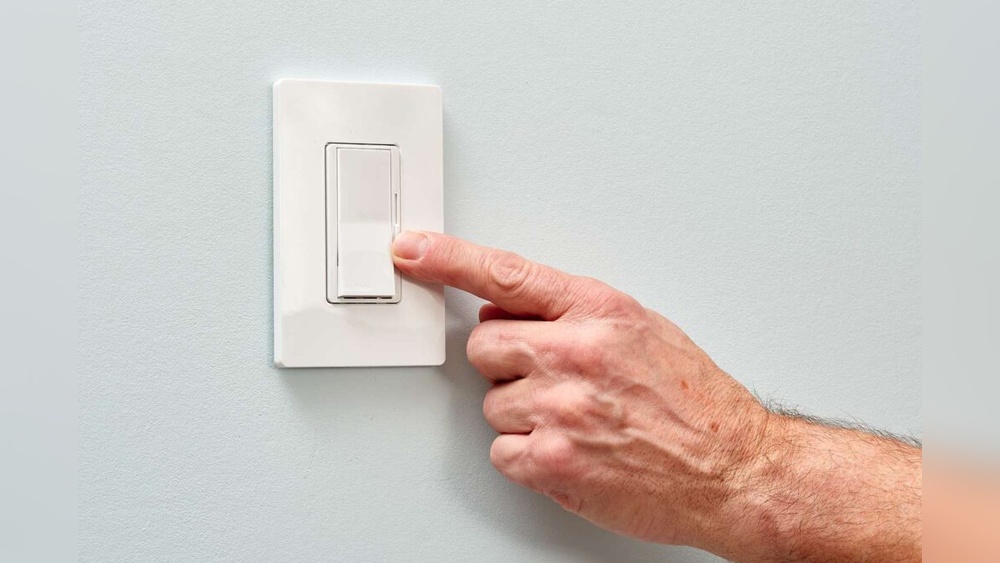
Are your dimmer light switches not working the way they used to? Maybe the lights flicker, won’t dim properly, or have stopped responding altogether.
Before you rush to buy a new switch or call an electrician, there’s a simple fix you can try yourself: resetting your dimmer light switch. In this guide, you’ll learn easy, step-by-step methods to reset your dimmer switch and bring your lighting back to life.
Keep reading—you’ll be amazed at how quickly you can solve this common problem and regain control over your home’s lighting.
Common Causes Of Dimmer Switch Issues
Dimmer switches often stop working due to common issues. Knowing these problems helps you fix the switch quickly. Some issues are simple, others need careful checks. Understanding what causes dimmer switch problems saves time and effort.
Power Interruptions
Power interruptions can reset or damage dimmer switches. Sudden power loss may cause the switch to stop working. Frequent power surges can harm the internal parts. Protect your dimmer switch by using surge protectors.
Overheating Problems
Dimmer switches can overheat if used incorrectly. Overheating happens when the switch handles too much power. This can make the switch hot and unsafe. Keep the wattage within the switch’s limit to avoid heat issues.
Wiring Faults
Loose or wrong wiring causes dimmer switch malfunctions. Poor wiring connections can stop the switch from working. Check all wires are tight and correctly connected. Faulty wiring can also create safety hazards.
Compatibility With Bulbs
Not all bulbs work well with dimmer switches. Using incompatible bulbs can cause flickering or no dimming. Choose bulbs labeled as dimmable for best results. LED and CFL bulbs often need special dimmer switches.
Safety Precautions Before Resetting
Resetting a dimmer light switch requires care and attention. Safety is the first step to avoid accidents. Taking simple precautions protects you and your home. Follow these safety tips before starting the reset process.
Turn Off Power At Circuit Breaker
Always switch off power at the circuit breaker. This stops electricity from flowing to the switch. Use the breaker panel to find the right switch. Turning off power prevents shocks and injuries. Double-check by flipping the light switch to confirm it is off.
Use Proper Tools
Use tools designed for electrical work. A voltage tester helps confirm the power is off. Screwdrivers with insulated handles offer extra safety. Avoid using damaged or worn tools. Proper tools make the job safer and easier.
Wear Protective Gear
Wear safety gloves to protect your hands. Use goggles to shield your eyes from dust or sparks. Avoid loose clothing that can catch on objects. Protective gear reduces risk during the reset process.
Step-by-step Reset Methods
Resetting a dimmer light switch can solve many common problems. This section shows clear, simple steps for different reset methods. Each method fits different switch types. Follow these to get your dimmer switch working right.
Basic Reset By Power Cycling
Turn off the light switch. Then, turn off the circuit breaker for safety. Wait for 30 seconds. Turn the circuit breaker back on. Finally, switch the dimmer back on. This simple process clears minor glitches fast.
Manual Reset Button
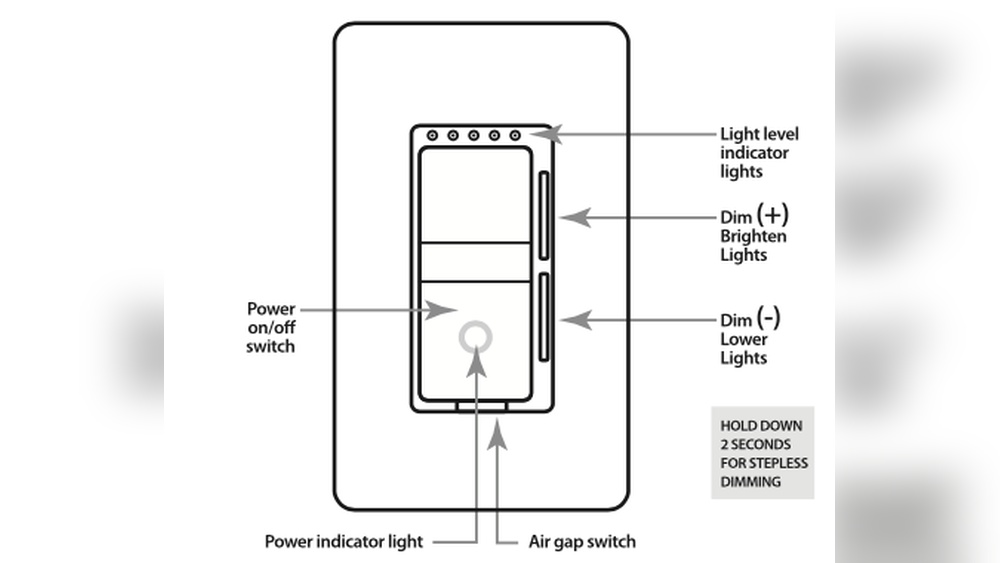
Some dimmer switches have a small reset button. Look for a tiny hole or button on the switch. Use a paperclip or small tool to press and hold the button. Hold for about 10 seconds until the light blinks or turns off. Release the button. This resets the switch to factory settings.
Resetting Smart Dimmer Switches
Smart dimmers often need a different reset approach. Check the user manual for exact instructions. Usually, press and hold the main button or touch area for 10-15 seconds. Watch for flashing lights or sound signals. These indicate the reset is complete. After that, reconnect the switch to your smart home system.

Credit: www.youtube.com
Troubleshooting After Reset
After resetting a dimmer light switch, some problems might still appear. Troubleshooting helps find and fix these issues quickly. It ensures your dimmer works well and lights look perfect. Follow simple steps to check what is wrong and how to solve it.
Check For Flickering Or Dimming Issues
Look closely at the lights after reset. Flickering or uneven dimming means a problem remains. This can happen if the dimmer is not compatible with your bulbs. Sometimes, the switch needs a second reset. Try turning the dimmer up and down slowly to test.
Test Different Bulb Types
Use bulbs that match the dimmer’s specifications. LED bulbs may not work with all dimmers. Try incandescent or halogen bulbs to see if the problem stops. If the lights work fine with other bulbs, replace the original ones. This simple test helps find bulb-related issues fast.
Inspect Wiring Connections
Turn off power before checking wires. Loose or wrong wiring causes dimmer problems. Check all connections inside the switch box. Make sure wires are tight and correctly placed. Fix any loose wires carefully. Proper wiring keeps the dimmer safe and effective.
When To Replace The Dimmer Switch
Knowing when to replace a dimmer switch is important for safety and performance. Dimmer switches can wear out or fail over time. Some problems can be fixed by resetting, but others need a full replacement. Recognizing the right moment helps avoid electrical issues or damage to your lights.
Signs Of Permanent Damage
Flickering lights that do not stop after resetting indicate damage. Warm or hot switches can signal an internal problem. Switches that make buzzing or crackling noises may be broken. If the dimmer switch does not respond or feels loose, replacement is needed. These signs show the switch cannot be safely repaired.
Upgrading To Modern Switches
Old dimmer switches may not work well with new LED bulbs. Modern switches offer better energy savings and smooth dimming. Replacing outdated switches improves light control and reduces flicker. New models can also add smart features for convenience. Upgrading keeps your lighting system efficient and up to date.
Consulting A Professional Electrician
Electric problems can be dangerous without experience. A professional can check if the switch needs replacing. Electricians ensure safe installation and proper wiring. They also recommend the best switch type for your home. Hiring an expert reduces risks and guarantees good results.

Credit: support.lutron.com
Maintenance Tips For Dimmer Switches
Maintaining your dimmer switch ensures it works well for years. Simple care keeps the switch responsive and safe. Small steps prevent common problems and extend its life.
Regular Cleaning
Dust and dirt can build up on dimmer switches. Use a dry cloth to wipe the surface gently. Avoid wet cloths or sprays that may damage the switch. Clean the switch every few months to keep it smooth.
Avoiding Overloads
Each dimmer switch has a limit on how much power it can handle. Do not connect too many lights or high-wattage bulbs. Overloading causes the switch to heat up and fail. Check the switch’s wattage rating before adding more bulbs.
Using Compatible Bulbs
Choose bulbs that match the dimmer’s specifications. Some bulbs, like LED or CFL, may not work well with all dimmers. Using the wrong bulbs can cause flickering or buzzing. Always check the bulb package for dimmer compatibility.

Credit: www.youtube.com
Frequently Asked Questions
How Do I Reset A Dimmer Light Switch Safely?
Turn off the power at the circuit breaker first. Remove the switch cover and unscrew the dimmer. Wait a minute, then reconnect and turn the power back on. This resets the switch safely without damage.
Why Is My Dimmer Switch Not Responding?
A dimmer switch may fail due to wiring issues or power surges. Resetting or replacing the switch often fixes the problem. Also, check for compatibility with your light bulbs.
Can Resetting A Dimmer Switch Fix Flickering Lights?
Yes, resetting can resolve flickering caused by software glitches or minor electrical faults. If flickering persists, check bulb compatibility or wiring for deeper issues.
How Often Should I Reset A Dimmer Switch?
Resetting is usually only needed when the switch malfunctions. Regular resets are unnecessary and won’t improve normal performance.
Conclusion
Resetting a dimmer light switch is easy and quick. Follow the steps carefully for best results. Safety matters most, so always turn off power first. A working dimmer switch helps set the right mood. Regular checks keep your lights shining bright and smooth.
Now you can enjoy better control of your lighting. Simple fixes save time and money. Try these tips next time your dimmer acts up. You’ve got this!