Are you tired of your motion sensor light switch turning on at the wrong times? Maybe it’s too sensitive or just not working the way you want.
Knowing how to turn off your motion sensor light switch can save you from unwanted flickering lights and frustration. You’ll discover simple, step-by-step tips to take control of your lighting quickly and easily. Keep reading—you’ll be surprised at how easy it is to make your lights work on your terms.
Locate The Motion Sensor Switch
Start by finding the motion sensor switch on your wall or near the light fixture. It often looks like a small box with a sensor window. Checking this switch helps you control and turn off the motion sensor light easily.
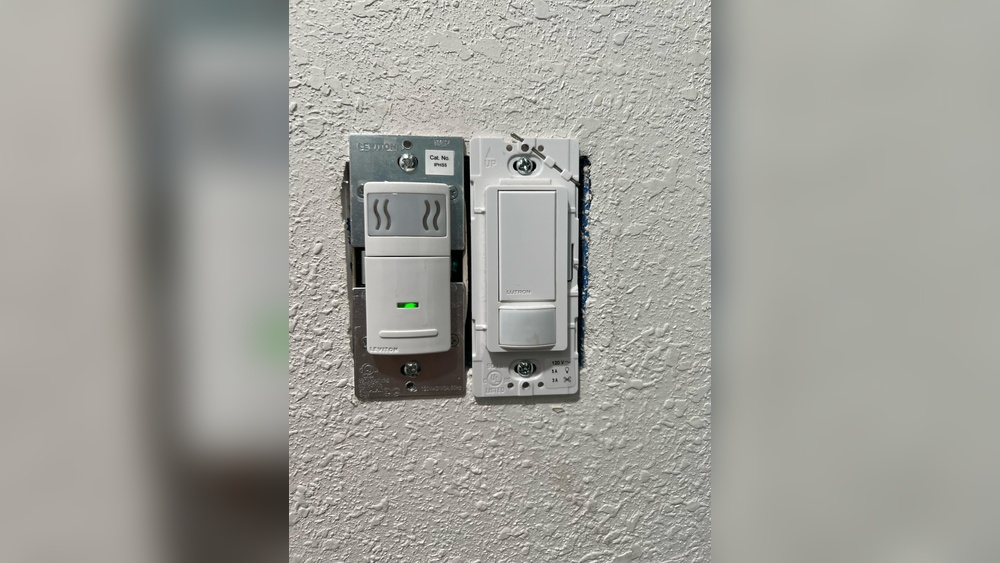
Finding the motion sensor switch is the first step to turn it off. These switches look different from regular light switches. They usually have a small sensor window or a round lens.
Motion sensor switches are often installed in places where light is needed only when someone is present. Check near entrances, hallways, or outdoor areas. The sensor is sometimes above or beside the switch plate.
Look closely at the wall switches in the room. The motion sensor switch may have a small button or dial for settings. This helps to identify the sensor switch from others.
Check Common Locations
Start with the main doors and garage entrances. These spots often use motion sensor switches to save energy. Hallways and staircases are other common locations for these switches.
Outdoor lights around the house usually have motion sensors too. Look near porch lights, driveway lights, or garden lamps. The sensor switch might be inside or near these fixtures.
Identify The Sensor Features
Motion sensor switches have unique parts. The sensor lens looks like a small circle or square on the switch face. Some models have a small LED light that blinks when motion is detected.
Buttons for adjusting sensitivity or time delay are typical on these switches. These controls help to find the sensor switch quickly. Regular switches lack these extra features.

Credit: www.youtube.com
Turn Off The Power
Turning off the power is the first step before working on a motion sensor light switch. It ensures safety and prevents electric shocks. Always handle electrical parts with care.
Follow these simple steps to cut the power supply safely.
Find The Circuit Breaker
Locate your home’s circuit breaker panel. It is usually in the basement, garage, or utility room. The panel contains switches that control electricity to different areas.
Look for the label or chart inside the panel door. It shows which switch controls each room or device.
Switch Off The Correct Breaker
Identify the breaker connected to the motion sensor light switch. Turn it off by flipping the switch to the “off” position.
Double-check by trying to turn on the light. If the light stays off, the power is cut. Now you can safely work on the switch.
Remove The Switch Cover
Removing the switch cover is the first step to turn off a motion sensor light switch. It gives you access to the internal parts of the switch. This step is important to safely control or disconnect the sensor.
Switch covers are usually held by screws. These screws keep the cover in place and protect the wiring inside. Taking off the cover helps you see the switch clearly and work on it without risks.
Gather The Right Tools
Use a screwdriver that fits the screws on the switch cover. A flathead or Phillips screwdriver works well. Having the right tool prevents damage to the cover or screws.
Switch off the circuit breaker before removing the cover. This step stops electrical shock and keeps you safe. Never skip this part.
Unscrew The Switch Cover
Locate the screws on the switch cover. Turn them counterclockwise to loosen. Keep the screws safe so you can reuse them later.
Gently Remove The Cover
Pull the cover away from the wall carefully. Avoid forcing it to prevent cracks or breaks. Set the cover aside on a flat surface.
Identify The Motion Sensor Wires
Identifying the motion sensor wires is the first step to turn off a motion sensor light switch. Knowing which wires control the sensor helps you disconnect it safely. This step avoids damage to the switch or electrical system.
Motion sensor light switches usually have three or more wires. Each wire has a specific role in the switch’s function. Recognizing these wires is essential before making any changes.
Locate The Electrical Box
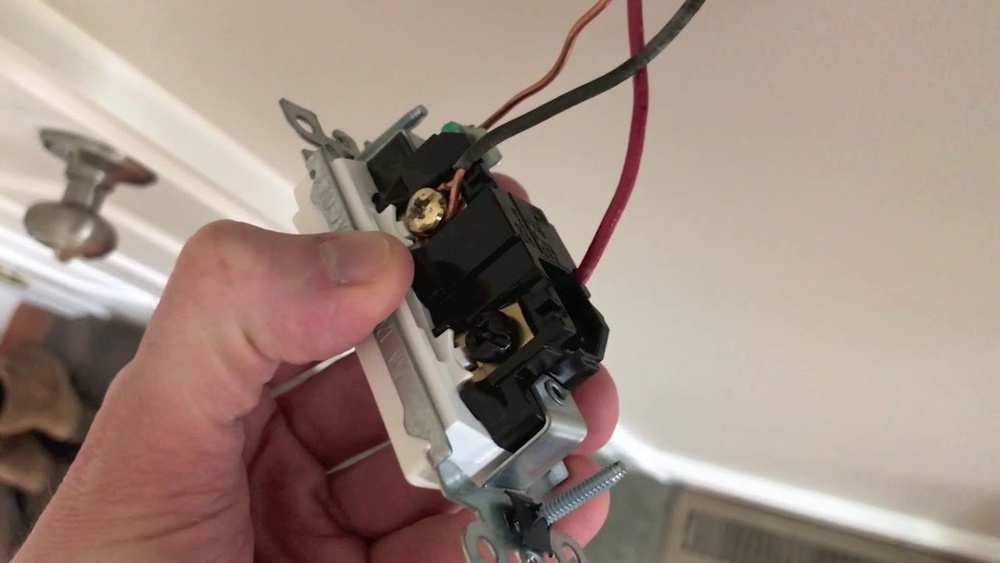
Start by turning off the power at the breaker. Remove the switch cover plate carefully. Use a screwdriver to take out the switch from the electrical box. Look inside to find the wires connected to the switch.
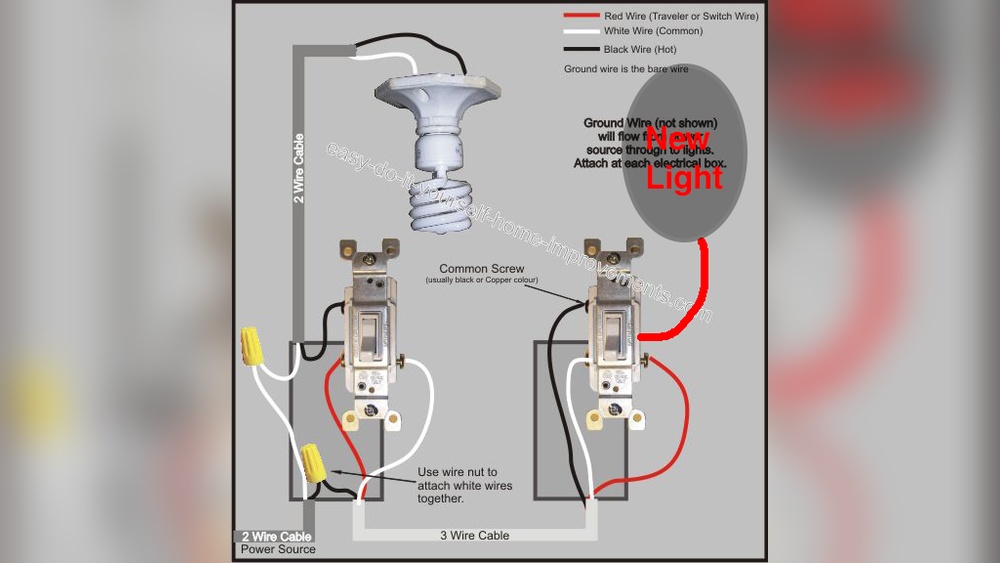
Identify The Common Wire
The common wire is usually black or dark colored. It connects the switch to the power source. This wire is important for the switch to function. Mark or remember this wire before moving on.
Find The Load Wire
The load wire connects the switch to the light fixture. It often looks like the common wire but may be labeled. This wire carries electricity to the light when the switch is on. Knowing this wire helps in disabling the sensor.
Spot The Sensor Wires
Sensor wires control the motion sensor feature. These may be red, white, or blue. Some switches have a small wire or connector for the sensor. Identifying these wires allows you to disconnect the sensor safely.
Disconnect The Motion Sensor
Disconnecting the motion sensor is a key step to turn off a motion sensor light switch. This process stops the sensor from detecting movement and triggering the light. It helps when you want to use the light manually or avoid false triggers.
Before starting, ensure the power to the light switch is off. This keeps you safe during the process. Use a circuit breaker or remove the fuse controlling the light switch.
Locate The Motion Sensor Unit
Find the motion sensor on or near the light switch. It looks like a small box or dome. Check the switch plate or nearby wall for the sensor.
Remove The Sensor Cover
Use a screwdriver to remove the cover gently. Some covers twist off, others snap off. Be careful not to break the cover or wires inside.
Disconnect The Sensor Wires
Look for wires connected to the sensor. They usually have wire nuts or connectors. Unscrew the wire nuts to disconnect the sensor wires from the switch.
Secure The Loose Wires
Cap the loose wires with wire nuts. This prevents any electrical shorts or shocks. Push the wires back into the electrical box carefully.
Reattach The Switch Cover
Put the switch cover back on. Screw it in place securely. Restore power at the circuit breaker or fuse box.
Replace With A Standard Switch
Replacing a motion sensor light switch with a standard switch is a simple way to turn off the sensor feature. This change lets you control the light manually. It removes the automatic on-off function linked to movement. Doing this can save energy and reduce unwanted light activation.
Before starting, ensure the power is off at the breaker. Safety first. Follow the steps carefully to avoid electrical hazards.
Choose The Right Switch
Select a standard switch that fits your wall box size. Most homes use a single-pole switch for simple on/off control. Check the voltage and current rating on the switch to match your circuit. Using the correct switch avoids electrical problems.
Connect The Wires Properly
Remove the motion sensor switch carefully. Note how wires connect to it. Usually, you will see a line, load, neutral, and ground wire. Connect the line wire to one terminal on the new switch. Attach the load wire to the other terminal. Connect the ground wire to the green screw. Neutral wires often stay inside the box, connected with a wire nut.
Tighten all connections well. Loose wires cause flickering or no power. After wiring, place the switch back in the box and secure it. Turn the power back on and test the switch. It should work manually without motion sensor control.
Test The New Switch
Testing the new motion sensor light switch is important after installation. It ensures the switch works correctly and safely. Testing helps avoid surprises later and confirms the light responds as expected. Follow simple steps to test your new switch with ease.
Check Power Connection
Turn the power back on at the circuit breaker. Make sure the switch has power. The light should be ready to respond to motion. Watch for any flickering or unusual behavior in the light.
Test Motion Detection
Move slowly in front of the sensor. The light should turn on quickly. Stay still to see if the light stays on. Walk away to check if the light turns off after the set time.
Adjust Sensitivity And Timer
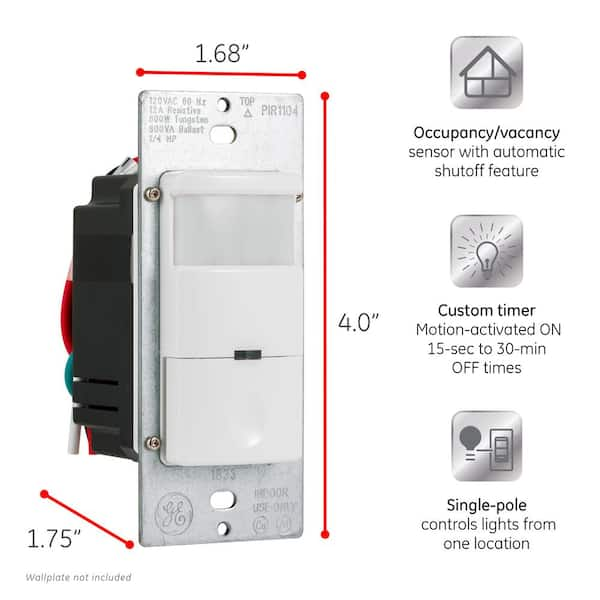
Use the switch dials or buttons to adjust settings. Change the motion sensitivity to detect smaller or larger movements. Set the timer for how long the light stays on. Test again after each adjustment to find the best setting.
Credit: www.homedepot.com
Safety Tips When Working With Electrical Switches
Working with electrical switches can be risky without proper care. Safety is the top priority to avoid shocks and injuries. Following simple safety tips helps protect you and your home.
Always prepare before starting any electrical work. Take your time and stay focused. Safety precautions reduce accidents and ensure smooth work.
Turn Off Power At The Circuit Breaker
Never work on a switch while the power is on. Find your home’s circuit breaker panel. Switch off the breaker that controls the motion sensor light. Double-check power is off by testing the light.
Use A Voltage Tester
A voltage tester is a small, easy tool. It tells you if wires still have power. Touch the tester to wires before touching them. Only work once the tester shows no electricity.
Wear Insulated Gloves
Insulated gloves protect your hands from electric shocks. Choose gloves rated for electrical work. They add a safe barrier between you and wires. Always wear them during switch repairs.
Work In A Dry Area
Water and electricity do not mix. Avoid working in wet or damp areas. Dry your hands and the switch area well. This lowers the chance of electric shock.
Follow Manufacturer Instructions
Read the switch’s manual before starting. Instructions show correct steps to turn off the sensor. Follow all warnings and advice closely. This prevents damage and keeps you safe.

Credit: www.youtube.com
Frequently Asked Questions
How Do I Disable A Motion Sensor Light Switch?
To disable a motion sensor light switch, locate the switch’s settings. Turn the sensor off using its toggle or dial. Some models require removing the sensor cover or adjusting the sensitivity to zero. Always follow the manufacturer’s instructions for safe and effective disabling.
Can I Turn Off Motion Sensor Light Temporarily?
Yes, many motion sensor lights have a manual override or off mode. Use the switch or settings to temporarily disable the sensor. This option allows you to control the light without removing or disconnecting the device.
What Tools Are Needed To Turn Off Motion Sensor Lights?
Usually, no tools are needed to turn off motion sensor lights. Adjust the switch settings or sensitivity dials by hand. For some models, a screwdriver might be required to access internal controls or remove covers safely.
Will Turning Off Motion Sensor Affect Light Switch Function?
Turning off the motion sensor typically leaves the light switch functioning manually. You can turn the light on or off like a regular switch. The sensor feature just becomes inactive, allowing normal control.
Conclusion
Turning off a motion sensor light switch is simple and quick. Just follow the steps carefully. This helps save energy and avoid unwanted light. You can also control when the light turns on or off. Remember to check your specific switch model for exact instructions.
Taking a little time now can make your home more comfortable. Enjoy the convenience and control that comes with it.