Are you having trouble with your Kasa light switch not responding the way it should? Sometimes, a simple reset can fix common issues and get your smart switch working perfectly again.
In this guide, you’ll learn exactly how to reset your Kasa light switch quickly and easily. By the end, you’ll have the confidence to troubleshoot and restore control over your lights in no time. Keep reading to discover the step-by-step process that anyone can follow.

Credit: www.youtube.com
Kasa Light Switch Basics
The Kasa Light Switch is a smart device that controls your home lighting. It connects to your Wi-Fi network. This lets you manage lights with your phone or voice commands. Simple setup and easy controls make it popular.
Understanding the basics helps you use the switch better. Knowing its features and common problems makes troubleshooting easier. This section explains the key details about the Kasa Light Switch.
Key Features
The Kasa Light Switch allows remote control of lights. It works with Alexa, Google Assistant, and other platforms. Scheduling lights to turn on or off is possible. It supports energy monitoring in some models. Installation fits standard wall switch boxes.
The switch uses a reliable Wi-Fi connection. It has a physical button for manual use. The design suits various home styles. It offers safety features like overload protection. Updates improve functionality regularly.
Common Issues
Connection problems occur when Wi-Fi is weak. The switch may not respond to commands. Resetting can fix many issues. Power surges can cause the switch to malfunction. Incorrect wiring may stop it from working.
Firmware updates sometimes fail to install. The app might not sync with the switch. Physical buttons can get stuck or unresponsive. Understanding these issues helps in quick fixes. Proper care extends the switch’s lifespan.

Credit: www.youtube.com
When To Reset Your Kasa Switch
Resetting your Kasa light switch can fix many common issues. It helps restore the switch to its original settings. Knowing the right time to reset saves you from unnecessary trouble. This section guides you on when to perform a reset for your Kasa switch.
Indicators For Reset
Your Kasa switch shows signs when it needs a reset. The switch might not respond to commands. It may fail to connect with the app. Lights could flicker or stay off unexpectedly. If the switch acts strangely after a power outage, reset it. These signs indicate a reset can solve the problem.
Troubleshooting Tips
Start by checking your Wi-Fi connection. Weak signals cause many Kasa switch issues. Restart your router before resetting the switch. Try controlling the switch from the app again. If problems persist, then reset the device. After reset, set up the switch as new. This often restores smooth operation quickly.
Soft Reset Method
The soft reset method is a simple way to fix minor issues with your Kasa light switch. It helps refresh the device without erasing your settings. This reset can solve connection problems or unresponsive behavior quickly.
Performing a soft reset is easy and does not take much time. It lets the switch reboot safely. After this, the switch usually works better and connects smoothly to your network again.
Step-by-step Guide
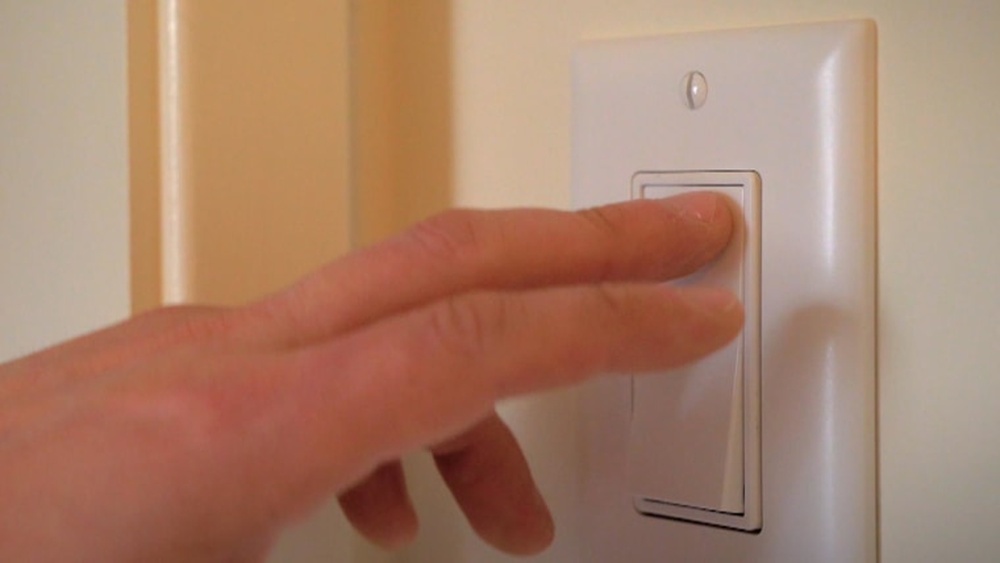
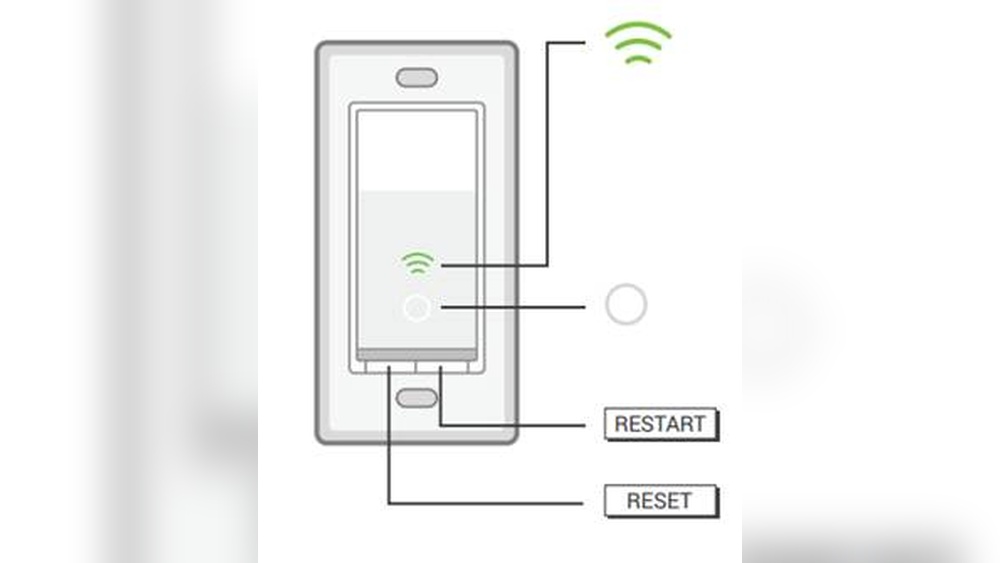
First, locate the physical button on your Kasa light switch. Press and hold the button for about 5 seconds. Release the button when the LED light starts to blink. Wait for the switch to reboot fully. The LED light will stop blinking and become steady. This means the soft reset is complete. Now, check if the switch responds to your commands.
Expected Results
After the soft reset, the switch will reconnect to your Wi-Fi automatically. Your previous settings will stay intact. The device should respond faster and more reliably. The LED light will show normal status, not error signals. If the issue continues, consider other reset methods or support.
Hard Reset Process
The hard reset process is a way to restore your Kasa Light Switch to its original factory settings. This step helps fix issues that a normal restart cannot solve. It wipes out all the current settings and data on the switch. You will need to set up the device again after this.
Follow clear steps to perform a hard reset safely. Prepare your device and space for the procedure. This ensures a smooth and successful reset.
Preparation Steps
Turn off the power to the Kasa Light Switch from the circuit breaker. This protects you from electrical shock. Make sure you have a small pin or paperclip ready. It will help press the reset button on the device. Clear the area around the switch to work comfortably. Have your smartphone nearby to reconnect the device after reset.
Resetting Procedure
Locate the reset button on the Kasa Light Switch. It is usually a small hole or button on the front or side. Use the pin to press and hold the reset button for about 10 seconds. Release the button when the LED light starts blinking rapidly. This blinking shows the switch is resetting. Wait for the LED to turn off and then back on. It means the reset process is complete.
What To Expect After Reset
The Kasa Light Switch will lose all saved settings. It will behave like a brand new device. The LED light will blink slowly, indicating it is ready for setup. Use the Kasa app to connect the switch to your Wi-Fi network again. You must create new schedules and preferences. The hard reset fixes many connection and performance issues. It gives your switch a fresh start.
Reconnecting After Reset
After resetting your Kasa light switch, reconnecting it to your network is key. This step ensures the switch works properly again. Follow the simple steps below to get your switch back online quickly.
Wi-fi Setup
Start by turning on your Wi-Fi on your phone or tablet. Connect to your home Wi-Fi network with a strong signal. Make sure your network is 2.4 GHz, as most Kasa devices do not support 5 GHz bands. Keep the Kasa light switch near your router for a stable connection. Avoid moving it far during setup to prevent connection issues.
Kasa App Configuration
Open the Kasa app on your device. Sign in with your account or create a new one if needed. Tap the plus (+) icon to add a new device. Select your Kasa light switch from the list. Follow the app instructions to connect the switch to your Wi-Fi. Wait for the app to confirm the connection. Name your switch to organize your smart devices easily.

Credit: device.report
Preventing Future Issues
Keeping your Kasa light switch working well saves time and trouble. Simple care helps avoid common problems. Preventing issues means your switch lasts longer and works smoothly. Follow easy tips to keep your device in top shape.
Regular Maintenance
Clean the switch regularly with a dry cloth. Dust and dirt can block the sensor. Check the wiring to ensure it is tight and safe. Avoid using wet cloths or harsh cleaners. Turn off power before any cleaning or checks. This stops accidents and damage. Regular checks catch small problems early. Fixing them early saves bigger repairs later.
Firmware Updates
Keep your Kasa switch updated with the latest firmware. Updates fix bugs and improve security. Check the Kasa app often for new updates. Follow the app instructions to update easily. Updated firmware helps your switch run faster and better. Skipping updates can cause errors and slow response. Set reminders to check updates every month. This keeps your switch current and reliable.
Frequently Asked Questions
How Do I Reset My Kasa Light Switch?
To reset your Kasa light switch, press and hold the reset button for 5-10 seconds. The switch will blink, indicating a successful reset.
What Happens After Resetting A Kasa Switch?
After resetting, the Kasa switch returns to factory settings. You must reconnect it to your Wi-Fi and app to use it again.
Can I Reset Kasa Switch Without The App?
Yes, you can reset the switch manually by holding the reset button. The app is not needed for a factory reset.
Why Won’t My Kasa Switch Reset Properly?
If your Kasa switch doesn’t reset, check the power supply and try pressing the reset button longer. Also, ensure the switch isn’t physically damaged.
Conclusion
Resetting your Kasa light switch is simple and quick. Just follow the steps carefully to avoid mistakes. This helps fix many common problems with your device. After resetting, you can set it up again easily. Keep your home lighting under control without stress.
Enjoy the benefits of a smoothly working smart switch. Remember, regular resets can improve performance when needed. Stay confident managing your Kasa light switch anytime.