Are your Lutron light switches not working the way they used to? Maybe they’re unresponsive, stuck on one setting, or acting strangely.
Resetting your Lutron light switch can often fix these problems quickly and easily. But how do you do it without causing more issues? You’ll find simple, step-by-step instructions to reset your switch and get your lights back to normal. Keep reading—you’ll be amazed at how fast you can solve the problem and take full control of your lighting again.
Identify Your Lutron Switch Model
Identifying your Lutron switch model is the first step to reset it correctly. Each model may have a different reset process. Knowing your switch model saves time and avoids confusion. It also helps find the right instructions for your device.
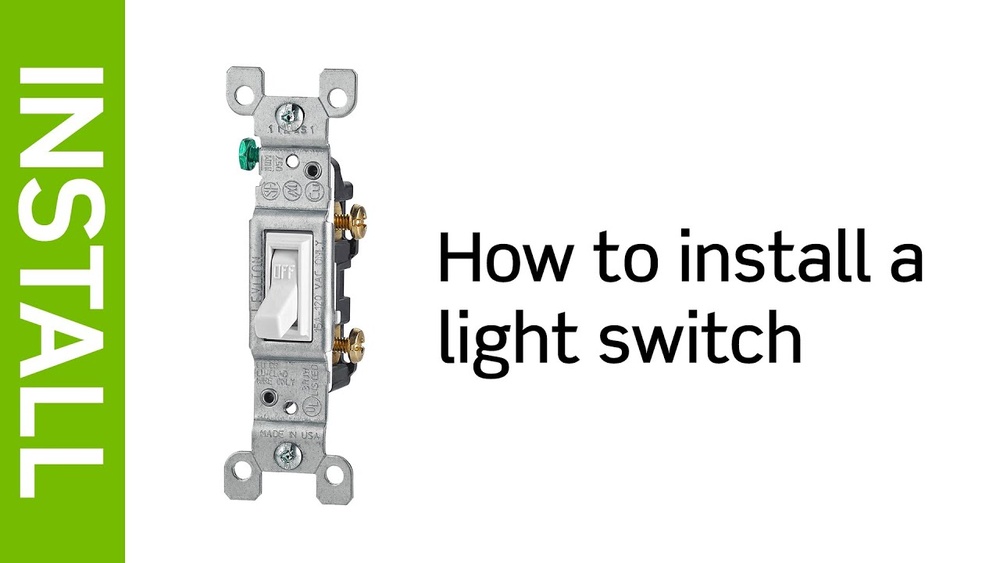
Look at the front or side of the switch for model details. Sometimes the model number is on the back plate or inside the switch cover. Having the model number ready makes the reset process easier and faster.
Check The Front Of The Switch
Many Lutron switches display their model number on the front. Look for small text near the bottom or side of the switch. It might be hard to see, so use a flashlight if needed.
Remove The Switch Cover
Turn off power before removing the cover. Unscrew the faceplate gently. The model number may be printed on the inside of the switch or the mounting bracket.
Look For A Model Number Sticker
Some models have a sticker with the number on the back. This sticker may include other useful information like serial number and manufacturing date.
Use The Lutron App
If your switch connects to the Lutron app, open it. The app often shows the model name and details. This helps identify the exact switch you own.
Refer To The User Manual
Your switch manual lists the model number on the cover page or inside the first pages. It also guides you on how to reset the switch safely.
Prepare For Reset
Preparing to reset your Lutron light switch is an important first step. It helps avoid any damage to the switch or electric shock. Taking time to prepare ensures the reset process goes smoothly and safely.
Turn Off Power
Start by turning off the power to the light switch. Find the correct circuit breaker in your home’s electrical panel. Flip the breaker to the off position. This stops electricity from flowing to the switch. Use a non-contact voltage tester to confirm power is off. Safety first. Never work on a live circuit.
Gather Tools
Collect all the tools needed before starting the reset. Common tools include a screwdriver, voltage tester, and a small flashlight. Keep a soft cloth handy to clean the switch face. Having tools ready saves time and avoids interruptions. It also helps you stay focused on the task.
Reset Standard Lutron Switch
Resetting a standard Lutron light switch can solve many common problems. It clears settings and restores the switch to its factory state. This process is simple and fast. It helps fix issues like unresponsive buttons or connection errors. Follow the steps below carefully for a successful reset.
Locate Reset Button
First, find the reset button on your Lutron switch. It is usually small and recessed. Look closely near the switch’s faceplate or side. Use a small tool like a paperclip to press it. Knowing the exact location avoids damage during reset.
Perform Reset Sequence
Press and hold the reset button for about 10 seconds. Wait until the switch’s LED light blinks or changes color. This signals the reset process is active. Release the button once the light changes. The switch will restart and reset to factory settings.

Credit: www.youtube.com
Reset Caséta Wireless Switch
Resetting your Caséta Wireless Switch can solve many common issues. It helps clear settings and fix connection problems. This process is simple and fast. You can reset the switch using a Pico remote or by performing a factory reset. Both methods restore your switch to its default state.
Choose the method that fits your situation best. Follow the steps carefully to avoid errors. After resetting, you may need to re-pair the switch with your system.
Use The Pico Remote
The Pico remote can reset your Caséta Wireless Switch easily. First, press and hold the Off button on the Pico remote. Keep holding it for about 10 seconds. The LED on the switch will blink quickly. This means the reset is complete.
Release the button and test the switch. It should respond as new. This reset method keeps your other devices intact. Use this if you want a quick fix without losing all settings.
Factory Reset Procedure
Performing a factory reset erases all settings on the switch. Start by turning off power to the switch at your circuit breaker. Wait 30 seconds to ensure the switch is off.
Press and hold the Off button on the switch. While holding, turn the power back on at the breaker. Keep holding the button for 10 seconds. The LED will flash rapidly, showing the reset is done.
Release the button and turn the switch off and on again. Your switch is now at factory settings. You must set up the switch again in your Caséta system.
Reset Maestro Dimmer Switch
Resetting the Maestro Dimmer Switch can solve many common issues. It clears errors and restores factory settings. This process helps the switch work smoothly again. Follow simple steps to reset the switch safely and easily.
Access The Reset Feature
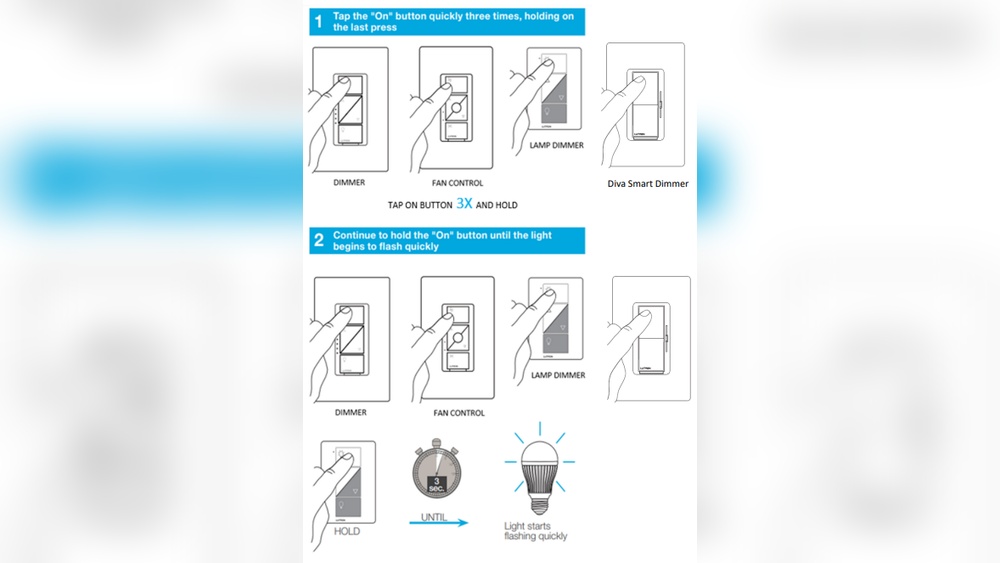
First, turn off the power to the switch at the circuit breaker. Wait a few seconds to ensure power is off. Press and hold the top and bottom buttons on the switch. Keep holding for about 10 seconds. The LED light will flash to show the reset mode is active.
Complete The Reset
Release both buttons once the LED flashes. Turn the power back on at the circuit breaker. The switch will restart and return to default factory settings. Test the switch to confirm it works properly. The reset is now complete and your switch is ready to use.

Credit: support.lutron.com
Troubleshooting Reset Issues
Resetting a Lutron light switch can sometimes face issues. Troubleshooting helps find the root problem. It saves time and avoids frustration. Follow simple steps to check common causes. Focus on wiring, power, and technical support. These areas cover most reset problems.
Check Wiring And Power
Start by turning off the main power switch. Remove the Lutron switch cover carefully. Look for loose or disconnected wires. Tighten any loose connections gently. Ensure the wires match the switch terminals. Check the circuit breaker for power status. Flip the breaker off and on to reset. Use a voltage tester to confirm power flow. No power means the switch won’t reset properly. Fix any wiring issues before retrying the reset.
Contact Support
Contact Lutron support if the switch still won’t reset. Have the model number and purchase details ready. Describe the problem clearly and mention troubleshooting steps taken. Support can guide through advanced fixes or warranty options. They may offer replacement if the device is faulty. Professional advice prevents damage to the switch or home wiring. Reach out via phone, email, or the official website.

Credit: www.youtube.com
Frequently Asked Questions
How Do I Reset My Lutron Light Switch Manually?
To reset your Lutron switch manually, turn off power at the breaker. Hold the off button for 10 seconds. Release when the LED blinks. This resets the switch to factory settings, clearing all programmed settings.
Can I Reset My Lutron Switch Without Tools?
Yes, you can reset some Lutron switches without tools. Use the switch buttons and follow the manual reset steps. However, turning off power at the breaker is recommended for safety during reset.
Why Is My Lutron Light Switch Not Resetting?
If your Lutron switch won’t reset, power may not be fully off. Ensure breaker is off before reset. Also, check the model manual for specific reset instructions, as they vary by device type.
How Long Does A Lutron Switch Reset Take?
Resetting a Lutron switch usually takes under 30 seconds. Hold the reset button as instructed until the LED indicator blinks. The switch then restores default factory settings quickly.
Conclusion
Resetting your Lutron light switch is a simple process anyone can do. Follow the steps carefully, and your switch will work like new. This fix can save time and money by avoiding replacements. Always turn off power before starting for safety.
Now, enjoy smooth control of your lights again. Keep this guide handy for future reference.