Is your motion sensor light switch acting up or not responding like it used to? You’re not alone, and the good news is that resetting it might be the simple fix you need.
Imagine walking into a dark room and having your lights turn on automatically every time—without any glitches. In this guide, you’ll learn exactly how to reset your motion sensor light switch quickly and easily. By the end, you’ll have your lights working smoothly again, saving you time and frustration.
Keep reading to discover the step-by-step process that anyone can follow.
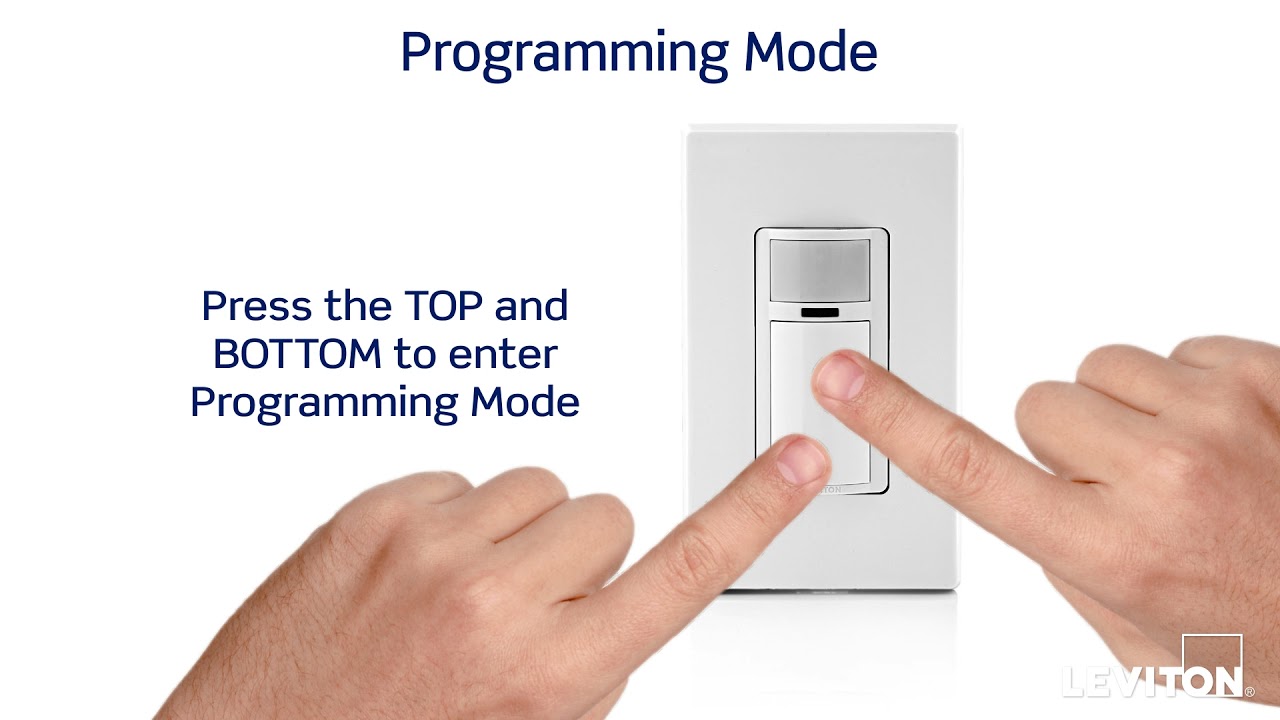
Credit: www.youtube.com
Tools Needed
Resetting a motion sensor light switch needs the right tools. Having these tools makes the job safe and easy. You avoid damage and finish faster. Below are the main tools needed for this task.
Flathead ScrewdriverA flathead screwdriver helps remove the switch cover plate. It fits into the small slots on screws. Use it gently to avoid scratching the wall or switch.
Phillips ScrewdriverA Phillips screwdriver is needed for screws with a cross shape. Many switches use these screws. It helps to open the switch box safely.
Voltage TesterA voltage tester checks if power is off before you start. It keeps you safe from electric shock. Always test the wires before touching them.
Needle-Nose PliersNeedle-nose pliers help to grip and twist small wires. They are useful if wires are hard to reach. Use them carefully to avoid wire damage.
Electrical TapeElectrical tape secures wire connections after resetting the switch. It prevents short circuits and keeps wires insulated. Wrap wires tightly with this tape.

Credit: www.reddit.com
Safety Precautions
Safety is the first step before resetting a motion sensor light switch. Working with electrical devices can be risky. Taking precautions protects you from shocks and damage. Follow the safety rules carefully for a safe process.
Turn Off The Power
Switch off the circuit breaker that controls the light switch. Confirm the power is off by testing the switch. Never work on a live circuit. This prevents electric shock and injury.
Use Proper Tools
Choose insulated tools to avoid electric shocks. Use a voltage tester to check wires. Avoid metal tools without insulation. Safe tools reduce the risk of accidents.
Wear Safety Gear
Wear rubber gloves to protect your hands. Use safety goggles to shield your eyes. Proper gear helps prevent injuries during work.
Read The Manual
Check the light switch manual before starting. Follow the manufacturer’s safety guidelines. Understanding the device lowers risks and errors.
Work In A Dry Area
Ensure the workspace is dry and free from water. Avoid resetting the switch in wet conditions. Dry conditions reduce the chance of electric shock.
Locate The Motion Sensor Switch
Start by finding the motion sensor switch on your wall or near the light fixture. It often looks like a small box with a lens or button. Knowing its exact location helps you reset the switch quickly and easily.
Understanding The Motion Sensor Switch
Motion sensor switches control lights by detecting movement. They help save energy and add convenience. These switches look like regular light switches but have a small sensor window. This sensor picks up motion to turn lights on or off automatically.
Common Locations For Motion Sensor Switches
Motion sensor switches usually replace standard light switches. Check near entrances, hallways, or rooms where motion detection is helpful. Look on walls beside doors or in stairwells. Outdoor areas like porches and garages often have these switches too.
Identifying The Sensor Features
Most motion sensor switches have a visible sensor lens or window. This part can be round or rectangular. It might glow faintly when active. Some models have buttons or dials for adjusting sensitivity or timer settings.
Tools To Help Locate The Switch
Use a flashlight to spot the sensor switch in dark areas. Sometimes the sensor blends with other switches or outlets. A step stool may help reach higher switches. Take note of any labels or instructions near the switch.
Turn Off Power Supply
Turning off the power supply is the first and most important step before resetting a motion sensor light switch. It stops electricity from flowing to the switch. This step keeps you safe from electrical shocks. It also prevents damage to the switch during the reset process.
Always treat electricity with care. Safety should be your top priority. Follow these simple steps to turn off the power supply correctly.
Locate The Circuit Breaker
Find your home’s main electrical panel. It usually sits in the basement, garage, or utility room. Open the panel door carefully. Look for the circuit breaker labeled for the room or area with the motion sensor light.
Switch Off The Correct Breaker
Flip the breaker switch to the OFF position. This action cuts power to the light switch and nearby outlets. Double-check by turning on the light switch. The light should not turn on. If it does, find the correct breaker and switch it off.
Use A Voltage Tester
Use a voltage tester to confirm no power flows to the switch. Touch the tester probes to the switch wires. The tester should show no voltage. This check ensures it is safe to handle the switch.
Remove The Switch Cover
Removing the switch cover is the first step in resetting a motion sensor light switch. This step lets you access the internal components safely. Before starting, turn off the power at the circuit breaker to avoid electric shock. Use a screwdriver to carefully remove the screws holding the cover in place.
Once the screws are out, gently pull the cover away from the wall. Some covers might snap off instead of screwing off. Take your time to avoid breaking the cover or damaging the wiring.
Gather The Right Tools
Use a flathead or Phillips screwdriver depending on your switch type. A flashlight helps you see inside the switch box. Keep a small container nearby to hold the screws safely.
Turn Off The Power
Switch off power at the main circuit breaker. Double-check that the light switch is not active by flipping the switch. This step keeps you safe while working on the switch.
Unscrew The Switch Cover
Locate the screws on the switch cover. Turn each screw counterclockwise to remove it. Place the screws in your container to avoid losing them.
Remove The Cover Gently
Pull the cover away from the wall with care. Avoid pulling too hard to prevent damage. If the cover feels stuck, check for hidden screws or clips.
Resetting The Motion Sensor
Resetting the motion sensor is a simple way to fix common issues. It can help the light switch work correctly again. This process clears any errors or glitches in the sensor’s system. Two common methods are the manual reset button and the power cycle method. Both are easy to do and require no special tools.
Manual Reset Button
Many motion sensor light switches have a manual reset button. This button clears the sensor’s memory and resets settings to default. Find the button on the switch or inside the cover plate. Press and hold the reset button for about 10 seconds. Release the button and wait for the sensor to reboot. The light should respond normally after this reset.
Power Cycle Method
The power cycle method is another way to reset the sensor. Turn off the circuit breaker or switch that powers the light. Leave it off for 30 seconds to 1 minute. This pause allows the sensor to fully power down. Turn the power back on and check the sensor’s response. This simple step often resolves sensor problems quickly.
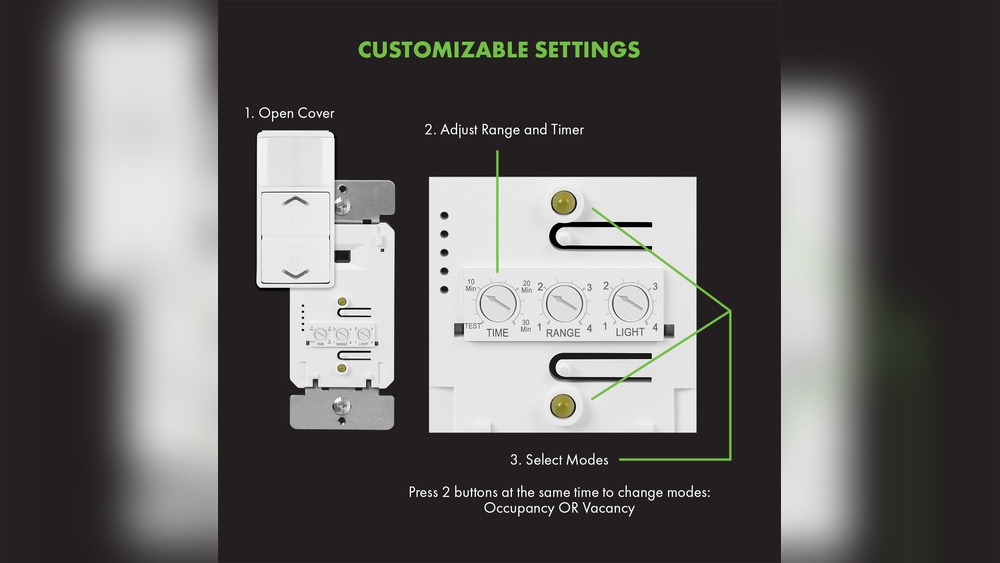
Adjust Sensor Settings
Adjusting the sensor settings is key to make your motion sensor light switch work well. It helps control how the light reacts to movement, time, and brightness around it. Proper settings save energy and keep your space safe.
Sensitivity Adjustment
Sensitivity controls how much motion the sensor detects. Turn the dial or press buttons to raise or lower sensitivity. High sensitivity works well in small rooms. Lower sensitivity is good for large areas or places with lots of movement.
Time Delay Settings
Time delay sets how long the light stays on after no motion is detected. You can make the light stay on for a few seconds or several minutes. Adjust this based on how long you need light after leaving the room.
Light Level Settings
Light level settings tell the sensor when to turn the light on. It stops the light from turning on during the day or when there is enough natural light. Set this level to match the brightness you want before the light activates.
Reinstall The Switch Cover
Reinstalling the switch cover is the final step after resetting the motion sensor light switch. It protects the wiring and gives a neat look to your wall. Doing this carefully ensures safety and proper function.
Make sure the switch is off before starting. Handle the cover gently to avoid cracks or breaks. Align it properly with the switch and wall.
Check The Switch Position
Look at the switch and see if it sits flush with the wall. Adjust if needed. The cover should fit without gaps or pressure on the switch.
Align The Screw Holes
Match the holes on the cover with the screws on the switch plate. This alignment is key for a secure fit. Loose screws can cause the cover to fall off.
Secure The Screws
Use a screwdriver to tighten the screws gently. Tighten evenly to keep the cover flat. Avoid overtightening, which can crack the cover.
Test The Switch Operation
After the cover is on, turn the switch on and off. Check if the motion sensor light works as expected. The cover should not block the sensor or buttons.
Restore Power And Test
Restoring power and testing your motion sensor light switch is the final step. It confirms the reset worked well. This step helps ensure your light responds correctly to movement.
Follow these steps carefully. Simple actions can save time and avoid further issues. Testing lets you catch problems early.
Turn On The Circuit Breaker
Find your home’s main electrical panel. Flip the breaker switch that controls the motion sensor light. This restores power to the switch. Wait a few seconds for electricity to flow smoothly.
Check The Light Bulb
Look at the light bulb attached to the sensor. Make sure it is securely screwed in. Replace it if the bulb is burnt out or flickering. A good bulb helps the sensor work well.
Test The Motion Sensor
Move slowly in front of the sensor after power is back. The light should turn on quickly. Walk away and watch the light turn off after the set time. Repeat a few times to confirm consistent function.
Adjust Sensor Settings If Needed
Use the switch’s dials or buttons to change sensitivity or timer. Test again after each adjustment. Find the best settings for your space and needs.
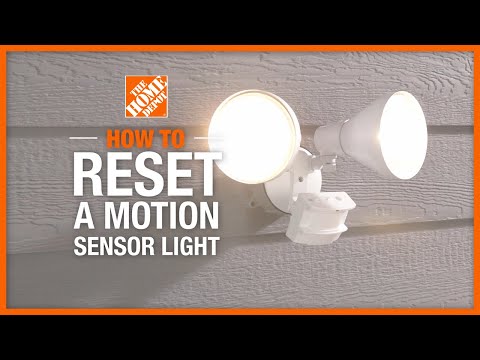
Credit: www.homedepot.com
Troubleshooting Tips
Troubleshooting your motion sensor light switch can save time and avoid unnecessary replacements. Common issues often have simple fixes. Below are key tips to help you identify and solve problems quickly. Follow each step carefully for the best results.
Sensor Not Responding
Check if the power is on. Ensure the circuit breaker is not tripped. Clean the sensor lens gently. Dirt or dust can block the sensor. Test the sensor by waving your hand in front of it. Reset the switch by turning it off and on again. Replace the batteries if your model uses them. Confirm the sensor is set to the correct mode.
Light Flickering
Loose wiring often causes flickering. Turn off the power before checking wires. Tighten any loose connections carefully. Use a voltage tester for safety. Replace old or damaged bulbs. Choose bulbs that match the switch’s specifications. Check if the sensor’s sensitivity is too high. Lower the sensitivity to prevent flickering.
False Triggers
False triggers happen when the sensor detects unwanted movement. Remove objects like curtains or plants near the sensor. Adjust the sensor’s angle to avoid street traffic. Lower the sensitivity setting. Check for heat sources like heaters or vents nearby. These can activate the sensor falsely. Reset the sensor to clear any errors.
Frequently Asked Questions
How Do I Reset A Motion Sensor Light Switch?
To reset, turn off the power at the circuit breaker first. Wait 30 seconds, then turn power back on. Press and hold the reset button on the switch for 5-10 seconds until the light blinks. This restores factory settings.
Why Is My Motion Sensor Light Switch Not Resetting?
If your switch won’t reset, check power supply and wiring connections. Loose wires or no power can prevent reset. Also, ensure you hold the reset button long enough. If issues persist, the switch might be faulty.
How Long Does It Take To Reset The Sensor Switch?
Resetting typically takes 5-10 seconds holding the reset button. The light blinking confirms reset success. The entire process, including power cycling, takes under a minute.
Can I Reset The Motion Sensor Switch Without Tools?
Yes, most motion sensor switches can be reset manually. You only need to turn off power at the breaker and press the reset button on the switch. No special tools are required.
Conclusion
Resetting a motion sensor light switch is simple and quick. Follow the steps carefully to avoid mistakes. This helps your light work properly and saves energy. Check the settings and test the sensor after resetting. Regularly maintain your switch for long-lasting use.
A well-functioning sensor keeps your home safe and bright. Keep these tips handy for future resets. Easy to do, with no special tools needed. Try it yourself and enjoy better lighting control.