If you’re looking to remove your Schlage touchscreen deadbolt, you might be wondering where to start or if it’s as tricky as it sounds. The good news is, with the right steps, you can easily take it off without damaging your door or the lock.
Whether you’re upgrading, fixing an issue, or just need to replace the batteries, this guide will walk you through the process clearly and simply. Keep reading, and you’ll have your deadbolt removed in no time—no stress, no confusion.

Credit: www.youtube.com
Tools Needed
Removing a Schlage touchscreen deadbolt requires a few simple tools. Having the right tools ready makes the job easier and faster. This section lists all the tools you need for the task.
Phillips Head Screwdriver
A Phillips head screwdriver is essential. It fits the screws on the deadbolt plate and interior assembly. Using the correct screwdriver prevents stripping the screws.
Flathead Screwdriver
A flathead screwdriver helps to pry off covers gently. It can also assist in releasing clips without damage. Keep it handy for small adjustments during removal.
Small Flashlight
A small flashlight improves visibility inside the lock area. It helps you see screws and parts clearly. Good lighting reduces mistakes and speeds up the process.
Paperclip Or Pin
A straightened paperclip or pin is useful for pressing reset buttons or releasing hidden latches. It fits into small holes where fingers cannot reach. This tool aids in unlocking tricky components.
Soft Cloth
Use a soft cloth to protect the door surface. It prevents scratches while working with tools. Place it under the deadbolt parts during removal.
Credit: www.schlage.com
Prepare The Lock
Preparing the Schlage touchscreen deadbolt is the first step to remove it safely. This step helps avoid damage to the lock and ensures smooth removal. Always handle the lock carefully to prevent any issues later.
Turn Off The Lock
Start by disabling the lock’s electronic functions. Find the power button or switch on the interior side. Press and hold it until the lock powers down. This stops the lock from responding to touch or keypad input. It also protects the system from short circuits during removal.
Remove Batteries
Next, open the battery compartment. This is usually behind the interior cover. Use a screwdriver if needed to remove the cover gently. Take out all batteries carefully. Removing batteries cuts power completely. This step prevents accidental activation or damage to the lock’s electronics.
Remove Interior Assembly
Removing the interior assembly is a key step in taking off your Schlage touchscreen deadbolt. This part holds the lock mechanism and battery compartment. Carefully removing it lets you access the inner components for repair or replacement.
Follow these simple steps to detach the interior assembly safely and without damage. Keep tools handy and work slowly to avoid breaking any parts.
Unscrew Mounting Screws
Locate the mounting screws on the interior side of the door. Use a Phillips screwdriver to turn them counterclockwise. Remove all screws completely. Place screws in a small container to keep them safe.
Detach Interior Panel
Gently pull the interior panel away from the door. Start from one edge and work your way around. Avoid forcing the panel to prevent damage. Once loose, lift the panel off carefully. Set it aside on a soft surface.
Disconnect Wiring
Start by turning off the power to the deadbolt. Carefully unplug the wiring connected to the touchscreen. This step prevents damage and prepares the lock for removal.
Identify Connectors
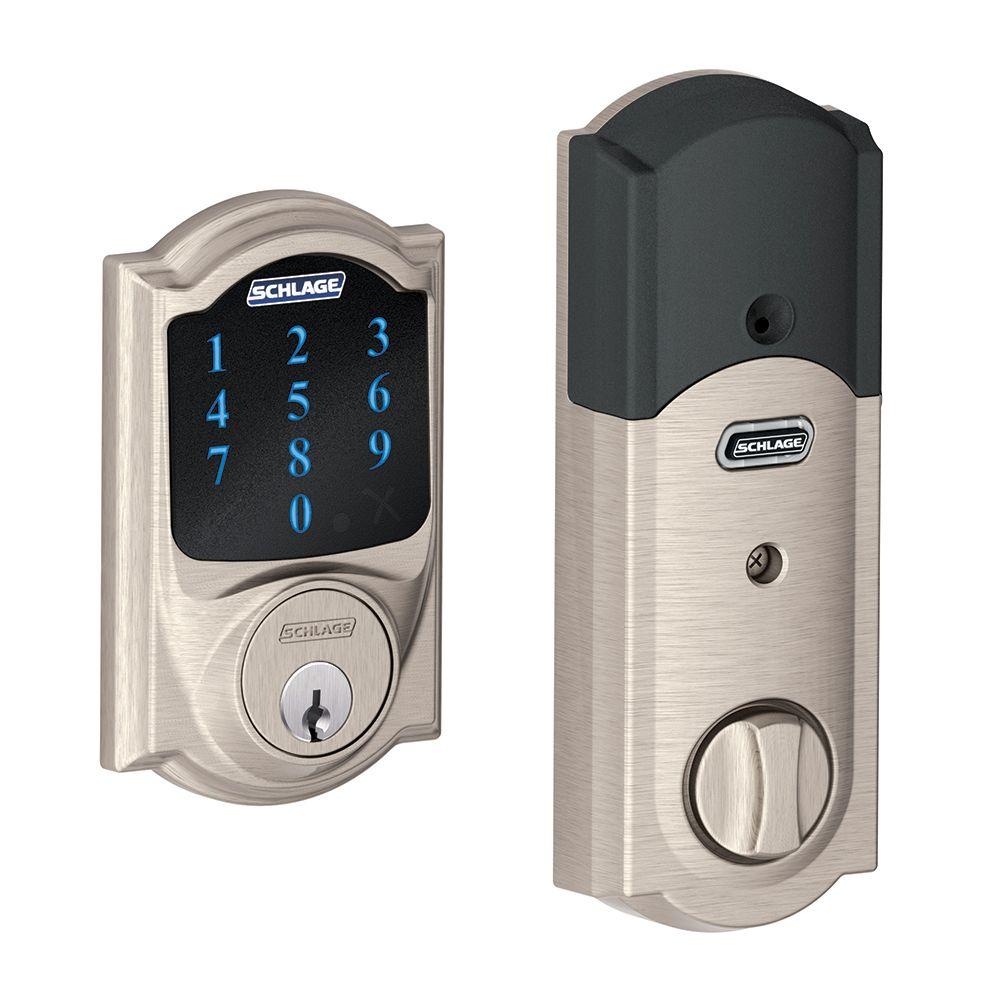
Start by opening the interior cover of the Schlage touchscreen deadbolt. Inside, you will see several wires connected to the lock’s control panel. Take a close look at each connector. They are small plastic plugs linking wires to the lock. Notice their shapes and how they fit together. This helps avoid mistakes during unplugging. It also shows which cables connect to what part of the lock.
Carefully Unplug Cables
Gently unplug each cable from its connector. Pull the plastic plug, not the wires. This prevents damage to the wires or connectors. Use a small flat tool if needed, to release any clips holding the connectors. Take your time. Avoid yanking or forcing the cables out. Keep track of the cables and where they belong. This will help you reattach them correctly later.
Remove Exterior Keypad
Removing the exterior keypad is the first step in taking off your Schlage touchscreen deadbolt. This part holds the keypad and connects to the lock mechanism inside your door. Carefully detaching it lets you access the inner parts for repair or replacement.
Make sure you have a screwdriver ready and handle the keypad gently to avoid damage. Follow the steps below to remove the exterior keypad safely.
Unscrew Exterior Mounting Screws
Locate the screws on the sides or bottom of the keypad. Use a screwdriver to turn each screw counterclockwise. Keep the screws in a safe place. These screws hold the keypad firmly against the door.
Slide Off Keypad
After removing the screws, gently pull the keypad away from the door. It should slide off smoothly. Do not force it or pull hard. Check that no wires are stuck or caught before fully removing it.
Credit: community.smartthings.com
Frequently Asked Questions
How Do I Remove A Schlage Touchscreen Deadbolt?
First, remove the interior cover by unscrewing the mounting screws. Then, disconnect the wiring harness carefully. Finally, slide the deadbolt assembly off the door.
What Tools Are Needed To Remove Schlage Deadbolt?
You need a Phillips screwdriver and sometimes a flathead screwdriver. These help remove screws and pry off covers safely.
Can I Remove The Deadbolt Without Damaging The Door?
Yes, carefully unscrew and disconnect parts. Avoid forcing components to prevent door damage.
How Long Does It Take To Remove Schlage Deadbolt?
It usually takes 10 to 15 minutes with basic tools and instructions.
Conclusion
Removing a Schlage touchscreen deadbolt can be simple with the right steps. Follow the guide carefully to avoid damage. Use the right tools and take your time. This helps ensure a smooth removal process. Remember to keep all parts safe for reinstallation.
Now, you can replace or repair your lock easily. Stay patient and work steadily. You’ll finish the job without stress or confusion.