Have you ever flipped a light switch only to find nothing happens? It’s frustrating and sometimes confusing.
Before calling an electrician, wouldn’t it be great if you could quickly check if the switch actually has power? Knowing this can save you time, money, and even keep you safe. You’ll learn simple, step-by-step methods to test your light switch’s power right now.
Keep reading—you’ll be surprised how easy it is to take control of your home’s electrical issues.
Tools Needed
Before checking if a light switch has power, gather the right tools. Having the proper tools makes the job safer and easier. You do not need many tools, just a few basic ones.
Non-contact Voltage Tester
This tool detects electricity without touching wires. It beeps or lights up if power is present. It is safe and easy to use. Ideal for beginners who want a quick check.
Multimeter
A multimeter measures voltage, current, and resistance. It shows exact voltage levels in the switch. Requires some basic knowledge to read results. Useful for detailed testing and troubleshooting.
Screwdriver
Needed to open the switch cover. Choose a flathead or Phillips screwdriver. Helps access wires safely. Always turn off power before unscrewing.
Insulated Gloves
Protects hands from electric shock. Recommended when working near live wires. Provides safety during all steps. Use gloves even if power is off.
Credit: mrelectric.com
Safety First
Safety is the top priority when working with electrical switches. Electricity can cause serious injury or damage. Taking simple safety steps helps protect you and your home. Never rush this process. Careful preparation reduces risks and makes the task easier.
Turn Off The Power At The Breaker
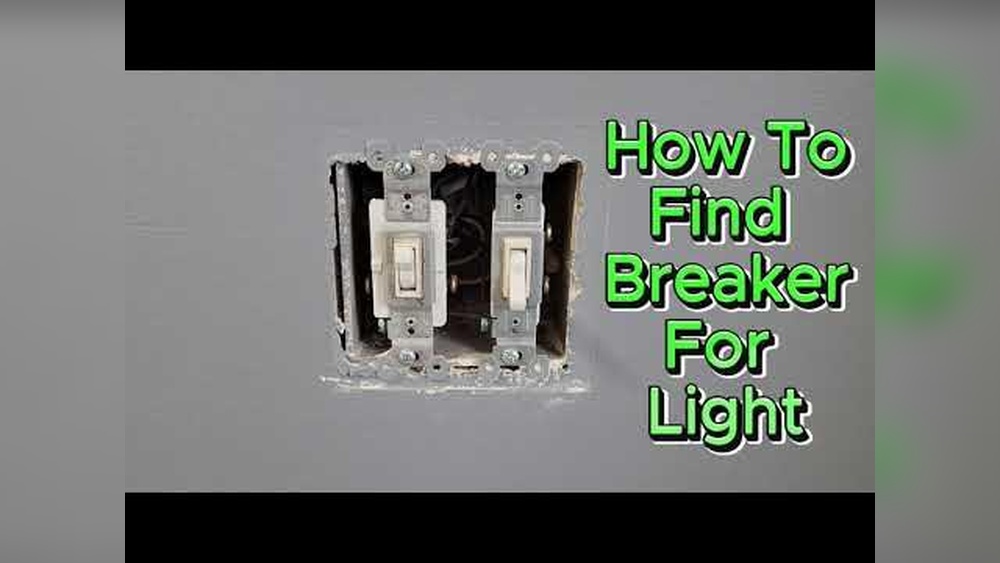
Always switch off the power before checking a light switch. Find your home’s main electrical panel. Flip the breaker that controls the switch you want to test. This stops electricity from flowing. It keeps you safe from shocks.
Use The Right Tools
Choose tools designed for electrical work. A non-contact voltage tester is a good start. It lets you check for power without touching wires. Use insulated screwdrivers to avoid shocks. Proper tools make the job safer and faster.
Wear Protective Gear
Wear rubber-soled shoes and safety glasses. These protect you from electrical shocks and flying debris. Avoid metal jewelry or watches. They can conduct electricity and cause injury. Dress safely every time you handle electrical parts.
Work In A Dry Area
Keep the workspace dry to avoid accidents. Water and electricity do not mix well. Make sure your hands and the floor are dry. If the area is wet, wait until it dries. This simple step prevents electric shocks.
Double-check Before Touching Wires
Test the switch and wires twice before touching. Use your voltage tester to confirm power is off. Sometimes breakers may not fully cut power. Confirming twice keeps you safe. Never assume the power is off without testing.
Locate The Light Switch
Start by finding the light switch on the wall. Check if the switch controls the correct light or outlet. This helps to know where to test for power safely.
Start by finding the light switch you want to test. Most light switches are near doorways or entrances. They often sit about four feet above the floor. Look on the wall next to the door or hallway.
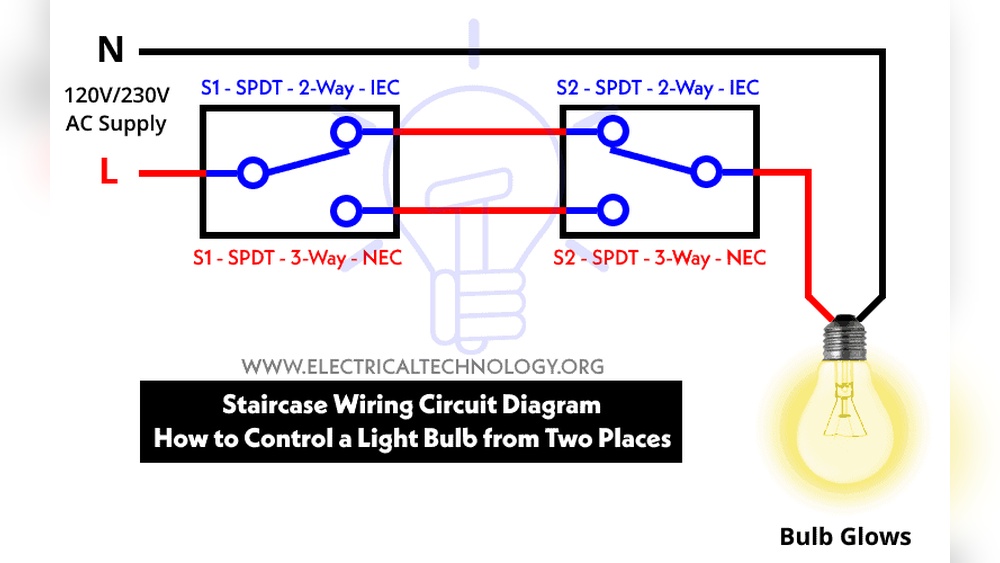
Sometimes switches control more than one light. Check if there are multiple switches on the same plate. These can be side by side or stacked vertically. Knowing this helps avoid confusion during testing.
Identify the exact switch for the light fixture you want to check. Turn the switch on and off a few times. This confirms the switch is connected to the correct light. It also helps you see if the switch feels loose or broken.
Note the switch style. Common types include toggle, rocker, and dimmer switches. Each type looks different but works similarly. Recognizing the type helps when using testing tools later.
Credit: www.youtube.com
Turn Off The Power
Turning off the power is the first step before checking a light switch. It keeps you safe from electric shocks. Always take safety seriously when working with electricity.
Power can be turned off at the main circuit breaker. This stops electricity from flowing to the switch. Without power, you can test the switch safely.
Locate The Circuit Breaker
Find the main electrical panel in your home. It is usually in a basement or utility room. The panel holds switches for all electrical circuits.
Switch Off The Correct Breaker
Look for the breaker that controls the light switch. It may be labeled or you might need to test. Flip the breaker to the off position.
Double Check Power Is Off
Use a non-contact voltage tester near the switch. It will beep if power is present. No sound means the power is off and safe to touch.
Wear Safety Gear
Put on insulated gloves before handling the switch. This adds a layer of protection. Safety gear reduces the risk of electric shock.
Remove The Switch Cover
Removing the switch cover is the first step to check if a light switch has power. It gives clear access to the wiring behind the switch. You can see the wires and test them safely.
Always turn off the power at the breaker before removing the cover. Safety first. Use a screwdriver to remove the screws holding the cover plate in place. Set the screws aside carefully. Gently pull the cover off without forcing it.
Gather The Right Tools
Use a flathead or Phillips screwdriver. A voltage tester or multimeter will help check power later. Keep all tools close by before starting.
Locate And Remove Screws
Look for screws at the top and bottom of the switch cover. Unscrew them slowly. Keep a firm grip on the cover as you remove the last screw.
Handle The Cover With Care
After removing screws, pull the cover straight out. Avoid twisting or bending the cover plate. Place it on a flat surface to avoid damage.
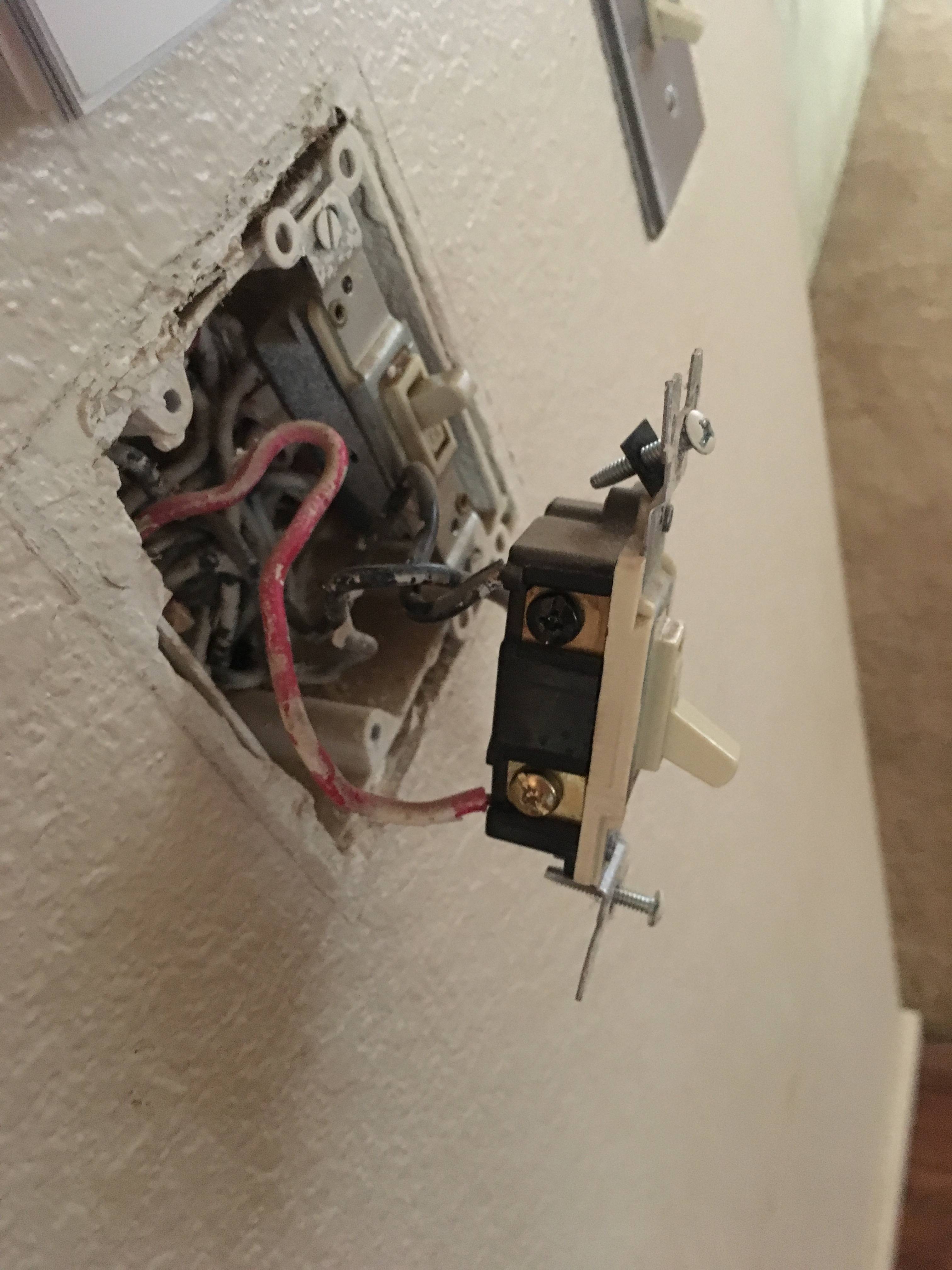
Inspect The Wiring Behind The Cover
Look for any loose or damaged wires. Check for signs of burning or discoloration. This helps identify electrical issues quickly.
Credit: diy.stackexchange.com
Use A Voltage Tester
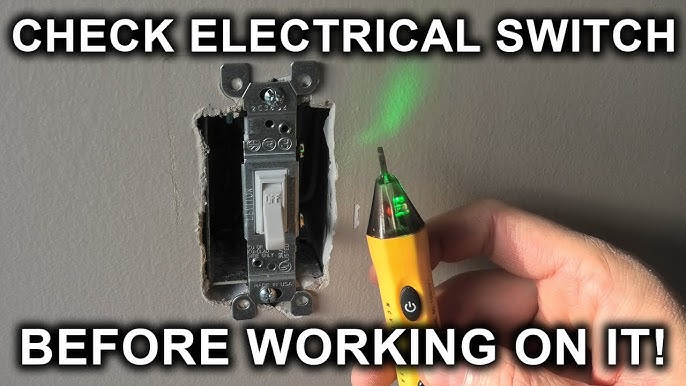
Use a voltage tester to find out if a light switch has power. This tool helps you check electricity safely. It shows if the switch is live without removing wires.
Voltage testers come in different types. Two common ones are the non-contact voltage tester and the multimeter. Both are easy to use and give quick results.
Non-contact Voltage Tester
The non-contact voltage tester detects electricity without touching wires. Hold it near the switch or wires. If the tester lights up or beeps, power is present.
This tester is safe because you do not need to touch metal parts. It is good for quick checks. It runs on batteries and is small to carry around.
Multimeter
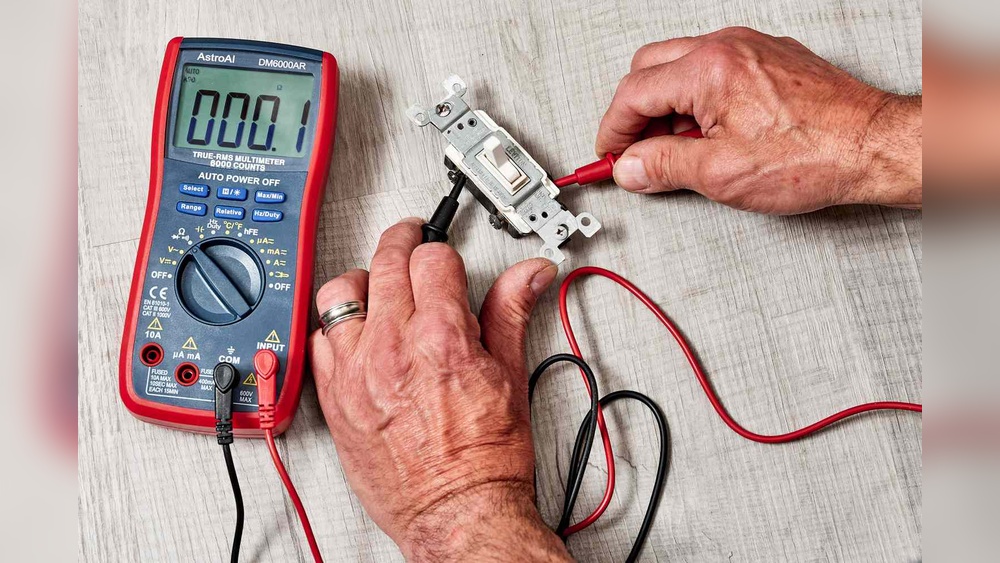
A multimeter measures voltage, current, and resistance. Set it to measure AC voltage to check a light switch.
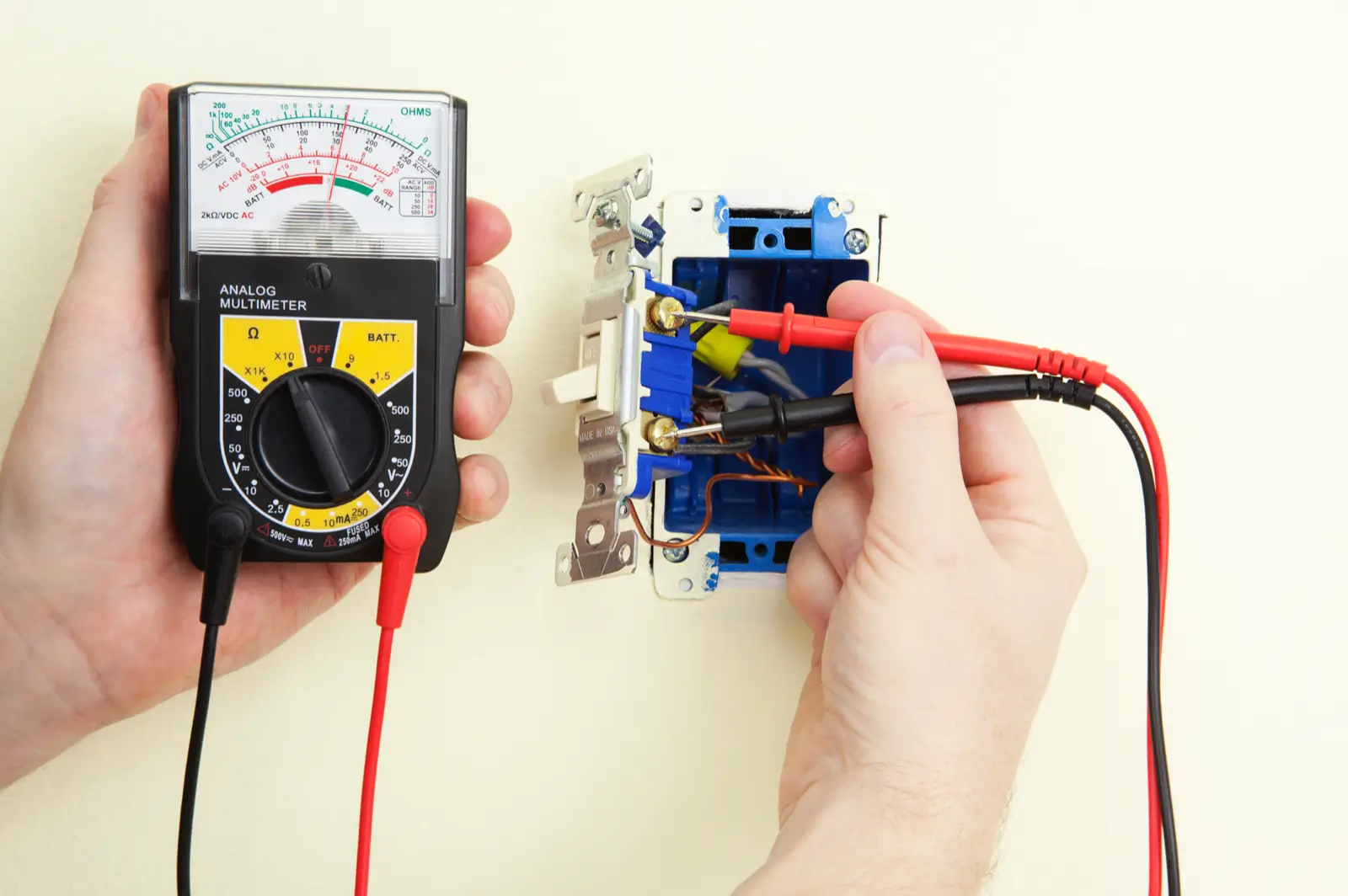
Touch the probes to the switch terminals. The multimeter screen shows the voltage level. If the reading is zero, the switch has no power.
This tool is useful for more detailed tests. It helps find wiring problems or faulty switches.
Test The Switch Terminals
Testing the switch terminals is a key step in checking if a light switch has power. This process helps find out if electricity is reaching the switch. It also shows if the switch itself works properly. You need a simple tool called a multimeter or a voltage tester for this test.
Before starting, turn off the main power to stay safe. Always double-check that the power is off with your tester. Then, remove the switch cover to see the terminals. Terminals are the metal screws or clips where wires connect to the switch.
Prepare Your Tools And Safety Gear
Use insulated gloves to protect your hands. Have a screwdriver to remove the switch plate. Get your multimeter or voltage tester ready. Set the multimeter to measure voltage in AC mode. Safety first. Be calm and focused.
Identify The Switch Terminals
Look at the switch carefully. You will see two or three terminals. Usually, two terminals carry the power wires. One terminal may be a ground screw. Know which wires connect to which terminal. This helps in accurate testing.
Measure Voltage At The Terminals
Turn the power back on carefully. Touch the multimeter probes to the two main terminals. Watch the multimeter screen for voltage reading. A reading around 120 volts means power is present. No reading means no power or a problem in wiring.
Check For Loose Or Damaged Connections
Look closely at wire connections on the terminals. Make sure wires are tight and secure. Loose wires can stop power flow. Replace or tighten any damaged or loose wires. Good contact ensures proper power supply.
Test The Switch Function
Switch the light switch on and off. Watch the voltage reading change as you do. Voltage should appear only when the switch is on. If voltage stays the same, the switch may be faulty. Replace the switch if needed.
Check The Circuit Breaker
Checking the circuit breaker is an important step to see if a light switch has power. The circuit breaker controls the flow of electricity in your home. It can trip or turn off to protect your home from electrical problems. This can cause the light switch to lose power.
By inspecting the circuit breaker, you can find out if the power is off. This is a simple way to fix the issue without calling an electrician. Follow the steps below to check the circuit breaker safely.
Locate Your Circuit Breaker Panel
First, find the circuit breaker panel in your home. It is usually in the basement, garage, or a utility room. The panel is a metal box with a door. Inside, you will see many switches or breakers.
Identify The Correct Breaker
Look for the breaker that controls the light switch. Each breaker should have a label. The label tells which room or area it controls. If the label is missing or unclear, test each breaker carefully.
Check For Tripped Breakers
Check if any breakers are in the “off” position or between “on” and “off.” A tripped breaker will not be fully in the “on” position. Flip the breaker fully to “off” and then back to “on” to reset it.
Use Caution When Handling Breakers
Always be careful when touching the circuit breaker. Make sure your hands are dry. Stand on a dry surface. If you feel unsure, ask for help from someone experienced with electrical panels.
Troubleshoot Common Issues
Troubleshooting common issues helps find why a light switch has no power. Many times, the problem is simple and easy to fix. Checking these issues saves time and effort.
Loose Wiring
Loose wiring can stop electricity from reaching the switch. Wires may come undone after some time or work. Turn off the power before checking wires. Tighten any loose connections carefully. This step often restores power quickly.
Faulty Switch
Switches wear out or break with use. A faulty switch stops the current from flowing. Test the switch using a voltage tester or multimeter. Replace the switch if it shows no power flow. New switches are inexpensive and easy to install.
Tripped Breaker
A tripped breaker cuts power to the switch for safety. Check your home’s breaker panel for any switches in the off position. Flip the breaker fully off, then back on. This often restores power to the light switch and fixtures.
When To Call An Electrician
Knowing when to call an electrician is important for safety and proper repairs. Some electrical problems need expert help. Trying to fix these issues alone can be dangerous. It can also cause more damage to your home’s wiring.
Recognizing the signs that you need professional help can save time and keep your home safe. Learn when to stop and call an electrician to check your light switch or wiring.
Signs Of Electrical Problems
Burning smells near the switch signal trouble. Flickering lights or sparks are serious warnings. Switches that feel hot or make buzzing sounds need immediate attention. These signs show wiring problems that require an expert.
Repeated Power Failures
Switches that lose power often can mean a bigger issue. Circuit breakers that trip frequently also point to wiring faults. An electrician can find the root cause and fix it safely.
Damage After Water Exposure
Water and electricity do not mix well. If your switch gets wet or shows signs of moisture, call a pro. Water can cause shorts and dangerous shocks.
Lack Of Proper Tools Or Knowledge
Testing electrical power needs the right tools. If you do not have a voltage tester or do not understand how to use it, wait for help. Professionals have the skills and equipment to work safely.
Complex Electrical Systems
Older homes or homes with complicated wiring require expert care. An electrician can safely navigate complex systems and ensure everything works well.
Frequently Asked Questions
How Can I Test If A Light Switch Has Power?
Use a non-contact voltage tester near the switch terminals. If it beeps or lights up, the switch has power.
What Tools Are Needed To Check A Light Switch’s Power?
A non-contact voltage tester or a multimeter is essential. These tools safely detect electrical current without direct contact.
Is It Safe To Check Power On A Light Switch Myself?
Yes, if you follow safety precautions. Always turn off the circuit breaker before inspecting or testing the switch.
Can A Light Switch Appear Off But Still Have Power?
Yes, the switch can be off but still connected to live power lines. Testing ensures if power is present.
Conclusion
Checking if a light switch has power is simple and safe. Use a tester or a multimeter to see the current. Always turn off the main power before working on switches. Knowing how to test helps avoid accidents and saves time.
Stay careful and follow the steps clearly. Now, you can handle light switches with confidence and safety.