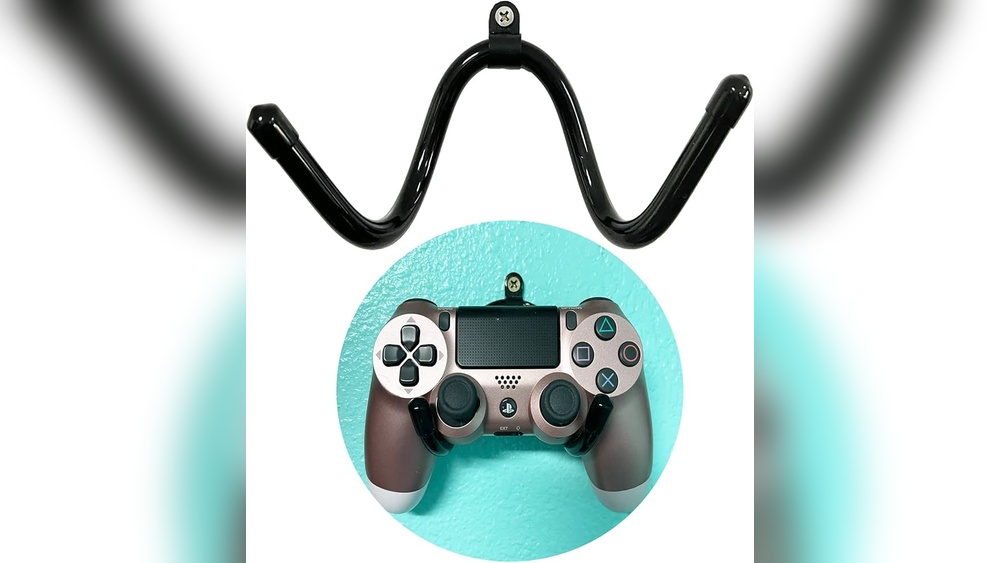
Are you tired of clutter taking over your gaming space? Imagine freeing up your desk and creating a sleek, organized setup by hooking your PS4 to the wall.
It’s easier than you think, and the results can transform your gaming experience. In this guide, you’ll discover simple, step-by-step tips to mount your PS4 safely and stylishly. Keep reading, and you’ll soon enjoy a cleaner space and a cooler-looking setup that makes your gaming sessions even better.
Choose The Right Wall Mount
Choosing the right wall mount for your PS4 is important. It keeps the console safe and saves space. A good wall mount also makes your gaming area look neat. Focus on key features to find the best fit.
Types Of Wall Mounts
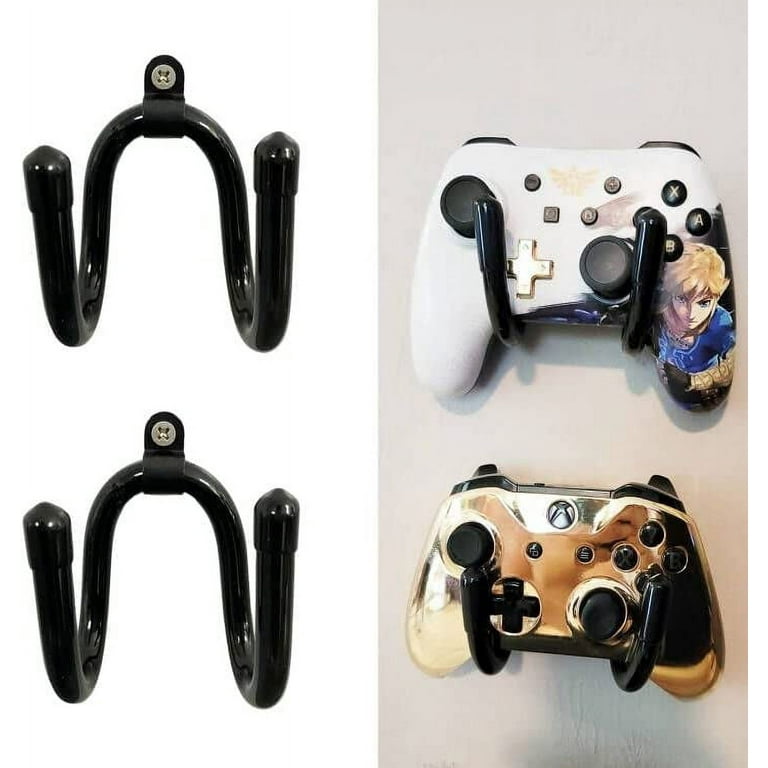
Wall mounts come in different styles. Some hold the PS4 tightly with brackets. Others use shelves to support the console. Choose a style that suits your room and setup. Some mounts also allow easy access to ports and cables.
Size And Compatibility
Check the size of your PS4 model before buying a mount. Not all mounts fit every PS4 version. Slim and Pro models need different mounts. Measure your console and compare with mount specifications. This helps avoid a poor fit or damage.
Weight Capacity
Look for the mount’s weight limit. The PS4 must be fully supported. A mount with a low weight capacity can break or fall. Pick a mount that holds more than your PS4’s weight. This ensures safety and durability on your wall.
Credit: www.walmart.com
Gather Necessary Tools
Before you start hooking your PS4 to the wall, gather all the necessary tools. Having the right tools makes the job easier and safer. It also saves time and avoids frustration. Prepare everything in one place before you begin.
Essential Tools List
- Drill with drill bits
- Screwdriver (Phillips head)
- Stud finder
- Level tool
- Measuring tape
- Wall mounts or brackets designed for PS4
- Pencil for marking spots
- Anchors and screws suitable for your wall type
Safety Gear Tips
Wear safety goggles to protect your eyes from dust and debris. Use gloves to protect your hands during drilling and handling sharp tools. Keep your workspace clean to avoid accidents. Make sure the area is well-lit to see clearly. Take breaks if you feel tired to stay alert and safe.
Select The Perfect Spot
Choosing the right spot to mount your PS4 on the wall is very important. It affects how well your console works and how easy it is to use. A good spot keeps your PS4 safe, cool, and easy to reach. This section explains how to pick the perfect place to hook your PS4 on the wall.
Ideal Height And Position
Mount your PS4 at eye level or just below. This height makes it easy to see and use the console without bending or stretching. Avoid placing it too high or too low. Keep it near your TV or gaming area to keep cables neat and reduce clutter. Position the console so the front ports are easy to reach for controllers and USB devices.
Avoiding Heat And Ventilation Issues
Give your PS4 space to breathe. Avoid tight corners or enclosed shelves. Heat can build up and cause the console to overheat. Keep vents clear of walls and other objects. Leave at least 4 to 6 inches of space around the console. Good airflow helps your PS4 stay cool and work longer.
Accessibility To Power And Cables
Choose a spot near power outlets. This reduces cable clutter and risk of unplugging. Make sure cables can reach the TV and other devices easily. Avoid places where cables stretch or hang loosely. Use cable organizers to keep wires tidy. Easy access to power and cables means less hassle and better setup.

Credit: www.amazon.com
Prepare The Wall
Preparing the wall is a key step to mount your PS4 safely. It ensures the console stays secure and looks neat. Taking time to prepare avoids damage and keeps things stable.
Follow these simple steps to get your wall ready for the PS4 mount. Each step helps make sure the installation is smooth and safe.
Finding Studs
Studs are the wooden beams inside the wall. They provide strong support for heavy items like a PS4. Use a stud finder tool to locate them. Move the tool slowly across the wall. Mark each stud position with a pencil. Avoid drywall alone. It cannot hold the PS4 weight safely.
Marking Drill Points
Mark drill points on the studs where you want to mount the PS4. Measure twice to get the right height and position. Use a pencil to draw small dots. These marks guide your drill and screws. Keep marks clear but light to erase later.
Checking For Obstacles
Check the wall area for pipes, wires, or cables. Use a wire detector tool to find hidden obstacles. Avoid drilling into electrical wires or water pipes. This step prevents accidents and damage. Move the drill points if any obstacles appear.
Mount The Bracket
Mounting the bracket is a key step to fix your PS4 on the wall safely. The bracket holds the console firmly and keeps it from falling. Follow each step carefully to make sure the bracket is stable and secure.
Drilling Holes
Start by marking the spots for the holes on the wall. Use a level tool to keep the bracket straight. Choose a drill bit that matches the size of the wall plugs. Drill slowly to avoid cracking the wall. Clean the dust from the holes before moving on.
Securing The Bracket
Insert the wall plugs into the drilled holes. Align the bracket with the holes on the wall. Use screws that come with the bracket to fix it tightly. Tighten the screws with a screwdriver until the bracket does not move. Avoid overtightening to prevent damage.
Double Checking Stability
Give the bracket a gentle shake to test its strength. Check if the screws are still tight. Look for any gaps between the wall and bracket. Ensure the bracket feels solid and does not shift. This step keeps your PS4 safe on the wall.
Attach The Ps4
Attaching your PS4 to the wall saves space and creates a neat gaming area. It needs care and the right steps. Secure mounting protects the console and keeps it cool. Follow these tips to attach your PS4 safely and neatly.
Positioning The Console
Choose a spot with good airflow around the PS4. Avoid tight corners or places near heat sources. The console should be easy to reach for cables and buttons. Keep it away from direct sunlight and dust. This helps the PS4 run smoothly for longer.
Securing With Screws Or Clips
Use wall brackets or clips made for electronics. Mark holes carefully on the wall. Use a drill and screws that fit the bracket. Attach the bracket tightly but do not over-tighten. Place the PS4 on the bracket. Check it stays steady and safe before letting go.
Cable Management Tips
Organize cables to avoid tangles and damage. Use cable ties or clips to hold wires close to the wall. Label each cable for easy identification. Leave some slack to prevent stress on connectors. Neat cables improve looks and prevent accidents.
Connect Accessories
Connecting your PS4 accessories is key to a smooth gaming setup on the wall. Proper connections keep your console running and ready. Organize each accessory carefully to avoid tangles and damage. Let’s explore how to connect the essential PS4 accessories step-by-step.
Hdmi And Power Cables
Start by plugging the HDMI cable into the PS4’s HDMI port. Connect the other end to your TV or monitor. The power cable goes into the PS4’s power port. Then plug it into a wall outlet. Make sure the cables are secure and not loose. Use cable clips or ties for neatness and safety.
Controller Charging
Charge your PS4 controllers using the USB cable. Connect one end to the controller’s charging port. Plug the other end into the PS4’s USB port. This keeps your controller ready for play. Avoid overcharging by unplugging once fully charged. Store the charging cable close to the console.
Network Connections
For online play, connect your PS4 to the internet. Use a wired connection by plugging an Ethernet cable into the console. Or connect via Wi-Fi in the settings menu. A wired connection offers faster and stable internet. Keep network cables tidy and away from power cords.
Credit: www.reddit.com
Maintain Your Setup
Maintaining your PS4 setup on the wall keeps it safe and working well. A tidy and secure setup lasts longer and gives you a better gaming experience. Small daily tasks can protect your console from damage and dust.
Cleaning Around The Console
Dust and dirt can build up around your PS4 over time. Use a soft cloth to wipe the console and wall mount gently. Avoid spraying water or cleaners directly on the console. Clean the vents carefully to stop dust from blocking airflow. This helps prevent overheating and keeps your PS4 running smoothly.
Checking Mount Stability
Check the wall mount regularly for loose screws or cracks. A weak mount can cause the console to fall and get damaged. Tighten screws with a screwdriver if needed. Make sure the mount holds the PS4 firmly and does not wobble. Stability is key for safety and long-term use.
Upgrading Accessories
Improve your setup by adding better cables or extra shelves. Use high-quality HDMI and power cables for clearer signals and durability. Consider a small shelf below the PS4 for controllers or games. Upgrading accessories keeps your gaming space neat and efficient.
Frequently Asked Questions
How Do I Mount A Ps4 On The Wall Safely?
Use a compatible PS4 wall mount bracket designed for your console model. Secure it firmly with proper screws and anchors. Ensure the mount supports ventilation to prevent overheating. Follow the manufacturer’s instructions carefully for a safe and stable setup.
What Tools Are Needed To Hook Ps4 To The Wall?
You will need a drill, screwdriver, wall anchors, screws, a level, and a pencil. These tools help secure the mounting bracket properly and ensure the PS4 is level and stable on the wall.
Can I Mount My Ps4 On Drywall Without Studs?
Yes, but use heavy-duty wall anchors rated for your PS4’s weight. Avoid mounting on weak drywall alone. For best stability, locate and screw into wall studs whenever possible to secure the console safely.
How To Ensure Proper Ventilation When Wall Mounting Ps4?
Leave enough space around the PS4 for airflow, especially near vents. Avoid enclosing the console in tight spaces. Proper ventilation prevents overheating and maintains optimal performance while mounted on the wall.
Conclusion
Hooking your PS4 to the wall saves space and looks neat. Follow the steps carefully for a secure setup. Use the right tools to avoid damage. Double-check the connections before turning on your console. This setup keeps your gaming area tidy and organized.
Enjoy your games without clutter around you. Keep safety in mind to prevent accidents. A clean gaming space helps you focus better. Simple steps make the process easy for everyone. Try it yourself and see the difference today.