Are you struggling to connect your Ethernet wall connectors properly? Getting them hooked up right can make a huge difference in your internet speed and reliability.
If your home or office network isn’t performing as it should, the problem might be in how the connectors are linked. In this guide, you’ll learn simple, step-by-step methods to connect Ethernet wall connectors to each other without confusion or extra costs.
Keep reading, and you’ll soon have a clean, efficient setup that keeps your devices running smoothly.
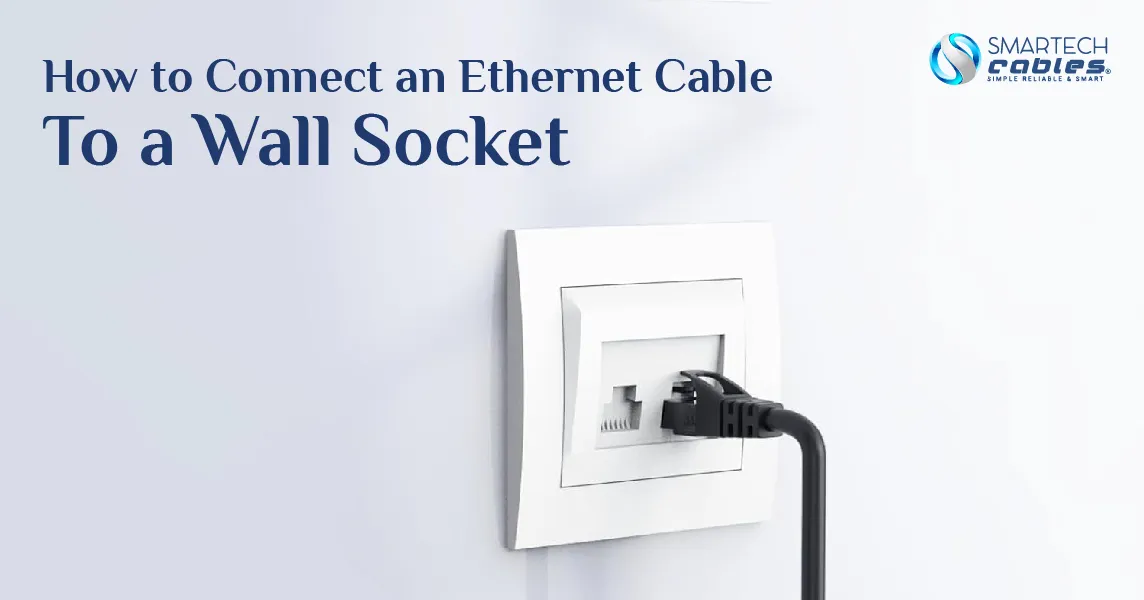
Credit: www.smartechcables.com
Tools And Materials Needed
Ethernet wall connectors are essential for creating a clean, reliable network setup at home or in the office. Different types serve various purposes and fit different installation needs. Knowing the types helps you choose the right one for your project. Below are the common types of Ethernet wall connectors that you might encounter.
Rj45 Connectors
RJ45 connectors are the most common type used in Ethernet cables. They have eight pins to connect wires inside the cable. These connectors plug directly into Ethernet ports on devices. RJ45 connectors are often used with patch cables rather than fixed wall plates.
Keystone Jacks
Keystone jacks fit into wall plates and provide a neat Ethernet connection point. They allow easy cable termination and can snap into different types of faceplates. Keystone jacks support various cable types like Cat5e and Cat6 for fast data transfer.
Surface Mount Boxes
Surface mount boxes attach to walls without needing to cut into drywall. They hold keystone jacks or RJ45 connectors inside a small, box-shaped enclosure. These boxes are ideal for rooms where in-wall installation is difficult or not allowed.

Credit: www.youtube.com
Types Of Ethernet Wall Connectors
Wiring standards are crucial when hooking Ethernet wall connectors together. They ensure the cables transmit data correctly. Following the right wiring pattern avoids connection problems and signal loss. This section explains key wiring standards for Ethernet cables.
T568a Vs T568b
Two main wiring standards exist: T568A and T568B. Both define how to arrange the colored wires inside the Ethernet cable. The main difference is the position of the green and orange pairs. T568A places the green pair on pins 1 and 2. T568B places the orange pair on pins 1 and 2.
Both standards support the same network speeds and functions. Mixing the two on one cable creates a crossover cable. Crossover cables connect two devices directly without a switch or router.
Choosing The Right Standard
Pick one wiring standard and use it consistently. Most homes and offices use T568B. Some government and older buildings prefer T568A. Check existing cables before adding new ones.
Using the same standard at both ends of a cable creates a straight-through cable. Straight-through cables connect devices to network equipment. Always match wiring standards on both sides to avoid connection issues.
Preparing The Ethernet Cables
Connecting two Ethernet wall connectors creates a seamless network link between rooms. This setup helps extend internet access without running long cables across the floor. The process requires careful attention to wiring and proper tool use. Follow these steps to ensure a strong and reliable connection.
Matching The Wiring Patterns
Start by identifying the wiring pattern on each connector. Ethernet cables use specific color codes for each wire. The most common patterns are T568A and T568B. Both connectors must follow the same pattern to work correctly.
Strip the cable ends carefully to expose the wires. Arrange the wires in the exact order of the chosen pattern. Double-check the colors match perfectly on both connectors. Any mismatch can cause connection problems or slow speeds.
Crimping The Connectors
After matching the wires, insert them into the new Ethernet connectors. Use a crimping tool to secure the wires in place firmly. The tool presses the metal pins into the wires, creating a solid connection.
Make sure each wire reaches the end of the connector. Crimp slowly and evenly to avoid damaging the wires. Test the connection with a cable tester to confirm proper setup. A good crimp ensures stable network performance and less signal loss.

Credit: www.reddit.com
Wiring Standards To Follow
Testing the connection between Ethernet wall connectors is a key step. It ensures your cables work properly. A good test saves time and frustration later. It shows if the wiring is correct and data can pass through. Follow these methods to check your connection accurately.
Using A Cable Tester
A cable tester is a small device that checks Ethernet cables. Connect one end of the cable to the tester’s main unit. Plug the other end into the remote unit. Turn on the tester. It will show if wires are connected properly. Look for all lights to turn green. This means the cable is good. If lights blink or stay off, the cable has issues. Cable testers find broken wires, shorts, or wrong wiring.
Troubleshooting Common Issues
Sometimes the test shows errors. Check for loose connections first. Press connectors firmly into wall jacks. Look for damaged cable jackets or bent pins. Replace damaged parts if needed. Make sure you use the right cable type, like Cat5e or Cat6. Test again after fixing. If problems continue, try another cable tester. This helps confirm if the issue is the cable or tester. Keep testing until all errors clear.
Frequently Asked Questions
How Do I Connect Two Ethernet Wall Connectors?
To connect two Ethernet wall connectors, use a short Ethernet patch cable. Plug one end into the first connector and the other into the second. Ensure both connectors are properly wired and compatible for seamless data transmission.
Can I Link Multiple Ethernet Wall Connectors Together?
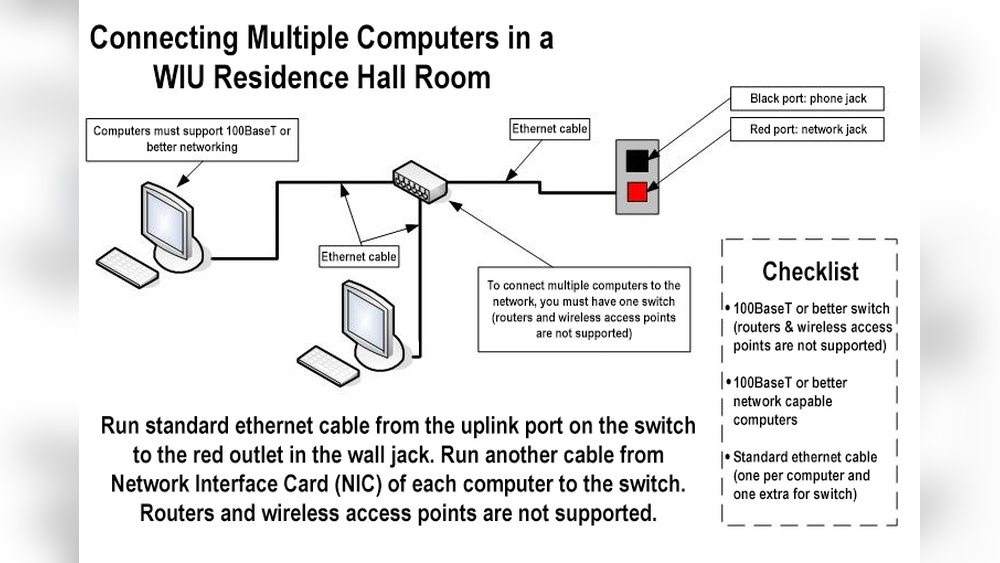
Yes, you can link multiple Ethernet wall connectors using Ethernet patch cables and network switches. This setup extends your wired network across rooms, maintaining stable connections and high-speed data transfer.
What Tools Are Needed To Hook Ethernet Wall Connectors?
You’ll need a punch-down tool, Ethernet cables, a cable tester, and possibly a screwdriver. These tools help securely connect wires, verify connections, and mount connectors properly for optimal network performance.
Is It Necessary To Match Cable Types Between Connectors?
Yes, matching cable types like Cat5e or Cat6 between connectors ensures consistent network speed and reliability. Using the same category avoids bottlenecks and maximizes your Ethernet connection quality.
Conclusion
Connecting Ethernet wall connectors is simple with the right steps. Choose the correct cables and tools first. Match each connector’s pins carefully to avoid mistakes. Secure the connections firmly to keep the signal strong. Test the connection before finishing the setup.
This method helps create a neat and reliable network. Everyone can do it with patience and attention. Try it yourself and enjoy a stable internet link at home or work. Easy, clear, and effective.