Are you tired of tangled cables ruining the look of your living room? Hooking a cable from your wall to your TV might seem tricky, but it’s easier than you think.
With the right steps, you can have a clean, organized setup that not only looks great but works perfectly. In this guide, you’ll learn simple tips to connect your cable quickly and securely. Keep reading, and you’ll be enjoying your favorite shows without the mess in no time!
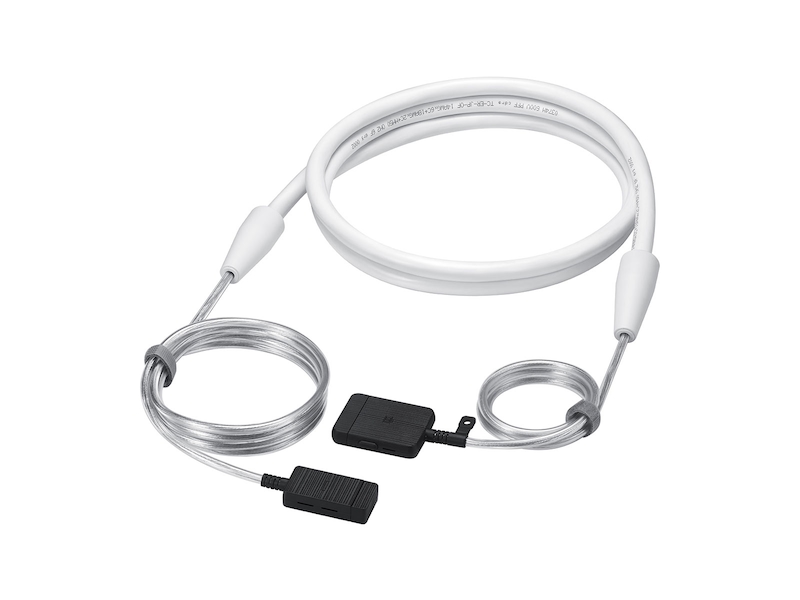
Credit: www.samsung.com
Tools And Materials Needed
To hook a cable from the wall to your TV, certain tools and materials make the job easier. Having the right items ensures a neat and secure connection. It saves time and avoids damage to cables or walls.
Gather everything before starting. This helps keep the process smooth and quick.
Coaxial Cable
This is the main cable that connects your TV to the wall outlet. It carries the signal from your cable provider. Make sure the length is enough to reach your TV comfortably.
Cable Connectors
Connectors join the coaxial cable to the wall outlet and TV. They create a secure, stable link. Choose connectors that fit your cable type and TV input.
Coaxial Cable Stripper
Use this tool to prepare the cable ends. It removes the outer layer without damaging inner wires. This makes a clean connection point for the connectors.
Screwdriver
A screwdriver helps remove or tighten screws on the wall plate or TV ports. Most setups use a Phillips head screwdriver. Keep it handy for adjustments.
Cable Clips Or Hooks
These hold the cable neatly along the wall. They prevent the cable from hanging loose or getting tangled. Choose clips that match your wall surface.
Measuring Tape
Measure the distance from the wall outlet to your TV. It helps cut the cable to the right length. Avoids extra cable clutter or tight stretches.
Choosing The Right Cable
Choosing the right cable is important to connect your TV to the wall properly. The cable affects picture quality and sound. It also impacts how easy the setup will be. Picking a bad cable can cause problems like flickering or no signal. This guide helps you find the best cable for your TV connection.
Types Of Cables For Tv Connection
Several cables connect your TV to the wall. HDMI cables carry both video and audio. They are the most common for modern TVs. Component cables split video into three parts and need separate audio cables. Composite cables have one video and two audio connectors but offer lower quality. Choose the cable that fits your TV’s ports and your quality needs.
Length And Quality Matter
Pick a cable long enough to reach your TV without strain. Too short cables cause tension and may break. Too long cables can lose signal strength. Buy a cable from a trusted brand. Cheap cables might have poor shielding and cause interference. Quality cables last longer and deliver clearer sound and picture.
Check Compatibility With Your Devices
Match the cable type to the devices’ ports. Newer TVs usually support HDMI. Older TVs may need component or composite cables. Some devices only support coaxial cables. Study your TV’s manual or look at the ports. Using the right cable ensures easy installation and good performance.
Preparing The Wall Outlet
Preparing the wall outlet is the first step to connect your cable to the TV. This step ensures a strong and clear signal. You must check everything carefully before attaching the cable.
Start by finding the exact spot where the cable outlet is on your wall. Then, examine the cable for any damage. This helps avoid signal problems later. Taking time here saves frustration during setup.
Locate The Cable Outlet
Look for a small round plate on your wall. It usually has one or two ports for cable connections. The outlet is often near your TV or entertainment center. Make sure you find the right one before proceeding.
If you cannot find it, check other walls or near your internet router. Sometimes outlets hide behind furniture or inside cabinets.
Check Cable Condition
Inspect the cable that will connect to the outlet. Look for cuts, bends, or worn areas along the wire. Damaged cables can cause poor picture quality or no signal at all.
Use a new cable if you see any damage. Also, make sure the cable connectors are clean and not bent. Proper cable condition ensures a smooth TV connection.
Connecting The Cable To The Wall
Connecting the cable to the wall is the first step in setting up your TV. This process ensures a stable signal for clear picture and sound. It is important to handle the cable and connectors carefully to avoid damage. Follow these simple steps to connect the cable properly.
Attach The Connector
Take the cable end and align it with the wall outlet. The connector should fit snugly into the port. Turn the connector clockwise to tighten it. Do not force it too hard. A secure connection prevents signal loss and interference.
Secure The Cable
After attaching the connector, make sure the cable is held in place. Use clips or cable ties to keep it neat and safe. Avoid sharp bends or twists in the cable. This helps maintain signal quality and prevents wear over time.
Routing The Cable To The Tv
Routing the cable to the TV is an important step for a clean setup. It keeps the cable safe and the room tidy. A well-planned path avoids tripping hazards and cable damage. It also helps the cable last longer and look neat.
Follow simple steps to route your cable properly. This makes your TV area look organized and professional. Let’s explore how to plan the cable path and secure it neatly.
Plan The Cable Path
Start by measuring the distance from the wall outlet to the TV. Choose the shortest, safest route to avoid cable strain. Look for paths along baseboards or behind furniture. Avoid high-traffic areas to reduce wear and tear.
Check for obstacles like doors or vents that may block the cable. Plan to run the cable along edges or corners for a cleaner look. Take notes or mark the path before starting the installation.
Use Cable Clips Or Covers
Use cable clips to hold the cable against the wall. Space clips every 12 inches for a secure fit. This prevents the cable from dangling or tangling. Choose clips that match the wall color for a neat finish.
Cable covers hide the cable completely and protect it from damage. They work well on walls or floors and make cleaning easier. Attach covers with adhesive or screws, depending on the type. This keeps your setup safe and visually appealing.

Credit: www.amazon.com
Connecting The Cable To The Tv
Connecting the cable to the TV is a simple step to get your shows and movies ready. This process ensures a strong signal and clear picture. Follow these easy steps for a smooth connection.
Identify The Tv Input Port
Look at the back or side of your TV. Find the port labeled “Cable In,” “ANT IN,” or “Coaxial.” This port is round and often silver. It is the place to plug in your cable.
Check the cable connector. It should match the port size and shape. This helps avoid damage and ensures a good connection.
Attach The Cable Securely
Take the cable end and align it with the TV port. Push it gently but firmly onto the port. Turn the connector clockwise to tighten it. Do not force it.
A tight connection stops the cable from falling out. It also improves the signal quality. Make sure the cable is not loose or wobbly.
Testing The Connection
After hooking the cable from the wall to your TV, testing the connection is key. This step ensures your setup works correctly. It helps confirm you get a clear signal and good picture quality. Follow simple steps to test and fix issues fast.
Power On And Scan Channels
Turn on your TV and cable box. Use your remote to access the menu. Find the option to scan or auto-tune channels. This process lets your TV find all available cable channels. Wait for the scan to finish. Check if the channels show up clearly on the screen.
Troubleshoot Common Issues
No channels found? Check if the cable is firmly plugged in. Loose connections cause signal loss. Try unplugging and reconnecting the cable. If the picture is fuzzy, adjust the cable for a better fit. Restart your TV and cable box to refresh the signal. Still no luck? Test the cable on another TV to rule out a faulty wire.

Credit: www.legrand.us
Tips For A Clean Setup
A clean cable setup keeps your TV area neat and safe. It helps avoid messy wires and makes your room look tidy. Simple steps can improve your space without much effort.
Use the right tools and plan the cable path carefully. This reduces clutter and prevents accidents. Small habits make a big difference in cable management.
Hide Cables With Covers
Cable covers are easy to install and hide wires well. They come in different colors to match your walls. Run cables inside these covers for a clean look.
Use adhesive covers or raceways along the wall or baseboard. This stops cables from hanging loosely. It also protects cables from dust and pets.
Avoid Cable Damage
Protect cables from sharp edges and heavy furniture. Bent or crushed cables can stop working properly. Keep cables loose and avoid tight bends.
Check cables regularly for wear or damage. Replace any cable that shows signs of fraying. This keeps your TV connection strong and safe.
Frequently Asked Questions
How Do I Connect A Cable From Wall To Tv?
Locate the cable outlet on your wall and the TV’s cable input. Use a coaxial cable to connect both securely. Ensure the cable is tight to avoid signal loss. Turn on your TV and select the correct input source to start viewing.
What Tools Are Needed To Hook Cable From Wall To Tv?
You only need a coaxial cable and possibly a screwdriver. The screwdriver helps secure wall plates or cable connectors. Most setups don’t require special tools beyond the cable itself. Always ensure connectors fit snugly to maintain a stable connection.
Can I Hide The Cable Between Wall And Tv?
Yes, you can use cable management solutions like raceways or wall plates. These keep cables organized and out of sight. You may also route cables inside the wall for a cleaner look. Always follow safety guidelines when concealing cables.
How To Ensure Good Signal Quality From Wall To Tv?
Use high-quality coaxial cables and secure connections. Avoid kinks or sharp bends in the cable. Keep the cable length as short as possible. Check for any damage or corrosion on connectors. Proper installation prevents signal interference and improves picture quality.
Conclusion
Connecting the cable from the wall to your TV is simple with clear steps. Check the cable type and ports before starting. Keep the cable neat to avoid damage or tangles. A secure connection ensures good picture and sound quality.
Take your time and follow the guide carefully. Enjoy watching your favorite shows with a properly hooked-up TV. Small efforts make a big difference in your viewing experience. Now, you are ready to set up your TV with ease.