Is your keypad deadbolt acting up or do you need to change the code for better security? Knowing how to reset your keypad deadbolt is a simple but powerful skill.
It puts you in control of your home’s safety without waiting for a locksmith. In this guide, you’ll find easy, step-by-step instructions to reset your lock quickly and confidently. Keep reading to unlock peace of mind and take full charge of your door’s security.
Identify Your Deadbolt Type
Start by checking the shape and buttons of your deadbolt. Different types need different reset steps. Knowing your model helps avoid mistakes during the reset process.
Knowing your deadbolt type is key before you reset it. Different deadbolts have different reset methods. This guide helps you find your deadbolt type fast. It makes the reset process smooth and easy.
Single Cylinder Deadbolt
This deadbolt uses a key outside and a thumb turn inside. It is the most common type on residential doors. Look for a simple round knob on the inside. The outside has a key slot. Resetting this type often involves removing the thumb turn.
Double Cylinder Deadbolt
This deadbolt needs a key on both sides of the door. It does not have a thumb turn inside. It adds security but can be tricky to reset. Check if your lock requires two keys. You may need to unlock it fully before resetting.
Keypad Deadbolt
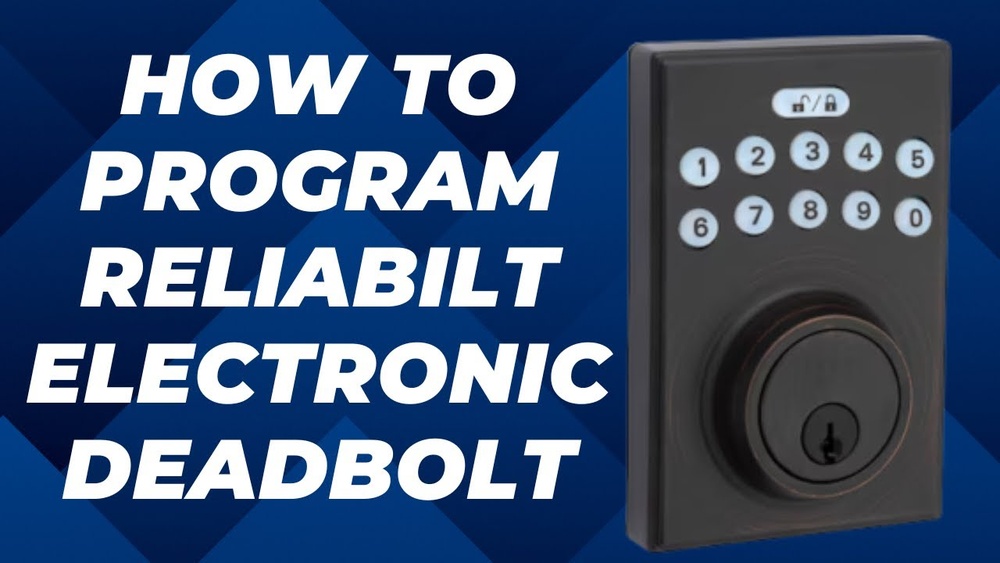
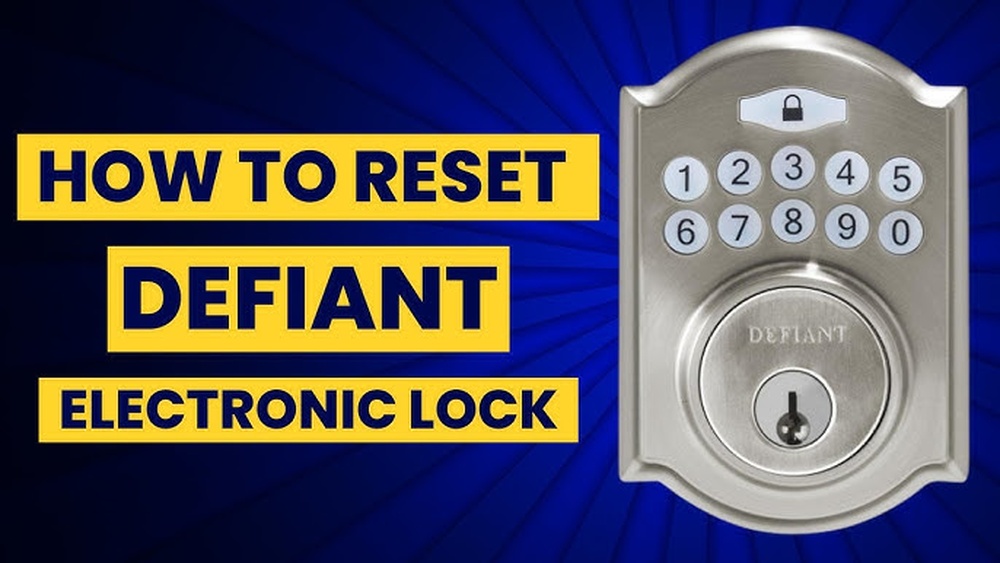
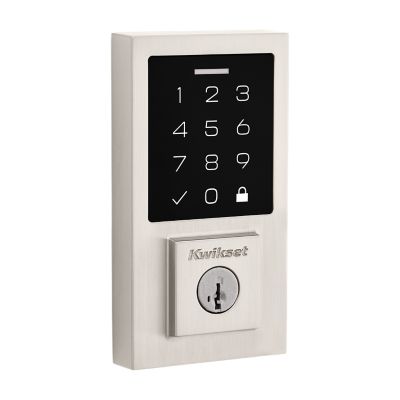
This type has a keypad outside for code entry. Some models also have a key slot as backup. The inside usually has a thumb turn. Resetting keypad deadbolts often involves a reset button or code change. Look for a small hole or button on the interior side.
Smart Deadbolt
Smart deadbolts connect to your phone or home system. They use apps for locking and unlocking. Resetting often means using the app or a special reset button. Some models require removing the battery cover. Check your lock manual for exact steps.
Gather Necessary Tools
Gathering the right tools is the first step to reset a keypad deadbolt. Having everything ready saves time and avoids frustration. It makes the process smooth and efficient.
Before starting, check your deadbolt model. Some models need specific tools. Basic tools work for most types.
Basic Screwdriver
A screwdriver is essential. Most deadbolts use screws to hold parts. A Phillips or flathead screwdriver fits most screws. Choose the one that matches your screws.
New Batteries
Keypad deadbolts run on batteries. Old or weak batteries cause issues. Replace batteries before resetting. Use fresh, compatible batteries for best results.
User Manual Or Instructions
Keep the user manual nearby. It guides you step-by-step. Manuals show specific reset codes and procedures. If lost, find the manual online with your model number.
Small Container For Screws
Use a small container to hold screws. It prevents losing tiny parts. This keeps your workspace tidy and organized.
Pen And Paper
Write down codes or steps. This helps avoid mistakes. Keep notes for future reference.
Remove The Deadbolt Cover
Removing the deadbolt cover is the first step to reset a keypad deadbolt. This part protects the internal mechanism. Taking it off gives access to the screws and components inside. It helps you reach the reset button or change the battery.
Handle the cover carefully. Some covers snap off, while others need unscrewing. Knowing the type helps avoid damage. This step is simple but important for the reset process.
Locate The Screws Holding The Cover
Look closely at the deadbolt cover. Screws usually hold it in place. They may sit around the edge or under a small plate. Use a flashlight if needed. Identifying these screws is key to removing the cover safely.
Use The Right Screwdriver
Pick a screwdriver that fits the screws well. Most deadbolts use Phillips or flathead screws. Using the wrong tool can strip the screws. Turn the screwdriver counterclockwise to loosen them. Keep the screws safe for reassembly.
Gently Remove The Cover
After unscrewing, carefully pull the cover away. Some covers might need a slight wiggle. Do not force it hard. If stuck, check for hidden screws or clips. Removing the cover reveals the inner parts of the deadbolt.

Credit: www.reddit.com
Access The Reset Button
Accessing the reset button is the first step to reset a keypad deadbolt. This button lets you clear old codes and set new ones quickly. Knowing its exact location saves time and effort.
The reset button is usually small and recessed. It may need a tool like a paperclip to press. Finding it might take a little patience but is simple once you know where to look.
Locate The Battery Cover
Start by finding the battery cover on the inside part of the door. This cover often hides the reset button. Remove it gently to avoid damage.
Identify The Reset Button
Look for a tiny button near the batteries. It is often red or black and sits in a small hole. Use a thin object to press it.
Use Proper Tools To Press
Use a paperclip or a small pin to press the reset button. Press it firmly but do not force it. Hold it for a few seconds to activate the reset mode.
Perform The Reset Process
Resetting a keypad deadbolt is simple. Follow these steps carefully to ensure the lock works with your new codes. This process helps keep your home safe by updating access codes quickly. Each step must be done in order for the reset to work properly.
Pressing The Reset Button
Locate the reset button on the inside of the lock. Use a small tool like a paperclip to press it. Hold the button for about 5 seconds until you hear a beep. This sound means the lock is ready for a new code.
Entering New Codes
Choose a new code that is easy to remember but hard to guess. Enter the new code on the keypad carefully. Some locks require you to press a specific key after entering the code. Follow your lock’s instructions for this step.
Confirming The Reset
Press the confirmation button if your lock has one. Wait for a beep or light that shows the reset is successful. Test the new code by locking and unlocking the door. This ensures the new code works perfectly.
Test The New Keypad Codes
Testing the new keypad codes is a key step after resetting your deadbolt. It ensures the lock works with your updated settings. This step helps prevent lockouts and confirms your new codes are active.
Try entering the new code several times. Check if the lock opens smoothly each time. If it doesn’t, you might need to reset the code again or check the instructions.
Enter The New Code Carefully
Press each number slowly and clearly. Avoid rushing to prevent mistakes. Wait for a beep or light signal before moving to the next step. This confirms the lock registers your input.
Test Multiple Times
Try the new code at least three times. This checks for consistency and reliability. If the lock responds correctly every time, the reset was successful. If not, review the reset steps again.
Test Backup Codes
Use any backup or secondary codes you set. Make sure they also work properly. Backup codes provide extra access if the main code fails. Testing them avoids problems later.
Check Lock Response
Listen for sounds or watch for lights from the lock. These signals show if the code is accepted. No response means the code might be wrong or the battery is low. Replace batteries if needed.
Troubleshoot Common Issues
Troubleshooting common issues helps you fix your keypad deadbolt fast. These problems often stop your lock from working properly. Checking these issues saves time and keeps your home safe.
Deadbolt Not Responding
First, check if the keypad lights up. No light means no power. Press buttons firmly and avoid wet hands. Dirt or dust can block the keys. Clean the keypad gently with a dry cloth. If still no response, reset the lock according to the manual.
Code Not Accepted
Enter the code slowly and clearly. Make sure you use the correct code. Reset the code if you forgot it. Sometimes, batteries low or deadbolt jams cause this issue. Check for stuck buttons or mechanical problems inside the lock.
Battery Problems
Replace batteries with new ones of correct type. Dead or weak batteries cause lock failure. Remove battery cover carefully to avoid damage. Test the lock after battery change. Use high-quality batteries for longer life.

Credit: www.youtube.com
Maintain Your Keypad Deadbolt
Maintaining your keypad deadbolt is key for its smooth performance. Regular care helps avoid lockouts and extends device life.
Simple steps keep your lock working well and secure your home.
Regular Battery Checks
Check the battery every few months. A weak battery causes slow or no response. Replace batteries with the recommended type. Always keep spare batteries nearby for quick swaps.
Cleaning Tips
Wipe the keypad with a soft, dry cloth. Avoid water or harsh cleaners to protect the electronics. Remove dirt and dust gently. Keep the keypad free from debris for clear button presses.
Software Updates
Check for firmware updates from the manufacturer. Updates fix bugs and improve security. Follow instructions carefully to avoid errors. Keeping software current ensures the lock runs smoothly and safely.
Credit: www.kwikset.com
Frequently Asked Questions
How Do I Reset A Keypad Deadbolt Lock?
To reset a keypad deadbolt, remove the battery cover and batteries. Press and hold the reset button until the LED blinks. Enter a new programming code as per the manufacturer’s instructions. This restores factory settings and allows you to set new user codes.
Can I Reset A Keypad Deadbolt Without The Master Code?
Most keypad deadbolts require the master code to reset. If lost, you may need to perform a factory reset by pressing a hidden reset button. Consult your lock’s manual for specific instructions to avoid lockout or damage.
Why Is My Keypad Deadbolt Not Resetting?
Your deadbolt might not reset due to low battery or incorrect procedure. Replace batteries and ensure you hold the reset button long enough. Follow the manufacturer’s reset steps precisely to resolve the issue.
How Often Should I Reset My Keypad Deadbolt?
Reset your keypad deadbolt when you lose codes, change tenants, or suspect security breaches. Regular resets every 6-12 months can enhance security and prevent unauthorized access.
Conclusion
Resetting a keypad deadbolt is easier than it seems. Follow each step with care and patience. Double-check your new code before locking the door. This simple task keeps your home safe and secure. Practice a few times to feel confident.
Remember, a working keypad lock saves time and stress. Keep instructions handy for future use. Stay safe by updating codes regularly. You now have control over your lock’s security. Easy and effective—just what you need.