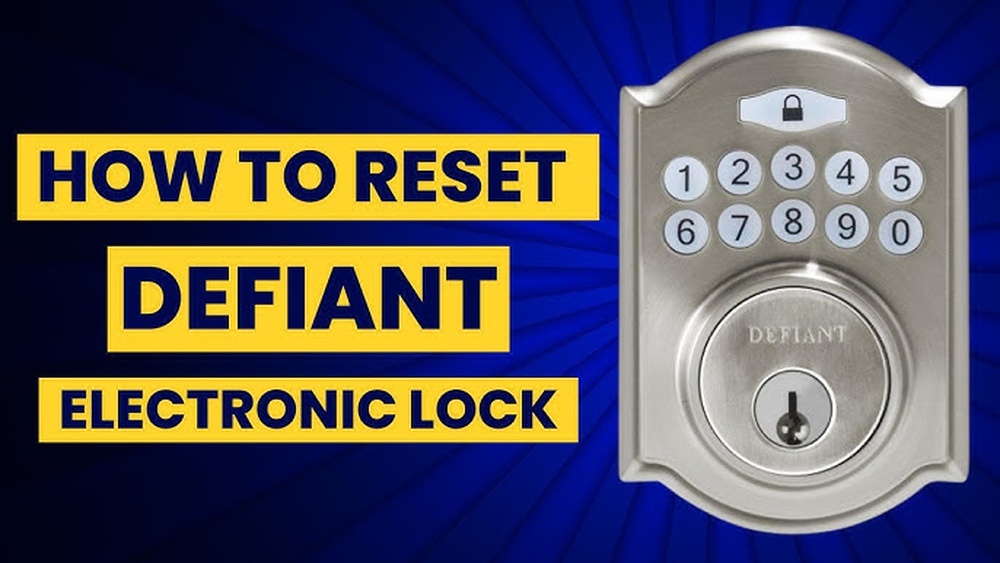
Have you ever found yourself locked out or struggling with your electronic deadbolt? Knowing how to reset your electronic deadbolt can save you time, frustration, and even a costly locksmith visit.
Whether you want to change your access code or fix a malfunction, this guide will walk you through the simple steps to get your lock working like new again. Keep reading, and you’ll gain the confidence to handle your deadbolt reset quickly and easily.
Your security and peace of mind are just a few steps away.
Prepare For Reset
Preparing to reset an electronic deadbolt is the first step for a smooth process. Good preparation saves time and avoids errors. It ensures the reset goes without a hitch. Follow simple steps before starting the reset.
Gather Required Tools
Collect all tools needed for the reset. Common tools include a small screwdriver and a paperclip. Some models may need a battery tester. Keep tools close to avoid interruptions.
Check Battery Status
Check the deadbolt’s battery before resetting. Low battery power can stop the reset. Replace old batteries with fresh ones. Use alkaline batteries for longer life. Proper power helps the deadbolt work properly.
Locate Reset Button
Find the reset button on the lock. It is usually inside the battery compartment. Use a flashlight if needed. The button may be small and hard to see. Knowing its location speeds up the reset.
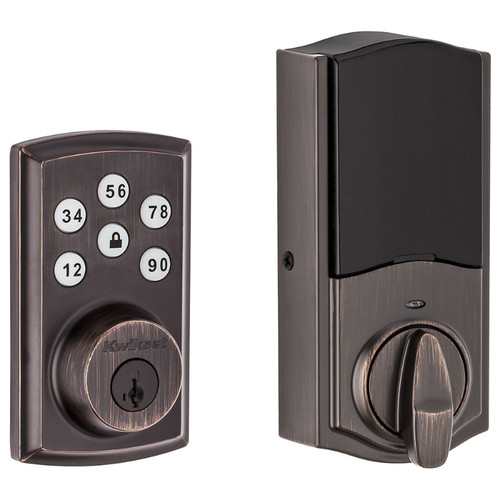
Credit: doorlocksdirect.com
Resetting The Deadbolt
Resetting the deadbolt helps fix issues and restore factory settings. It clears old codes and allows fresh programming. This process is simple but must be done carefully to avoid damage.
Follow the steps below to reset your electronic deadbolt safely and correctly.
Power Down The Lock
First, remove the batteries from the lock. This stops all power to the device. Wait about 10 seconds to ensure it is fully off. Handling the lock without power prevents errors during reset.
Press And Hold Reset
Find the reset button on the lock’s interior side. Use a small tool like a paperclip to press it. Hold the button down for 15 seconds. Keep holding until you see lights or hear sounds from the lock.
Wait For Confirmation Signal
The lock will flash lights or beep to show it reset. Wait for this confirmation before releasing the button. This signal means the deadbolt is now in factory mode. You can now set new codes or settings safely.
Reprogram The Lock
Reprogramming the electronic deadbolt is a key step after resetting it. This process lets you control who can enter your home. You can create new codes and remove old ones. It keeps your lock secure and easy to use.
Set New Master Code
Start by setting a new master code. This code controls the lock settings. Choose a number that is easy to remember but hard to guess. Enter the programming mode using the existing code or reset instructions. Follow the lock’s manual to save the new master code.
Add User Codes
Next, add user codes for family or trusted friends. Each person gets a unique code to unlock the door. Enter programming mode with the master code. Choose the option to add new user codes. Input each code carefully and save it to the lock.
Test Access Codes
After programming, test all access codes. Make sure the master code and user codes work properly. Try unlocking the door with each code. Check that the lock responds quickly and opens without issues. Fix any problems before using the lock daily.

Credit: www.youtube.com
Troubleshooting Tips
Electronic deadbolts are reliable but can face issues. Troubleshooting helps fix common problems quickly. Follow these tips to solve reset difficulties and keep your lock working well.
When Reset Fails
Sometimes the deadbolt does not reset. Check if you follow the reset steps exactly. Press buttons firmly and in order. Look for any stuck keys or dirt inside the keypad. Try resetting again after cleaning the lock area. If it still fails, the lock might need professional repair.
Battery Replacement Advice
Deadbolts often fail to reset due to low battery power. Use fresh batteries that match the required size and type. Remove old batteries fully before installing new ones. Clean battery contacts gently with a dry cloth. After replacement, test the lock to confirm it powers on correctly.
Contacting Support
When troubleshooting does not help, contact the lock’s customer support. Have your lock model and purchase details ready. Explain the problem clearly and mention the reset steps tried. Support teams can offer specific advice or guide you to repair services. Keep their contact info for future needs.
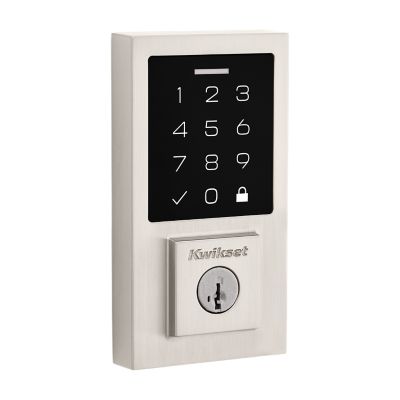
Credit: www.kwikset.com
Frequently Asked Questions
How Do I Reset My Electronic Deadbolt Keypad?
To reset your electronic deadbolt keypad, locate the reset button inside the battery compartment. Press and hold it for 10 seconds. The lock will beep or flash to confirm the reset. You can then set a new master code and user codes.
Can I Reset An Electronic Deadbolt Without A Manual?
Yes, most electronic deadbolts can be reset by pressing the reset button inside the battery cover. If unsure, check the manufacturer’s website for instructions. Always remove batteries before resetting to avoid errors.
What Should I Do If My Deadbolt Won’t Reset?
If your electronic deadbolt won’t reset, replace the batteries first. Ensure you press the reset button firmly for the required time. If it still fails, consult the user manual or contact customer support.
How Often Should I Reset My Electronic Deadbolt Codes?
Reset your electronic deadbolt codes every 6 to 12 months for security. Also, reset immediately if you suspect code compromise or lose your key. Regular updates help maintain optimal security.
Conclusion
Resetting an electronic deadbolt is simple with the right steps. Follow the instructions carefully to avoid mistakes. Double-check your work before testing the lock. Doing this saves time and stress later. Keep your new code safe and easy to remember.
Regularly updating your lock code helps keep your home secure. Stay calm and patient throughout the process. Soon, you will have full control of your lock again.