Have you ever wondered how an electronic deadbolt keeps your home safe with just a simple touch or code? Understanding how this smart lock works can give you peace of mind and help you make better choices for your security.
You’ll discover the basics behind electronic deadbolts, how they differ from traditional locks, and why they might be the perfect upgrade for your door. Keep reading to unlock the secrets of this modern security tool and see how it can make your life easier and safer.
Basics Of Electronic Deadbolts
Electronic deadbolts offer a modern way to secure your door. They replace traditional keys with digital access. These locks use electricity to control the bolt. This makes locking and unlocking easier and often safer. Understanding the basics helps you choose the right type for your needs.
Key Components
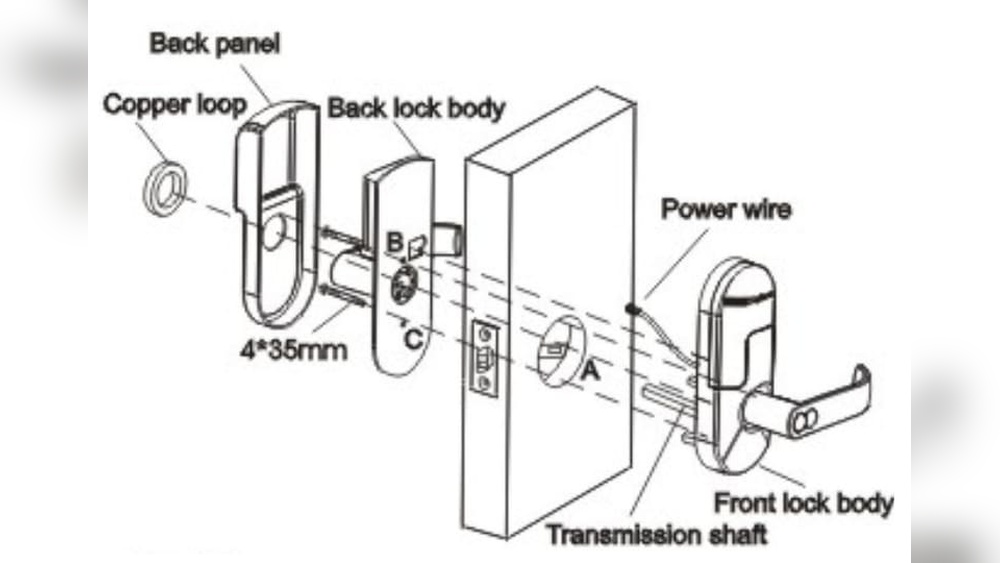
Electronic deadbolts have a few main parts. The keypad or touchpad lets you enter a code. Inside, a motor moves the bolt to lock or unlock. A battery powers the lock, usually lasting many months. Some models include sensors to detect if the door is closed.
Types Of Electronic Deadbolts
There are different kinds of electronic deadbolts. Keypad locks need a code to open the door. Some use fingerprint scanners for quick access. Bluetooth locks connect to your phone to unlock. Wi-Fi models allow remote control from anywhere. Each type offers different convenience and security levels.

Credit: toplocksecurity.com
How Electronic Deadbolts Operate
Electronic deadbolts provide keyless security for homes and offices. They use electric power and smart technology for locking and unlocking doors. Understanding how these devices work helps in choosing the right model.
Power Sources
Electronic deadbolts usually run on batteries. Most models use AA or AAA batteries for easy replacement. Some connect to the building’s electrical system for constant power. Battery-powered locks often alert users when power is low. This ensures the lock keeps working without interruption.
Locking And Unlocking Mechanisms
Inside an electronic deadbolt, a motor moves the bolt. The motor pushes or pulls the bolt to lock or unlock the door. This action replaces the manual turn of a key. Many locks have manual keys for backup in emergencies. The motor responds quickly to commands from a keypad or app.
Communication Methods
Electronic deadbolts receive commands through different signals. Keypads send codes directly to the lock. Some models connect via Bluetooth for nearby control. Others use Wi-Fi to allow remote operation from anywhere. Wireless signals ensure easy and fast communication.
Smart Features And Connectivity
Electronic deadbolts offer more than just security. They bring smart features that connect your lock to your daily life. These features make managing your door easier and more flexible.
Smart connectivity lets you control your lock from anywhere. It also works with your home devices. User options add extra safety and convenience.
Remote Access
Remote access lets you lock or unlock your door using a phone. You can check the door status from far away. This feature helps when guests arrive or deliveries come.
You do not need to be home to manage your door. Alerts notify you if someone tries to open the lock. This keeps you aware of your home’s safety at all times.
Integration With Smart Home Systems
Electronic deadbolts often connect to smart home systems. These systems include voice assistants and security setups. Integration allows you to control the lock with simple voice commands.
Your lock can work with other devices like cameras and alarms. This creates a stronger security network. Automation can lock the door at night or when you leave.
User Authentication Options
User authentication ensures only authorized people enter your home. Many electronic deadbolts use PIN codes, key cards, or fingerprints. These options reduce the need for physical keys.
Some locks allow temporary codes for visitors. You can set limits on when codes work. This adds control and peace of mind about who enters your home.

Credit: www.amazon.com
Security Benefits
Electronic deadbolts offer strong security advantages over traditional locks. They use smart technology to keep homes safer. These locks give users more control and information about their doors. The benefits improve protection and peace of mind.
Enhanced Protection
Electronic deadbolts are harder to pick or break. They use codes or biometrics instead of keys. This lowers the risk of unauthorized entry. Some models lock automatically after closing. This prevents doors from being left unlocked by mistake.
Activity Monitoring
Many electronic deadbolts track door use. They record who enters and when. Users can check this data on their phones. This helps spot unusual activity quickly. Knowing door status anytime boosts home security.
Temporary Access Control
These locks allow temporary codes for guests or workers. Codes can expire after a set time. This avoids giving out physical keys. Temporary access keeps control over who enters the home. It also makes managing visitors easier and safer.
Installation And Maintenance Tips
Installing and maintaining an electronic deadbolt ensures your door stays secure and functions smoothly. Proper steps make the process easier and prevent future problems. Simple care keeps the lock reliable over time.
Choosing The Right Model
Select a deadbolt that fits your door’s thickness and style. Check compatibility with your existing door hardware. Consider features like keypad type, Wi-Fi, or Bluetooth for your needs. Choose a model with clear installation instructions. Read reviews to find durable and easy-to-use options.
Battery Management
Use high-quality batteries to avoid frequent replacements. Replace batteries as soon as the low battery alert appears. Keep spare batteries nearby for quick changes. Remove batteries if the lock won’t be used for a long time. Clean battery contacts occasionally to ensure good power flow.
Troubleshooting Common Issues
If the lock doesn’t respond, check the batteries first. Make sure the lock is aligned with the door frame. Reset the lock by following the manual’s instructions. Clean the keypad or touch screen gently to remove dirt. Contact customer support if problems persist after basic fixes.
Comparing Electronic Deadbolts To Traditional Locks
Electronic deadbolts and traditional locks serve the same purpose: securing your home. Both have unique features and benefits. Understanding their differences helps you decide which fits your needs best.
Convenience Factors
Electronic deadbolts offer keyless entry options. You can use codes, cards, or even your phone. No need to carry keys or worry about losing them. Some models let you grant temporary access to guests remotely. Traditional locks require physical keys every time. If you forget or lose a key, you must replace it. Electronic locks simplify daily use and access control.
Cost Considerations
Traditional locks usually cost less upfront. They are simple in design and easy to install. Electronic deadbolts are more expensive. The price includes advanced technology and features. Batteries or power sources may add ongoing costs. Repair and replacement can be pricier for electronic locks. Consider your budget and long-term expenses before choosing.
Durability And Reliability
Traditional locks are known for their durability. They have fewer parts that can fail. Electronic deadbolts rely on batteries or electricity. Power loss can affect their function. Some models have backup keys or alerts for low battery. Both types resist forced entry, but quality varies by brand. Proper maintenance ensures reliability over time.

Credit: www.emtek.com
Frequently Asked Questions
How Does An Electronic Deadbolt Operate?
An electronic deadbolt uses a motorized mechanism to lock and unlock doors. It is controlled by a keypad, smartphone app, or key fob. The motor turns the bolt, securing or releasing the door without a physical key.
What Powers An Electronic Deadbolt Lock?
Electronic deadbolts are typically powered by batteries. Most models use AA or lithium batteries, which can last several months to a year. Some advanced locks have backup power options in case batteries run low.
Are Electronic Deadbolts More Secure Than Traditional Locks?
Yes, electronic deadbolts offer enhanced security with features like encryption and user codes. They reduce risks of lock picking and key duplication. Some models also provide activity logs and remote access alerts.
Can Electronic Deadbolts Be Installed On Any Door?
Most electronic deadbolts fit standard door thicknesses and pre-drilled holes. However, compatibility depends on the lock model and door type. It’s best to check product specifications before installation.
Conclusion
Electronic deadbolts offer strong and simple door security. They work with codes or keys to lock and unlock doors fast. Many models have batteries that last long and alert you when low. This makes them reliable for daily use. Choosing the right one depends on your needs and budget.
Understanding how they work helps you pick the best option. Safe homes start with smart locks like electronic deadbolts. Keep your property secure and enjoy peace of mind every day.


