
Looking to boost your home security with a simple upgrade? Installing the Defiant Electronic Keypad Deadbolt is easier than you think, and you don’t need to be a handyman to do it.
Imagine unlocking your door with just a code—no more fumbling for keys or worrying about lost copies. In this guide, you’ll find clear, step-by-step instructions that make the installation process quick and hassle-free. Ready to take control of your home’s safety?
Let’s get started and make your entryway smarter today.
Tools And Materials Needed
Before starting the installation of your Defiant electronic keypad deadbolt, gather all necessary tools and materials. Having everything ready makes the process smooth and saves time. This section lists what you need to complete the job safely and correctly.
Basic Tools
You need a Phillips screwdriver to tighten screws. A flathead screwdriver helps remove old hardware. A tape measure ensures proper placement of the lock. A pencil marks spots for drilling. A drill with drill bits is essential for new holes. A level keeps the lock straight.
Materials Included With The Lock
The package includes the electronic keypad, interior assembly, and strike plate. It also has screws for installation. Batteries come with some models, but check before starting. Read the instruction manual carefully for any extra parts.
Additional Supplies
Have safety glasses to protect your eyes during drilling. A small flashlight can help see inside the door edges. Keep a clean cloth nearby to wipe dust and debris. A step stool may be useful for high doors.
Preparing The Door
Preparing your door is the first step before installing the Defiant electronic keypad deadbolt. A proper setup ensures the lock fits well and works smoothly. Take time to get this right to avoid problems later.
Remove Existing Deadbolt
Start by removing the old deadbolt from your door. Use a screwdriver to take out the screws on the interior side. Pull the two parts of the lock apart carefully. Remove the latch from the door edge. Keep all screws in a safe place in case you need them later.
Check Door Compatibility
Check if your door works with the new deadbolt. The door thickness should be between 1 3/8 and 1 3/4 inches. The borehole diameter needs to be about 2 1/8 inches wide. The backset, or distance from the door edge to the hole center, must be 2 3/8 or 2 3/4 inches. Make sure the door edge has a 1-inch by 2 1/4-inch faceplate area. These measurements help the lock fit and function correctly.
Installing The Deadbolt
Installing the Defiant electronic keypad deadbolt is a straightforward process. This guide helps you fit the lock in three main steps. Follow these steps carefully to ensure your door locks securely and works smoothly.
Attach The Latch
Start by placing the latch into the door’s edge. Make sure the curved side faces the door frame. Use the screws provided to fix the latch in place. Tighten the screws firmly but avoid over-tightening. Check that the latch moves freely by sliding it in and out.
Install Exterior Keypad
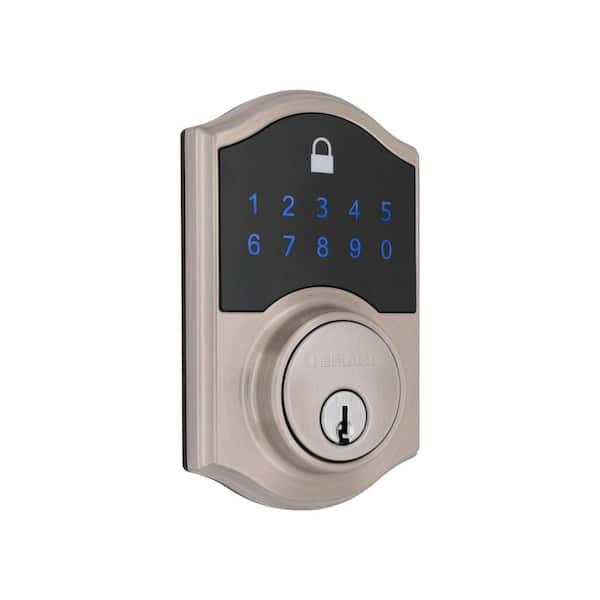
Next, fit the keypad on the outside of the door. Align the keypad with the holes on the door. Feed the connecting cable through the hole carefully. Press the keypad firmly until it sits flush on the door surface. Do not force the keypad to avoid damage.
Mount Interior Assembly
Inside the door, attach the mounting plate to hold the interior unit. Connect the cable from the keypad to the interior assembly. Place the interior assembly on the mounting plate. Secure it with screws and tighten them evenly. Test the lock by pressing buttons to confirm proper connection.
Credit: www.homedepot.com
Connecting The Batteries
Connecting the batteries is a crucial step when installing the Defiant electronic keypad deadbolt. Without power, the lock will not work correctly. This step is simple and quick. It ensures your lock operates smoothly and lasts longer.
Locate The Battery Compartment
First, find the battery compartment on the interior side of the lock. It is usually covered by a small panel. Gently slide or lift the cover to open it. Keep the cover safe for later use.
Insert The Batteries Correctly
Use four AA alkaline batteries for best performance. Insert each battery with the correct polarity. Match the plus (+) and minus (–) signs as shown inside the compartment. Wrong placement can stop the lock from working.
Close The Battery Compartment
After inserting the batteries, replace the cover securely. Make sure it clicks or fits tightly. A loose cover can cause poor battery contact and malfunction.
Programming The Keypad
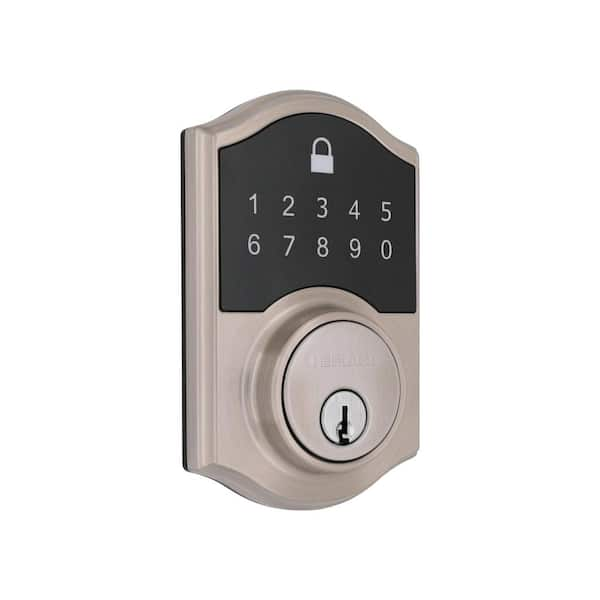
Programming the keypad on your Defiant Electronic Keypad Deadbolt is simple. This step lets you control who can enter your home. You can set a main code and add codes for family or friends. Each code works like a key. Changing or deleting codes is easy later.
Set Master Code
Start by setting the master code. This code controls all other codes. Press the program button inside the lock. Enter the default code provided with your lock. Now, enter your new master code. Choose a code with 4 to 8 numbers. Confirm the code by entering it again. The lock will beep to show the code is set.
Add User Codes
Adding user codes allows others to unlock the door. Press the program button inside the lock. Enter the master code. Press the button to add a new user code. Type the new code, then press the button again. The lock beeps to confirm the new user code. Repeat these steps to add more codes.
Credit: www.homedepot.com
Testing The Deadbolt
Testing the Defiant Electronic Keypad Deadbolt is a key step after installation. It ensures the lock works correctly and keeps your home secure. Proper testing helps avoid future issues and confirms the lock responds to your commands. Follow these steps for a smooth testing process.
Lock And Unlock Functions
Start by entering your code on the keypad. The deadbolt should lock smoothly after you press the lock button. Try unlocking it with the same code. The bolt must retract fully without delay. Test the manual key option as well. This confirms the mechanical part works fine. Repeat this process a few times to ensure consistency.
Battery And Signal Checks
Check the battery status by pressing the battery indicator button. Low battery warnings may appear on the keypad. Replace batteries if the warning shows. Test the keypad’s signal by entering your code from different distances. The lock should respond every time without lag. This confirms the electronic signal is strong. Regular battery and signal checks keep the lock reliable.
Troubleshooting Tips
Troubleshooting a Defiant Electronic Keypad Deadbolt can save time and avoid frustration. Problems may arise during installation or use. Simple checks often fix most issues. Follow these tips to keep your lock working smoothly.
Check The Battery Power
Weak or dead batteries cause most keypad problems. Replace batteries with fresh, high-quality alkaline ones. Clean battery contacts to ensure good connection. Never mix old and new batteries.
Reset The Lock
Resetting clears errors and restores factory settings. Find the reset button or switch inside the lock. Hold it down for the time mentioned in the manual. Reprogram your access codes after the reset.
Ensure Proper Installation
Loose screws or misaligned parts cause malfunction. Tighten all screws securely. Make sure the deadbolt slides smoothly in the door frame. Check the lock orientation matches the instructions.
Test The Keypad Buttons
Sticky or unresponsive buttons block code entry. Press each button several times. Clean the keypad with a soft cloth. Avoid using liquids that can damage the electronics.
Verify Your Access Codes
Incorrect codes prevent unlocking. Double-check the codes you entered. Use the master code for programming. Change codes regularly to maintain security.

Credit: www.youtube.com
Frequently Asked Questions
How Do I Install A Defiant Electronic Keypad Deadbolt?
To install, remove the old deadbolt first. Align the new deadbolt with your door. Secure the keypad and interior assembly with screws. Insert batteries and test the lock for functionality.
What Tools Are Needed For Installation?
You will need a screwdriver, drill, measuring tape, and a pencil. These tools help in securing the deadbolt and aligning it properly. Having these ready speeds up the installation process.
How Do I Program The Keypad Lock?
Press the programming button inside the lock assembly. Enter your new code using the keypad. Confirm the code by pressing the lock button. Always test the code before finalizing.
Can I Install It On Any Door Type?
Yes, it fits most standard doors between 1-3/8” and 2” thick. For non-standard doors, check the manufacturer’s specifications. Proper fit ensures security and smooth operation.
Conclusion
Installing the Defiant electronic keypad deadbolt is simple and quick. Follow each step carefully for best results. Double-check the keypad works before finishing. This lock adds security and convenience to your door. Enjoy easy access without needing keys. Keep the manual for future reference.
You can change codes anytime you want. Trust the process and feel safer today.


