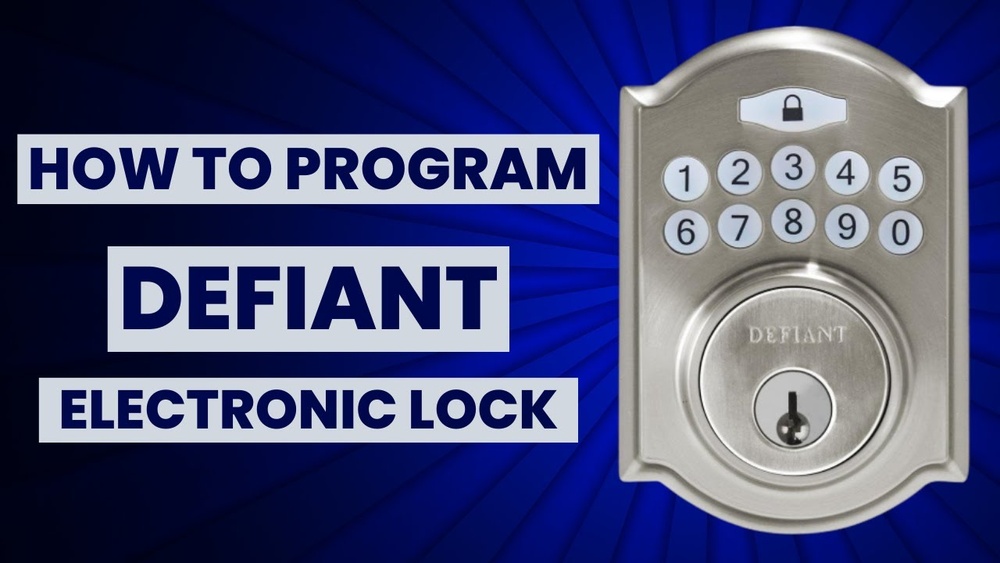
Are you struggling to set up your Defiant keyless deadbolt? You’re not alone.
Programming this smart lock might seem tricky at first, but once you know the steps, it becomes quick and easy. Imagine never fumbling for keys again or worrying about lost copies. In this guide, you’ll discover simple, clear instructions that anyone can follow.
By the end, you’ll feel confident securing your home with your new deadbolt. Ready to take control of your door’s security? Let’s get started.
Credit: www.ilockey.com
Tools Needed
Programming a Defiant keyless deadbolt needs a few simple tools. These tools help you complete the job fast and with ease.
Having the right tools makes the process clear and smooth. It also prevents damage to your lock or door.
Screwdriver
A screwdriver is key for removing and tightening screws. Most Defiant deadbolts use Phillips head screws. A flathead screwdriver may also help for some parts.
Batteries
Fresh batteries power the lock’s keypad. Use the type recommended in the manual. Usually, AA or AAA batteries work best.
User Manual
The user manual guides you step-by-step. It explains programming codes and button presses. Keep it close for easy reference.
Pen And Paper
Write down your new codes and instructions. This keeps your information safe and easy to find later.
Credit: www.youtube.com
Locate Programming Button
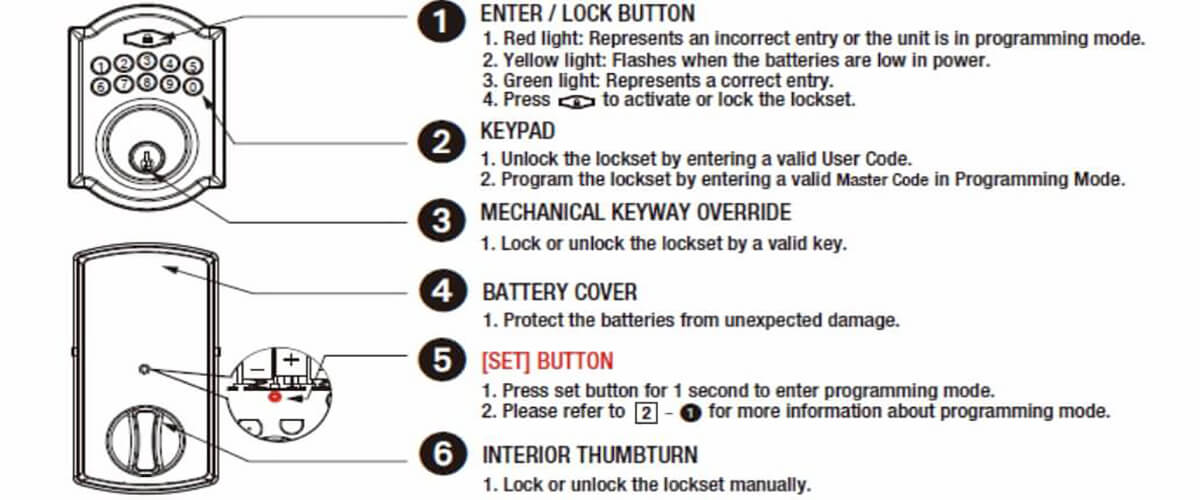
Finding the programming button is the first step to set up your Defiant keyless deadbolt. This button allows you to enter programming mode and make changes to your lock.
Knowing where this button is located saves time and avoids frustration during setup. It is usually inside the battery compartment or on the interior side of the lock.
Accessing the programming button is simple. You just need to open the lock’s cover or battery panel carefully.
Check The Interior Side Of The Lock
Most Defiant keyless deadbolts hide the programming button on the inside. Remove the interior cover to see the lock’s inner parts.
Look for a small, round button. It is often labeled “Program” or “Prog.”
Open The Battery Compartment
Battery compartments often hold the programming button. Slide or lift the cover gently to avoid damage.
The button is usually near the batteries. It may be small and recessed.
Use A Flashlight For Better Visibility
Lighting helps spot the programming button quickly. A flashlight or phone light works well.
Shadows and tight spaces can hide the button. Good light reveals it clearly.
Enter Programming Mode
Entering programming mode is the first step to set up your Defiant keyless deadbolt. This mode lets you add or change codes and adjust settings. Follow the simple steps to access programming mode safely and easily.
Locate The Programming Button
Find the small programming button on the interior side of the deadbolt. It is usually near the battery compartment. Pressing this button activates programming mode.
Press And Hold The Button
Press and hold the programming button for about 5 seconds. You will hear a beep or see a light flash. This confirms the lock is now in programming mode.
Enter The Master Code
Type your master code on the keypad. This code is preset or created during setup. Entering it correctly allows you to make changes in programming mode.
Confirm Entry With The Lock Button
Press the lock button after entering the master code. This confirms your access to programming mode. The deadbolt is ready for further programming steps.

Credit: device.report
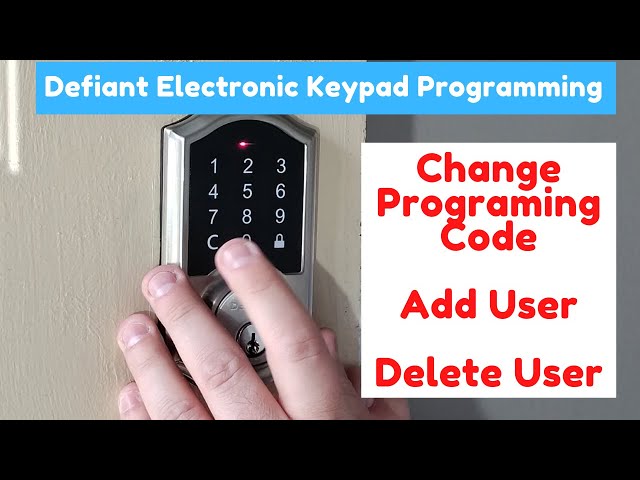
Add New User Codes
Adding new user codes to your Defiant Keyless Deadbolt helps control who can access your home. You can create different codes for family members, friends, or workers. Each code works like a key but is easier to manage and change. This guide shows you how to set up these codes quickly and safely.
Set Master Code
The master code controls all other codes on the lock. Start by entering the current master code on the keypad. Press the program button to enter setup mode. Follow the lock’s instructions to create a new master code. Choose a code that is easy to remember but hard to guess. This code lets you add or delete user codes later.
Create User Codes
After setting the master code, you can add new user codes. Enter the master code to access programming mode. Select the option to add a user code. Type the new code, usually 4 to 8 digits long. Confirm the code by typing it again. The lock will save the new user code for future use. Repeat this process for each person who needs access.
Delete User Codes
Deleting user codes from your Defiant Keyless Deadbolt helps keep your home secure. It removes access for people who no longer need entry. This process is simple and quick. Follow the steps below to delete codes safely.
Access Programming Mode
Start by entering the programming mode on your deadbolt. Press the program button inside the lock. Hold it until you hear a beep or see a light flash. This signals that the lock is ready for changes.
Enter The Master Code
Type your master code on the keypad. The master code controls all programming functions. After entering it, press the lock or pound key. Wait for a confirmation beep before moving on.
Select The Delete Code Option
Press the number that matches the delete user code function. This number varies by model, so check your manual. The lock will ask for the user code to delete next.
Input The User Code To Delete
Type the user code you want to remove. This code could be for a family member or guest. Press the lock or pound key again. The lock confirms code deletion with a beep or flash.
Exit Programming Mode
Press the program button once more to exit. The lock returns to normal operation. Test the deleted code to ensure it no longer works.
Test The Deadbolt
Testing the deadbolt is a key step after programming your Defiant keyless deadbolt. This step ensures your lock works correctly and keeps your home secure. You need to check both the locking and unlocking functions carefully.
Proper testing avoids problems later. It confirms the codes you set are active and respond well. This process also helps find any mistakes made during programming.
Check The Locking Mechanism
Start by pressing the lock button or entering your code. Listen for the sound of the deadbolt moving. The bolt should fully extend into the door frame. If it doesn’t, try again to make sure.
Also, turn the exterior handle or knob. The deadbolt should stay locked and not move. This confirms the lock is secure and active.
Verify The Unlocking Function
Enter your programmed code on the keypad. Wait for the click or beep that signals unlocking. Then, turn the knob or handle to open the door.
If the door opens smoothly, the code works. Test each code you programmed to confirm all function well. This step ensures you or others can enter without issues.
Test The Battery Life Indicator
Check if the lock shows a low battery warning. Press the keypad buttons to see if lights flash or sounds alert you. This lets you know when to replace the batteries.
Replace batteries early to avoid lock failure. A good battery life indicator keeps your deadbolt reliable.
Troubleshooting Tips
Troubleshooting a Defiant keyless deadbolt can be simple. Small issues often cause big problems. Understanding common errors helps fix them fast. Here are key tips to solve programming troubles.
Check The Battery Power
Weak batteries cause the deadbolt to fail. Replace batteries regularly for smooth operation. Use fresh, high-quality batteries to avoid power issues.
Reset The Lock Properly
Improper resets can block programming. Follow the reset steps exactly as shown in the manual. A full reset clears old codes and errors.
Verify The Programming Code
Entering the wrong code stops programming. Double-check the code before starting. Use only the factory default or your personal code.
Ensure Proper Door Alignment
Misaligned doors prevent the deadbolt from locking. Adjust the door and strike plate to align smoothly. Test the lock after alignment to confirm function.
Clear Any Obstructions
Dirt or debris can block the lock mechanism. Clean the deadbolt and surrounding area gently. Keep the lock free of dust and grime for best use.
Frequently Asked Questions
How Do I Program A Defiant Keyless Deadbolt?
To program, enter programming mode by pressing the Program button. Then, follow the keypad prompts to set your master code and user codes. Refer to the manual for detailed steps and code lengths.
Can I Add Multiple User Codes To The Deadbolt?
Yes, Defiant keyless deadbolts allow multiple user codes. You can add or delete codes through programming mode. This feature lets different people access without sharing one code.
What Should I Do If I Forget The Master Code?
If you forget the master code, reset the lock to factory settings. This erases all codes and restores the original master code. Consult the manual for reset instructions.
How Long Does The Battery Last In A Defiant Deadbolt?
The battery typically lasts 6 to 12 months, depending on usage. Replace batteries promptly to avoid lockouts. Low battery warnings appear on the keypad.
Conclusion
Programming your Defiant keyless deadbolt is simple with clear steps. Follow the instructions carefully for the best results. Double-check your code to ensure it works correctly. Change your code regularly to keep your home safe. Practice using your new code a few times to get comfortable.
Enjoy the convenience of keyless entry every day. Stay safe and secure with proper deadbolt programming. Small effort leads to peace of mind.