Are you ready to upgrade your home security with a Schlage Smart Deadbolt but don’t know where to start? Installing this smart lock yourself is easier than you might think, and it can give you control and peace of mind right at your fingertips.
In this guide, you’ll find simple, step-by-step instructions that make the process straightforward—no confusing tools or tech skills needed. By the end, you’ll have a secure, smart lock installed and ready to protect what matters most. Let’s get your home safer, starting now.

Credit: www.youtube.com
Tools Needed
Installing a Schlage Smart Deadbolt requires some basic tools. Having the right tools makes the process easier and faster. It also helps avoid mistakes that can damage the lock or door.
Gather all tools before starting the installation. This saves time and keeps you organized. The tools needed are common and easy to find.
Screwdriver
A Phillips head screwdriver is essential. It is used to remove and install screws on the lock and door. A flathead screwdriver can also help for some parts.
Drill And Drill Bits
A power drill makes holes for the lock and screws. Use the drill bits that come with the lock or match the screw size. This ensures a secure fit.
Measuring Tape
Measuring tape helps check the door thickness and mark hole positions. Accurate measurements prevent errors during installation.
Pencil
Use a pencil to mark drilling spots on the door. Clear marks guide the drill for precise holes.
Chisel
A small chisel helps shape the door edge for the lock faceplate. It creates a smooth, flush fit for the deadbolt.
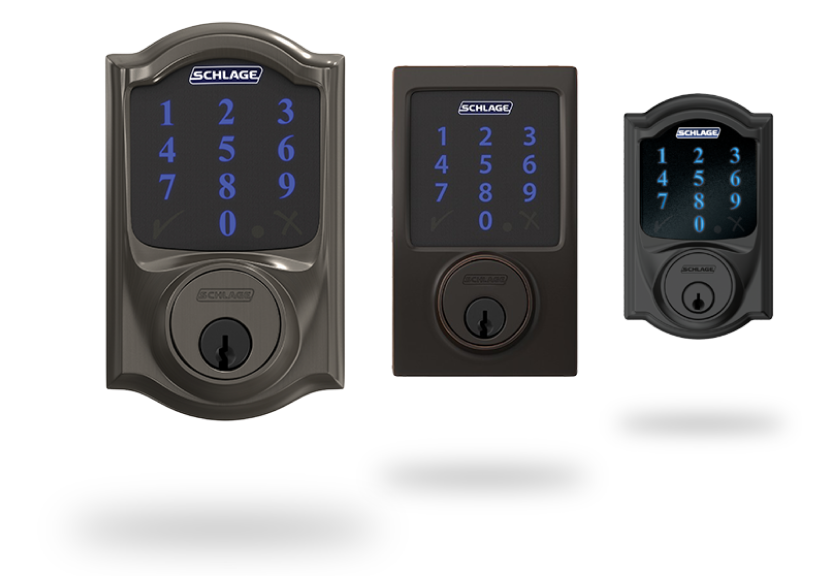
Credit: www.schlage.com
Prepare The Door
Preparing the door is the first step to install your Schlage smart deadbolt. This step ensures the door is ready and fits the new lock perfectly. Proper preparation avoids problems during installation and helps the lock work smoothly.
Remove Old Deadbolt
Start by taking off the old deadbolt. Use a screwdriver to remove screws from the inside part of the lock. Pull out both the inside and outside pieces carefully. Remove the latch from the door edge. Keep screws and parts aside in case you need them later.
Check Door Fit
Check the door’s thickness and the size of the holes. The Schlage deadbolt fits doors between 1 3/8 and 1 3/4 inches thick. Make sure the hole for the latch is the right size. The faceplate should fit flush with the door edge. Adjust or drill if needed for a smooth fit.
Install The Schlage Deadbolt
Installing the Schlage smart deadbolt is a simple process. It improves your home’s security with easy steps. Follow this guide to install your deadbolt correctly and quickly. Each part fits together to create a strong lock.
Attach The Latch
Start by placing the latch into the door edge. Align it so the curved side faces the door frame. Use screws to secure the latch tightly. Make sure the latch moves smoothly in and out.
Mount The Exterior Assembly
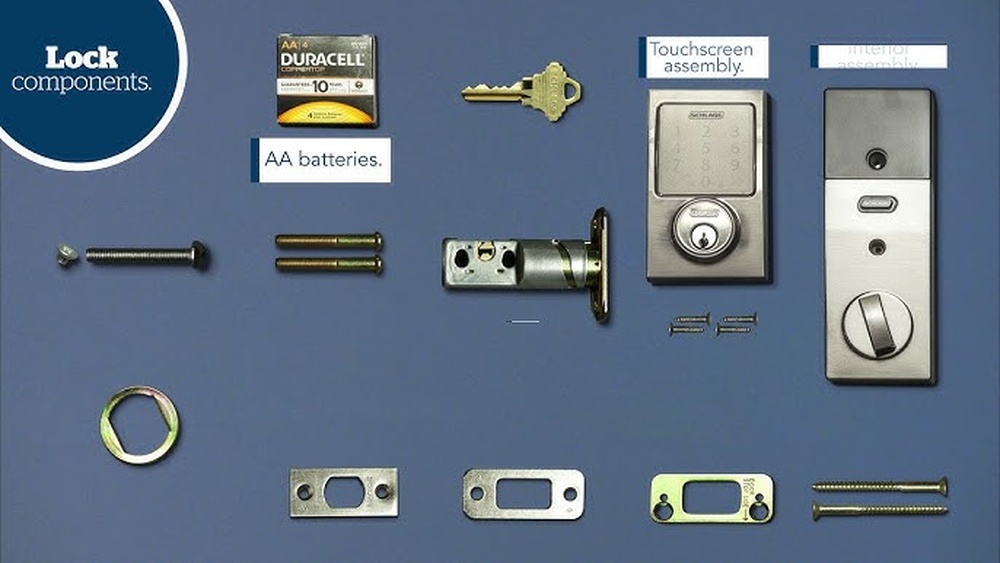
Next, fit the exterior part of the deadbolt on the outside of the door. Feed the keypad cable through the hole. Ensure the assembly sits flat against the door surface. Tighten the screws to hold it firmly in place.
Install The Interior Assembly
Connect the cable to the interior assembly. Position it on the inside of the door. Align the mounting plate and secure it with screws. Insert batteries and attach the cover. Test the lock to confirm everything works well.
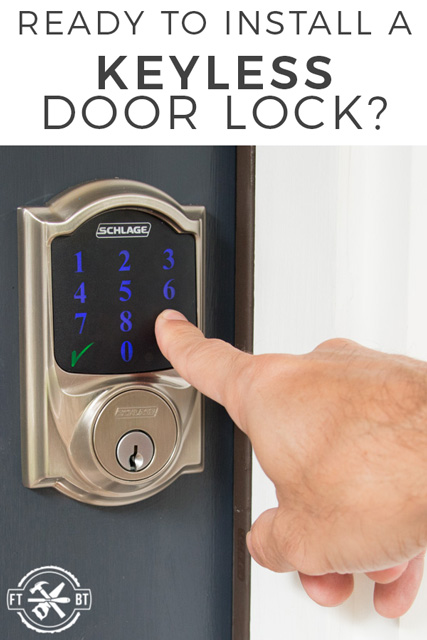
Credit: fixthisbuildthat.com
Connect The Smart Features
Connecting the smart features of your Schlage smart deadbolt lets you control your lock remotely. You can lock or unlock the door using your phone. You also receive alerts about who enters your home. Follow these simple steps to activate these smart functions quickly.
Insert Batteries
Start by opening the battery compartment on the inside part of the lock. Insert the provided batteries, matching the plus and minus signs. Close the compartment securely. The lock will light up to show it has power. This step powers the smart features.
Set Up Wi-fi Or Z-wave
Choose the connection type for your lock. For Wi-Fi, connect to your home network. Follow the lock’s instructions to enter your network name and password. For Z-Wave, include the lock in your smart home hub. This link lets you control the lock remotely and receive notifications.
Download The App
Download the Schlage app from your phone’s app store. Open the app and create an account. Follow the on-screen instructions to add your lock. The app will guide you through the setup process. Once connected, manage your lock easily from your phone.
Test The Lock
Testing the Schlage Smart Deadbolt is key after installation. It ensures the lock works well and keeps your home safe. This step checks both manual and smart features. Take your time to test everything carefully.
Manual Lock Operation
Start by using the key to lock and unlock the door. Turn the thumb turn inside to lock and unlock as well. Make sure the deadbolt moves smoothly without sticking. Check the door closes fully and locks tightly. Test several times to confirm consistent action.
Smart Lock Functionality
Next, test the smart features with your phone or keypad. Use the app to lock and unlock remotely. Try entering your code on the keypad to open the door. Confirm the lock responds quickly every time. Check battery status and alerts in the app. This ensures you control the lock easily and securely.
Troubleshooting Tips
Troubles with your Schlage smart deadbolt can slow you down. Simple fixes often solve these problems quickly. This section gives clear tips to keep your lock working well. Follow these easy steps to troubleshoot common issues.
Check Battery Life And Replace If Needed
Low battery power causes many lock problems. Test the battery using the lock’s alert system. Replace batteries with fresh ones if the lock responds slowly or stops working. Use high-quality alkaline batteries for best results.
Reset The Lock To Factory Settings
Resetting can fix software glitches. Remove the battery cover and press the reset button. Hold it until the lock beeps or flashes. This action clears errors and returns settings to default. You must reprogram your codes after reset.
Ensure Proper Alignment Of The Deadbolt
Misalignment prevents the lock from turning smoothly. Check if the deadbolt slides freely into the door frame. Adjust the strike plate or door position if the bolt sticks. Smooth movement means the lock can function correctly.
Verify Wi-fi Or Bluetooth Connection
Smart locks need strong signals to work remotely. Check your phone’s Bluetooth or Wi-Fi settings. Move closer to the lock if connection fails. Restart your router or phone to refresh the connection if needed.
Update The Lock’s Firmware Regularly
Firmware updates fix bugs and improve performance. Use the Schlage app to check for updates. Download and install updates as soon as available. This step helps keep the lock secure and reliable.
Frequently Asked Questions
How Do I Install A Schlage Smart Deadbolt?
First, remove your old deadbolt. Align the new lock and secure screws. Follow the included instructions carefully. Connect batteries and test the lock before finalizing installation.
What Tools Are Needed To Install Schlage Smart Deadbolt?
You will need a Phillips screwdriver, a drill, and a tape measure. Some models may require additional tools, so check the instruction manual first.
Can I Install Schlage Smart Deadbolt Myself?
Yes, the installation is designed for DIY. The process is straightforward and requires basic tools. Follow the step-by-step guide for best results.
How Do I Connect Schlage Smart Deadbolt To Wi-fi?
Download the Schlage app and follow the pairing instructions. Ensure your phone is near the lock during setup. A stable Wi-Fi connection is essential.
Conclusion
Installing a Schlage Smart Deadbolt is simple and quick. Follow each step carefully for the best result. Test the lock after installation to ensure it works well. Keep your new smart lock’s manual handy for future reference. Enjoy the added security and convenience in your home today.
Stay safe and confident with your smart deadbolt.


