If you want to take control of your home’s security, learning how to program a Kwikset deadbolt lock is a smart move. Imagine being able to set your own access codes without needing a locksmith or complicated tools.
You’ll save time, money, and gain peace of mind knowing exactly who can enter your home. In this guide, you’ll find clear, step-by-step instructions that anyone can follow. By the end, you’ll feel confident managing your lock like a pro.
Ready to make your home safer and more convenient? Let’s get started!
Kwikset Deadbolt Features
Kwikset deadbolts offer strong security and easy use. They come with features that fit many needs. These locks provide safety for homes and offices. You can choose from simple models to smart ones.
Each Kwikset deadbolt is built to last. The design focuses on strength and reliability. Many models include options that make locking faster and safer. Understanding these features helps pick the right lock.
Types Of Kwikset Deadbolts
Kwikset offers several deadbolt types. The single-cylinder deadbolt uses a key outside and thumb turn inside. It is common for most doors.
The double-cylinder deadbolt needs a key on both sides. It is good for doors with glass nearby. This type stops intruders from opening the door easily.
There are also smart deadbolts. These locks can connect to Wi-Fi or Bluetooth. They let you lock or unlock from a phone or keypad.
Keypad And Smart Lock Options
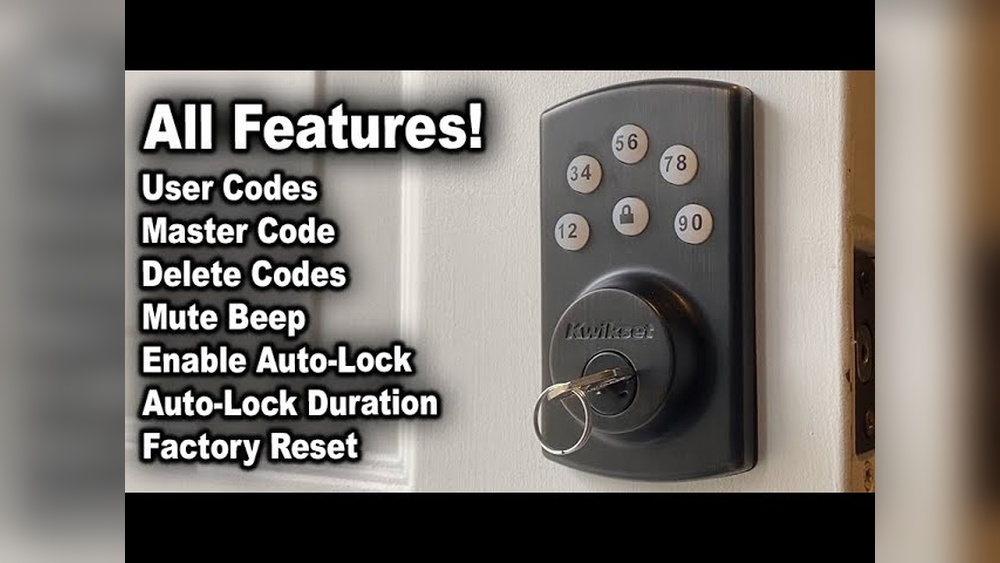
Keypad deadbolts let you enter a code to unlock. No need to carry a key all the time. You can change the code anytime for safety.
Smart locks add more control. Use apps to check lock status from anywhere. Some models work with voice assistants like Alexa or Google.
Many smart deadbolts include features like auto-locking. This means the door locks itself after closing. It helps avoid forgetting to lock the door.
Credit: www.kwikset.com
Preparing For Programming
Preparing to program your Kwikset deadbolt is an important first step. It helps make the process smooth and quick. Taking time to get ready avoids confusion and errors. This section covers what you need before you start programming.
Gathering Required Tools
First, gather all the tools you will need. Usually, a small Phillips screwdriver is enough. You might also need a flashlight if the lock is in a dark spot. Keep the batteries handy, just in case you need to replace them. Having these items ready saves time during programming.
Locating The Programming Code
Next, find the programming code for your lock. This code is essential for adding or deleting user codes. Check the packaging or the instruction manual for the code. Sometimes, the code is on a sticker inside the battery compartment. If you cannot find it, reset the lock to get a new code. Keep this code safe and private.
Programming The Lock
Programming your Kwikset deadbolt lock lets you control who can enter your home. It is simple and quick. This section guides you through the key steps to program your lock. Follow each step carefully for the best results.
Entering Programming Mode
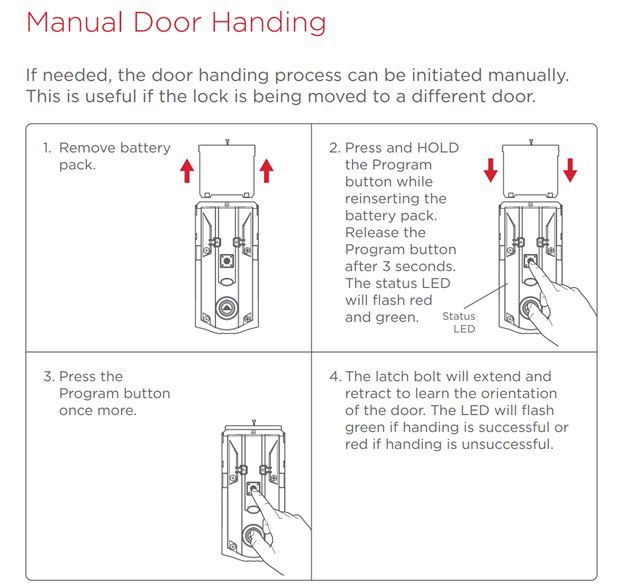
Start by locating the programming button on the inside of the lock. Press and hold this button for about 5 seconds. Release it when you hear a beep or see a light flash. The lock is now in programming mode. You have 10 seconds to enter the next steps.
Adding New User Codes
In programming mode, press the number 1 on the keypad. Enter a new 4 to 8 digit user code. Press the lock button to save the code. You will hear a beep confirming the new user code. Repeat to add more codes as needed.
Deleting User Codes
Enter programming mode again. Press the number 2 on the keypad. Enter the user code you want to delete. Press the lock button to remove the code. The lock will beep to confirm the deletion. This keeps your home secure from unwanted access.

Credit: www.youtube.com
Testing The Lock
Testing the Kwikset deadbolt lock after programming is essential. It ensures the lock works correctly and keeps your home secure. This step confirms that all settings, including user codes, function as intended. Testing also helps find and fix any problems early. Follow these simple steps to check your new lock.
Verifying User Codes
Start by entering each programmed user code on the keypad. Check if the lock unlocks smoothly for every code. Try locking the deadbolt using the keypad or thumb turn. Make sure each code grants access only once. Delete any codes not working or no longer needed. This keeps your lock safe and reliable.
Troubleshooting Common Issues
If the lock does not respond, first check the batteries. Weak batteries often cause keypad problems. Replace with new batteries and try again. Ensure the lock is properly installed and aligned. Stuck bolts or misalignment can block the deadbolt from moving. Reset the lock if codes fail repeatedly. Follow the manual instructions for a factory reset.
Maintaining Your Kwikset Deadbolt
Maintaining your Kwikset deadbolt helps keep it working smoothly and lasts longer. Regular care prevents problems and ensures your lock stays secure. Simple steps like checking the battery and cleaning the lock make a big difference. This section covers easy ways to maintain your Kwikset deadbolt.
Battery Replacement Tips
Check the battery every six months or when the lock beeps. Use fresh alkaline batteries for best results. Avoid mixing old and new batteries to prevent damage. Replace all batteries at once to keep the lock functioning well. Remove batteries if the lock won’t be used for a long time. Proper battery care helps avoid lock failures and ensures smooth operation.
Regular Lock Maintenance
Clean the lock surface with a soft cloth to remove dirt. Use a mild soap and water solution for stubborn stains. Avoid harsh chemicals that may damage the finish. Lubricate the internal parts with a graphite or silicone spray. Do this once a year to keep the mechanism smooth. Test the lock after maintenance to ensure it works properly. Regular care prevents jams and extends the lock’s life.
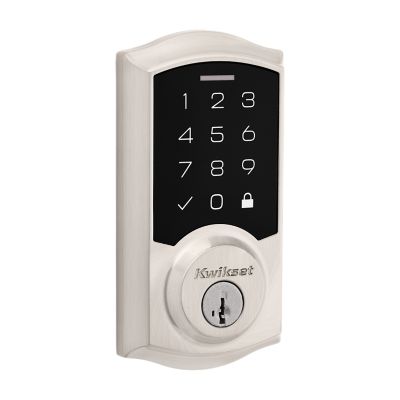
Credit: www.kwikset.com
Frequently Asked Questions
How Do I Program A Kwikset Deadbolt Lock?
To program a Kwikset deadbolt, enter the programming code, press the lock button, then add or delete user codes as needed. Follow your lock’s manual for exact steps. Programming allows you to control access easily and enhance security.
Can I Reset My Kwikset Deadbolt Lock Code?
Yes, you can reset the code by entering the factory default programming code. Then, follow the lock’s instructions to set a new code. Resetting ensures only authorized users can access your home.
How Many User Codes Can Kwikset Locks Store?
Most Kwikset deadbolt locks store up to 30 unique user codes. This allows multiple family members or guests to have individual access codes. Check your model’s manual for the exact number.
Is Programming A Kwikset Lock Difficult For Beginners?
Programming a Kwikset lock is simple and beginner-friendly. The process involves following straightforward steps in the manual. With a few minutes and the instructions, anyone can program the lock securely.
Conclusion
Programming your Kwikset deadbolt lock is simple and quick. Follow each step carefully to avoid mistakes. You can change codes anytime for extra safety. Keep your manual handy for reference when needed. Regularly check the lock to ensure it works well.
This small task helps protect your home effectively. Enjoy peace of mind with a properly set lock. Easy to do, important for your security.