Are you struggling with a motion sensor light switch that just won’t behave? Maybe it turns off too quickly, stays on too long, or doesn’t respond when you need it.
Resetting your motion sensor light switch can fix these common problems and get your lights working smoothly again. In this guide, you’ll learn simple, clear steps to reset your motion sensor light switch—no confusing jargon, just easy instructions you can follow right now.
Keep reading to take control of your lighting and enjoy hassle-free motion sensor performance.
Types Of Motion Sensor Light Switches
Motion sensor light switches come in several types. Each type uses a different method to detect movement. Knowing these types helps in choosing and resetting the right switch. Here are the main types of motion sensor light switches.
Infrared Sensors
Infrared sensors detect heat from people or animals. They sense body heat changes in a room. These sensors work best in warm environments. They turn lights on when they detect movement. Infrared sensors are common in homes and offices.
Ultrasonic Sensors
Ultrasonic sensors use sound waves to detect motion. They send out high-frequency waves and listen for echoes. Movement changes the echo pattern. These sensors cover wide areas and work in dark rooms. Ultrasonic sensors react to any movement, even small ones.
Dual-technology Sensors
Dual-technology sensors combine infrared and ultrasonic methods. They need both sensors to detect motion. This reduces false triggers from pets or air movement. These sensors provide more accurate detection. They are ideal for busy places or outdoor use.
Tools You’ll Need
Resetting a motion sensor light switch requires a few basic tools. These tools help you work safely and effectively. Having them ready makes the process easier and faster.
Each tool serves a specific purpose. Some help you open the switch panel. Others check the power to avoid accidents. The user manual guides you through the steps.
Basic Screwdriver
A basic screwdriver is essential. It helps remove the switch cover and screws. A flathead or Phillips screwdriver usually works well. Choose the right size to avoid damaging screws.
Voltage Tester
A voltage tester checks if the power is off. It keeps you safe from electric shocks. Test the wires before touching them. This step is crucial for your safety.
User Manual
The user manual provides specific instructions for your switch model. It explains how to reset the sensor properly. Follow the steps carefully to avoid mistakes. Keep the manual handy during the process.
Safety Precautions
Resetting a motion sensor light switch needs care. Safety comes first. Electrical work can cause shocks or damage. Taking proper safety steps protects you and your home.
Read all instructions before starting. Do not rush the process. Follow these key safety precautions to handle the reset safely.
Power Off The Circuit
Turn off the power at the circuit breaker. This stops electricity from flowing to the switch. Confirm the correct breaker controls the switch. Switching off power prevents shocks and short circuits.
Use Protective Gear
Wear rubber gloves to avoid electric shocks. Use safety goggles to protect your eyes. Tools with insulated handles add extra safety. These simple items reduce risk during the reset.
Verify No Electricity Flow
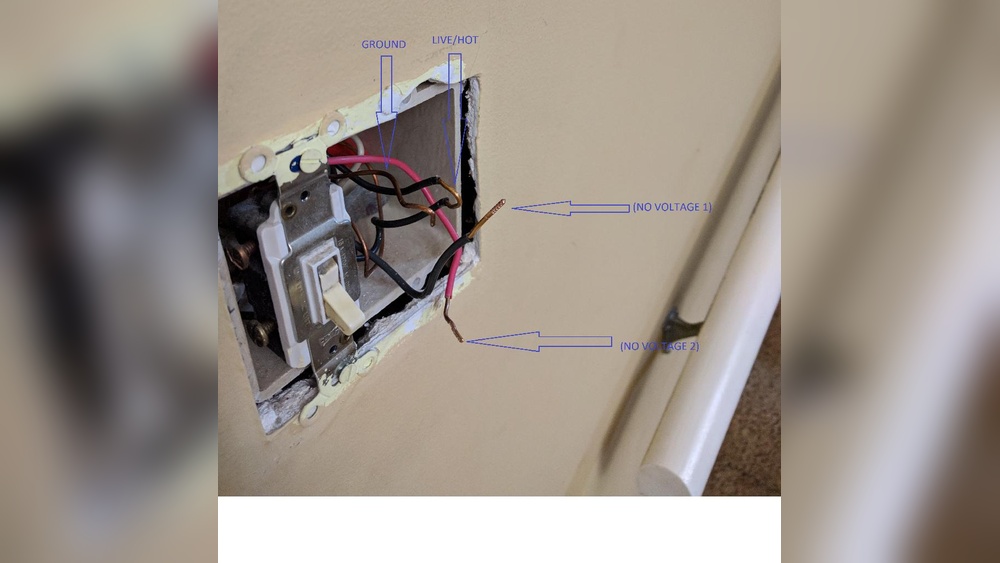
Use a voltage tester or multimeter on the switch wires. Check for zero voltage before touching wires. Double-check to ensure no current flows. This step confirms the power is truly off.
Step-by-step Reset Process
Resetting a motion sensor light switch helps fix common issues. This step-by-step process guides you to reset it safely and correctly. Follow each step carefully for best results.
Turn Off Power Supply
Start by turning off the power supply. Switch off the circuit breaker that controls the light. This prevents electric shock during the reset process.
Remove The Switch Cover
Use a screwdriver to remove the switch cover. Be gentle to avoid breaking the cover or damaging wires. Place the cover and screws somewhere safe.
Locate Reset Button Or Switch
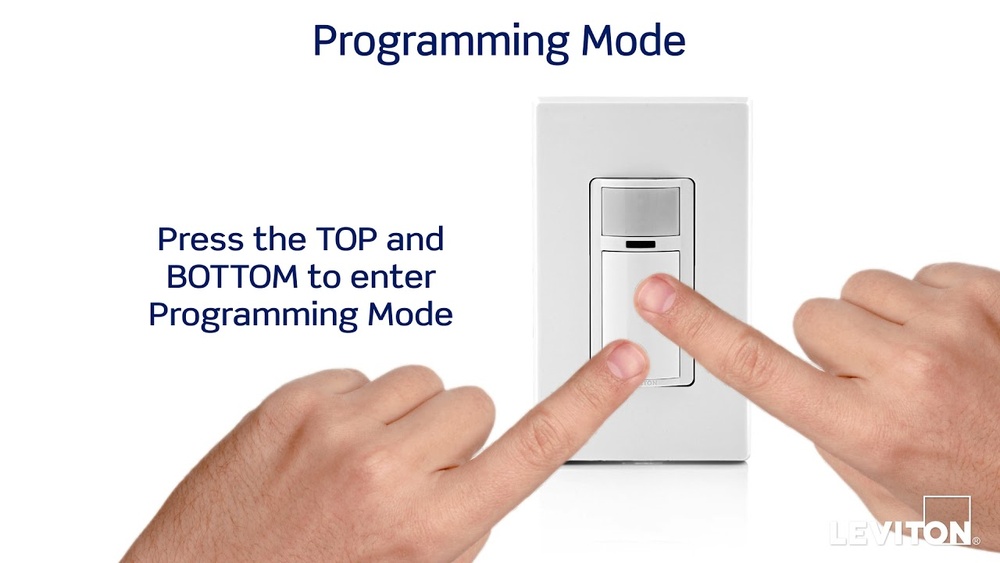
Look for a small reset button or switch on the device. It may be behind the cover or inside the switch body. Check the user manual if needed.
Press And Hold Reset
Press and hold the reset button for about 10 seconds. This clears previous settings and prepares the switch for fresh setup. Release the button after holding.
Restore Power And Test
Turn the power supply back on at the circuit breaker. Test the motion sensor light by moving in front of it. The light should respond correctly now.
Troubleshooting Common Issues
Troubleshooting common issues with motion sensor light switches helps keep them working well. These devices can face simple problems that stop them from working properly. Knowing how to fix these issues saves time and avoids extra costs. Check each problem carefully to find the right solution.
Sensor Not Responding
First, check the power supply to the switch. A loose wire or tripped breaker can cause no response. Clean the sensor lens gently to remove dust or dirt. Dirt blocks the sensor from detecting movement. Reset the switch by turning the power off for a few seconds, then on again. This can clear minor errors.
Light Stays On Continuously
Check the timer settings. The light may be set to stay on longer than needed. Make sure the sensor is not pointed at heat sources like vents or sunlight. These can trigger the sensor continuously. Adjust sensitivity settings to prevent false triggers. Replace the sensor if it still stays on without cause.
Interference And Range Problems
Objects like furniture or walls can block the sensor’s view. Move or adjust the sensor for a clear line of sight. Electronic devices nearby may cause interference. Keep the sensor away from strong signals like Wi-Fi routers. Test the sensor range by walking across its detection area. Reset or reposition the sensor to fix range issues.

Credit: www.youtube.com
Adjusting Sensor Settings
Adjusting the sensor settings helps you control how your motion sensor light switch works. You can change the sensitivity, how long the light stays on, and the light level needed to activate the sensor. These settings make the switch fit your needs better. Below are the key controls you should know about.
Sensitivity Control
Sensitivity control sets how much movement the sensor detects. Higher sensitivity picks up small movements. Lower sensitivity ignores small movements and reacts only to bigger ones. Adjust this to avoid the light turning on for minor motions like pets or leaves blowing.
Time Delay Settings
Time delay means how long the light stays on after no motion is detected. You can set it from a few seconds to several minutes. Choose a shorter time to save energy or a longer time if you want the light on while you stay in the room.
Light Level Adjustment
Light level adjustment controls when the sensor activates based on the surrounding light. Set it to work only in the dark to save power during the day. This prevents the light from turning on when there is enough daylight.
When To Replace The Switch
Knowing when to replace a motion sensor light switch helps keep your home safe and efficient. A switch that no longer works well can cause lights to stay on or off at the wrong times. This wastes energy and may cause frustration. Watch for signs that the switch is wearing out or damaged. Also, consider new models that offer better features and performance.
Signs Of Wear And Damage
Look for cracks or broken parts on the switch. The sensor might not detect motion properly. Flickering lights or no response are common problems. The switch may feel hot or emit a burning smell. Loose wiring or a switch that does not stay in place also shows damage. These signs mean it is time to replace the switch.
Upgrading To New Models
New motion sensor switches have improved technology. They use less energy and respond faster. Some models include adjustable sensitivity and timer settings. Many come with smart home compatibility. Upgrading can make your lighting more convenient and efficient. Consider a new switch if your current one is outdated or lacks features.
Credit: www.homedepot.com

Credit: www.reddit.com
Frequently Asked Questions
How Do I Reset A Motion Sensor Light Switch?
To reset, turn off the power at the breaker. Wait 30 seconds, then turn it back on. This reboots the sensor and clears errors.
Why Is My Motion Sensor Light Switch Not Resetting?
If it won’t reset, check for loose wiring or a tripped breaker. Faulty sensors may need replacement for proper function.
Can I Reset A Motion Sensor Light Switch Manually?
Yes, some models have a reset button. Hold it for 5-10 seconds to restore factory settings and recalibrate the sensor.
How Long Does Resetting A Motion Sensor Light Switch Take?
Resetting usually takes less than a minute. After power cycling, allow 1-2 minutes for the sensor to recalibrate fully.
Conclusion
Resetting a motion sensor light switch is simple and quick. Just follow the steps carefully to avoid mistakes. This helps the light work correctly and saves energy. You can fix common problems without needing a professional. Regular checks keep your sensor working well for a long time.
Try these tips to keep your light switch smart and reliable. Easy to do, good for your home.