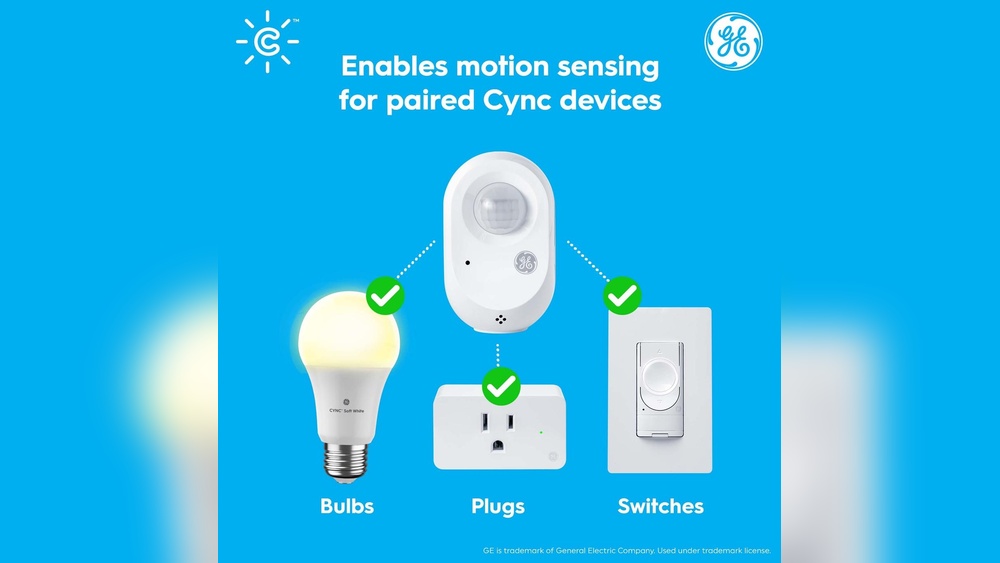
Have you ever wondered how your motion sensor light switch knows exactly when to turn on and off without you lifting a finger? Understanding how this smart device works can change the way you think about lighting in your home or office.
Imagine never fumbling for a switch in the dark again, saving energy, and adding convenience—all with one simple gadget. You’ll discover the secrets behind motion sensor light switches and how they make your life easier and smarter. Keep reading to unlock the mystery and see how you can benefit from this clever technology.
Basics Of Motion Sensor Lights
Motion sensor lights turn on automatically when they detect movement. They help save energy and add convenience. Understanding the basics makes it easier to choose and use these lights correctly.
These lights have sensors that spot motion nearby. They switch the light on for a set time. After that, the light turns off if no more motion is sensed. This simple function keeps your space lit only when needed.
Types Of Motion Sensors
Two main types of motion sensors exist: passive infrared (PIR) and ultrasonic. PIR sensors detect heat from moving bodies. They are common in homes and offices.
Ultrasonic sensors send sound waves and measure their bounce back. They can detect motion even without heat changes. Each type fits different needs and environments.
Components Of A Sensor Light Switch
A sensor light switch has several key parts. First, the sensor itself, which detects movement. Then, the control unit processes signals from the sensor.
The switch also includes a timer that controls how long the light stays on. Finally, the relay connects and disconnects the power to the light. All parts work together to provide smart lighting.

Credit: www.amazon.com
How Motion Sensors Detect Movement
Motion sensor light switches turn on lights automatically by detecting movement. They sense when someone enters a room or passes by. Different types of sensors use various methods to detect this motion. Each method has its own way to recognize movement in a space.
Infrared Technology
Infrared sensors detect heat given off by people or animals. They measure changes in infrared radiation in the room. When a warm body moves, the sensor picks up the change. This triggers the light switch to turn on. These sensors work best in warm environments.
Microwave Detection
Microwave sensors send out microwave signals. These signals bounce off objects and return to the sensor. Movement changes the pattern of the returning waves. The sensor notices this shift and activates the light. Microwave sensors can cover a larger area than infrared.
Ultrasonic Sensors
Ultrasonic sensors use sound waves above human hearing. They emit these waves and listen for echoes. Movement in the space alters the echo pattern. The sensor detects this change and switches on the light. Ultrasonic sensors work well even in dark rooms.
Installation Process
Installing a motion sensor light switch is simple and saves energy. It lets your lights turn on only when needed. Follow the steps carefully to ensure proper setup.
Choosing The Right Location
Pick a spot where the sensor can detect movement easily. Avoid placing it near heat sources or direct sunlight. Make sure nothing blocks the sensor’s view. Corners of rooms or hallways work well.
Wiring Steps
Turn off the power at the circuit breaker before starting. Remove the old switch carefully. Connect the wires to the new motion sensor switch using the color codes. Usually, black is live, white is neutral, and green or copper is ground. Secure all connections with wire nuts. Attach the switch to the wall box and screw it in place.
Testing The Sensor
Turn the power back on at the breaker. Walk across the sensor’s range to check if the light turns on. Adjust the sensitivity or time delay settings on the switch if needed. Test several times to confirm the sensor works correctly.
Adjusting Settings
Adjusting settings on a motion sensor light switch helps you control how it works. You can change how sensitive it is, how long the light stays on, and if it reacts to daylight. These options make the light fit your needs perfectly.
Sensitivity Levels
Sensitivity controls how much motion the sensor detects. Higher sensitivity means the light turns on with small movements. Lower sensitivity ignores small motions and reacts only to big movements. Adjust sensitivity to avoid false triggers or missed detections.
Light Duration
Light duration sets how long the light stays on after detecting motion. You can set it from a few seconds to several minutes. Choose a short time to save energy or a longer time for convenience. This setting helps balance light use and power savings.
Daylight Detection
Daylight detection stops the light from turning on during the day. The sensor measures natural light and blocks activation when it’s bright. This feature saves energy by using light only when needed. Adjust the daylight setting to match your room’s lighting conditions.
Benefits Of Motion Sensor Switches
Motion sensor switches offer several benefits for homes and offices. They improve lighting control without needing manual operation. These switches detect movement and turn lights on or off automatically. This smart feature leads to energy savings, better security, and convenience.
Energy Efficiency
Motion sensor switches help save electricity by using lights only when needed. They turn off lights automatically after no motion is detected. This prevents lights from staying on in empty rooms. Lower energy use reduces electricity bills and supports the environment. Using these switches is an easy way to be more energy smart.
Enhanced Security
Motion sensor switches improve safety by lighting areas when movement is detected. They deter intruders by activating lights suddenly. This can alert homeowners and scare off unwanted visitors. Well-lit spaces also reduce accidents by improving visibility. These switches add an extra layer of security to any property.
Convenience
Motion sensor switches remove the need to find light switches in the dark. They turn lights on automatically as you enter a room. No more fumbling or forgetting to switch off lights. This feature is especially useful in hallways, bathrooms, and garages. It makes daily life easier and more comfortable.

Credit: blog.1000bulbs.com
Common Issues And Fixes
Motion sensor light switches make life easier by turning lights on and off automatically. Sometimes, they may not work perfectly. Common issues can cause frustration. Knowing these problems helps you fix them quickly. This section explains common problems and how to solve them.
False Triggers
False triggers happen when the light turns on without anyone nearby. This can waste electricity and annoy you. Causes include pets moving, heating vents, or nearby traffic. To fix false triggers, adjust the sensor angle. Lower the sensitivity if possible. Avoid placing sensors near heat sources or busy streets.
Sensor Not Activating
Sometimes, the sensor does not turn the light on at all. This problem can occur due to blocked sensors or poor placement. Clean the sensor lens gently with a soft cloth. Make sure nothing blocks the sensor’s view. Check if the sensor is installed at the right height and angle. Replace the sensor if it remains inactive.
Power Supply Problems
Power supply problems cause the switch to fail or work erratically. Loose wiring or poor connections are common issues. Turn off the power before checking wires. Tighten any loose connections carefully. Use a voltage tester to check power flow. Replace damaged wires or faulty switches for safety and proper function.
Smart Features And Integration
Motion sensor light switches have smart features that make life easier. These switches connect with other devices and systems. They can work automatically and respond to your needs.
Smart features help save energy and add comfort. They give you control over lighting without manual effort. Integration with home systems makes these switches very useful.
Wi-fi Connectivity
Many motion sensor switches connect to Wi-Fi networks. This connection lets you control lights from anywhere. You can turn lights on or off using a smartphone app. Wi-Fi also allows updates for new features and fixes. This makes the switch more reliable and flexible.
Voice Control Compatibility
These switches often work with voice assistants like Alexa or Google. You can control lights by speaking simple commands. Say “turn on the lights” to activate them. Voice control adds hands-free convenience. It helps when your hands are busy or dirty.
Automation With Smart Home Systems
Smart switches can link to full home automation systems. They can work with sensors, cameras, and alarms. Lights can turn on automatically when you enter a room. You can set schedules for lights to follow. This integration creates a seamless smart home experience.
Credit: blog.1000bulbs.com
Choosing The Right Motion Sensor Switch
Choosing the right motion sensor switch makes your space safer and more energy-efficient. It ensures lights turn on only when needed. Picking the wrong one can cause problems like lights staying on too long or not turning on at all. Consider where you will use the switch, the type of lights you have, and your budget. These factors help you select the best motion sensor switch for your needs.
Indoor Vs. Outdoor Use
Motion sensor switches made for indoor use may not work well outside. Outdoor models resist weather like rain and dust. They also cover wider areas and react to different temperatures. Choose an outdoor switch for driveways, gardens, or porches. Use indoor switches for rooms, hallways, or closets. This choice keeps your switch working properly and lasting longer.
Compatibility With Lighting Types
Not all motion sensor switches work with every light bulb. Some fit only with incandescent bulbs. Others support LED, CFL, or fluorescent lights. Check the switch’s label to confirm which lights it supports. Using the wrong switch can cause flickering or damage the bulb. Matching the switch with your light type saves money and hassle.
Budget Considerations
Motion sensor switches come in many price ranges. Basic models cover simple needs and cost less. Advanced switches offer features like adjustable sensitivity and timers but cost more. Decide how much you want to spend before buying. Spending a bit more can mean better performance and longer life. Find a balance between price and features that fits your budget.
Frequently Asked Questions
How Does A Motion Sensor Light Switch Detect Movement?
A motion sensor light switch uses infrared or ultrasonic technology to detect body heat or movement. When motion is sensed, it triggers the light to turn on automatically. This helps save energy by only activating lights when a room is occupied.
What Powers A Motion Sensor Light Switch?
Motion sensor light switches are typically powered by the building’s electrical wiring. They replace traditional switches and connect to the existing power supply. Some models may also include battery backup for continued operation during power outages.
Can Motion Sensor Light Switches Save Energy?
Yes, motion sensor light switches help save energy by turning lights off when no motion is detected. This reduces electricity usage in unoccupied rooms, lowering utility bills and increasing energy efficiency in homes and offices.
Are Motion Sensor Light Switches Easy To Install?
Most motion sensor light switches are designed for easy installation, similar to standard switches. Basic electrical knowledge is required, but many models come with clear instructions for DIY installation. Professional help is recommended for complex wiring setups.
Conclusion
Motion sensor light switches save energy and add convenience. They detect movement and turn lights on automatically. This helps in places like hallways and bathrooms. You can adjust settings to fit your needs. These switches also improve home safety by lighting dark areas.
Installation is simple and does not require special tools. Understanding how they work helps you use them better. Try one to experience easy, hands-free lighting today. Simple, smart, and useful for everyday life.