Are you tired of dealing with messy cables and power strips cluttering your desk space? Mounting your power strip under your desk with tape is a simple trick that can transform your workspace instantly.
It keeps your cords organized, saves space, and makes your desk look cleaner. In this guide, you’ll learn easy steps to securely mount your power strip using bottom desk tape, so you can enjoy a neat and efficient work area without any hassle.
Ready to clear up your desk and make your setup smarter? Let’s dive in!
Credit: www.brainwavzaudio.com
Choosing The Right Power Strip
Choosing the right power strip is important before mounting it under your desk with tape. A good power strip fits your needs and keeps your devices safe. It should be the right size and have enough outlets. Safety features also matter. These points help you pick the best power strip for your workspace.
Size And Length Considerations
Measure the space under your desk first. The power strip should fit without blocking legroom or drawers. Check the cord length too. A longer cord reaches far outlets easily. Avoid cords that are too long or too short. This keeps your desk area neat and safe.
Number Of Outlets Needed
Count the devices you want to plug in. Choose a power strip with enough outlets for all gadgets. Think about future needs as well. Extra outlets allow adding more devices later. Avoid power strips with too few outlets to prevent unplugging often.
Safety Features To Look For
Look for power strips with built-in surge protectors. They guard your devices from power spikes. Check for overload protection too. It stops the strip from overheating or catching fire. Certification marks like UL or CE show the strip meets safety standards.
Credit: www.youtube.com
Preparing Your Desk Surface
Preparing your desk surface is a key step before mounting a power strip with bottom desk tape. This process helps the tape stick better and last longer. A clean and well-chosen spot will keep your power strip safe and easy to access.
Cleaning And Drying The Area
Start by wiping the area with a dry cloth. Remove dust, dirt, and grease. Use a mild cleaner if needed, but avoid harsh chemicals. Let the surface dry completely. Moisture can stop the tape from sticking well. Dry surfaces hold tape firmly and prevent it from peeling off.
Selecting The Best Mounting Location
Pick a flat, smooth spot under your desk. Avoid rough or uneven surfaces. Check for cables or objects that may block the strip. Choose a place near your devices for easy access. Make sure the area has enough space for the power strip’s length. Proper placement helps keep your workspace neat and organized.
Selecting The Right Tape
Choosing the right tape is key to mounting a power strip under your desk. The tape must hold the strip firmly without damaging the surface. It should resist heat and last a long time. Picking the wrong tape can cause the power strip to fall or leave sticky marks.
Types Of Double-sided Tape
Double-sided tape comes in many types. Foam tape is thick and cushions the power strip well. It works on uneven surfaces. Clear tape is thinner and less visible but may hold less weight. Heavy-duty tape is strong and made for tough jobs. Choose tape based on your desk material and the power strip’s weight.
Adhesive Strength And Durability
Strong adhesive is important to keep the power strip in place. Look for tapes labeled “high strength” or “industrial.” Some tapes use acrylic glue for heat resistance and long life. Avoid tapes that use rubber glue if your desk gets warm. Durable tape will not peel or dry out quickly.
Tape Width And Length
The tape’s width affects how well it holds the power strip. Wider tape offers better support and stability. The length matters too. You need enough tape to cover the strip’s entire bottom. Measure the strip first. Choose tape that fits its size without gaps.
Mounting The Power Strip
Mounting the power strip under your desk keeps your workspace neat and organized. It also makes it easy to reach your plugs without clutter. The process is simple and quick if you follow the right steps. Start by preparing the tape and power strip correctly. Then, place the strip carefully and press firmly to secure it well.
Cutting And Applying The Tape
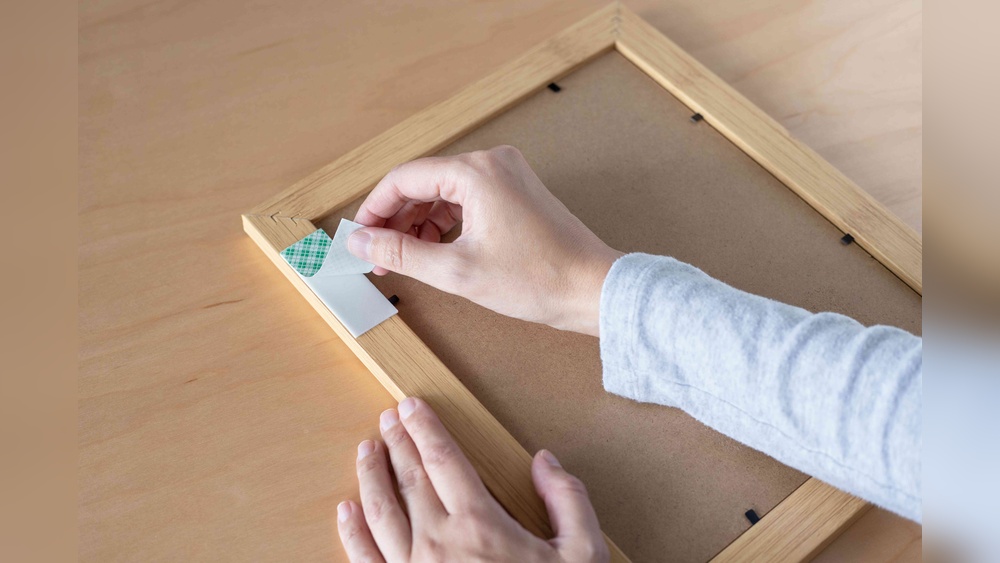
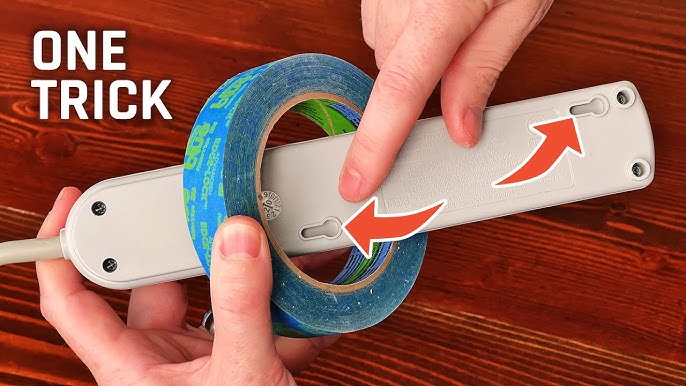
Cut the tape to the size of the power strip’s base. Use strong double-sided tape made for mounting. Peel off one side of the tape carefully. Stick the tape evenly on the bottom of the power strip. Avoid touching the sticky surface to keep it clean.
Positioning The Power Strip
Choose a flat and clean spot under your desk. Wipe the surface with a dry cloth to remove dust. Hold the power strip near the chosen spot. Align it straight and in the best place for easy access. Make sure cords can reach without strain.
Pressing And Securing Firmly
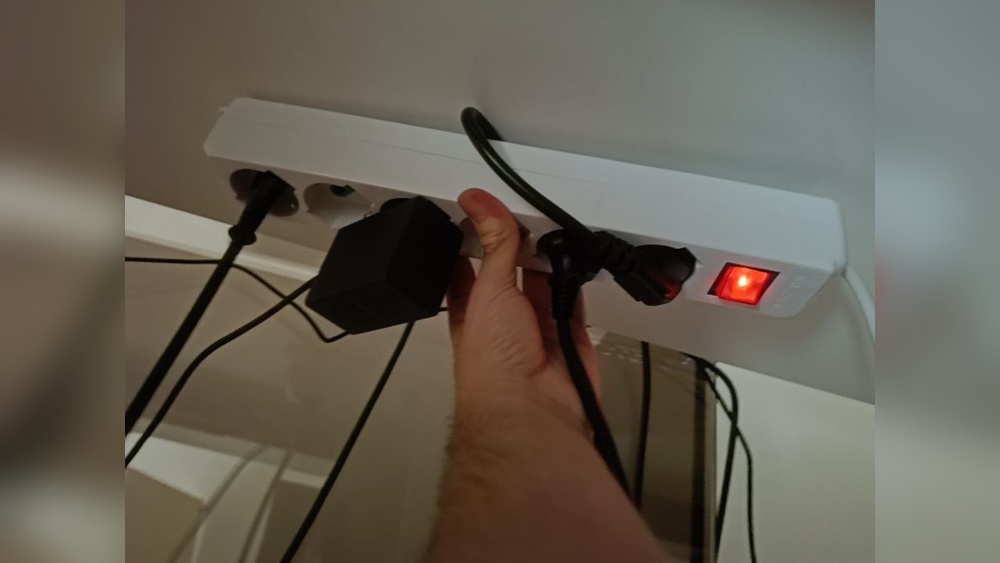
Press the power strip firmly against the desk surface. Apply even pressure along the entire length of the strip. Hold it in place for about 30 seconds. This helps the tape stick tightly. Wait a few minutes before plugging in devices to ensure strong hold.
Ensuring A Neat And Safe Setup
Ensuring a neat and safe setup is key when mounting a power strip under your desk. It keeps your workspace tidy and prevents accidents. A well-organized setup reduces clutter and makes your desk look clean. Safety comes first to avoid electrical hazards and damage to your devices.
Cable Management Tips
Use cable clips or ties to keep cords together. Run cables along the desk edges or under the desk. Avoid tangled wires by grouping cables by device type. Label cables to find them quickly. Keep power cords away from sharp edges to prevent damage.
Avoiding Overloading The Power Strip
Check the power strip’s maximum load rating. Do not plug in too many high-power devices. Spread out the electrical load across different outlets. Use surge protectors to guard against power spikes. Overloading can cause overheating and fire risks.
Regular Inspection And Maintenance
Look for damaged cords or plugs often. Clean dust from the power strip and surrounding area. Test outlets to ensure they work properly. Replace worn or faulty power strips immediately. Regular checks keep your setup safe and reliable.
Troubleshooting Common Issues
Mounting a power strip under your desk with tape is simple but can have some common issues. These problems might cause the power strip to fall or not stick well. Fixing these problems helps keep your workspace neat and safe.
Tape Losing Adhesion
Over time, tape can lose its stickiness. Dust, dirt, or moisture reduce its grip. Clean the surface with rubbing alcohol before applying tape. Press the tape firmly to the desk for better hold. Choose strong double-sided tape made for heavy objects.
Power Strip Shifting Or Falling
If the power strip moves or falls, the tape might not be strong enough. Use wider or thicker tape to increase support. Make sure the strip is dry and free of dust before mounting. Avoid pulling or putting weight on the strip to keep it in place.
Dealing With Uneven Surfaces
Uneven or rough surfaces make tape stick poorly. Sand the surface lightly to smooth it out. Use foam tape that adapts to bumps and curves. Press the tape down for at least 30 seconds to secure it well.
Credit: www.youtube.com
Frequently Asked Questions
How Do I Attach A Power Strip Using Desk Tape?
Clean the desk surface well before applying the tape. Peel the tape backing and firmly press the power strip onto the desk bottom. Hold for 30 seconds to ensure a strong bond.
What Type Of Tape Is Best For Mounting Power Strips?
Double-sided foam tape or heavy-duty mounting tape works best. These tapes provide strong adhesion and cushion against vibrations or movement, ensuring the power strip stays securely mounted.
Can I Remove The Power Strip Without Damage?
Yes, use a hairdryer to warm the tape adhesive. Gently peel the strip away to avoid damaging your desk or the tape surface.
How Much Weight Can Desk Tape Support?
Most mounting tapes support up to 5 pounds safely. Check the tape packaging for exact weight limits to ensure your power strip is adequately supported.
Conclusion
Mounting a power strip under your desk keeps cords neat and safe. Use strong double-sided tape for a quick, easy fix. Clean the surface well before sticking the tape. Press the power strip firmly to ensure it stays in place.
This method saves space and reduces clutter. Enjoy a tidy workspace without tools or holes. Try this simple step to improve your desk setup today.