If you want to make your home more secure and convenient, learning how to program your Defiant electronic keypad deadbolt is a smart move. Imagine never fumbling for keys again or worrying about lost copies.
With just a few simple steps, you can set up personalized codes that give you control over who enters your home. This guide will walk you through the process clearly and quickly, so you can start enjoying the peace of mind and ease that comes with a programmed electronic lock.
Keep reading to unlock the secrets to securing your door effortlessly.
Choosing The Right Deadbolt
Choosing the right electronic keypad deadbolt is important for home security. It helps keep your house safe and makes entry easy. Not all deadbolts are the same. Some fit better with your door and lifestyle. Understanding the types and features can guide your choice.
Types Of Electronic Keypad Deadbolts
There are two main types of electronic keypad deadbolts: standalone and smart. Standalone deadbolts work with a keypad only. You enter a code to lock or unlock the door. They do not connect to the internet.
Smart deadbolts connect to Wi-Fi or Bluetooth. You can control them using a phone app. Some models work with voice assistants. These add convenience and remote access.
Key Features To Consider
Look for features that match your needs. Battery life is crucial. Choose a deadbolt with long battery life or easy battery replacement. Check the keypad quality. It should be easy to press and read.
Security features matter. Some deadbolts offer auto-lock or alarm functions. Weather resistance is key for outdoor locks. Also, consider how easy it is to install the deadbolt yourself.

Credit: www.youtube.com
Gathering Tools And Materials
Gathering the right tools and materials is the first step to install a Defiant electronic keypad deadbolt. It makes the process smooth and saves time. Having everything ready means fewer interruptions during installation. This section covers the essential tools and how to prepare the deadbolt parts.
Essential Tools For Installation
You need a few basic tools to install the deadbolt correctly. A Phillips screwdriver is important for screws. A tape measure helps check door thickness and placement. A pencil marks spots for drilling. A power drill with drill bits is useful for making holes. A level ensures the keypad sits straight. Keep a small flathead screwdriver handy for adjustments. These tools make the installation easier and more precise.
Preparing The Deadbolt Components
Start by unpacking all parts from the box. Check for the keypad, interior assembly, latch, strike plate, screws, and batteries. Read the instruction manual carefully. Match the parts with the guide to avoid confusion later. Insert the batteries in the keypad before mounting. Test the keypad to confirm it powers on. Preparing parts first helps avoid errors during installation. Keep components organized and close by.
Installing The Deadbolt
Installing the Defiant electronic keypad deadbolt is a simple process. It involves removing the old lock, placing the new deadbolt correctly, and securing it firmly. Follow these steps carefully for a smooth installation.
Removing The Old Lock
Start by unlocking the door and opening it fully. Use a screwdriver to remove the screws on the interior side of the old lock. Take off the interior lock plate and the exterior lock. Pull out the latch from the door edge. Keep all screws in a safe place for later use.
Positioning The New Deadbolt
Insert the new latch into the door edge. Make sure the curved side faces the door frame. Align the exterior keypad with the holes on the door. Hold it steady while you attach the interior plate. Check that the lock fits flush with the door surface.
Securing The Lock Mechanism
Fasten the screws through the interior plate into the exterior keypad. Tighten them evenly to avoid misalignment. Test the deadbolt by turning the thumb turn inside. Ensure the latch moves smoothly without resistance. Your new keypad deadbolt is now properly installed.
Programming The Keypad
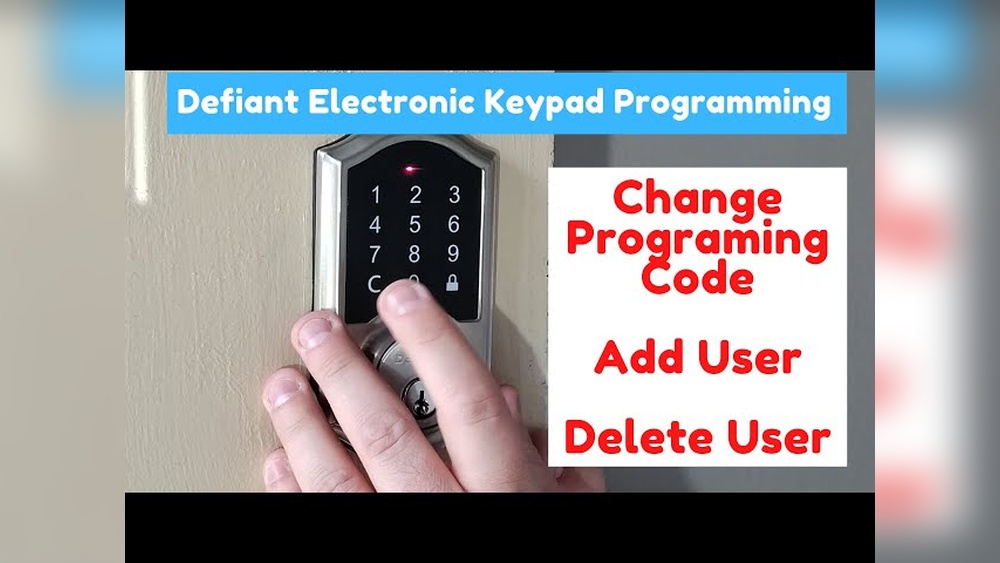
Programming the keypad on your Defiant electronic deadbolt is simple. It lets you control who can enter your home without a physical key. You can set a main code, add new user codes, or delete codes as needed. This guide helps you manage your keypad easily.
Setting The Master Code
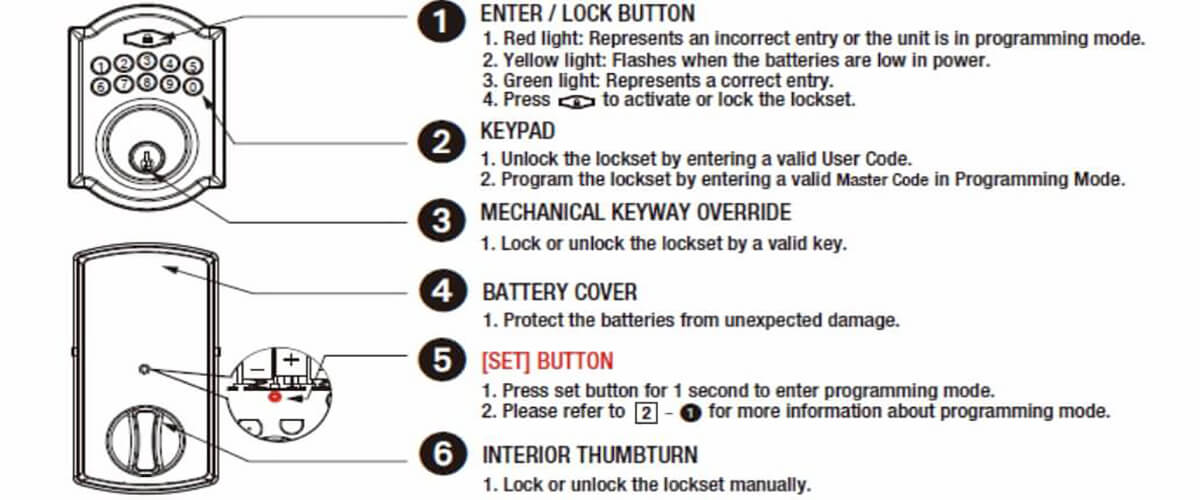
Start by setting your master code. This code controls all other settings on the lock. Press the programming button inside the lock. Enter the default master code, usually found in the manual. Then, type your new master code. Confirm the new code by entering it again. The lock will beep to show the change worked.
Adding User Codes
To add user codes, press the programming button. Enter your master code to start. Choose a user slot number, like 01 or 02. Enter the new user code, then press the lock button. The lock beeps to confirm the new user code is saved. Repeat for more users as needed.
Deleting Or Changing Codes
Deleting or changing codes is quick. Press the programming button and enter your master code. Select the user code you want to remove or change. To delete, press the delete button or enter a specific code. To change, enter the new code and save. The lock will beep to confirm the update.
Testing The Lock Functionality
Testing the functionality of your Defiant electronic keypad deadbolt is an important step after programming. It ensures the lock works correctly and keeps your home secure. This process helps you confirm that the lock responds to your code and operates smoothly. Follow these steps to check every function of your lock carefully.
Verifying Code Entry
Start by entering your new code on the keypad. The lock should respond immediately, usually by a sound or light. Press the unlock button after entering the code. The deadbolt should retract smoothly. Try entering the wrong code to see if the lock denies access. This step confirms your code is set up correctly.
Checking Manual Locking
Test the lock manually from the inside. Turn the thumb turn or knob to lock the door. Make sure the deadbolt extends fully and holds tight. Try unlocking it from the inside as well. This step checks that the manual lock works without any problems. It ensures you can still operate the lock in an emergency.
Troubleshooting Common Issues
If the lock does not respond to your code, check the battery first. Weak batteries often cause failures. Replace them with fresh ones if needed. Ensure you press the keys firmly and in the right order. Clean the keypad if dirt or dust blocks the buttons. Reset the lock to factory settings if problems persist. Follow the user manual for detailed instructions.
Credit: www.ilockey.com
Maintaining Your Deadbolt
Maintaining your Defiant electronic keypad deadbolt is key to keeping it working well. Regular care helps avoid problems like stuck keys or battery failure. Small steps make a big difference in the lock’s life and security.
Battery Replacement Tips
Replace batteries before they run out. Weak batteries can cause the keypad to stop working. Use fresh alkaline batteries for best results. Remove the battery cover gently to avoid damage. Keep spare batteries nearby to swap quickly. Test the lock after changing batteries to ensure it works.
Regular Cleaning And Care
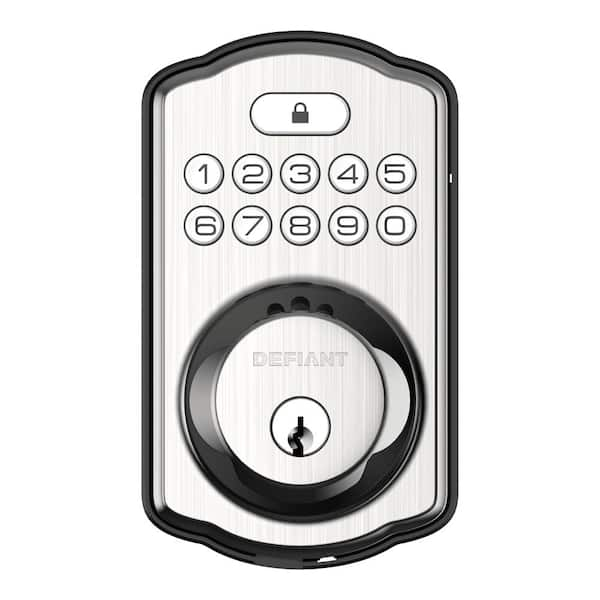
Keep the keypad clean from dust and dirt. Use a soft, dry cloth for wiping the surface. Avoid water or harsh chemicals that can harm the lock. Check the deadbolt mechanism for dust build-up. Lubricate the moving parts with graphite powder once a year. Clean locks last longer and work smoothly every time.
Credit: www.homedepot.com
Frequently Asked Questions
How Do I Reset A Defiant Electronic Keypad Deadbolt?
To reset, remove the battery cover and batteries. Press and hold the reset button for 10 seconds. Release it, then reinsert batteries. The lock will beep, signaling reset completion. Programming can now begin from factory settings.
What Is The Default Master Code For Defiant Deadbolts?
The default master code is typically “123456” or “000000”. Check your lock’s manual to confirm. Change it immediately after installation to keep your home secure.
How Can I Add A New User Code?
Enter the master code, then press the programming button. Input the new user code, followed by the lock button. The lock will beep, confirming the new code is active.
What Should I Do If The Keypad Stops Responding?
Replace the batteries with fresh alkaline ones. If issues persist, reset the lock following the manual’s instructions. Contact customer support if the problem continues.
Conclusion
Programming your electronic keypad deadbolt is simple and quick. Follow each step carefully for best results. Double-check your code to avoid errors. Change your code regularly to keep your home safe. This guide helps you feel confident and secure. Enjoy the convenience of keyless entry every day.
Keep your instructions handy for future reference. Small effort brings big safety benefits. Your home protection is now in your hands.