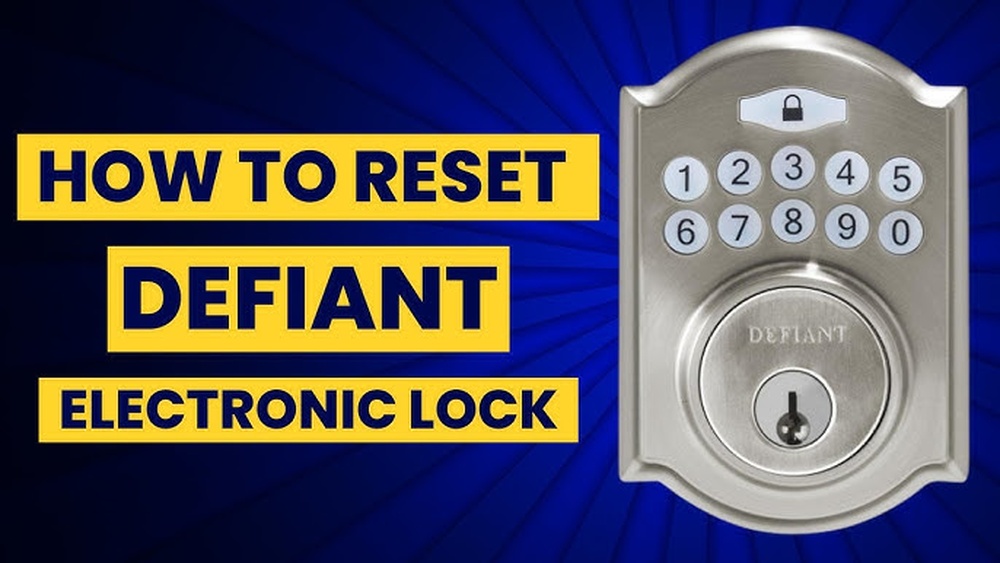
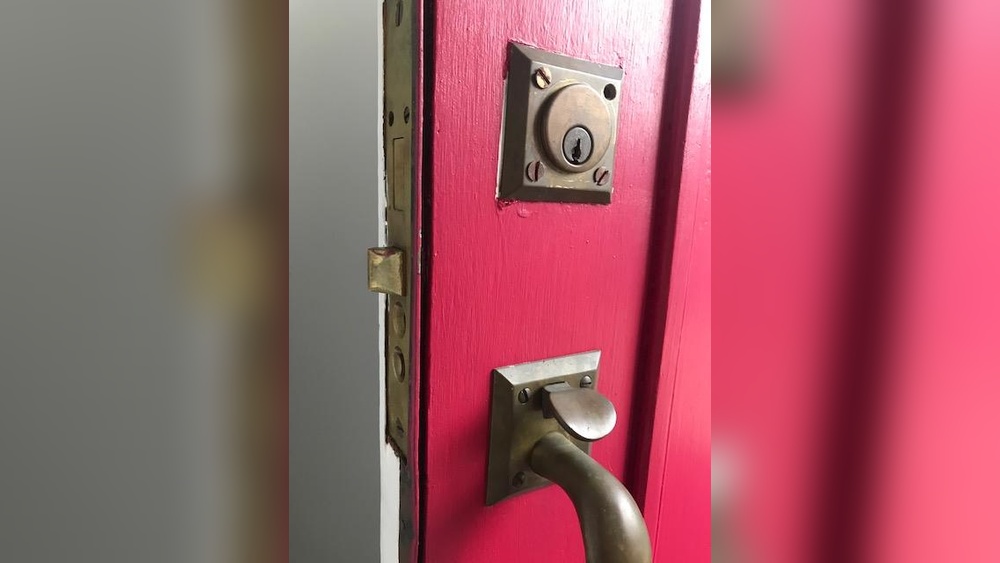
Are you struggling with your Kwikset deadbolt and wondering how to reset it quickly? Whether you’ve lost your keys, want to change your code, or just need a fresh start, resetting your deadbolt can seem tricky.
But don’t worry—this guide will walk you through each step clearly and simply. By the end, you’ll have full control over your lock again, ensuring your home stays safe and secure. Keep reading, and you’ll be surprised at how easy it is to reset your Kwikset deadbolt yourself.
Tools Needed
Before resetting your Kwikset deadbolt, gather the right tools. Having these tools ready makes the process smooth. It helps avoid delays and frustration. Each tool plays an important role.
Phillips Head Screwdriver
This is the most common tool you will need. It helps remove screws from the lock’s faceplate and interior parts. A medium size Phillips head screwdriver works best.
Flathead Screwdriver
This tool helps gently pry off the trim or cover plates. It can also assist in pressing small reset buttons. Use it carefully to avoid damage.
Reset Tool Or Paperclip
Some Kwikset models need a special reset tool. A straightened paperclip can work as a substitute. It helps press the reset button inside the lock.
Batteries (for Electronic Models)
Electronic Kwikset deadbolts need fresh batteries. Have new AA or AAA batteries ready. Replacing batteries during reset ensures proper function.

Credit: www.youtube.com
When To Reset Your Kwikset Deadbolt
Knowing when to reset your Kwikset deadbolt keeps your home safe. It helps prevent unauthorized access and gives you control over who enters.
Resetting the lock is simple and useful in many situations. The following points explain the key moments to reset your deadbolt.
After Moving Into A New Home
New homeowners should reset the deadbolt right away. Previous owners or workers might still have keys. Resetting ensures only you have access.
When You Lose Your Keys
Losing keys can be a security risk. Resetting the deadbolt prevents anyone from using the lost keys to enter your home.
After A Break-in Or Attempted Break-in
Any break-in or attempt means the lock’s security is compromised. Resetting the deadbolt restores safety and peace of mind.
When You Want To Change Access For Family Or Friends
Changing who can enter your home is easy with a reset. Remove old keys and add new ones for trusted people only.
When The Lock Is Not Working Properly
Sometimes the deadbolt jams or sticks. Resetting can fix issues and make the lock work smoothly again.
Removing The Deadbolt
Removing the deadbolt is the first step in resetting your Kwikset lock. This process allows access to the internal parts. Careful removal prevents damage and ensures smooth reinstallation. Follow simple steps to take off the deadbolt safely.
Locate The Screws
Start by finding the screws that hold the deadbolt in place. These screws are usually on the interior side of the door. Look near the lock’s mounting plate. Use a screwdriver to check if they are visible. Some models may hide screws under a decorative cover. Gently pry off any cover to reveal the screws.
Detach The Exterior And Interior Plates
After locating the screws, remove them carefully. Keep the screws safe for later use. Pull off the interior plate first; it should come off easily. Next, gently detach the exterior plate. Avoid forcing the plates to prevent breaking them. Once removed, the deadbolt mechanism will be accessible for resetting.
Resetting The Lock Mechanism
Resetting the lock mechanism of your Kwikset deadbolt helps fix issues or set new access codes. This process clears old settings and prepares the lock for new programming. Follow simple steps to reset the lock mechanism safely and correctly.
Find The Reset Button
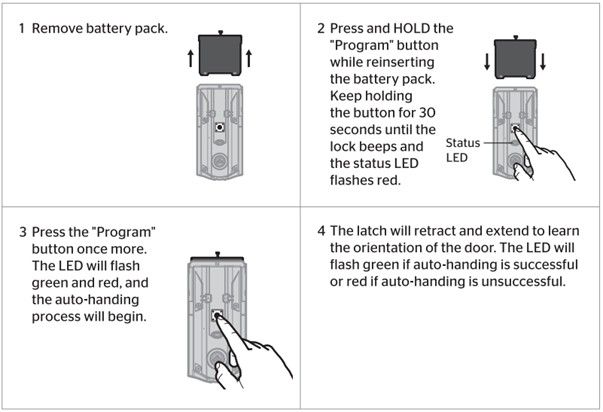
Locate the reset button on the interior part of the deadbolt. Usually, it sits behind the battery cover or near the lock’s circuit board. You may need to remove the battery cover to see it clearly. The button is small and often red or black in color. Knowing its exact position is key to starting the reset process.
Use A Paperclip Or Reset Tool
Use a thin object like a paperclip or the reset tool that came with the lock. Press and hold the reset button firmly for about 5 to 10 seconds. Release it once the lock’s lights flash or you hear a beep. This action resets the lock mechanism to factory settings. After this, you can program new codes or settings easily.
Programming A New Code
Programming a new code on your Kwikset deadbolt is simple and quick. This process lets you change the lock code for better security. You can create a code that is easy to remember but hard to guess.
Follow these clear steps to program your new code. It only takes a few minutes and no special tools.
Enter Programming Mode
Start by locating the lock’s programming button. It is usually inside the keypad or on the interior side of the lock. Press and hold this button until the lock beeps or flashes. This action puts the lock in programming mode. You now have a short time to enter the new code.
Set Your New Code
Enter your new code using the keypad. Choose a number sequence you can easily recall. Avoid simple patterns like “1234” or “0000.” Press the lock button or the programming button again to save the code. The lock will beep or flash to confirm the change.
Test The New Code
Close the door and lock it. Enter your new code on the keypad. The deadbolt should unlock smoothly. Try the code a few times to be sure it works every time. If the lock does not open, repeat the steps above carefully.
Troubleshooting Tips
Resetting a Kwikset deadbolt can sometimes be tricky. Troubleshooting helps solve common problems quickly. It saves time and avoids extra costs. Below are some tips to guide you through issues you might face. These tips make the reset process smoother.
Common Issues
One common problem is the deadbolt not responding after reset. This often means the battery is low or dead. Check and replace batteries if needed. Another issue is the keypad not working properly. Dirt or dust can block the buttons. Clean the keypad gently with a soft cloth. Sometimes, the lock does not reset because the reset button was not pressed long enough. Hold the button for at least five seconds. Make sure you follow the reset steps exactly as described in the manual. Incorrect steps cause reset failure.
When To Contact Support
Contact Kwikset support if the lock still fails after troubleshooting. Persistent issues might need professional help. If the deadbolt is damaged or parts are missing, do not try to fix it yourself. Support can provide guidance or replacement parts. They also help with complex programming problems. Keep your lock model and purchase information ready before calling. This helps get faster and better assistance.
Maintenance Tips For Longevity
Keeping your Kwikset deadbolt in good shape helps it work longer. Simple care steps prevent problems and save money. Small actions every few months protect your lock from damage and wear. Here are easy tips to keep your deadbolt smooth and secure.
Regular Cleaning
Dust and dirt can block the lock mechanism. Wipe the outside with a soft cloth. Avoid harsh chemicals that harm the finish. Clean the keyhole with a dry brush or compressed air. This removes tiny particles inside the lock. Clean locks open and close easily.
Lubrication
Lubricate your deadbolt twice a year for smooth action. Use graphite powder or a silicone-based spray made for locks. Avoid oil sprays that attract dust and gum up the parts. Apply a small amount into the keyhole and bolt. Work the key gently to spread the lubricant. This reduces friction and stops sticking.

Credit: www.youtube.com
Credit: www.kwikset.com
Frequently Asked Questions
How Do I Reset A Kwikset Deadbolt Lock?
To reset a Kwikset deadbolt, remove the lock from the door. Press and hold the reset button inside for 10 seconds. Release the button and reassemble the lock. This erases previous codes and prepares it for new programming.
Can I Reset My Kwikset Lock Without A Key?
No, you need the key to remove the lock from the door. This step is essential to access the reset button inside the lock mechanism.
How Do I Program A New Code After Resetting Kwikset?
After resetting, enter programming mode by pressing the programming button. Follow the specific model’s instructions to add new user codes. This process usually involves pressing buttons and entering new codes on the keypad.
Why Won’t My Kwikset Deadbolt Reset Properly?
Reset failure can occur due to improper button pressing or low battery. Ensure you hold the reset button the full time and replace batteries if needed before retrying.
Conclusion
Resetting your Kwikset deadbolt is simple and quick. Follow the steps carefully to avoid mistakes. Keep your new code safe and private. Test the lock several times to ensure it works well. Regularly update your code for better security. Now you can manage your lock without worry.
Enjoy peace of mind with your secured door.