Are you struggling to remove your Kwikset Smartcode Deadbolt and don’t know where to start? You’re not alone.
Taking off this smart lock might seem tricky at first, but with the right steps, you can do it quickly and safely. In this guide, you’ll learn exactly how to remove your Kwikset Smartcode Deadbolt without damaging your door or the lock.
Keep reading—by the end, you’ll have the confidence to handle this task like a pro.
Tools Needed
Removing a Kwikset Smartcode deadbolt requires some basic tools. Having the right tools ready makes the job faster and easier. This section lists all tools needed for the task. Each tool plays a key role during removal. Prepare these tools before starting to avoid delays.
Screwdriver
A screwdriver is essential for removing screws from the deadbolt. A Phillips head screwdriver fits most Kwikset screws. Sometimes a flathead screwdriver may be needed for specific parts. Choose a screwdriver with a comfortable grip for better control.
Allen Wrench
Some models use small hex screws. An Allen wrench, also called a hex key, helps remove these screws. Check the deadbolt for hex screws before starting. Allen wrenches come in sets with different sizes. Pick the size that fits snugly to avoid stripping screws.
Needle-nose Pliers
Needle-nose pliers help grab small parts or wires inside the lock. They are useful for pulling out pins or clips. The narrow tip fits into tight spaces. Use pliers carefully to avoid damaging components.
Flat Pry Tool
A flat pry tool can help gently separate the lock from the door. It slides under the deadbolt plate without scratching the surface. Plastic pry tools reduce the risk of damage compared to metal tools. Use light pressure to avoid bending the plate.
Prepare The Door
Preparing the door is the first step to remove your Kwikset Smartcode Deadbolt safely. This step helps avoid damage and makes the process smoother.
Start by making sure the lock is off. Then, remove the battery pack to cut power. These actions keep you safe and protect the lock’s electronics.
Turn Off The Lock
Press the lock button to turn off the Kwikset Smartcode Deadbolt. This stops the lock from engaging while you work. Check that the deadbolt is fully retracted before proceeding. It prevents any mechanical problems during removal.
Remove The Battery Pack
Locate the battery cover on the inside part of the lock. Slide or lift the cover to open it carefully. Take out the battery pack gently to avoid damage. Removing the power source ensures the lock won’t activate unexpectedly. Keep the batteries aside safely for reuse or disposal.
Remove Interior Assembly
Removing the interior assembly of your Kwikset SmartCode deadbolt is the next step after preparing the lock. This part holds the keypad and battery pack. Careful removal helps avoid damage to the lock and door. Take your time and follow each step closely. This process clears the way to fully detach the lock from your door.
Locate And Remove Mounting Screws
Look for the screws holding the interior assembly in place. Usually, there are two or three screws on the inside plate. Use a screwdriver that fits these screws well. Turn the screws counterclockwise to remove them. Keep the screws safe for reassembly later. Removing these screws loosens the interior unit from the door.
Detach The Interior Keypad Unit
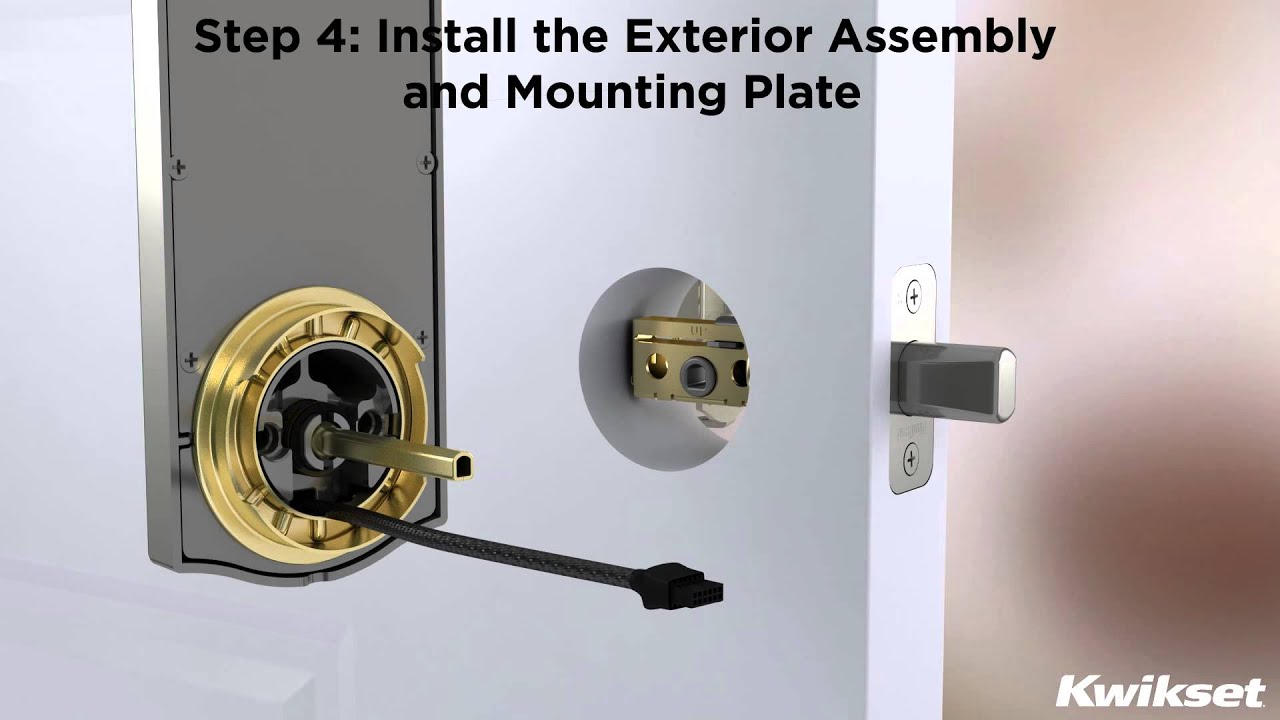
Gently pull the interior keypad unit away from the door. It may feel snug but should come off without force. Check for any wires connecting the keypad to the lock. Carefully unplug these wires if needed. Keep the keypad unit and battery pack together. Setting them aside safely prevents any damage during removal.

Credit: www.youtube.com
Remove Exterior Assembly
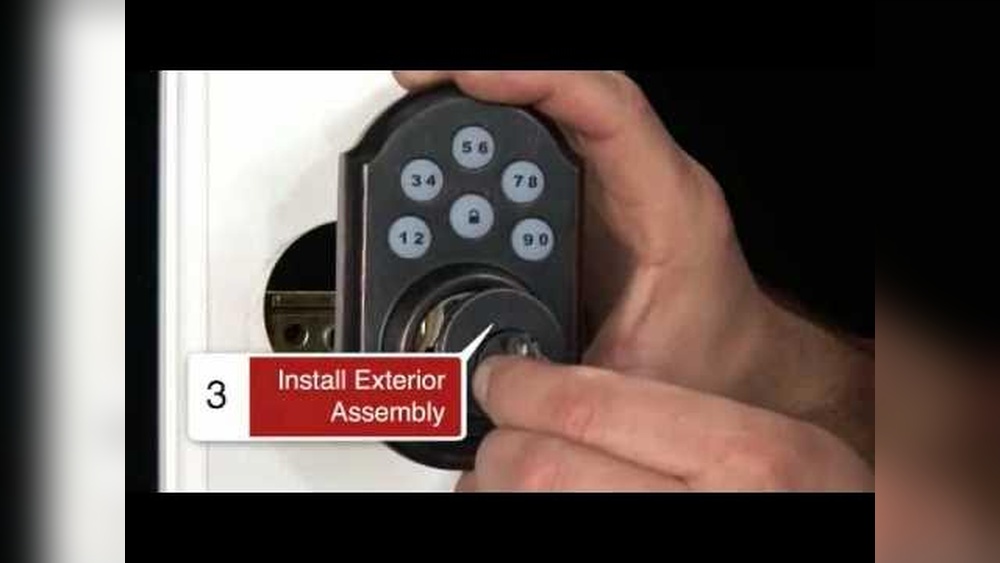
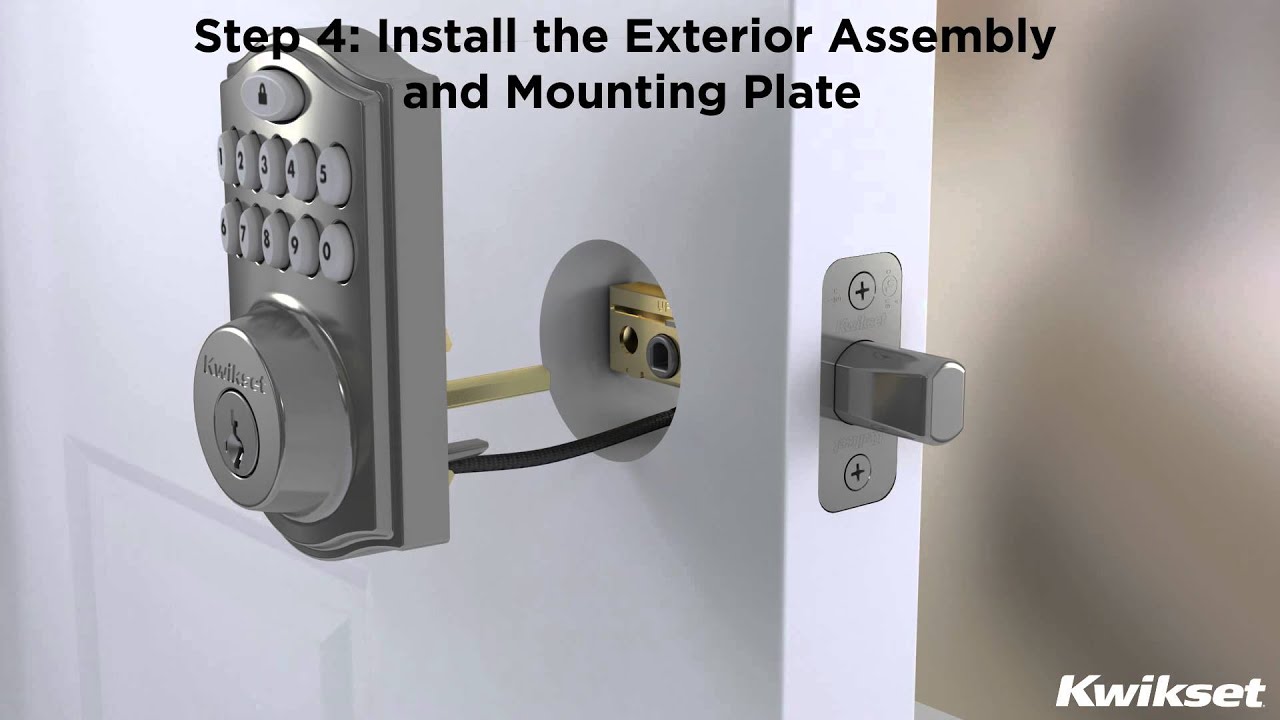
Removing the exterior assembly of the Kwikset SmartCode deadbolt is the first key step. This part includes the keypad and the outer housing. Handle it with care to avoid damage. Follow simple steps to take it off safely and smoothly.
Work slowly. Make sure you have a clear workspace. Keep all small parts in one place. This will help during reassembly or replacement.
Slide Off The Exterior Keypad
Start by sliding the exterior keypad straight away from the door. Do not force it. It should come off with gentle pressure. If it sticks, check for screws or clips holding it in place. Remove any fasteners before sliding again. Keep the keypad flat to avoid bending wires inside.
Handle The Tailpiece Carefully
The tailpiece is the metal piece that connects the keypad to the lock. Pull it out slowly. Twisting or bending can break it. Keep the tailpiece aligned with the lock mechanism. Set it down on a soft surface to prevent scratches or damage.
Detach Deadbolt
Detaching the Kwikset Smartcode deadbolt is a simple process. It requires careful steps to avoid damage. Follow the instructions below for a smooth removal.
Unscrew The Faceplate
Start by locating the screws on the faceplate. Use a screwdriver to remove them carefully. Keep the screws safe for reassembly. Gently pull the faceplate away from the door. This exposes the internal parts of the deadbolt.
Extract The Deadbolt Mechanism
After removing the faceplate, find the deadbolt mechanism inside. Slide it out slowly to avoid breaking any parts. Check for any additional screws or clips holding it. Remove those if needed. Once free, the deadbolt mechanism can be fully detached from the door.
Credit: www.kwikset.com
Common Issues
Removing a Kwikset Smartcode Deadbolt can be tricky. Some common issues may slow down the process. Knowing these problems helps you prepare and fix them fast. This section highlights two frequent challenges: stuck screws and battery corrosion.
Stuck Screws
Screws often get stuck due to rust or tight fitting. This makes them hard to turn or remove. Use a screwdriver that fits well to avoid stripping. Apply a small amount of lubricant to loosen rusted screws. Let the lubricant sit for a few minutes. Then try to turn the screws again gently. Avoid forcing them, as this can damage the lock.
Battery Corrosion
Corrosion happens when battery acid leaks inside the lock. It causes poor electrical contact and can stop the lock from working. Check the battery compartment for white or green residue. Clean the corrosion using a cotton swab dipped in vinegar or lemon juice. Remove old batteries before cleaning. Let the area dry before inserting new batteries. This helps the lock function properly and extends its life.
Tips For Reinstallation
Reinstalling your Kwikset SmartCode deadbolt after removal needs care. Proper reinstallation keeps your lock working smoothly and securely. Follow some simple tips to avoid common mistakes and save time.
Prepare All Parts Before Starting
Lay out all parts on a clean surface. Check for missing screws or damaged pieces. Having everything ready helps the process go fast and easy.
Align The Deadbolt Correctly
Make sure the deadbolt fits into the door edge properly. It should slide in without force. Correct alignment prevents lock jamming and wear over time.
Secure Screws Firmly But Not Too Tight
Tighten screws until snug. Avoid over-tightening to prevent stripping or cracking the lock housing. A firm fit keeps the lock stable.
Test The Lock Operation
After installation, test the lock several times. Turn the thumb turn and use the keypad. Ensure the deadbolt moves smoothly and locks securely.
Follow The Manufacturer’s Instructions
Use the Kwikset manual as a guide. It has details specific to your model. Following it helps avoid problems and ensures correct installation.
Credit: www.kwikset.com
Frequently Asked Questions
How Do I Remove A Kwikset Smartcode Deadbolt?
First, remove the interior screws holding the deadbolt. Then, detach the interior and exterior assemblies carefully. Finally, remove the latch mechanism from the door edge.
What Tools Are Needed To Remove Kwikset Smartcode Deadbolt?
You will need a Phillips screwdriver and possibly a flathead screwdriver. These tools help remove screws and gently pry parts apart without damage.
Can I Remove The Deadbolt Without Damaging The Door?
Yes, carefully unscrew all components and gently separate parts. Avoid forcing or prying harshly to prevent door or lock damage.
How Long Does It Take To Remove A Kwikset Deadbolt?
Removing the lock typically takes 10 to 20 minutes. Experience and tool availability can make the process quicker or slower.
Conclusion
Removing a Kwikset Smartcode deadbolt is simple with clear steps. Take your time and follow each part carefully. Use the right tools to avoid damage. This guide helps you handle the process smoothly. Now you can replace or fix your lock with ease.
Trust yourself and stay safe while working on your door. Your smart lock removal is done.


