Imagine walking into a dark room and turning on the light without lifting a finger. Sounds convenient, right?
You can make this happen by learning how to control a light switch remotely. Whether you want to save energy, add convenience, or impress your guests, this simple trick can change the way you use your home lighting. Keep reading, and you’ll discover easy steps to take control of your lights from anywhere—no complicated tools or skills needed.
Your home is about to get a smart upgrade!
Choosing The Right Smart Switch
Choosing the right smart switch is key to controlling your lights remotely. The correct switch makes your home smarter and your life easier. It fits your needs and works well with your devices. This section helps you pick the best smart switch for your home.
Types Of Smart Switches
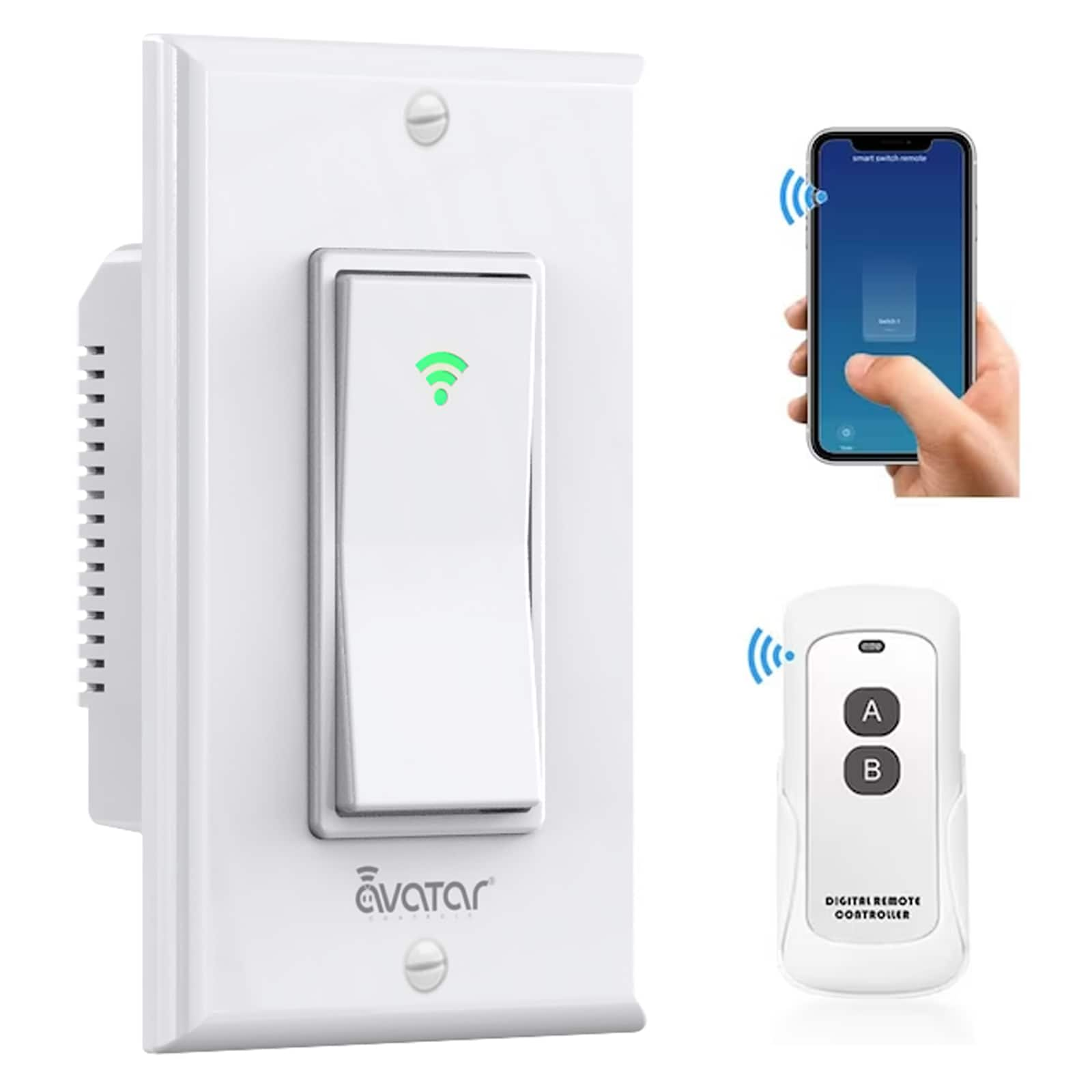
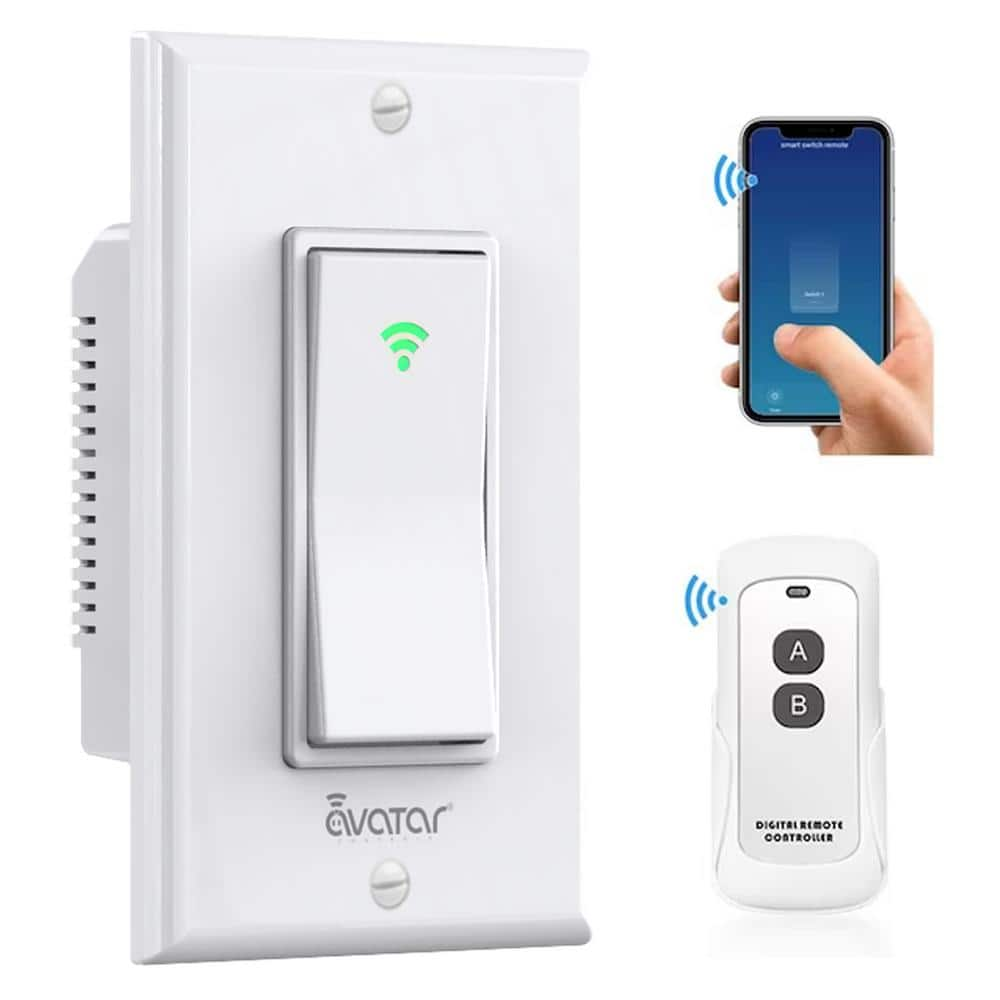
Smart switches come in different types. Some replace your wall switches and control one or more lights. Others are plug-in devices that control lamps or other electronics. Some models use touch control, while others have buttons. Choose a type that matches your home’s wiring and your lighting setup.
Compatibility With Home Systems
Check if the smart switch works with your home system. Some switches connect via Wi-Fi, others use Zigbee or Z-Wave. Make sure the switch matches your smart home hub or app. Compatibility ensures smooth control and avoids setup problems.
Features To Consider
Look for features like dimming, scheduling, and voice control. Some switches offer energy monitoring to track power use. Easy installation is important, especially if you do it yourself. Also, consider the switch’s design and size to fit your decor and switch box.
Credit: www.lowes.com
Tools And Materials Needed
Controlling a light switch remotely requires specific tools and materials. Having the right items makes the process easier and safer. Prepare all tools before starting your project. This helps avoid delays and errors.
Basic Electrical Tools
Start with a screwdriver set to open switch plates. Use wire strippers to remove insulation from wires. A voltage tester checks if wires carry current. Needle-nose pliers help bend or twist wires. Electrical tape secures wire connections. These tools are essential for any electrical work.
Smart Switch Components
Choose a smart switch compatible with your home wiring. It must support remote control via Wi-Fi or Bluetooth. The switch usually includes mounting screws and a user manual. Some models need a neutral wire in the switch box. Check your home wiring before buying the switch.
Safety Gear
Always wear safety goggles to protect your eyes. Use insulated gloves to avoid electric shocks. A dust mask may help if the work area is dusty. Wear rubber-soled shoes for extra insulation. Safety gear keeps you protected during installation.
Preparing For Installation
Preparing for installation is the first step to control a light switch remotely. This stage ensures safety and proper setup. Follow each step carefully to avoid problems during installation. Safety comes first, and checking your system helps avoid errors later.
Turning Off Power Safely
Start by turning off the power to the switch at the main circuit breaker. This prevents electric shocks. Use a voltage tester to confirm the power is off. Never skip this step. Safety is the top priority before handling any wiring.
Removing The Existing Switch
Remove the wall plate covering the switch. Unscrew the switch carefully. Gently pull it out to see the wires behind. Take note of how the wires connect. Taking a photo helps for reference during installation of the new switch.
Checking Wiring Compatibility
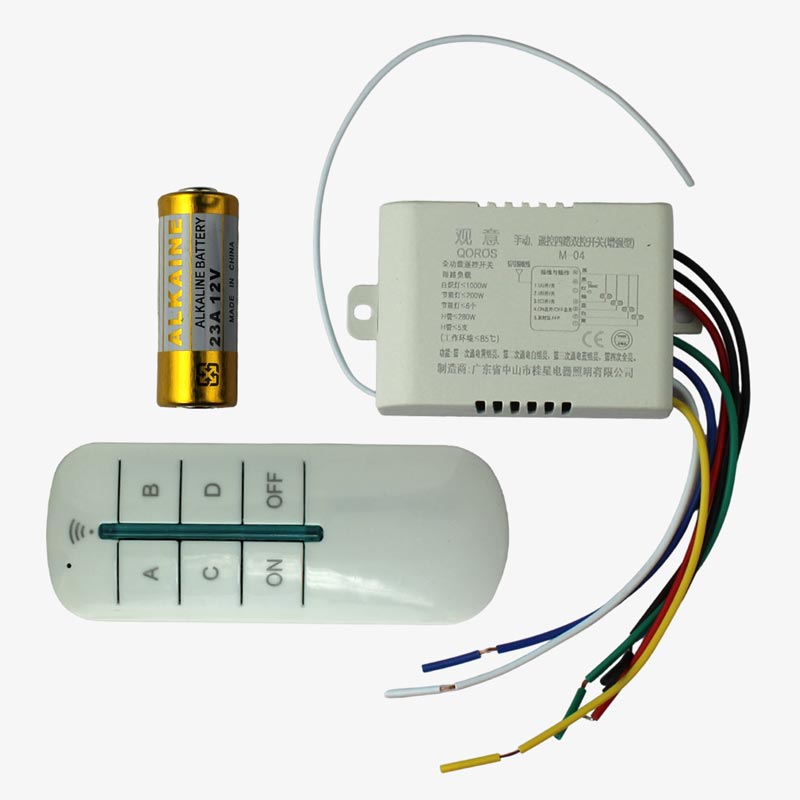
Check if your wiring matches the new remote switch’s requirements. Most smart switches need a neutral wire. Look for a white wire in the box. If unsure, consult the switch’s manual or a professional. Proper wiring ensures your new switch works correctly.
Credit: quartzcomponents.com
Installing The Smart Switch
Installing a smart switch lets you control your lights remotely. This upgrade is simple and quick. Follow each step carefully for safety and success.
Start by turning off the power to avoid shocks. Have your tools ready: screwdriver, wire stripper, and voltage tester.
Connecting Wires Correctly
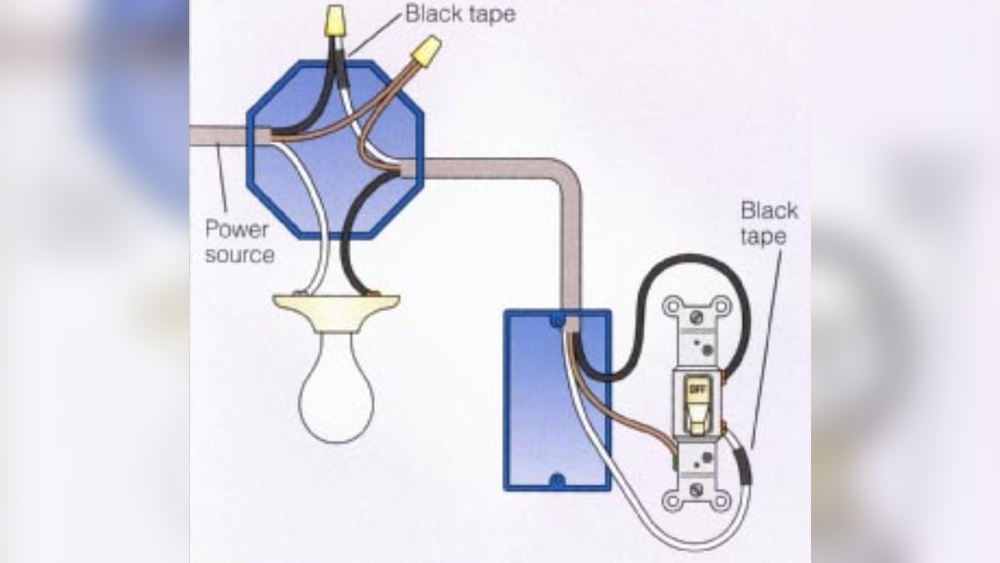
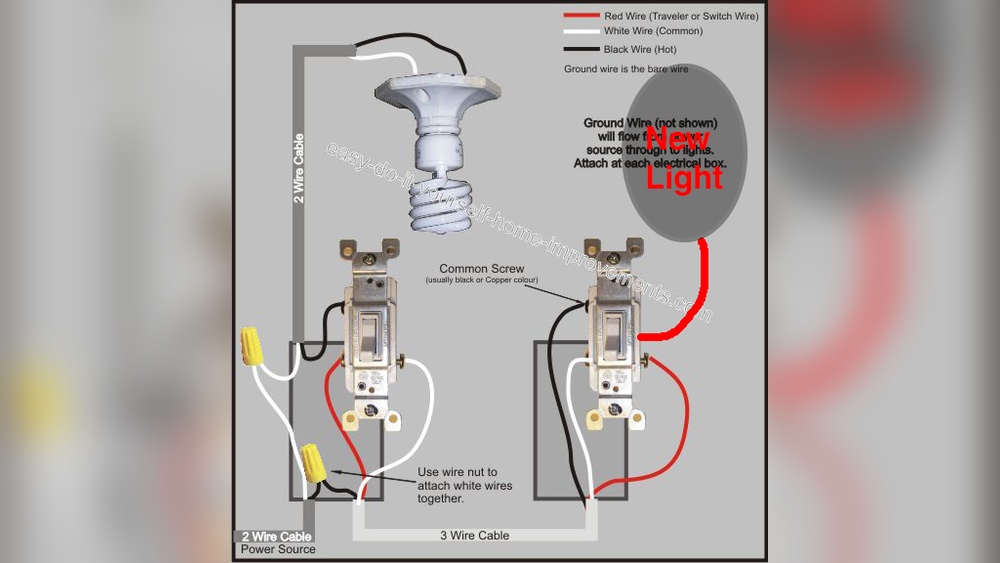
Remove the old switch cover. Use the voltage tester to confirm power is off. Disconnect the wires from the old switch. Identify the line, load, and ground wires. Connect these wires to the smart switch terminals. Match wire colors exactly. Tighten screws to secure wires firmly. Double-check all connections for safety.
Mounting The Switch
Carefully push the wires back into the electrical box. Align the smart switch with the box holes. Use screws to mount the switch tightly. Make sure the switch is straight and flush with the wall. Avoid forcing wires to prevent damage.
Restoring Power
Turn the circuit breaker back on. Test the smart switch by toggling it physically. Confirm the switch connects to your home Wi-Fi. Use the app to control the light remotely. Check for any issues or loose connections.
Setting Up Remote Control
Setting up remote control for your light switch is simple and quick. This process lets you turn lights on or off using your smartphone. It adds comfort and saves energy. Follow these steps to get started with remote control.
Installing The Mobile App
First, download the app linked to your smart switch. Open the app store on your phone. Search for the app by name. Tap download and wait for it to install. The app lets you control the switch from anywhere.
Connecting To Wi-fi
Next, connect your switch to your home Wi-Fi network. Ensure your phone is on the same Wi-Fi. Open the app and find the network settings. Select your Wi-Fi and enter the password. This connection allows remote commands to reach your switch.
Pairing The Switch With Devices
Lastly, pair the switch with your phone or other devices. Open the app and choose the option to add a device. Follow on-screen instructions to find your switch. Confirm the connection by testing the switch control. Now, your light switch is ready for remote use.
Using Voice Control
Using voice control is a simple way to manage your light switch remotely. It lets you turn lights on or off using only your voice. This hands-free method adds comfort and convenience to your daily life. It also works well for people with limited mobility or when your hands are full.
Compatible Voice Assistants
Many smart light switches work with popular voice assistants. These include Amazon Alexa, Google Assistant, and Apple Siri. Each assistant has unique features and commands. Check which one fits your device before starting. Most smart switches list compatible assistants on their packaging or website.
Setting Up Voice Commands
First, connect your smart switch to your home Wi-Fi. Then, open the voice assistant app on your phone. Add your smart switch to the app’s device list. Create simple commands like “Turn on the living room light.” Test commands to ensure the assistant responds correctly. Keep commands short and clear for best results.
Troubleshooting Voice Issues
Sometimes, voice assistants might not hear you well. Check your internet connection first. Make sure your microphone is not blocked or muted. Restart the voice assistant app or your smart switch if needed. Re-link your device to the voice assistant if problems continue. Clear and slow speech helps improve recognition accuracy.
Automating Your Lighting
Automating your lighting makes life easier and more comfortable. It lets you control lights without standing up or using a switch manually. Smart technology helps you set lights to turn on or off at specific times. You can also create moods with different light settings. This saves energy and adds convenience to your home.
Scheduling Light Timers
Set your lights to turn on and off automatically. Choose times that fit your daily routine. For example, have lights come on at sunset and turn off at bedtime. This helps save electricity and keeps your home well-lit. Scheduling is simple using apps on your phone or smart home hubs.
Creating Scenes And Routines
Scenes let you control multiple lights with one command. Create settings like “Movie Time” or “Dinner.” Routines automate actions based on time or events. For instance, turn off all lights when you leave the house. These features make your lighting smarter and your home more inviting.
Integrating With Other Smart Devices
Connect your lights with smart speakers, sensors, or cameras. Use voice commands to switch lights on or off. Sensors can turn lights on when you enter a room. Integration makes your smart home work together smoothly. It increases comfort and security in your daily life.
Troubleshooting Common Problems
Controlling a light switch remotely can be very convenient. Sometimes, problems may occur that stop the switch from working correctly. Troubleshooting these issues helps you fix them fast. This section explains common problems and easy steps to solve them.
Connection Issues
Connection problems are the most common cause of remote light switch failure. Check if your Wi-Fi is working well. Make sure the switch is within range of your router. Restart your router and the switch to refresh the connection. Confirm the switch is connected to the correct network. Weak signals can cause delays or no response from the switch.
Switch Not Responding
If the switch does not respond to commands, start by checking the power supply. Ensure the switch is properly installed and powered on. Sometimes, the switch may need a manual reset. Press the reset button according to the user guide. Test if the switch works manually before using the app. This helps identify if the problem is with the switch or the app.
App And Firmware Updates
Outdated apps or firmware can cause control issues. Check for updates in the app store regularly. Keep the switch’s firmware up to date to improve performance. Updates fix bugs and add new features. Restart the app after updating to clear old data. Always follow the update instructions to avoid errors during installation.
Safety Tips And Best Practices
Controlling a light switch remotely offers comfort and convenience. Safety must always come first. Follow these tips and best practices to keep your home safe and your devices working well. Simple steps can prevent accidents and extend the life of your equipment.
Electrical Safety Precautions
Turn off power at the circuit breaker before installing or fixing switches. Use tools with insulated handles to avoid electric shocks. Check that wires are not damaged or frayed. Always follow the manufacturer’s instructions carefully. Avoid working on electrical parts if you feel unsure. Call a professional electrician for help.
Regular Maintenance
Inspect your remote switch and wiring regularly. Look for loose connections or signs of wear. Clean switches gently to remove dust and dirt. Test remote controls often to ensure they work properly. Replace batteries in remote devices as needed. Proper maintenance prevents failures and keeps your system safe.
Avoiding Overloads
Do not connect too many devices to one switch. Check the switch’s maximum load rating before use. Overloading can cause overheating and fires. Use switches designed for your specific electrical load. Spread out appliances across different circuits. This practice helps protect your home’s wiring and devices.
Credit: www.homedepot.com
Frequently Asked Questions
How Can I Control A Light Switch Remotely?
You can control a light switch remotely using smart switches or smart plugs connected to Wi-Fi. Use a smartphone app or voice assistant to turn lights on or off from anywhere.
What Devices Are Needed For Remote Light Control?
You need a smart light switch or smart plug, a Wi-Fi connection, and a compatible smartphone app. Optionally, voice assistants like Alexa or Google Assistant enhance control.
Is It Safe To Install A Remote-controlled Light Switch?
Yes, remote-controlled switches are safe if installed correctly. Follow manufacturer instructions or hire a professional electrician to ensure proper wiring and safety compliance.
Can I Control Multiple Light Switches Remotely?
Yes, smart home apps allow control of multiple switches simultaneously. You can group lights and manage them together for convenience and energy savings.
Conclusion
Controlling a light switch remotely makes life easier and safer. You can turn lights on or off from anywhere in your home. It saves energy and adds convenience. Setting up remote control is simple with the right tools. Try it yourself and enjoy the benefits today.
Small changes can bring big comfort. Why not start now?