Are you ready to take your TV sound to the next level? Hooking up in-wall speakers to your TV might sound tricky, but it’s easier than you think.
Imagine enjoying crisp, clear audio without any messy wires cluttering your space. In this guide, you’ll discover simple steps to connect your in-wall speakers quickly and get the most out of your home entertainment. Stick with me, and soon you’ll wonder how you ever watched TV without that powerful, room-filling sound.
Let’s dive in!
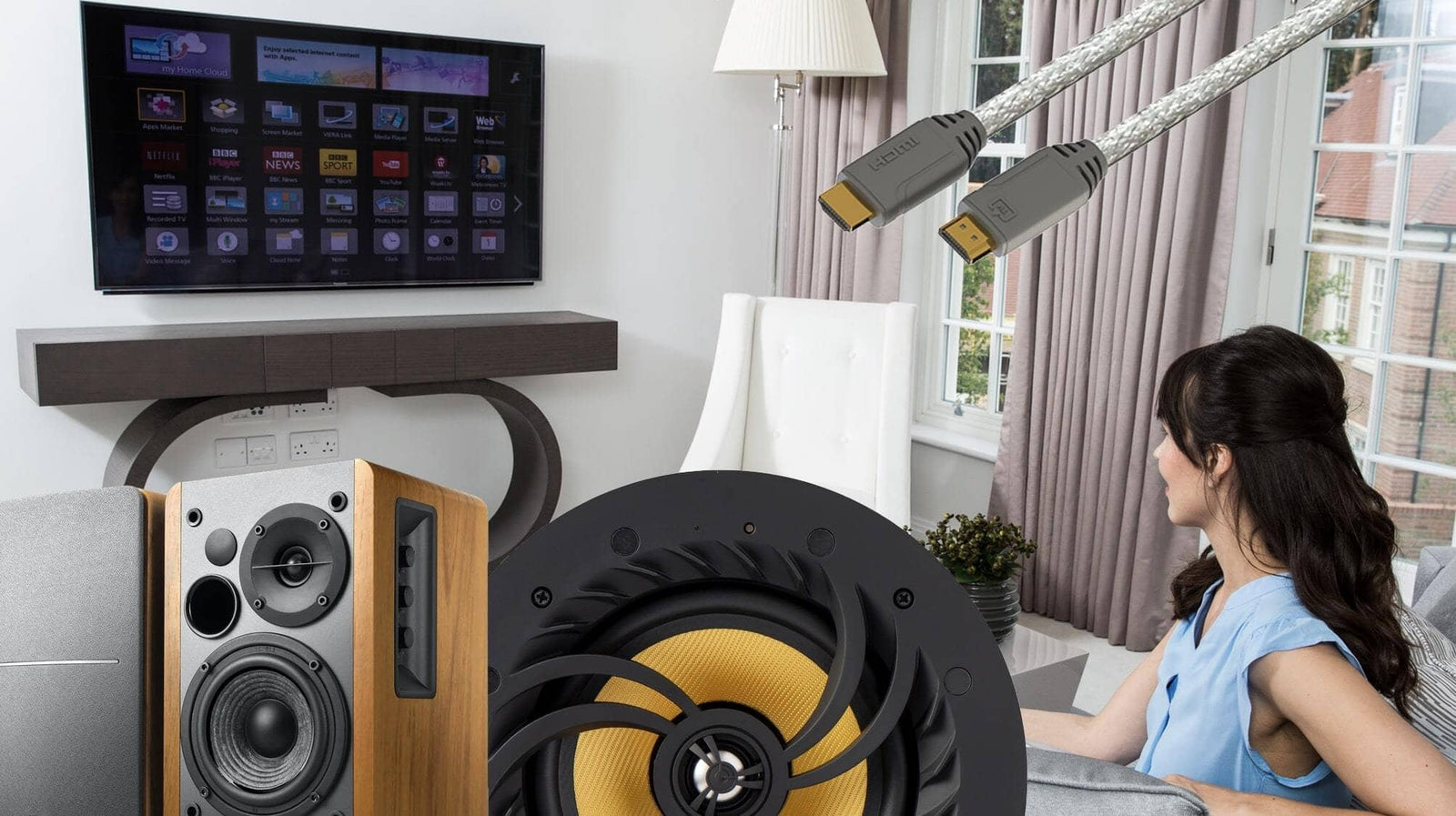
Credit: www.kbaudio.co.uk
Check Tv Audio Output Options
Start by finding your TV’s audio output options. Look for ports like optical, HDMI ARC, or headphone jacks. These connections help link your in-wall speakers to the TV easily.
Understanding Your Tv’s Audio Output Options
Before connecting in-wall speakers, check the TV’s audio output settings. These options control how sound leaves the TV. Choosing the right output ensures clear sound through your speakers.
Most modern TVs have multiple audio output types. Each type works differently and fits certain speaker setups better. Knowing these options helps you pick the best connection for your system.
Common Audio Output Types On Tvs
Many TVs offer digital and analog audio outputs. Digital outputs include HDMI ARC and optical audio ports. Analog outputs usually mean RCA or headphone jacks. Each output type sends sound signals in a unique way.
HDMI ARC sends both video and audio signals through one cable. Optical audio uses light to send sound, reducing interference. RCA outputs send separate left and right audio channels as analog signals.
How To Find Audio Output Settings On Your Tv
Access your TV’s menu and look for “Sound” or “Audio” settings. Inside, check the “Audio Output” or “Speaker Settings” section. Here, you can see all available sound output options.
Choose the output that matches your speaker connection. Sometimes, you need to disable the TV’s internal speakers to use external ones. This step stops sound from playing from both sources.
Choose The Right Wall Speakers
Choosing the right wall speakers is key to enjoying great sound from your TV. The speakers must fit your room size and match your TV’s power output. Good speakers bring clear voices and rich music to your living space.
Wall speakers come in many shapes and sizes. Some are small and blend into the wall. Others are larger and give louder sound. Picking the right ones depends on your space and how you want to hear sound.
Consider Speaker Size and Room SpaceSmall rooms need smaller speakers. They fit nicely and don’t overwhelm the space. Big rooms need bigger speakers to fill the area with sound. Match speaker size to your room for the best audio.
Check Speaker Power CompatibilitySpeakers have power ratings. Your TV or amplifier should match these ratings. Too much power can damage speakers. Too little means weak sound. Find a balance for clear and strong audio.
Choose the Right Speaker TypeIn-wall speakers are built into the wall for a clean look. On-wall speakers attach to the wall surface and are easier to install. Think about which style suits your room and installation skills.
Look for Good Sound QualityListen to speakers before buying. Clear highs and deep bass matter. A good speaker plays all sounds well. Avoid speakers that sound flat or tinny.
Gather Necessary Cables And Tools
Gathering the right cables and tools is the first step to connect in-wall speakers to your TV. Having everything ready makes the setup smooth and quick. Missing a cable or tool can stop your progress and cause frustration.
Check your TV and speakers to know what kind of cables fit best. Some TVs need special adapters or connectors. Knowing this early helps avoid extra trips to the store.
Speaker Wire
Speaker wire carries sound from the TV or amplifier to your in-wall speakers. Choose a wire with the right thickness. Usually, 16-gauge wire works well for most home setups. Make sure it’s long enough to reach from the TV to each speaker location.
Audio Receiver Or Amplifier
Most in-wall speakers need an amplifier or audio receiver to work. This device powers the speakers and controls the sound. Check your TV to see if it has a built-in amplifier or if you need an external one.
Hdmi Or Optical Audio Cable
HDMI or optical audio cables connect your TV to the amplifier or sound system. HDMI carries both video and audio, but optical cables carry only sound. Use the cable type that matches your equipment’s ports.
Wire Stripper And Screwdriver
Wire strippers remove the plastic coating from speaker wires. This exposes the metal for a good connection. A screwdriver helps secure wires to terminals on speakers and receivers. Both tools are simple but important.
Wall Plates And Connectors
Wall plates keep your installation tidy and safe. They cover wire holes and allow easy access to speaker connections. Use connectors to join wires securely without loose ends.
Turn Off Devices Before Setup
Turning off your devices before hooking up in-wall speakers to your TV is very important. It keeps you safe from electric shocks and stops damage to your equipment. Always start with the TV and speakers powered off. This simple step helps avoid short circuits and loud noises that can harm your ears and devices.
Powering down your devices also makes connecting wires easier. You can clearly see ports and avoid plugging cables into the wrong places. This reduces frustration and saves time during setup. Protect your TV and speakers by cutting off power before starting any connection work.
Turn Off Your Tv
Switch off your TV before connecting the speakers. Unplugging the power cord is even better. This ensures no electric current flows while you work. It also prevents damage to the TV’s internal parts during setup.
Power Down The Speaker System
Make sure your in-wall speaker system is off and unplugged. This stops accidental electric shocks. It also protects the speakers from sudden power surges when connecting wires.
Unplug Other Connected Devices
Disconnect any other devices linked to your TV. This avoids interference and power issues. It keeps your setup area clean and reduces the risk of tangled cables.
Connect Speakers To Amplifier Or Receiver
Connecting your in-wall speakers to an amplifier or receiver is a key step in setting up your TV sound system. The amplifier or receiver boosts the audio signal, making your speakers play clear and loud sound. Proper connection ensures the best sound quality and prevents damage to your equipment.
Follow simple steps to connect your speakers correctly. Check the speaker wire polarity first, then secure the connections tightly. This process helps your system work smoothly and gives you a great listening experience.
Identify Speaker Wire Polarity
Speaker wires have two conductors: positive and negative. Usually, one wire has a red stripe or a plus sign. The other wire is plain or has a minus sign. Match the positive wire to the red terminal on the amplifier or receiver. Connect the negative wire to the black terminal. Correct polarity keeps sound clear and balanced. Reversed polarity can cause weak or distorted sound.
Secure Speaker Connections
After matching polarity, attach the wires to the amplifier or receiver terminals. Use bare wire or banana plugs for good contact. Tighten the terminals firmly, but do not overtighten. Loose connections cause sound drops and noise. Double-check that wires do not touch each other. This prevents short circuits and protects your equipment. Proper connections give steady sound and prevent signal loss.
Link Amplifier Or Receiver To Tv
Linking your amplifier or receiver to your TV is a key step to enjoy better sound from your wall speakers. The amplifier or receiver acts as the middleman. It takes the sound from your TV and sends it to the speakers. This setup improves audio quality and volume. It also allows you to control sound easily with one remote.
Choosing the right connection method between your TV and amplifier affects sound quality. Some connections carry both audio and video signals. Others only carry audio. The type of ports on your devices will guide your choice.
Use Hdmi Arc Or Optical Cable
HDMI ARC (Audio Return Channel) is a simple and popular way to connect your TV to an amplifier. Use an HDMI cable to link the HDMI ARC port on your TV to the receiver’s HDMI ARC port. This allows audio to travel both ways. You can control volume with your TV remote. It supports high-quality sound formats.
Another option is the optical cable. This cable sends audio signals as light. Connect the optical output on your TV to the optical input on your amplifier. Optical cables support clear sound without interference. They do not carry video signals. This method is common on many TVs and receivers.
Alternative Connection Methods
If HDMI ARC or optical are unavailable, use other options. RCA cables are a common choice. Connect the TV’s audio output (red and white ports) to the amplifier’s audio input. RCA cables carry stereo sound only.
Some older TVs and amplifiers use a headphone jack for audio out. Use a 3.5mm to RCA cable to connect the TV headphone jack to the amplifier’s audio input. This method works but may lower sound quality.
Bluetooth is another way to connect wirelessly. Some receivers support Bluetooth audio from TVs. Pair the devices and stream sound without cables. Latency or delay can occur with Bluetooth, so it is less ideal for watching TV shows or movies.
Mount Wall Speakers Properly
Mounting wall speakers properly is key for great sound and a clean look. Proper mounting helps sound travel well and keeps speakers safe. It also makes your room look neat and organized.
Focus on placing speakers where sound reaches you clearly. Secure them firmly to avoid falls or damage. This simple step improves your TV’s audio experience a lot.
Choose Optimal Placement
Place speakers near ear level when seated. This gives clear and direct sound. Avoid corners or behind furniture where sound can get blocked.
Space speakers evenly on both sides of the TV. This balances sound and creates a good stereo effect. Keep some distance from walls to reduce echo and distortion.
Secure Mounting Techniques
Use strong brackets or mounts designed for your speaker size. Check the wall type before drilling. Use wall anchors for drywall to hold weight safely.
Double-check screws and mounts are tight. Test the speaker’s position before final tightening. A secure mount keeps speakers safe during use.

Credit: www.kbaudio.co.uk
Configure Tv Audio Settings
Configuring your TV audio settings is a key step when hooking up in-wall speakers. It ensures sound plays through the right device. This setup helps you get clear and balanced audio. The process is simple and quick. Follow the steps below to adjust your TV for external speakers.
Select External Speaker Output
First, find the audio settings menu on your TV. Look for an option labeled “Speaker” or “Audio Output.” Choose “External Speakers” or “Audio System” instead of the TV’s built-in speakers. This directs sound to your in-wall speakers. Some TVs may show “HDMI ARC” or “Optical” as output options. Select the option that matches your speaker connection. This step activates your external speakers for sound playback.
Adjust Sound Preferences
After selecting the output, adjust the sound preferences. Set the audio format to “Stereo” or “PCM” for better compatibility. Check if there is a volume or balance control for external speakers. Increase or decrease the volume to suit your room size. Some TVs allow bass and treble adjustments. Tune these settings for clear and natural sound. Test the audio by playing a video or music. Make small changes until the sound feels right.
Test The Audio Setup
Testing the audio setup is a key step after hooking up in-wall speakers to your TV. It ensures sound works well and matches your room. This step helps you find problems early and fix them fast. Follow simple checks to enjoy clear and balanced sound.
Play Various Audio Sources
Start by playing different types of audio. Use TV shows, movies, and music. Each has unique sound effects and tones. This variety helps spot weak spots in the audio setup. Listen for clarity, volume, and balance between speakers. Adjust settings if any sound seems off or uneven.
Troubleshoot Common Issues
Check for no sound or low volume. Ensure all speaker wires connect tightly. Confirm the TV’s audio output matches the speaker system. Look for buzzing or distortion. These often come from loose cables or wrong settings. Restart devices if sound cuts out. Fixing these issues improves your listening experience.

Credit: www.reddit.com
Frequently Asked Questions
How Do I Connect In-wall Speakers To My Tv?
Use speaker wire to connect the TV’s audio output to the in-wall speaker terminals. Match positive and negative terminals for proper sound.
Can I Use Bluetooth To Hook Up In-wall Speakers?
In-wall speakers don’t have built-in Bluetooth. Use a Bluetooth receiver connected to the TV’s audio output for wireless audio.
What Tools Are Needed To Install In-wall Speakers?
You’ll need a stud finder, wire stripper, drill, screwdriver, and speaker wire to install and connect in-wall speakers properly.
Does My Tv Need An Amplifier For In-wall Speakers?
Most in-wall speakers require an amplifier or AV receiver since TVs usually lack enough power to drive them directly.
Conclusion
Hooking up in-wall speakers to your TV can improve sound quality greatly. Start by checking your TV’s audio output options. Use the right cables and connectors to avoid issues. Place the speakers carefully for the best sound experience. Test the setup by playing different types of audio.
Adjust volume and settings to suit your room. Small steps can make a big difference in sound. Enjoy clear, immersive audio while watching your favorite shows. This simple setup brings a new level of home entertainment.