Are you tired of your Lutron motion sensor light switch turning the lights on or off when you don’t want it to? Maybe you want full control over your lighting without the sensor interfering.
Disabling the motion sensor on your Lutron switch can seem tricky, but it doesn’t have to be. You’ll discover simple, step-by-step instructions to easily turn off the motion sensor and take back control of your lights. Keep reading, and you’ll have your switch working exactly the way you want in no time.
Prepare For Disabling
Before disabling your Lutron motion sensor light switch, preparation is key. Taking the right steps ensures safety and smooth work. This section guides you through the essential actions to get ready.
Gather Necessary Tools
Collect all tools before starting. You will need a flathead screwdriver, a Phillips screwdriver, and a voltage tester. A flashlight might help if the area is dark. Having these tools ready saves time and avoids interruptions.
Turn Off Power Safely
Safety comes first. Locate your home’s circuit breaker panel. Switch off the breaker that controls the light switch. Use the voltage tester to confirm no power flows to the switch. Never touch wires without ensuring power is off.
Access The Motion Sensor Switch
Accessing the motion sensor switch is the first step to disable your Lutron motion sensor light switch. This step allows you to reach the wiring and switch components safely. Follow these simple instructions to get started.
Remove The Wall Plate
Start by turning off the power at the circuit breaker. This prevents any electrical shock. Use a screwdriver to remove the screws holding the wall plate. Gently pull the wall plate away from the wall. Set the wall plate aside carefully. Now, the motion sensor switch is visible and ready to work on.
Identify The Wiring
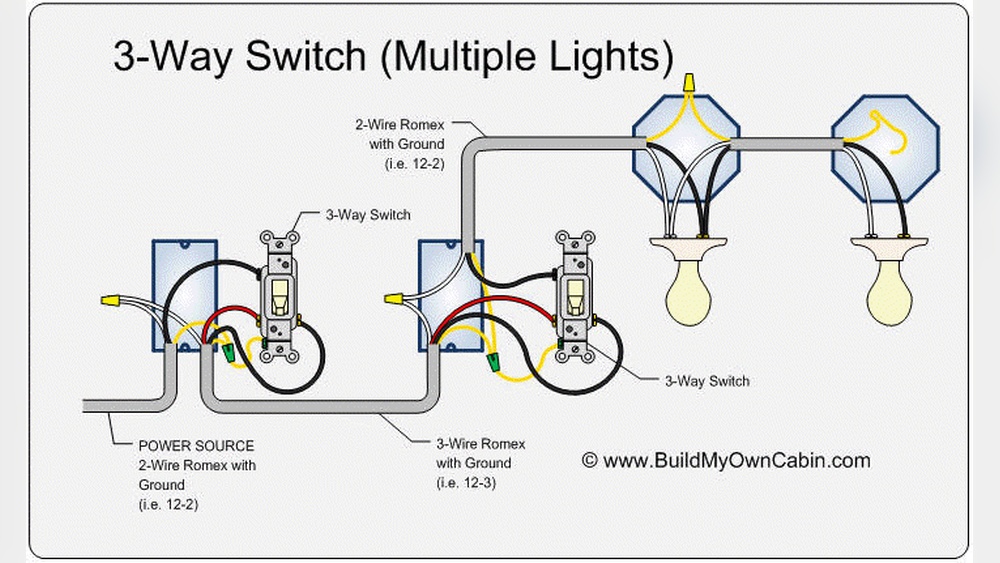
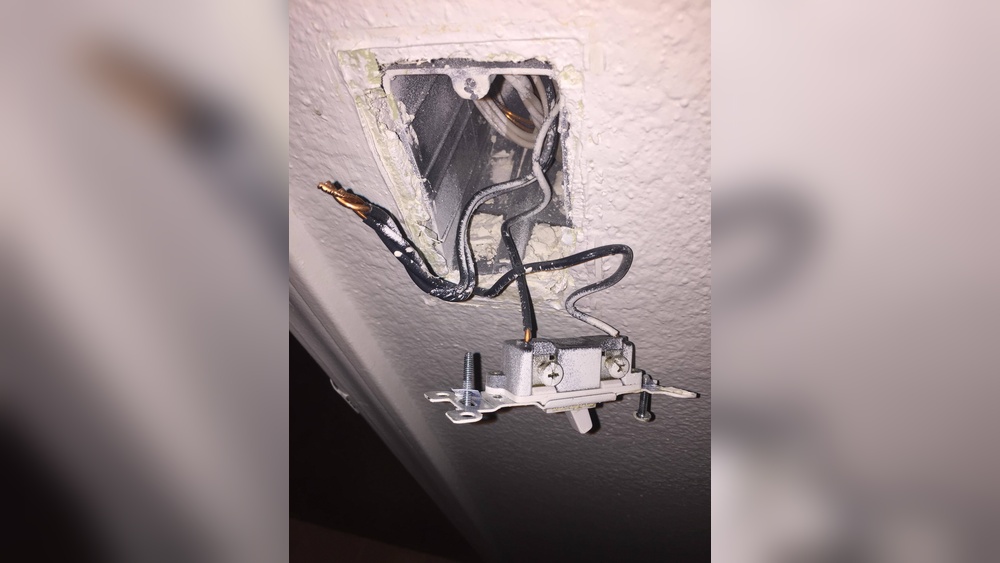
Look at the wires connected to the switch. Usually, you will see a black, white, and green or copper wire. The black wire is the hot wire. The white wire is neutral. The green or bare wire is the ground. Check if any wires are connected to a red wire. This may be the load wire. Take a clear photo or note the wire positions. This helps during reassembly. Handle wires gently and avoid touching metal parts.
Disable The Motion Sensor Function
Disabling the motion sensor function on your Lutron motion sensor light switch can help control lighting manually. This is useful in rooms where automatic lighting is not needed or causes inconvenience. You can turn off the sensor to rely only on the switch for light control.
Below are simple steps to disable the motion sensor function safely and effectively.
Disconnect Sensor Wires
First, turn off the power at the circuit breaker. This prevents electric shock during the process.
Remove the switch cover plate using a screwdriver. Carefully pull out the switch from the wall box.
Identify the sensor wires connected to the switch. These are usually small and attached separately.
Disconnect these sensor wires by loosening their screws or unplugging connectors. Do not cut the wires.
Push the switch back into the wall box and secure it with screws. Replace the cover plate.
Turn the power back on and test the switch. The motion sensor should no longer control the light.
Bypass Sensor Controls
Another method is to bypass the sensor controls inside the switch.
Turn off power at the breaker to ensure safety. Remove the switch cover and pull out the switch.
Open the switch casing carefully to access the internal controls. Use a small screwdriver if needed.
Locate the sensor control board or sensor module inside the switch. It is usually marked or separate.
Disconnect or remove the sensor control board. Some models have a jumper or switch to disable the sensor.
Close the switch casing and reinstall it in the wall box. Secure with screws and replace the cover plate.
Turn power back on. Your light switch will now work without the motion sensor function.

Credit: support.lutron.com
Reinstall The Switch
Reinstalling the Lutron motion sensor light switch is the final step after disabling it. This process ensures your switch works safely and looks neat on your wall. Follow these simple steps to put everything back in place correctly.
Secure Wiring Connections
Check all wires carefully before securing them. Make sure each wire is tightly connected to the switch terminals. Loose wires can cause the switch to malfunction or create safety risks. Use a screwdriver to tighten any loose screws. Double-check that the wires are not touching each other. Proper wiring is key to safe and reliable switch operation.
Attach Wall Plate
Place the wall plate over the switch gently. Align it so the screw holes match perfectly. Use a screwdriver to fasten the screws until the plate is flush with the wall. Avoid overtightening, which can crack the plate. A secure wall plate gives your switch a clean and finished look. It also protects the wiring behind the wall.
Test The Light Switch
Testing the Lutron motion sensor light switch is a key step after disabling it. This ensures the switch works as expected and the sensor is off. Check carefully to avoid any electrical issues. Follow simple steps to verify the switch’s operation safely and effectively.
Restore Power
Turn the circuit breaker back on. This restores electricity to the light switch. Watch for any sparks or unusual sounds. These may signal problems. If all looks normal, proceed to test the switch.
Confirm Switch Operation
Flip the light switch on and off. The light should respond immediately. No motion detection should be active now. If the light turns on and off smoothly, the sensor is disabled correctly. If not, check wiring and settings again.

Credit: www.youtube.com
Alternative Options
Disabling a Lutron motion sensor light switch does not always mean removing it entirely. There are other ways to manage the sensor without complete removal. These alternative options can save time and effort while keeping some sensor functions active or adjusting them to better suit your needs.
Adjust Sensor Settings
Start by checking the sensor settings on your Lutron switch. Many models allow you to change sensitivity or time delay. Lower the sensitivity to reduce motion detection range. Increase the delay time so lights stay on longer after motion stops. Some switches let you disable the sensor temporarily. This option keeps the switch functional while ignoring motion. Adjusting settings can stop unwanted light triggers without losing control of the switch.
Replace With Standard Switch
Another choice is to replace the motion sensor switch with a regular switch. This removes the sensor feature completely. It works like any normal light switch you press on or off. Make sure to turn off power at the breaker before replacing the switch. This option is simple and effective if you prefer manual control. A standard switch fits in the same wall box and wiring setup as the sensor switch.

Credit: www.reddit.com
Frequently Asked Questions
How Do I Disable A Lutron Motion Sensor Switch?
To disable a Lutron motion sensor switch, press and hold the switch’s top button for about 10 seconds. The light will blink, indicating the sensor is off. This temporarily turns off motion detection, allowing manual control of the light.
Can I Turn Off Motion Sensing Without Removing The Switch?
Yes, you can disable motion sensing by adjusting settings on the switch. Hold the top button until the light blinks, which turns off motion detection. This method avoids removing or rewiring the switch and keeps the unit functional.
How To Reset A Lutron Motion Sensor Light Switch?
To reset, press and hold both the top and bottom buttons simultaneously for 10 seconds. The light will blink rapidly, signaling a factory reset. This clears all settings, including motion sensor configurations, restoring the switch to default.
Will Disabling The Motion Sensor Affect Light Switch Functionality?
No, disabling the motion sensor only stops automatic activation. The switch can still operate manually to turn lights on or off. This lets you maintain control without sensor-triggered lighting.
Conclusion
Disabling a Lutron motion sensor light switch is simple and quick. Just follow the steps carefully to avoid any problems. Turning off the motion feature can save you from unwanted light changes. This guide helps keep your home lighting just how you want it.
Try these tips and enjoy more control over your lights. No need for extra tools or expert help. Your home lighting, your rules.