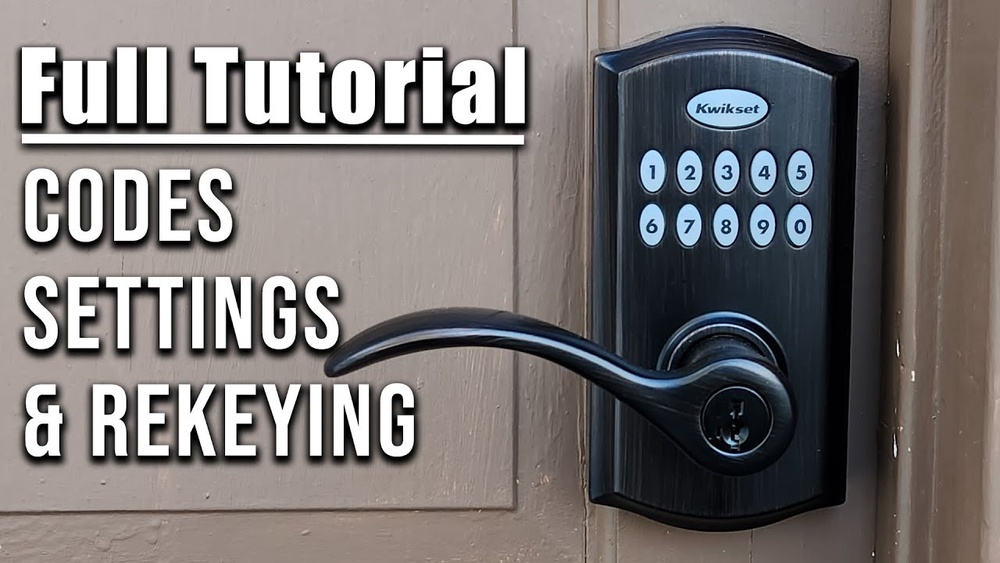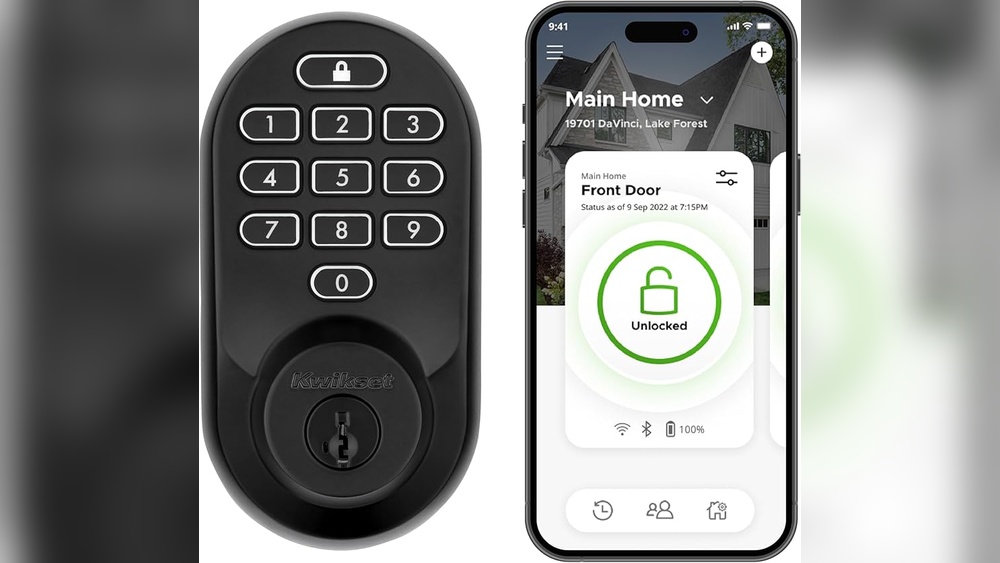
Are you ready to boost your home’s security and say goodbye to fumbling for keys? Installing a Kwikset Keypad Deadbolt is easier than you might think, and you don’t need to be a handyman to do it.
In this guide, you’ll discover simple, step-by-step instructions that make the whole process quick and stress-free. By the end, your door will be locked tight with a smart, keyless entry system that puts control right at your fingertips. Keep reading to unlock the secrets to a safer, more convenient home!
Gathering Tools And Materials
Before starting the installation of your Kwikset keypad deadbolt, gather all necessary tools and materials. Having everything ready makes the process smooth and quick. It also helps avoid interruptions during installation. Prepare a clean workspace with good lighting. This section covers the tools and components needed for the job.
Required Tools
Collect a Phillips screwdriver to tighten screws securely. A tape measure helps confirm door thickness and proper fit. A pencil is useful to mark drill points accurately. If your door lacks pre-drilled holes, a drill with a 1-inch hole saw bit is essential. A level ensures the keypad aligns straight on the door. Keep a small flathead screwdriver handy for minor adjustments. These tools make the installation easier and more precise.
Kwikset Keypad Deadbolt Components
Check the package for all parts before starting. The keypad assembly includes the keypad and exterior housing. The interior assembly holds the thumb turn and battery compartment. A latch mechanism fits inside the door edge. Mounting screws secure the keypad and interior parts. Batteries power the keypad; usually, AA alkaline batteries come included. Also, find the installation manual for step-by-step instructions. Confirm all parts are present to avoid delays during installation.

Credit: www.youtube.com
Preparing The Door
Preparing the door is a key step before installing the Kwikset keypad deadbolt. This process ensures the new lock fits perfectly and works smoothly. Proper preparation saves time and avoids mistakes during installation.
Start by removing the old deadbolt and checking the door’s condition. Then measure and mark the spots for the new lock parts. These steps help create a clean, secure fit for your new deadbolt.
Removing Existing Deadbolt
First, unlock the door and open it fully. Use a screwdriver to remove the screws from the interior side of the old deadbolt. Take off the interior and exterior parts carefully. Remove the latch from the edge of the door by unscrewing it. Keep all screws and parts in a safe place in case you need them later.
Measuring And Marking
Check the door thickness and backset size of the old deadbolt. Use a tape measure for accuracy. Mark the center of the door edge where the latch will go. Mark the center of the door face for the keypad and thumb turn. Use a pencil to make clear marks. Double-check all measurements before drilling or cutting. Proper marking prevents errors and ensures the lock fits well.
Installing The Deadbolt Hardware
Installing the deadbolt hardware is a key step in securing your door with the Kwikset keypad deadbolt. This process involves placing the deadbolt, attaching the keypad on the outside, and securing the interior parts. Each step must be done carefully for the lock to work correctly and safely.
Inserting The Deadbolt
Start by sliding the deadbolt into the side of the door. Make sure the bolt faces the correct direction. The flat side should be down, allowing smooth movement inside the door frame. Push it in until it fits snugly. Use screws to secure the deadbolt plate to the edge of the door. Tighten the screws firmly to keep the deadbolt stable.
Attaching The Exterior Keypad
Next, place the exterior keypad on the outside of the door. Align it so the tailpiece fits through the hole in the deadbolt. The keypad should sit flush against the door surface. Use the provided screws to attach the keypad firmly. Check that the keypad buttons are easy to press and not stuck.
Securing The Interior Assembly
Attach the interior assembly on the inside of the door. Connect it with the tailpiece from the exterior keypad. Make sure all wires, if any, are routed properly without pinching. Secure the interior plate with screws. Tighten them to hold the assembly firmly in place. Test the thumb turn to ensure the bolt moves smoothly.
Wiring And Battery Installation
The wiring and battery installation are key steps in setting up your Kwikset keypad deadbolt. Correct wiring ensures the lock works smoothly. Proper battery installation gives the lock the power it needs. Follow these simple steps for a successful setup.
Connecting The Wiring Harness
First, locate the wiring harness inside the lock. It looks like a small bundle of wires with a connector. Carefully connect the wiring harness from the keypad to the connector on the lock. Make sure the connector clicks into place. Avoid pulling or twisting the wires. Secure the wires inside the lock so they do not get pinched when closing the cover.
Installing Batteries
Open the battery compartment on the inside part of the lock. Use four AA alkaline batteries for best performance. Insert the batteries following the polarity signs (+ and -). Close the battery cover firmly. Test the keypad to see if it powers on. Replace batteries every six months to keep the lock reliable.
Programming The Keypad
Programming the keypad on your Kwikset deadbolt is simple and quick. It lets you control who can enter your home. You can set up important codes and add users easily.
This step is key to making your lock work the way you want. Follow the instructions carefully to avoid mistakes. Let’s start with setting up master codes.
Setting Up Master Codes
The master code controls all other codes. Start by pressing the program button inside the lock. Enter the default master code found in the manual.
Choose a new master code with 4 to 8 digits. Press the lock button to save it. This code will let you add or delete user codes later.
Keep your master code safe. Do not share it with others. It protects your lock from unwanted access.
Adding User Codes
After the master code is ready, add user codes for family or friends. Press the program button, then enter the master code. Follow by pressing the lock button.
Enter a new user code with 4 to 8 digits. Press the lock button to save it. Repeat these steps for each person who needs access.
User codes help track who enters your home. You can delete or change them anytime using the master code.
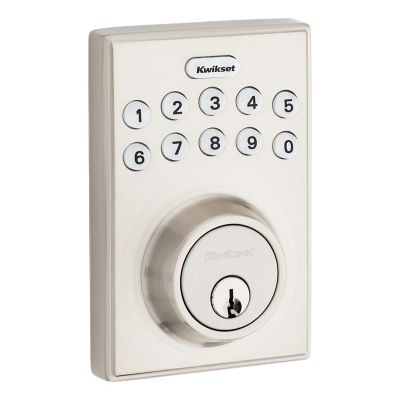
Credit: www.kwikset.com
Testing The Deadbolt
After installing your Kwikset keypad deadbolt, testing is vital. It ensures the lock works properly and keeps your home secure. Testing helps find problems early. This saves time and avoids frustration later. Follow these steps to check your new lock’s functions and fix common issues.
Lock And Unlock Functions
Start by locking the door with the keypad. Enter your code and press the lock button. The deadbolt should extend smoothly. Next, unlock it using the same code. The bolt must retract without sticking. Try locking and unlocking several times. Test with different user codes if set up. Make sure the keypad lights respond during each step. Check that the door closes fully without resistance.
Troubleshooting Common Issues
If the deadbolt does not move, first check the batteries. Weak batteries cause poor performance. Replace them if needed. Ensure the door is aligned with the frame. Misalignment blocks the bolt’s movement. Clean the bolt and strike plate to remove dirt or debris. Reset the lock if codes do not work. Consult the manual for reset instructions. If problems continue, contact Kwikset support or a locksmith.
Maintenance Tips
Keeping your Kwikset keypad deadbolt in good shape helps it work well for years. Regular maintenance avoids problems and keeps your home safe. Small steps like changing batteries and cleaning the lock can make a big difference. These easy tips save time and money later.
Battery Replacement
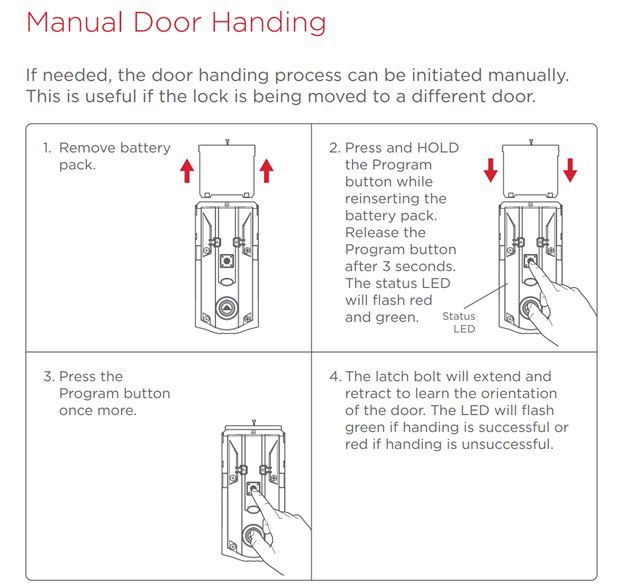
Check the battery level often. A weak battery can stop the lock from working. Replace batteries every six months or when the lock shows signs of low power. Use fresh, high-quality batteries for best results. Remove the battery cover, take out old batteries, and insert new ones. Make sure to match the battery type.
Regular Cleaning
Clean the keypad and lock surface regularly. Dirt and dust can cause buttons to stick or fail. Use a soft, dry cloth to wipe the keypad gently. Avoid using water or harsh chemicals that can damage the lock. Keep the keyhole clear by blowing out dust or using a small brush. Clean locks last longer and work smoothly.
Credit: www.kwikset.com
Frequently Asked Questions
How Do I Install A Kwikset Keypad Deadbolt?
First, remove the old deadbolt. Align the new keypad with your door. Secure it with screws. Follow the manual for programming.
What Tools Are Needed For Kwikset Deadbolt Installation?
You’ll need a screwdriver, tape measure, drill, and pencil. Some models may require a 2-1/8 inch hole saw. Always check your specific Kwikset model instructions.
How Long Does Kwikset Keypad Deadbolt Installation Take?
Installation usually takes about 30 to 45 minutes. Programming the keypad adds an extra 10 minutes. Experience level can affect the total time.
Can I Install Kwikset Deadbolt Without Professional Help?
Yes, Kwikset deadbolts are designed for DIY installation. Clear instructions and necessary tools come with the package. Watch tutorial videos for extra help.
Conclusion
Installing the Kwikset Keypad Deadbolt is simple and quick. Follow each step carefully for best results. You will enjoy added security and easy access to your home. This lock fits most doors and needs no special tools. Take your time to program your codes correctly.
Test the lock a few times before finishing. Now, your door is safer and smarter. Enjoy peace of mind every day.