Are you tired of your sensor light turning on at the most inconvenient times? Whether it’s waking you up in the middle of the night or draining your battery, knowing how to switch off your sensor light can save you a lot of frustration.
You’ll discover simple and effective steps to take control of your sensor light quickly. Keep reading, and you’ll never have to worry about unwanted light again.

Credit: www.reddit.com
Types Of Sensor Lights
Sensor lights come in different types. Each type serves a specific purpose and works in a unique way. Knowing these types helps you control and switch them off properly. Here are the most common sensor lights you might find at home or outside.
Motion Sensor Lights
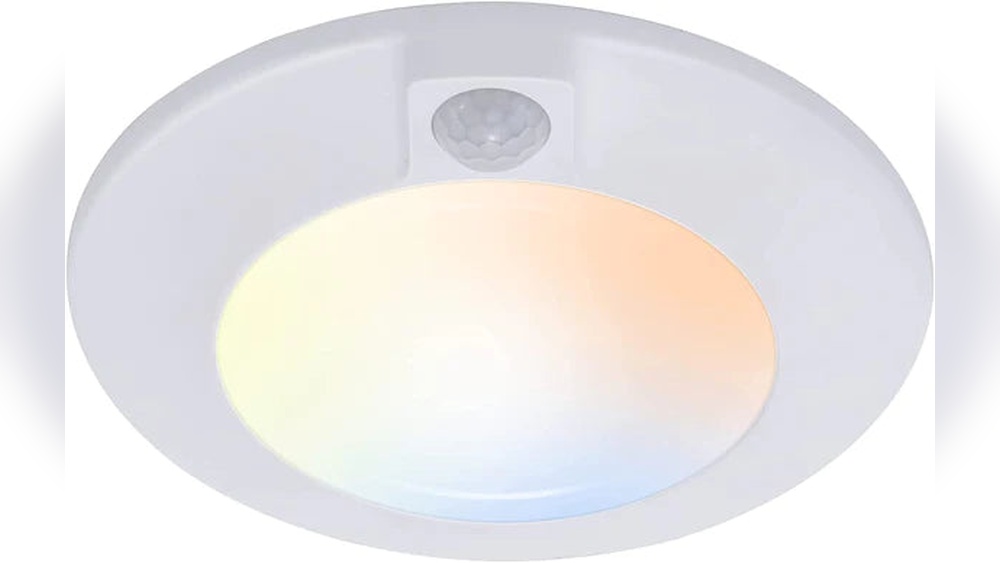
Motion sensor lights turn on when they detect movement. They help save energy by lighting only when needed. These lights are useful for security and convenience. You can switch them off by adjusting the sensor or turning off the power.
Dusk To Dawn Lights
Dusk to dawn lights work based on natural light levels. They turn on automatically at sunset and off at sunrise. These lights provide steady illumination all night long. To switch them off, use the main switch or cover the sensor.
Combination Sensors
Combination sensors use both motion detection and light sensing. They turn on only when it is dark and motion is detected. This makes them very energy-efficient and practical. You can switch them off by disabling one or both sensors or using the power switch.

Credit: www.youtube.com
Reasons To Turn Off Sensor Lights
Sensor lights are useful, but sometimes you need to switch them off. There are several good reasons to turn off these lights. Understanding these reasons helps you save money and avoid annoyances. It also helps keep your lights working longer.
Energy Savings
Sensor lights use electricity even when no one is around. Turning them off stops this waste. This helps lower your energy bills. Using less electricity is also better for the environment.
Extending Bulb Life
Lights that stay on too long burn out faster. Switching off sensor lights helps bulbs last longer. This saves money on buying new bulbs often. It also reduces the hassle of frequent replacements.
Avoiding False Triggers
Sensor lights can turn on by mistake. Animals, wind, or moving objects can cause false triggers. These false lights waste power and annoy neighbors. Turning off the sensor light stops these problems.
Locating The Sensor Light Controls
Locating the controls for your sensor light is the first step to turning it off. These controls help you manage when the light turns on or off. Knowing where they are saves time and effort.
Sensor light controls are usually easy to find. They are often near the light or on the light fixture itself. Sometimes, the controls are hidden or inside a small box close by.
Finding The Switch Or Dial
Look around the light fixture for a switch or dial. This switch may be small and blend in with the fixture. The dial often has markings for sensitivity or time settings.
Try to spot a knob you can turn or a button you can press. These controls allow you to adjust the sensor or switch the light off. Check the wall near the light too, as some controls are mounted there.
Checking The User Manual
The user manual holds key information about your sensor light. It tells you exactly where the controls are located. It also explains how to use the switch or dial to turn off the sensor.
If the manual is lost, try searching online with the model number. Most manufacturers provide digital copies of their manuals. This step helps you avoid damage and ensures proper use of the sensor light.
Step-by-step Guide To Switch Off
Turning off a sensor light can be simple. Different lights have different ways to switch off. This guide shows easy steps to turn off sensor lights safely and quickly. Follow these methods to control your sensor light according to your needs.
Manual Switch Off
Most sensor lights have a manual switch. Look for a small switch on the light fixture or nearby wall. Flip the switch to the off position. This stops the light from turning on automatically. It is the fastest way to switch off a sensor light.
Some lights may have a button instead of a switch. Press the button once to turn off the light. If the light stays on, try pressing and holding the button for a few seconds.
Adjusting Sensor Settings
Sensor lights often have settings to control sensitivity and time. Find the control panel or dials on the light. Adjust the time delay to a shorter period or to zero. This makes the light switch off quickly after no movement.
Change the sensitivity to a lower level. This reduces how easily the light turns on. Check your light’s manual for exact instructions. Many sensor lights allow easy changes without tools.
Using Smart Home Systems
Smart sensor lights connect to home systems like Alexa or Google Home. Use the app linked to your smart light. Find the option to turn off the sensor or the light itself. You can control the light from your phone or voice commands.
Set schedules or rules to switch off the sensor at certain times. This helps save energy and adds convenience. Smart systems give full control over sensor light settings remotely.
Troubleshooting Common Issues
Troubleshooting common issues with sensor lights helps keep them working well. Problems may occur due to wiring, settings, or environmental factors. Understanding these issues can save time and avoid frustration.
Below are simple steps to fix common sensor light problems. Follow each to ensure the sensor light works correctly and switches off when needed.
Sensor Not Responding
Check if the sensor is blocked by dirt or objects. Clean the sensor lens gently with a soft cloth. Make sure the sensor is receiving power by checking the circuit breaker or batteries. Adjust the sensor angle to detect movement clearly. Test the sensor by moving in front of it to see if it reacts.
Light Stays On
The light may stay on due to incorrect timer settings. Lower the timer duration to reduce how long the light stays on. Check for constant motion near the sensor, such as trees moving in the wind. This can keep the light on. Make sure the sensor’s sensitivity is not set too high. Reduce sensitivity to avoid false triggers.
Resetting The Sensor
Resetting the sensor can fix many issues quickly. Turn off the power to the sensor light at the main switch. Wait for 30 seconds before turning the power back on. Look for a reset button on the sensor unit and press it if available. After resetting, test the sensor by moving in its detection area. This often clears minor faults and restores normal function.
Alternative Energy-saving Tips
Switching off a sensor light can save energy, but there are other ways to reduce power use. Alternative energy-saving tips help keep your home bright and your bills low. These simple steps work well with or without sensor lights.
Using Timers
Timers control when your lights turn on and off. You can set them to work only during certain hours. This stops lights from running all night. Timers are easy to install and save energy by limiting light use.
Installing Solar-powered Lights
Solar-powered lights use sunlight to charge during the day. At night, they turn on without using electricity. These lights are great for gardens or pathways. They help reduce electric bills and do not need wiring.
Regular Maintenance
Keep your lights clean and check them often. Dirt and dust can block sensors and bulbs. This makes lights work harder and waste energy. Replace old bulbs with energy-saving ones. Proper care keeps your lights efficient and saves power.

Credit: www.youtube.com
Frequently Asked Questions
How Do I Turn Off A Sensor Light Manually?
Most sensor lights have a switch or button to disable the sensor. Locate this on the fixture and toggle it off to stop motion activation.
Can I Disable Sensor Lights Temporarily?
Yes, you can temporarily disable sensor lights by turning off the power or covering the sensor with tape or cloth.
Why Won’t My Sensor Light Turn Off?
Check for continuous motion near the sensor or faulty wiring. Clean the sensor lens and ensure settings are correct.
How To Adjust Sensor Light Sensitivity?
Use the sensitivity dial or settings on the sensor unit to reduce its detection range and prevent unwanted activations.
Conclusion
Switching off a sensor light is simple and quick. Just follow the steps described earlier. Adjust the settings or turn off the power to stop it. This helps save energy and avoid unwanted light. Remember to check the sensor’s manual for specific instructions.
Taking control of your sensor light improves comfort at home. Now, you can easily manage your lighting without hassle. Try these tips and enjoy a peaceful, well-lit space on your terms.