Have you ever wondered how a keypad deadbolt keeps your home safe without the need for a traditional key? Understanding how this simple yet powerful device works can give you peace of mind and make your life easier.
You’ll discover exactly how a keypad deadbolt operates, why it’s a smart choice for your security, and how it can fit seamlessly into your daily routine. Keep reading to unlock the secrets behind this modern lock and find out if it’s the right upgrade for your door.
Keypad Deadbolt Basics
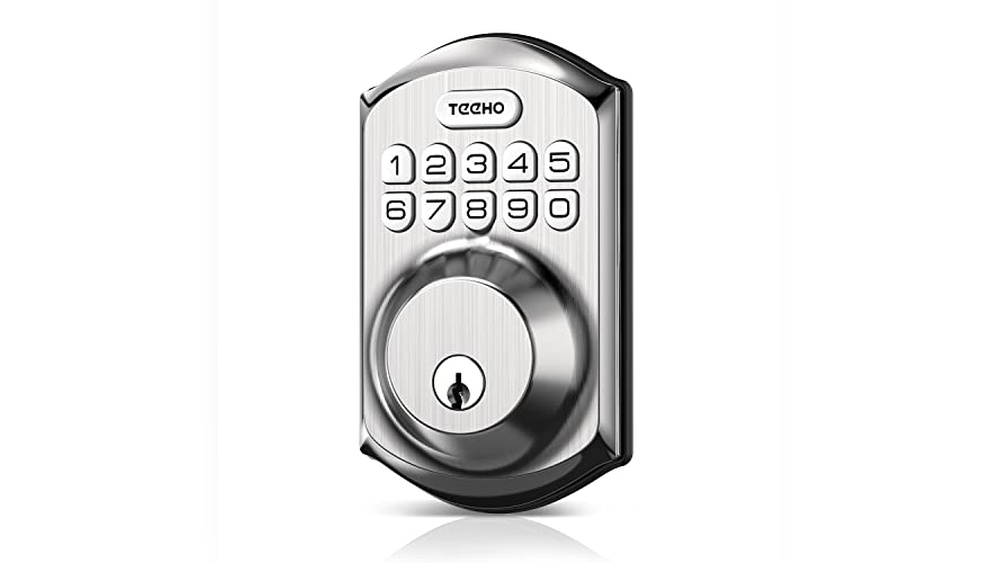
A keypad deadbolt is a type of lock that uses numbers to secure doors. It does not need a traditional key. Instead, you enter a code on a keypad to lock or unlock the door. This makes it easy to control who can enter your home or office. Keypad deadbolts offer convenience and added security.
They come in different styles and have several important parts. Understanding these basics helps you choose the right lock. It also helps you use and maintain it properly.
Types Of Keypad Deadbolts
There are two main types of keypad deadbolts: mechanical and electronic. Mechanical keypad deadbolts work without batteries or electricity. You press buttons to enter a code that physically moves the lock. These are simple and reliable.
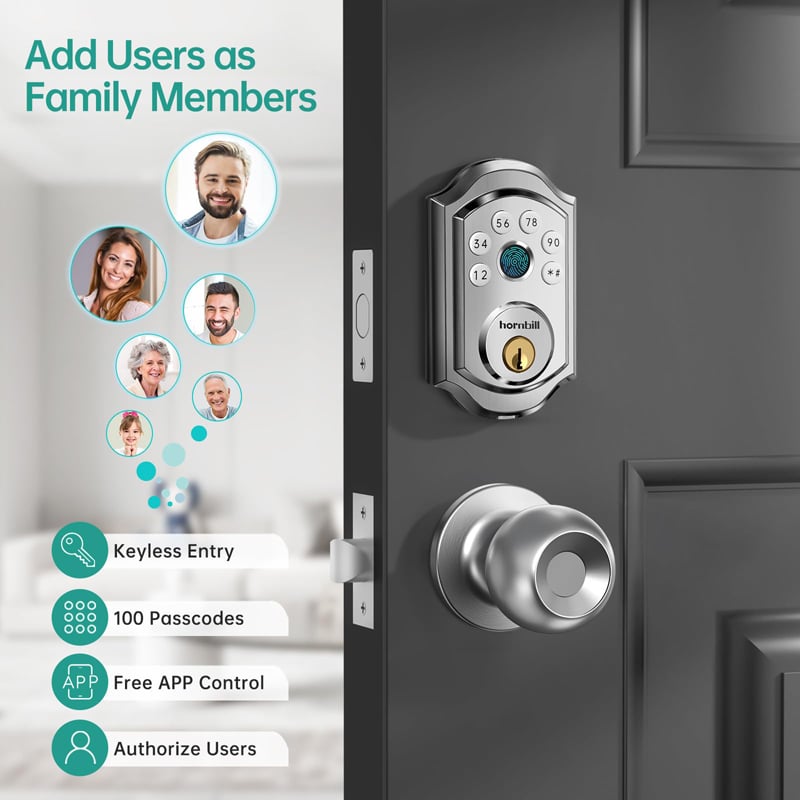
Electronic keypad deadbolts use batteries and electronic components. You enter a code on a digital keypad. Some models connect to smartphones or home security systems. They offer extra features like temporary codes and remote access.
Key Components Explained
A keypad deadbolt has several key parts. The keypad is where you enter the code. It can be a set of buttons or a touch screen. Inside the lock, a mechanism reads the code and moves the bolt.
The bolt is the metal piece that slides into the door frame. It keeps the door locked. Batteries power electronic models. Some locks have a keyhole as a backup in case the batteries die.
These components work together to keep your door secure and easy to use.

Credit: www.emtek.com
How Keypad Deadbolts Operate
Keypad deadbolts offer a modern way to secure doors without traditional keys. They let users enter a code to lock or unlock the door. This technology provides convenience and control over who can access your home or office.
Understanding how keypad deadbolts operate helps users choose the right type and use it effectively. These locks come with different mechanisms but work on the same basic principle of code entry.
Entering Codes And Accessing
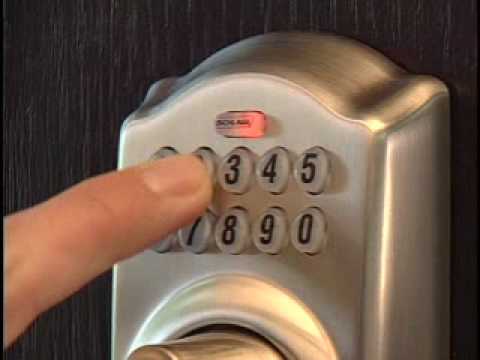
To open a keypad deadbolt, enter a preset code on the keypad. The code usually has 4 to 8 digits. After pressing the correct numbers, the lock disengages, allowing the door to open.
Many models give visual or sound feedback after code entry. This confirms whether the access is granted or denied. Some locks allow multiple codes for different users. This feature helps track who used the lock and when.
Mechanical Vs Electronic Mechanisms
Mechanical keypad deadbolts use physical buttons to control the lock. Pressing the right sequence moves internal parts to unlock the door. These locks do not require batteries or electricity.
Electronic keypad deadbolts run on batteries and use digital circuits. They often offer extra features like auto-locking and remote control. These locks can connect to smart home systems for added convenience.
Both types keep doors secure but suit different needs. Mechanical locks work well without power, while electronic locks offer more flexibility.
Installation Process
The installation process of a keypad deadbolt is straightforward and can be done by most homeowners. It requires some basic tools and careful attention to detail. This process ensures your lock works smoothly and keeps your home safe.
Following the correct steps helps avoid damage to the door and lock. It also saves time and effort during setup. Below is a clear guide to help you install your keypad deadbolt with confidence.
Tools Needed
- Phillips screwdriver
- Flathead screwdriver
- Drill with drill bits
- Measuring tape
- Pencil
- Chisel (optional)
- Level
Step-by-step Setup
- Remove the existing lock and clean the door surface.
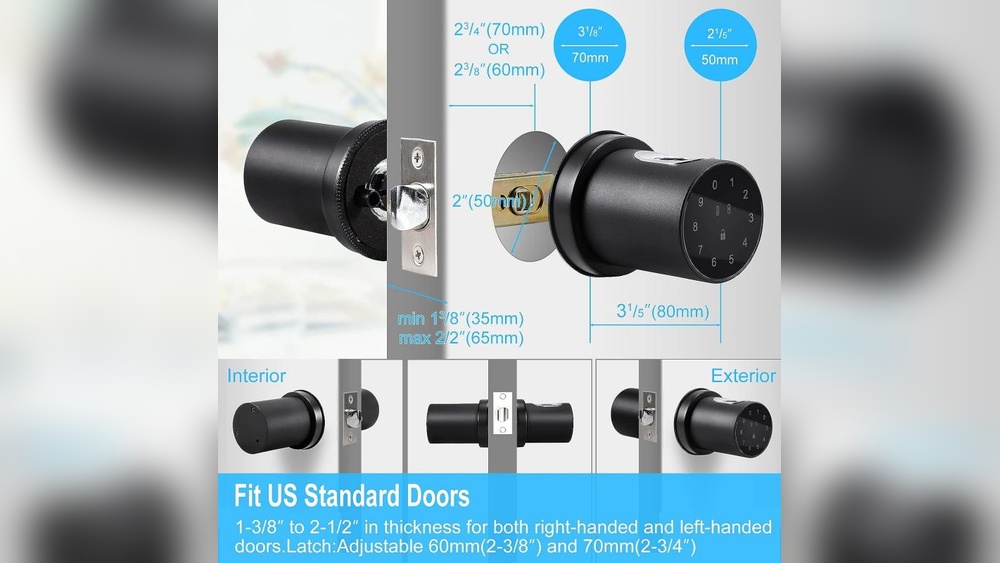
- Check the door thickness; most keypad deadbolts fit 1-3/8″ to 2″.
- Mark the drill points using the template from the lock package.
- Drill holes for the lock body and keypad assembly carefully.
- Install the latch into the door edge and secure it with screws.
- Attach the keypad on the outside of the door.
- Connect the interior lock assembly, aligning it with the keypad.
- Secure both sides with screws, ensuring a snug fit.
- Insert batteries into the keypad unit as instructed.
- Test the lock by entering the default code and turning the knob.
- Program your personal access codes following the user manual.
Security Features
Keypad deadbolts offer more than just convenience. They come with strong security features to protect your home. These features help keep your door safe from unwanted access. Understanding these features helps you choose the right lock for your needs.
Code Protection And Management
Keypad deadbolts use unique codes to lock and unlock. You can set and change these codes easily. Some models allow multiple codes for different users. This helps track who enters and when. Codes often expire or can be deleted for extra safety. The lock may also block access after several wrong tries. This stops people from guessing your code.
Anti-tampering Measures
These locks have sensors to detect tampering attempts. If someone tries to force the lock, an alarm may sound. Some deadbolts lock themselves temporarily after several failed attempts. The keypad may become unresponsive to stop code guessing. The lock’s design also resists picking and drilling. These measures make breaking in very difficult.
Power Sources And Battery Life
Keypad deadbolts need power to work. They use batteries that keep the lock running smoothly. Understanding the power sources and battery life helps you avoid lockouts. It also ensures your security system stays active at all times.
Battery Types Used
Most keypad deadbolts run on standard batteries. Common types include AA or AAA alkaline batteries. Some models use lithium-ion rechargeable batteries. These batteries last longer and save money over time. Always check your lock’s manual for the right battery type. Using the correct battery ensures proper lock function and longer life.
Low Battery Alerts
Keypad deadbolts have low battery alerts. These alerts warn you before the battery dies. Alerts come as beeping sounds or flashing lights on the keypad. Some locks send notifications to your smartphone. This feature helps you replace batteries early. Early replacement avoids lock failure and keeps your home secure.
Advantages Over Traditional Locks
Keypad deadbolts offer clear benefits over traditional locks. They combine technology with simplicity to improve daily use. These locks remove the need for physical keys and add layers of security. They suit modern homes and busy lifestyles well.
Convenience And Accessibility
No need to carry keys. Enter your home by typing a code. This feature helps when hands are full or keys are lost. Sharing access is simple. Just give a temporary code to visitors or workers. Changing access codes is fast and safe. This avoids the cost and hassle of changing locks.
Enhanced Security Benefits
Keypad deadbolts reduce risks of lock picking and key copying. Codes can be changed regularly for added safety. Many models alert you of attempts to enter wrong codes. Some allow control from smartphones for remote locking. These locks use strong materials to resist force. They often include features like auto-locking for extra protection.
Common Issues And Troubleshooting
Keypad deadbolts offer convenience and security but can face some common problems. Understanding these issues helps keep your lock working well. Troubleshooting is simple with the right steps. It saves time and avoids locksmith calls.
Code Entry Problems
Incorrect code entries are the most frequent issue. Make sure you press each number fully. Dust or dirt on the keypad can block the buttons. Clean the keypad gently with a soft cloth.
Battery power affects code recognition. Replace batteries if the keypad is dim or unresponsive. Some locks lock out after multiple wrong attempts. Wait a few minutes before trying again.
Lock Malfunctions
Mechanical parts inside the deadbolt can wear out. This causes the lock to stick or jam. Lubricate the lock with graphite powder or a silicone spray. Avoid oil-based lubricants as they attract dirt.
Electrical faults might stop the lock from turning. Check the battery and wiring if visible. Resetting the lock often fixes minor electrical glitches. Refer to the user manual for reset instructions.
Smart Features And Connectivity
Keypad deadbolts have evolved beyond simple locks. They now include smart features that enhance security and convenience. These features connect your lock to your home’s digital systems. They make controlling access easier and more flexible. Understanding these smart features helps you choose the right lock for your needs.
Integration With Home Automation
Many keypad deadbolts connect with home automation systems. This allows you to control your lock through a central app. You can link the lock with lights, cameras, and alarms. For example, the door can lock automatically when you leave. Or the porch light can turn on when the door is unlocked. These connections create a safer, smarter home environment.
Remote Access Options
Remote access lets you control your deadbolt from anywhere. Use your smartphone or tablet to lock or unlock the door. You can check if the door is locked without going home. Some locks send alerts if someone tries to open the door. You can give temporary codes to visitors or service workers. Remote access adds flexibility and peace of mind.
Maintenance Tips
Proper maintenance keeps your keypad deadbolt working smoothly. Regular care prevents problems and extends its life. Simple steps help avoid costly repairs and keep your door secure.
Regular Cleaning
Dust and dirt can block the keypad buttons. Use a soft cloth to wipe the surface weekly. Avoid harsh chemicals that may damage the finish. Clean around the edges to remove grime. Keep the lock dry to stop rust and corrosion.
Battery Replacement Guidance
Check the battery level often to avoid lockouts. Replace batteries at least once a year or when low. Use fresh batteries from a trusted brand. Remove old batteries to prevent leaks inside the lock. Test the lock after changing batteries to ensure it works well.
Credit: www.youtube.com
Credit: hornbilllock.com
Frequently Asked Questions
How Does A Keypad Deadbolt Lock Work?
A keypad deadbolt uses a numeric code to unlock the door. You enter the code on the keypad, which sends an electronic signal to release the lock mechanism. This eliminates the need for physical keys, offering convenience and enhanced security.
Are Keypad Deadbolts More Secure Than Traditional Locks?
Yes, keypad deadbolts provide increased security by eliminating lost keys and unauthorized copies. Many models include features like auto-locking, tamper alarms, and temporary access codes for added protection.
Can I Change The Access Code On A Keypad Deadbolt?
Absolutely. Most keypad deadbolts allow you to easily change or add access codes. This feature lets you control who can enter your home and enhances security over time.
Do Keypad Deadbolts Require Batteries?
Yes, keypad deadbolts operate on batteries. Battery life typically lasts several months to a year, depending on usage. Most models alert you when battery power is low.
Conclusion
A keypad deadbolt keeps your home safe and easy to access. You enter a code to lock or unlock the door quickly. No need for keys that can get lost or stolen. Many models offer extra features like temporary codes for guests.
Understanding how it works helps you choose the right one. It blends convenience with security in a simple way. A small change that makes a big difference for your door.