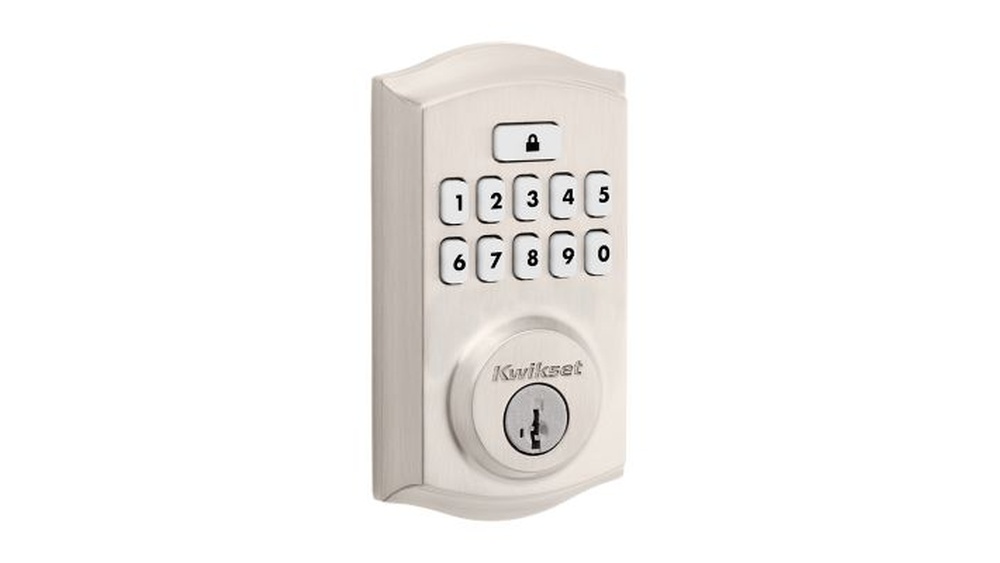
Changing the lock code on your Kwikset deadbolt is easier than you might think, and it’s a smart way to keep your home secure. Whether you want to update your code for extra safety or give access to someone new, knowing how to do it yourself saves time and hassle.
In this guide, you’ll find simple, step-by-step instructions that anyone can follow. Keep reading to take control of your home’s security with confidence.

Credit: www.youtube.com
Tools Needed
Changing the lock code on your Kwikset deadbolt requires a few simple tools. Having the right tools ready makes the process smooth and fast. This section lists the tools you need before starting.
Phillips Head Screwdriver
A Phillips head screwdriver helps remove screws on the lock cover. Most Kwikset deadbolts use Phillips screws. This tool is small and easy to handle.
Flat Head Screwdriver
A flat head screwdriver can help pry open parts gently. It works well for removing the battery cover or panels. This tool is optional but useful.
New Batteries
Changing the code often requires fresh batteries. Use 9-volt or AA batteries based on your model. Strong batteries ensure the lock works perfectly after code change.
User Manual
The user manual guides you through the steps clearly. It shows exact locations for screws and buttons. Keep it handy to avoid guesswork.
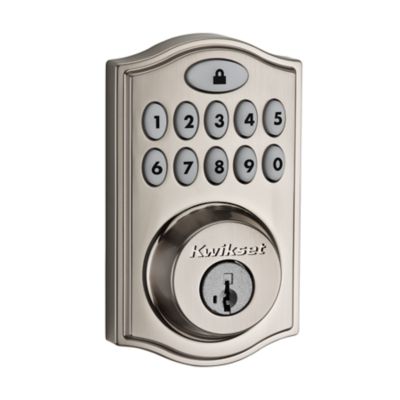
Credit: www.kwikset.com
Locate Programming Button
Locating the programming button is the first step to change the lock code on your Kwikset deadbolt. This button lets you enter programming mode. You need to find it carefully to start the process.
The programming button is usually inside the lock’s interior side. You must remove the battery cover or the entire interior part to see it. It looks like a small, round button and is often red or black.
Knowing the exact spot of the programming button saves time. It helps you avoid any damage to the lock. The button is easy to press but hidden well for security reasons.
Check The Interior Side Of The Deadbolt
Open the door and look at the lock’s inside. Remove the battery cover gently. The programming button is near the batteries or under the cover. Use a flashlight if needed.
Identify The Programming Button
Look for a small, round button. It is usually red or black. Do not confuse it with other buttons or screws. The button is designed to be pressed by hand.
Prepare To Press The Button
Before pressing, make sure the batteries are working. Press the button firmly but not too hard. Holding it for a few seconds will activate programming mode. Listen for a beep or check for a light.
Enter Programming Mode
Entering programming mode is the first step to change your Kwikset deadbolt code. This mode lets you add, delete, or change user codes. It sets the lock ready to accept new instructions. Without entering programming mode, you cannot make any changes to the lock codes.
Getting into programming mode is easy and quick. You only need the lock’s programming code. This code is different from your user code. It is usually found in your lock’s manual or on a sticker inside the lock.
Locate The Programming Code
Find the programming code before starting. It is a 6-digit number. Check the lock manual or inside the battery cover. Keep this code safe and private.
Press The Program Button
Open the battery cover on the inside of the lock. Press and release the program button. The lock will beep or flash a light. This signal means it is ready for programming.
Enter The Programming Code
Use the keypad to enter the 6-digit programming code. The lock will beep or flash again. This confirms the lock is now in programming mode. You can start changing the user codes.
Create New Lock Code
Creating a new lock code for your Kwikset deadbolt is simple. It helps keep your home safe and secure. Follow clear steps to set a strong and easy-to-remember code.
Choosing A Secure Code
Pick a code that others cannot guess easily. Avoid simple sequences like 1234 or 0000. Use a mix of numbers that are not related to your birthday or address. A good code has at least four digits. It should be easy for you to recall but hard for others to guess.
Inputting The Code
Start by entering your current code to access programming mode. Press the program button on the lock. Enter your new code carefully, pressing each number firmly. Confirm the new code by entering it again. The lock will signal if the code is accepted. Test the new code a few times to ensure it works smoothly.
Test The New Code
Testing the new code is a key step after changing your Kwikset deadbolt code. It ensures the lock works correctly. This step helps avoid lockouts and frustration.
Try the new code several times. Make sure it opens the door every time. Check that the old code no longer works. This confirms the change is successful.
Enter The New Code Carefully
Press each number slowly and clearly. Avoid pressing two buttons at once. Wait a moment after entering the full code. This helps the lock register the input.
Use The Thumb Turn Or Handle
After entering the code, turn the thumb turn or handle. The door should unlock smoothly. If it doesn’t, the code might be incorrect. Try again or reset the code.
Test Multiple Times
Test the new code at least three times. Try locking and unlocking the door. This confirms the lock is reliable with the new code.
Check For Any Delays Or Issues
Notice if the lock is slow to respond. Delays may indicate a problem with the code setup. Re-enter the programming mode and repeat the steps if needed.
Troubleshooting Tips
Troubleshooting helps fix problems when changing your Kwikset deadbolt code. Simple steps can solve many issues fast. Understanding common errors and reset methods saves time. Stay calm and follow these tips carefully. You will likely fix the problem yourself.
Common Errors
Entering the wrong current code is the top error. Double-check your code before starting. Another mistake is not pressing buttons firmly or long enough. Make sure each button press is clear and steady. Sometimes, the battery is low or dead. Replace batteries regularly for smooth operation. Also, avoid trying to change the code too quickly. Wait for the lock to signal before the next step.
Resetting The Lock
Resetting the lock clears old codes and errors. Find the reset button inside the lock’s interior panel. Press and hold it for 10 seconds until the light blinks. This action restores factory settings. After reset, set a new code from the start. Keep the lock powered with fresh batteries to avoid interruptions. Resetting often fixes most code change problems.
Maintaining Your Kwikset Deadbolt
Maintaining your Kwikset deadbolt keeps it working smoothly and extends its life. Regular care helps avoid problems like sticking or jamming. It also makes changing the lock code easier and safer.
Simple steps can keep your deadbolt in good shape. Clean it, check parts, and test the lock often. This prevents wear and keeps your home secure.
Cleaning The Deadbolt
Wipe the deadbolt with a soft cloth to remove dust and dirt. Avoid using harsh chemicals that can damage the finish. Use mild soap and water if needed. Dry the lock completely after cleaning.
Lubricating The Lock
Use graphite or silicone spray to lubricate the lock parts. Do not use oil-based products as they can attract dirt. Spray inside the keyhole and on the bolt mechanism. This helps the lock turn smoothly.
Checking For Loose Parts
Inspect screws and bolts regularly. Tighten any that are loose using a screwdriver. Loose parts can cause the lock to work poorly. Secure hardware keeps the deadbolt functioning well.
Testing The Lock Function
Turn the key or thumb turn several times to test the lock. Make sure it locks and unlocks without resistance. Test from both sides of the door. Early checks catch issues before they get worse.

Credit: www.youtube.com
Frequently Asked Questions
How Do I Reset The Lock Code On A Kwikset Deadbolt?
To reset your Kwikset deadbolt code, first remove the interior cover. Press and hold the programming button until the light flashes. Enter your new code followed by the lock button. Test the new code to ensure it works properly.
Can I Change The Kwikset Lock Code Without A Key?
Yes, you can change the code without a key by accessing the interior side of the lock. Use the programming button to reset and enter a new code. However, having the key helps to avoid lockout risks.
How Often Should I Change My Kwikset Deadbolt Code?
It is recommended to change your Kwikset deadbolt code every 3-6 months. Regular changes enhance your home security and prevent unauthorized access. Always choose a unique and hard-to-guess code.
What If The Kwikset Lock Won’t Accept My New Code?
If your lock rejects the new code, ensure you followed the reset steps correctly. Check battery power, as low batteries can cause issues. Consult the user manual or contact Kwikset support for troubleshooting.
Conclusion
Changing the lock code on your Kwikset deadbolt keeps your home safe. The steps are simple and quick to follow. Keep your new code private and easy to remember. Regularly updating your code adds extra security. This small effort helps protect your family and belongings.
Now, you can change the code anytime you want. Stay safe and feel confident with your Kwikset deadbolt.