Want to give your living room a sleek, modern look? Mounting your TV on the wall can do just that.
But how do you hook up a TV on the wall safely and correctly? You might feel unsure about the steps, the tools, or even where to start. Don’t worry—this guide breaks everything down into simple, clear instructions you can follow easily.
By the end, you’ll know exactly how to set up your TV so it looks great and stays secure. Keep reading, and make your space look amazing with a perfectly mounted TV!
Credit: www.homedepot.com
Choose The Right Wall
Choosing the right wall is a key step to mount your TV safely and clearly. The wall must support the TV’s weight and fit your room setup. A good spot improves your viewing comfort and keeps cables tidy. Take time to pick the best wall before starting the installation.
Find A Suitable Location
Pick a wall that faces your main seating area. This makes watching TV more enjoyable. Avoid walls with too much sunlight. Bright light causes glare on the screen. Also, check that the wall height suits your eye level when seated. A comfortable height reduces neck strain.
Check Wall Material
Know what type of wall you have. Drywall, brick, or concrete need different mounts and tools. Drywall alone may not hold a heavy TV. You might need to find studs for better support. Use a stud finder to locate wood or metal studs behind the wall. This ensures a strong hold for the TV bracket.
Avoid Obstacles And Hazards
Look for any pipes, wires, or vents inside the wall. Drilling into these can cause damage or danger. Use a wire detector to avoid electrical cables. Keep away from heating or air vents that can block airflow. Also, ensure the TV won’t block doors or windows. Clear space keeps your room safe and neat.
Gather Necessary Tools
Gathering the right tools is the first step to mount your TV safely and correctly. Without proper tools, the process can become frustrating and unsafe. Preparing everything beforehand saves time and effort.
Mounting Bracket Selection
Choose a mounting bracket that fits your TV size and weight. Check the VESA pattern on your TV’s back to match the bracket. Pick a bracket designed for wall mounting, not a stand.
Essential Tools List
Gather a drill, screwdriver, level, tape measure, and stud finder. These tools help you mark and secure the bracket accurately. A pencil is useful for marking drill points.
Safety Equipment
Wear safety glasses to protect your eyes from dust and debris. Use gloves to avoid cuts and scrapes during installation. Make sure you have a sturdy ladder to reach the mounting height safely.
Prepare The Wall
Preparing the wall is a key step before mounting your TV. It ensures the TV stays safe and secure. Taking time to prepare the wall correctly makes the whole process easier. Follow these simple steps to get ready.
Locate Studs
Studs are the wooden beams inside your wall. They hold the weight of the TV. Use a stud finder to locate them. Move the finder slowly across the wall. Mark where the studs start and end with a pencil.
Finding studs helps avoid drilling into weak spots. This prevents the TV from falling.
Mark Mounting Points
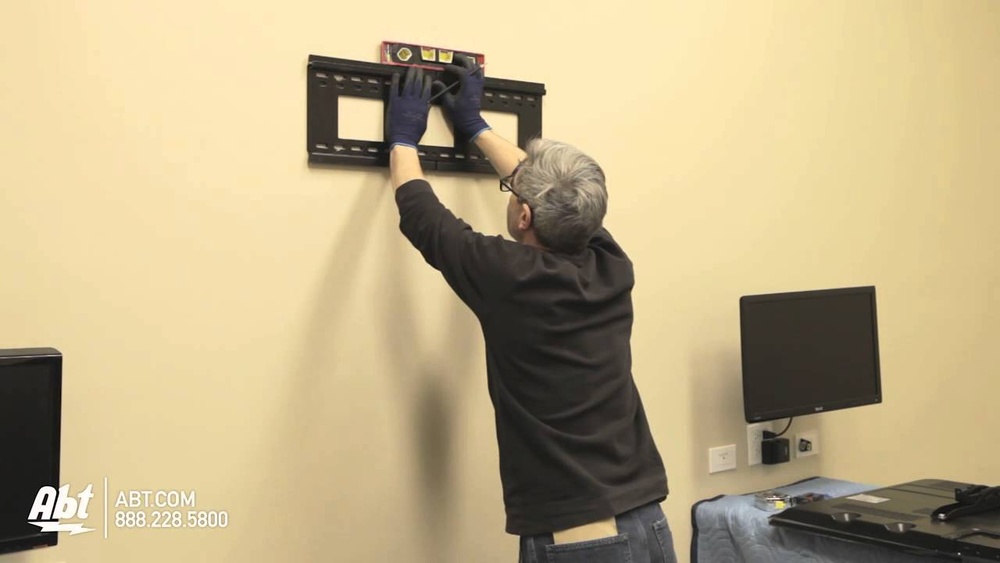
Check your TV mount for the holes you need to use. Hold the mount against the wall over the studs. Use a level to keep it straight. Mark the spots where you will drill with a pencil.
Clear markings make drilling fast and accurate. This keeps the mount steady on the wall.
Drill Pilot Holes
Choose a drill bit smaller than your screws. Drill small pilot holes where you marked. These holes guide the screws and stop the wall from cracking.
Drilling pilot holes makes screwing easier. It protects the wall and mount from damage.
Attach The Mounting Bracket
Attaching the mounting bracket is a key step in hanging your TV on the wall. This bracket holds the TV securely in place. Proper installation prevents accidents and protects your TV. Follow the steps carefully to ensure a safe setup.
Secure Bracket To Wall
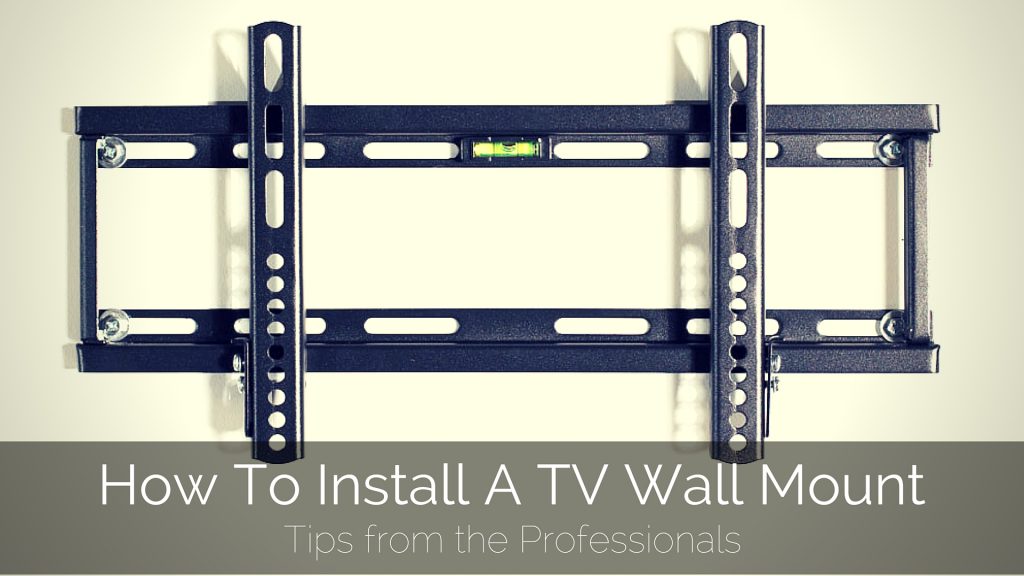
Start by locating the studs in your wall. Use a stud finder for accuracy. Mark the spots where you will drill holes. Align the bracket holes with these marks. Drill pilot holes to make screwing easier. Use strong screws designed for your wall type. Tighten screws firmly but avoid over-tightening. The bracket must sit flush against the wall.
Double Check Stability
After securing the bracket, check its stability. Wiggle the bracket gently to test firmness. No movement means it is secure. If it shifts, tighten screws more or reposition. Make sure the bracket can hold your TV’s weight. Safety first to avoid future damage or injury.
Mount The Tv
Mounting the TV on the wall is the key step to finish your setup. It takes care and focus. Follow each task carefully to avoid damage or problems. This part is not hard but needs attention.
Connect Bracket To Tv
First, find the bracket that fits your TV. Use the screws from the package. Attach the bracket to the back of the TV. Make sure the screws are tight but not too tight. Check if the bracket feels firm and secure.
Lift And Hang Tv
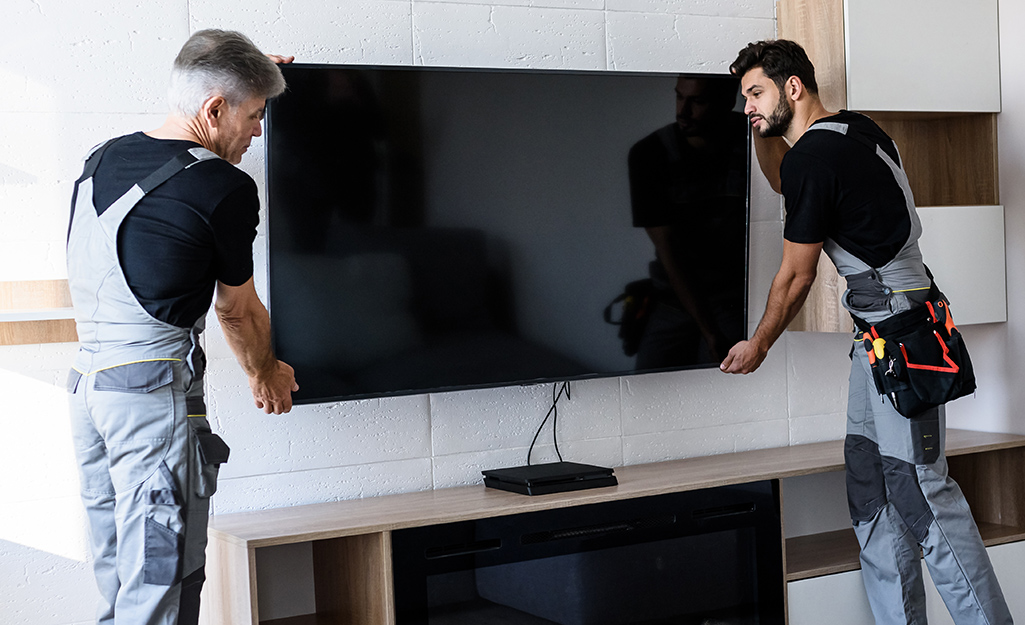
Ask someone to help you lift the TV. Hold it steady and align it with the wall mount. Slowly hang the TV on the wall bracket hooks. Listen for a click or feel it lock in place. Do not rush this step to avoid accidents.
Ensure Proper Alignment
Stand back and look at the TV on the wall. Check if it is level and straight. Use a level tool if you have one. Adjust the TV slightly if it is tilted. Proper alignment improves viewing comfort and safety.

Credit: www.youtube.com
Manage Cables
Adjusting the viewing angle of your wall-mounted TV improves comfort and picture quality. Proper adjustment helps reduce glare and neck strain. It also makes watching more enjoyable for everyone in the room.
Tilt And Swivel Options
Many TV mounts have tilt and swivel features. Tilt moves the screen up or down. This helps if the TV is mounted higher than eye level. Swivel turns the TV left or right. This is useful for wide rooms or open spaces. Choose a mount with these options for flexibility. Adjust the angle until the screen is clear and comfortable to watch.
Optimize Height And Distance
Place the TV at eye level when seated. This reduces neck and eye strain. The center of the screen should be about 42 to 48 inches from the floor. Keep a proper distance from the TV. A good rule is to sit 1.5 to 2.5 times the screen size away. For example, if your TV is 40 inches, sit about 60 to 100 inches away. This distance keeps the picture sharp and easy to see.
Adjust Viewing Angle
Testing the setup is a key step after mounting your TV on the wall. It ensures safety and good performance. This process helps catch any issues early. Take time to test thoroughly. Avoid rushing this important phase.
Check Stability
Start by gently shaking the TV. It should not wobble or move easily. Tighten screws if you notice any looseness. Make sure the wall mount holds the TV firmly. A stable setup prevents accidents and damage.
Verify Picture And Sound Quality
Turn on the TV and check the screen. The picture should be clear and bright. Adjust the angle to reduce glare or reflections. Listen to the sound for clarity and volume. Test all connected devices for proper signals.
Credit: www.firefold.com
Frequently Asked Questions
What Tools Do I Need To Mount A Tv On The Wall?
You need a drill, stud finder, screwdriver, level, measuring tape, and wall mount bracket. These tools ensure a secure and accurate installation.
How Do I Find The Right Wall Studs For Tv Mounting?
Use a stud finder to locate wooden studs behind the drywall. Mark the stud positions for stable support when attaching the TV mount.
What Is The Ideal Height To Mount A Tv On The Wall?
Mount the TV at eye level when seated, usually 42 to 48 inches from the floor. This reduces neck strain and enhances viewing comfort.
Can I Mount A Tv On Drywall Without Studs?
Mounting on drywall alone is unsafe. Always secure the mount to studs or use special anchors designed for heavy loads.
Conclusion
Mounting a TV on the wall saves space and looks neat. Follow the steps carefully for a safe setup. Choose the right wall mount and tools before starting. Always check the wall for studs to hold the weight. Take your time to connect all cables properly.
A well-mounted TV improves your viewing experience. Enjoy your new setup without clutter or mess. Keep these tips in mind for easy installation next time.