Have you ever been caught off guard by a motion sensor light that just won’t turn off? It can be frustrating when your light keeps flickering on or stays on longer than you want.
Whether you need to save energy, avoid constant triggering, or just want control over your lighting, knowing how to turn off a motion sensor light switch is a handy skill. You’ll discover simple, step-by-step ways to take control of your motion sensor lights quickly and easily.
Keep reading, and you’ll never feel stuck in the dark again!
Types Of Motion Sensor Switches
Motion sensor light switches come in different types. Each type uses a unique way to detect movement. Understanding these types helps in turning them off correctly. It also helps in choosing the right sensor for your needs.
Passive Infrared Sensors
Passive infrared sensors detect heat from people or animals. They sense changes in infrared energy in a room. These sensors work best in open spaces. They do not emit any signal but only receive heat changes.
Ultrasonic Sensors
Ultrasonic sensors send out high-frequency sound waves. These waves bounce off moving objects and return to the sensor. The sensor notices changes in the sound waves. It detects motion even in dark or covered areas.
Dual-technology Sensors
Dual-technology sensors combine passive infrared and ultrasonic methods. Both sensors must detect motion to turn the light on. This reduces false triggers from pets or small movements. It offers more accurate motion detection and control.

Credit: www.youtube.com
Safety Precautions
Safety is the top priority when turning off a motion sensor light switch. Handling electrical devices can be risky. Taking the right safety steps prevents accidents and injuries.
Power Off The Circuit
First, switch off the circuit breaker for the light. This stops electricity flow to the switch. Double-check the power is off by testing the switch or using a voltage tester.
Use Proper Tools
Use insulated screwdrivers and pliers made for electrical work. These tools reduce the risk of electric shock. Avoid using damaged or worn-out tools during the task.
Wear Protective Gear
Wear rubber gloves and safety glasses. Gloves protect against electric shock. Glasses shield your eyes from dust or debris. Dress in clothes that cover your arms and legs fully.
Locate The Motion Sensor Switch
To turn off a motion sensor light switch, you first need to find it. Locating the switch is simple and quick. Most motion sensor switches look like regular light switches but have extra parts. Knowing where to look helps you control the light easily.
Find The Switch On The Wall
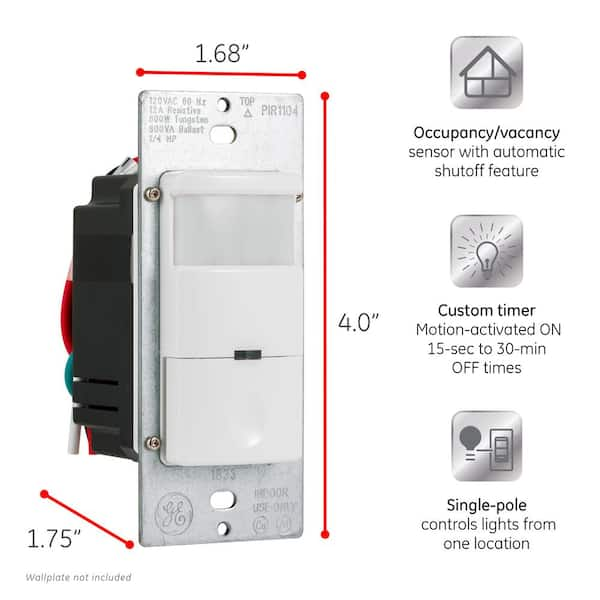
Motion sensor switches are usually installed where normal light switches are. Check near doors, hallways, or rooms that need automatic lighting. The switch should be at the same height as other switches. Look for a switch with a small sensor or lens on it.
Identify Sensor Components
The sensor part is often a small round or square window on the switch. This part detects movement to turn the light on or off. It may look like a tiny plastic dome or clear cover. Recognizing this helps you know which switch controls the motion sensor light.

Credit: www.youtube.com
Manual Switch Settings
Manual switch settings let you control your motion sensor light easily. These settings help you turn the light off or adjust it to your needs. Understanding these options saves power and avoids unwanted light.
Check For On/off Switch
Look closely at your motion sensor light switch. Many models have a simple on/off switch. This switch lets you turn the light off completely. Sometimes, it is a small button or a sliding switch next to the sensor. Use this switch to stop the light from turning on automatically.
Adjust Sensitivity Controls
Sensitivity controls change how much motion the sensor detects. Find the sensitivity dial or button on the switch. Lower the sensitivity to stop the light from reacting to small movements. Raising sensitivity makes the light respond to even slight motion. Adjust this setting to fit your space and avoid false triggers.
Set Timer Duration
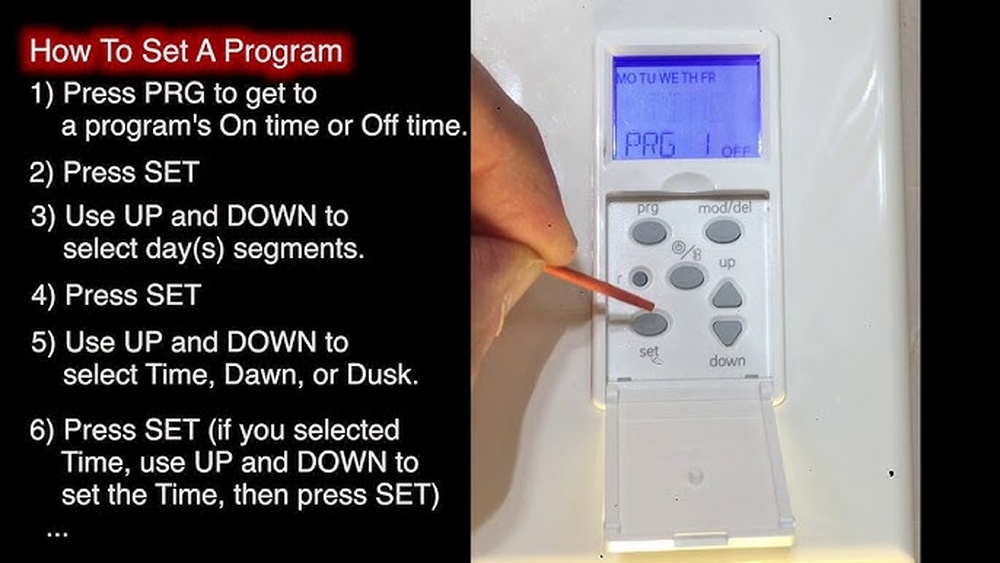
The timer controls how long the light stays on after detecting motion. Locate the timer dial on the switch. Turn it to shorten the light’s on time. Setting a shorter timer saves energy and prevents the light from staying on too long. Choose a time that fits your needs for comfort and safety.
Disabling The Motion Sensor Feature
Disabling the motion sensor feature on your light switch can be helpful in many situations. Sometimes, you need the light to stay on or off without reacting to movement. Turning off the sensor allows more control over your lighting. It can save energy and reduce unwanted light changes. Below are simple ways to disable the motion sensor function on your switch.
Bypass Sensor Function
Some motion sensor switches have a bypass option. This lets you turn off the sensor without removing the switch. Look for a small button or a toggle on the switch. Press or flip it to disable the sensor temporarily. The light will work like a normal switch. Check your switch manual for exact steps. This method is quick and does not need tools.
Switch To Manual Mode
Many motion sensor switches include a manual mode. This mode turns off automatic sensing. Find the manual mode setting on your switch. It may be a dial, button, or switch. Set it to manual to control the light by hand. The sensor will not trigger the light anymore. Manual mode is useful for longer periods without movement. It also helps when you want constant lighting.
Removing The Motion Sensor Switch
Removing a motion sensor switch can help stop unwanted light activations. It also lets you switch back to a regular light switch. This process is simple if you follow each step carefully. Safety is important, so take your time and work with care.
Turn Off Power
Start by turning off the power to the switch at the circuit breaker. This stops electricity from flowing and keeps you safe. Use a tester to check that the power is really off. Never skip this step.
Unscrew And Remove Switch
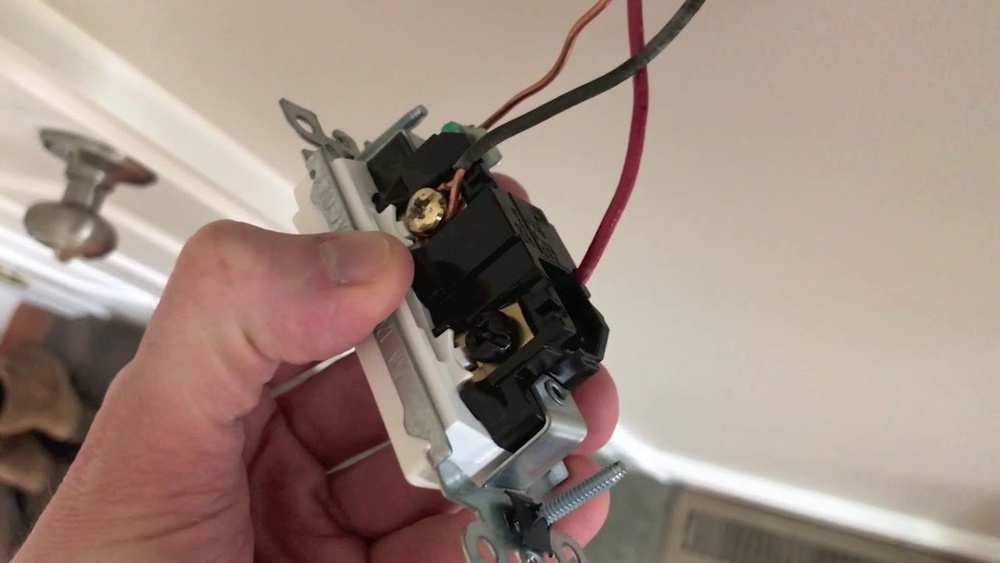
Remove the switch cover plate by unscrewing it. Next, unscrew the motion sensor switch from the wall box. Gently pull the switch out to see the wires behind it. Take a photo or note how the wires connect. This helps during installation.
Replace With Standard Switch
Disconnect the wires from the motion sensor switch. Connect these wires to the new standard switch using the same setup. Screw the new switch into the wall box. Attach the cover plate back on. Turn the power back on and test the switch.
Troubleshooting Tips
Troubleshooting a motion sensor light switch can solve many common problems. Simple checks often fix issues fast. This helps avoid costly repairs or replacements.
Below are some helpful tips to guide you through common problems with motion sensor light switches.
Sensor Still Active
Sometimes the sensor stays on even with no movement. Check the sensor’s sensitivity setting. Lower the sensitivity to reduce constant activation.
Clean the sensor lens gently. Dirt or dust can cause false detection. Ensure nothing blocks the sensor’s view.
Reset the switch by turning off power for a minute. Turn it back on to refresh the system.
Light Not Turning On
Confirm the light bulb is working. Replace the bulb if it is burnt out. Check the bulb type matches the switch’s requirement.
Verify the power supply to the switch. Use a tester to see if electricity flows properly.
Adjust the time delay setting. The light may turn off too soon if set too low.
False Triggers
False triggers occur when the light turns on without cause. Look for heat sources near the sensor. Air conditioners or heaters can trigger it.
Check for moving objects like trees or pets. These may activate the sensor unintentionally.
Change the sensor’s detection area. Narrow it to avoid unwanted movements triggering the light.
Credit: www.homedepot.com
When To Call A Professional
Turning off a motion sensor light switch may seem simple. Yet, some situations require expert help. Knowing when to call a professional keeps you safe and avoids damage. This section explains key signs that show it’s time to get an electrician.
Electrical Safety Concerns
Electricity is dangerous and can cause serious injury. If you notice sparks, burning smells, or smoke near the switch, stop immediately. These signs mean a short circuit or wiring problem. Professionals have the right tools and knowledge to fix these safely. Avoid touching the switch or wires during these issues.
Also, if the circuit breaker trips often after adjusting the sensor, it shows an electrical fault. Fixing this problem needs expert testing and repair. Handling high voltage parts without training can lead to shocks or fires.
Complex Wiring Issues
Some homes have complicated wiring systems. Motion sensor switches may connect to multiple lights or smart devices. If wires are tangled, old, or unclear, do not try to fix it alone. A professional can trace and organize the wiring correctly.
Complex wiring might cause the sensor to malfunction or not turn off. An electrician will find the root cause and make sure all connections work safely. This prevents future problems and keeps your system running well.
Frequently Asked Questions
How Do I Disable A Motion Sensor Light Switch?
To disable, locate the switch’s sensor or settings. Adjust sensitivity or switch to manual mode. Some models have an off button or timer to turn off the sensor function.
Can I Turn Off A Motion Sensor Light Temporarily?
Yes, many motion sensor switches allow temporary disable. Use the manual override or flip the switch off. This stops the sensor from activating the light until reset.
Why Won’t My Motion Sensor Light Switch Turn Off?
Check for continuous motion near the sensor or incorrect settings. Dirt on the sensor or faulty wiring can also cause this issue. Adjust sensitivity or clean the sensor for proper function.
Is It Safe To Turn Off A Motion Sensor Light Switch?
Yes, it’s safe to turn off. Just ensure the area remains well-lit for safety. If the sensor is disabled, manual light control is necessary.
Conclusion
Turning off a motion sensor light switch is simple and quick. You just need to find the switch and adjust the settings carefully. This helps save energy and avoid unwanted light. Always follow safety tips to prevent accidents. Now, you can control your lights the way you want.
Enjoy a more comfortable and efficient home lighting experience.