Have you ever wondered if your light switch is the real problem behind a flickering bulb or a dead outlet? You don’t need to take it apart or call an electrician right away.
What if you could test your light switch quickly, safely, and without removing it from the wall? You’ll discover simple steps that anyone can follow to check a light switch’s condition. By the time you finish reading, you’ll know exactly what to do next—saving you time, frustration, and maybe even a service call.
Ready to become your own home repair hero? Let’s get started.
Credit: mrelectric.com
Tools Needed
Testing a light switch without removing it is safe and simple with the right tools. These tools help check if the switch works and if electricity flows correctly. You do not need to open the switch box, which saves time and effort. Knowing the tools needed makes the process easier and safer.
Non-contact Voltage Tester
A non-contact voltage tester detects electricity without touching wires. It beeps or lights up when it senses voltage near the switch. This tool helps check if the switch has power safely. It is easy to use and does not require opening the switch panel.
Multimeter
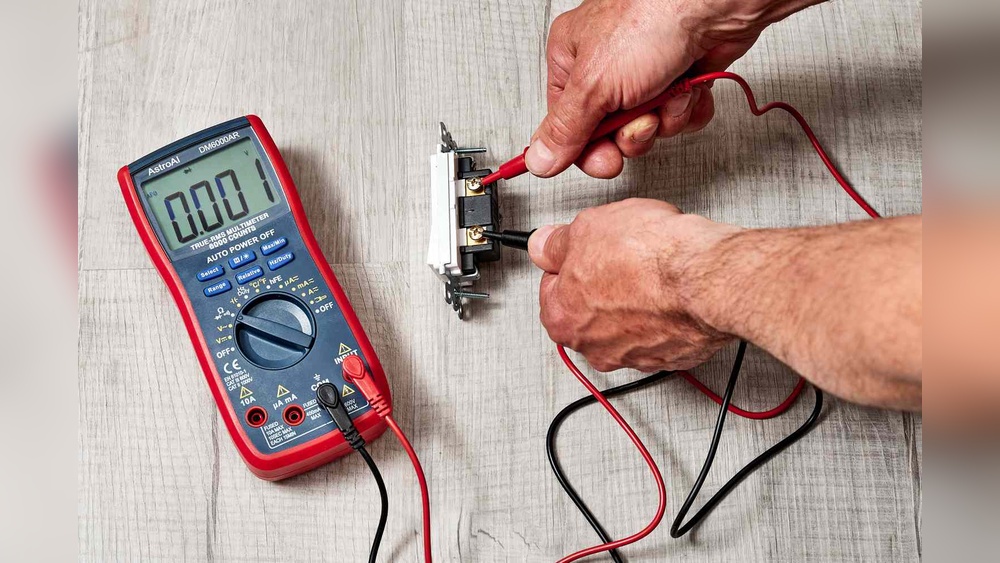
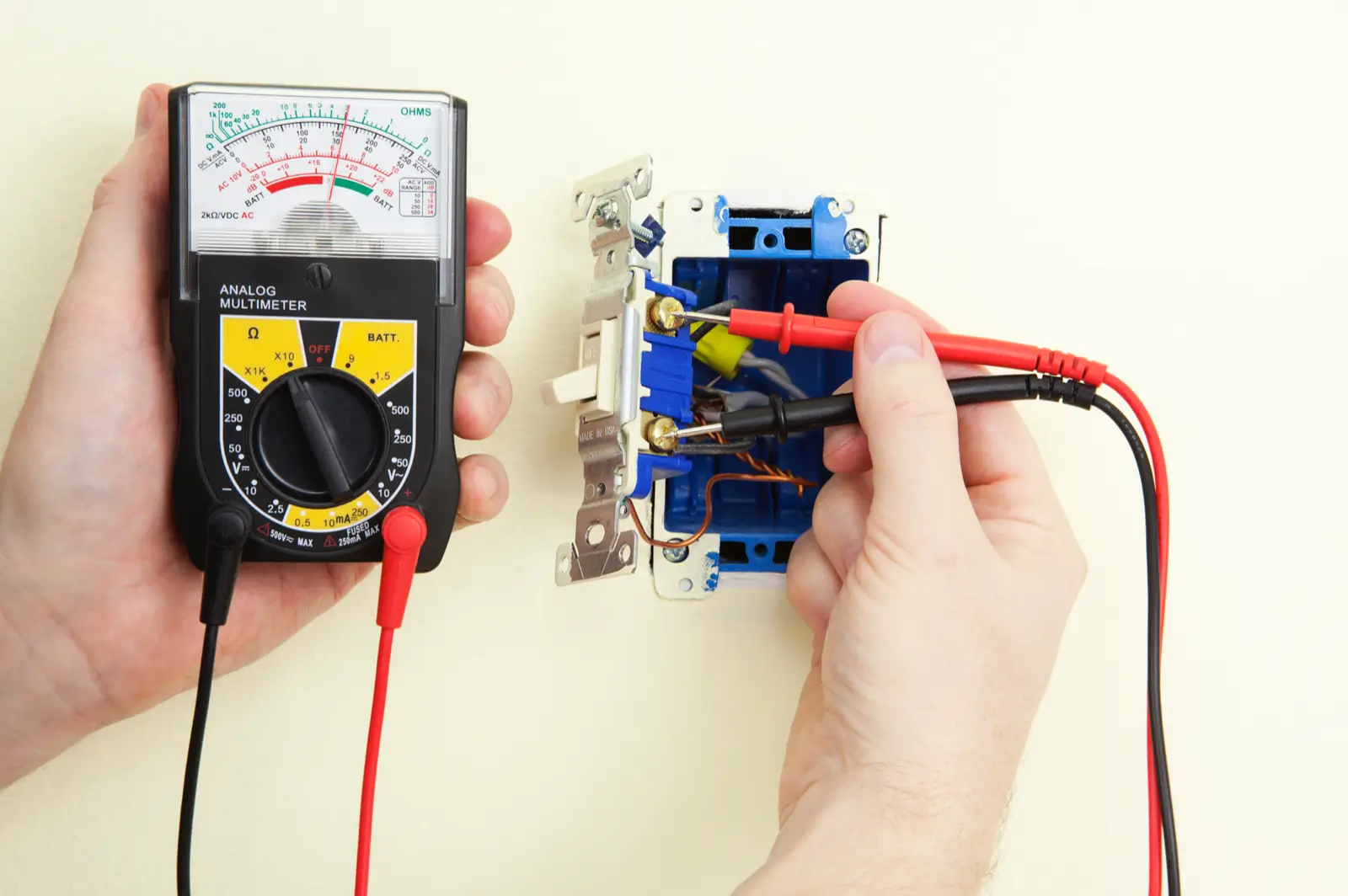
A multimeter measures voltage, current, and resistance in electrical parts. It can test if the light switch works by checking voltage across it. Use the multimeter to see if electricity flows when the switch is on. This tool gives accurate readings for troubleshooting switch problems.
Safety Gear
Safety gear protects you from electric shocks and injuries. Wear insulated gloves to avoid direct contact with wires. Use safety glasses to protect your eyes from sparks. Always turn off the main power before testing the switch for extra safety.
:max_bytes(150000):strip_icc()/testing-single-pole-switches-1152811-03-8b89394a236d499ebee520df31a0ce27.jpg)
Credit: www.thespruce.com
Safety Precautions
Testing a light switch without removing it requires care. Safety should always come first. Working with electricity can be risky. Taking the right safety steps protects you from harm.
Turn Off Power
Start by turning off the power to the switch. Use the circuit breaker to cut electricity. Never assume the switch is off without checking. This step reduces the chance of electric shock.
Check For Live Wires
Use a voltage tester to check for live wires. Hold the tester near the switch wires. If it shows a signal, the wires still have power. Do not touch the wires until they are safe.
Use Insulated Tools
Always use tools with insulated handles. These tools protect you from electricity. Avoid metal tools without insulation. This small step helps keep you safe during testing.
Testing With A Non-contact Voltage Tester
Testing a light switch without removing it is easy with a non-contact voltage tester. This tool detects electricity without touching wires. It helps you check if power flows to the switch safely. Using this tester keeps you safe and speeds up the process.
How To Use The Tester
Turn on the non-contact voltage tester. Hold it near the light switch faceplate. Move the tester slowly around the edges. The tester will beep or light up if it senses electricity. Test both switch terminals for accurate results. Keep your hand steady and avoid touching metal parts.
Interpreting Results
A beep or light means the switch has power. No signal means no voltage at the switch. If power is present, the switch might be faulty or the light bulb may be the issue. No power could indicate a problem with wiring or the breaker. Use this information to decide your next step safely.
Testing With A Multimeter
Testing a light switch with a multimeter helps find electrical issues safely. You do not need to remove the switch from the wall. The multimeter checks voltage and continuity to see if the switch works correctly. This method saves time and avoids damage to the switch or wires.
Setting The Multimeter
First, turn off the power to the switch from the circuit breaker. Set the multimeter to the right mode. For voltage, use the AC voltage setting. For continuity, use the continuity or resistance mode. Make sure the multimeter’s probes are connected properly. Black probe goes to the common port, red probe to the voltage or resistance port.
Measuring Voltage
Turn the power back on carefully. Place the black probe on the switch’s ground or metal box. Touch the red probe to the switch terminals one at a time. Check the multimeter screen for voltage readings. A live switch shows voltage when ON. No voltage means the switch or circuit may have a problem.
Checking Continuity
Turn off the power again. Remove the red probe from the voltage port and connect it to the continuity port. Touch the probes to the switch terminals. Press the switch ON and OFF. The multimeter beeps or shows zero resistance when the switch is ON. No beep means the switch does not close the circuit properly.
Troubleshooting Common Issues
Troubleshooting common issues with a light switch can save time and avoid extra work. Many problems can be checked without removing the switch from the wall. Testing a light switch properly helps find the root cause of issues fast. This guide explains how to handle common problems during testing.
No Voltage Detected
No voltage means no power is reaching the switch. Use a voltage tester on the switch terminals. If the tester shows zero, the problem might be in the wiring or circuit breaker. Make sure the breaker is on and wires are connected tightly. Sometimes, a tripped breaker or blown fuse causes no voltage.
Intermittent Switch Operation
Intermittent operation means the switch works only sometimes. This can happen due to loose connections or worn parts inside the switch. Gently wiggle the switch while testing. If the light flickers or tester readings change, the switch may need replacement. Dirt or corrosion can also cause this issue.
False Readings
False readings confuse many people during testing. They happen because of electrical noise or poor contact with the tester. Make sure the tester probes touch the metal parts firmly. Avoid touching other wires or metal objects. Using a good quality tester reduces false results. Double-check readings before making conclusions.
When To Call A Professional
Testing a light switch without removing it is often simple. But some situations need expert help. Knowing when to call a professional can save time and keep you safe.
Complex Wiring Problems
Wiring inside walls can be confusing and dangerous. Complex wiring problems need careful handling. A pro knows how to find hidden issues. They use special tools and training to fix wiring safely. Avoid trying to fix complex wiring on your own. Mistakes can cause shocks or fires.
Repeated Test Failures
Test the switch several times if it doesn’t work. If it fails repeatedly, a problem is likely inside. This might be a loose wire or damaged part. Calling an expert helps find the real cause. Professionals fix the problem right the first time. This stops damage to your switch or lights.
Credit: diy.stackexchange.com
Frequently Asked Questions
How Can I Test A Light Switch Without Removing It?
You can test a light switch using a non-contact voltage tester or multimeter. Turn off power, then check for voltage at the switch terminals to confirm if it works without removing the switch.
What Tools Do I Need To Test A Light Switch Safely?
Essential tools include a non-contact voltage tester, multimeter, and insulated screwdriver. These tools help you check voltage and continuity safely without removing the switch from the wall.
Can A Non-contact Voltage Tester Check A Light Switch?
Yes, a non-contact voltage tester detects voltage presence without touching wires. It’s safe and easy for testing if the switch is receiving power without removing it.
Why Should I Test A Light Switch Before Replacing It?
Testing ensures the switch is actually faulty before replacement. This saves time and money by avoiding unnecessary switch removal and replacement if the problem lies elsewhere.
Conclusion
Testing a light switch without removing it saves time and effort. You only need a few simple tools to check if it works. Always turn off the power before starting to stay safe. Follow the steps carefully to find any problems.
This method helps you fix issues faster and avoid unnecessary repairs. Keep your home’s electrical system running smoothly with easy checks like this. Trying this approach makes troubleshooting simple and clear. Give it a try next time your switch acts up.