Looking to boost your home’s security with a reliable electronic deadbolt? You’re in the right place.
Installing a Defiant Electronic Deadbolt might seem tricky, but with the right steps, you can do it yourself easily and quickly. This guide will walk you through the process in simple terms, so you won’t have to worry about complicated tools or confusing instructions.
Keep reading, and you’ll have your new deadbolt installed and working in no time—giving you peace of mind and control over your home’s safety.
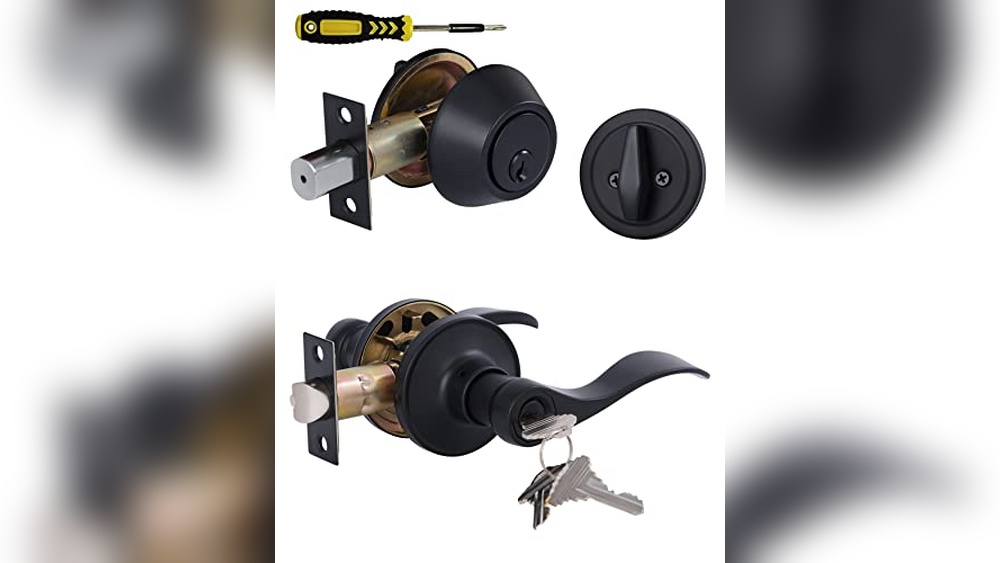
Tools And Materials Needed
Installing the Defiant electronic deadbolt needs a few simple tools and materials. Having everything ready helps the process go smoothly. It saves time and avoids frustration during installation.
Gather these items before starting. Each tool plays a key role in fitting the deadbolt correctly and safely.
Phillips Screwdriver
A Phillips screwdriver is essential for tightening screws. It fits the screws on the deadbolt and mounting plate perfectly. Choose a medium size for better control.
Measuring Tape
Use a measuring tape to check door thickness and alignment. Accurate measurements ensure the deadbolt fits well. This tool helps mark the right spots for drilling.
Power Drill With Drill Bits
A power drill speeds up the installation. Use the drill bits included in the package or those matching the screw size. Drill clean holes for the deadbolt and latch.
Chisel
A chisel shapes the door edge if needed. It helps create space for the latch plate to sit flush. Use it carefully to avoid damage to the door.
Pencil
Marking the door with a pencil guides your drilling and positioning. Clear marks prevent mistakes and keep everything aligned. Use a sharp pencil for precision.
Batteries
Most Defiant electronic deadbolts require batteries. Check the manual for the correct type and quantity. Fresh batteries ensure the lock works immediately after installation.
Cleaning Cloth
A cleaning cloth removes dust and debris from drilling. Keep the area clean for better adhesion of parts. It also helps maintain a neat workspace.
Preparing The Door
Preparing the door is the first step to install the Defiant electronic deadbolt. It ensures a smooth and secure fit. Proper preparation saves time and avoids problems later.
Start by removing any old lock from the door. Check the door’s fit and condition. This helps the new lock work well and last longer.
Remove Old Deadbolt
Begin by unscrewing the old deadbolt. Remove both the interior and exterior parts. Keep the screws in a safe place.
Pull out the latch from the door edge. Check the hole size for the new deadbolt. Clean any dirt or debris inside the holes.
Check Door Fit
Close the door and check if it fits the frame tightly. The door should close without gaps or sticking. A loose door can make the lock less secure.
Measure the door thickness. The Defiant deadbolt fits doors 1-3/8 to 1-3/4 inches thick. Adjust or replace the door if needed.
Installing The Deadbolt
Installing the Defiant electronic deadbolt is a simple task. It protects your home and gives you easy access. Follow each step carefully to fit the lock properly. Preparation is key for a smooth process. Gather all parts and tools before you start.
Attach The Latch
Start by placing the latch into the door edge. The latch should fit snugly in the hole. Use screws to fasten it tightly. Make sure the latch bolt faces the door frame. Test the latch by moving it back and forth. It should move smoothly without sticking.
Install Exterior Assembly
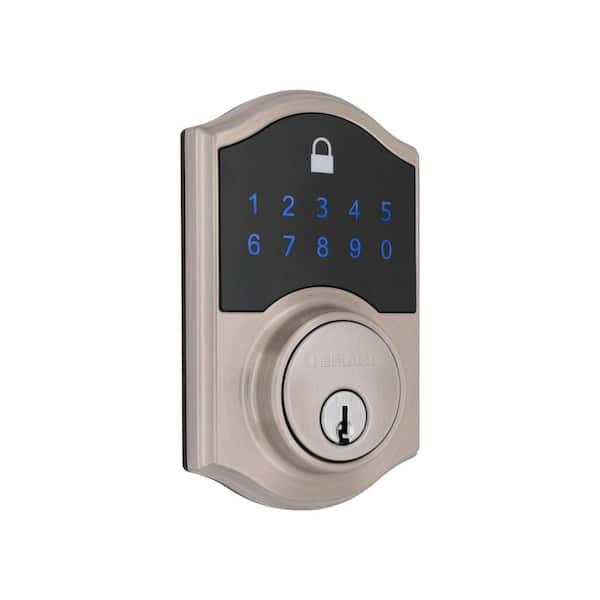
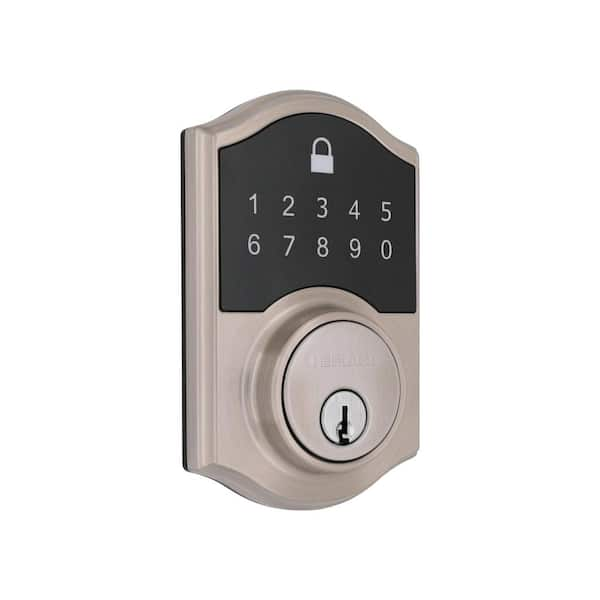
Next, fit the exterior part of the lock on the outside of the door. Align the tailpiece through the latch hole. Hold the assembly steady to avoid shifting. Check that the keypad faces outward for easy use. Secure it with the provided screws.
Secure Interior Assembly
Place the interior assembly on the inside of the door. Connect it to the exterior part by aligning the screws. Tighten the screws until the lock feels firm. Attach the battery pack and insert batteries. Test the lock to ensure it works smoothly.
Credit: www.homedepot.com
Setting Up The Electronics
Setting up the electronics of your Defiant electronic deadbolt is the next important step. This part controls how the lock works and keeps your home safe. Proper setup ensures smooth operation and security.
Follow clear steps to install the batteries and program your access codes. This process is simple but needs careful attention to detail.
Insert Batteries
Open the battery compartment on the inside part of the lock. Use four AA alkaline batteries for best performance. Insert each battery with the correct polarity. Close the battery cover securely. The lock will power on automatically. Check if the lock lights up or beeps. This confirms the batteries are working well.
Program Access Codes
Press the program button inside the lock to start setup. Enter a new master code using the keypad outside. This code controls all access settings. Confirm the master code by pressing the lock button. Add user codes for family or friends next. Each code must be unique and easy to remember. Test each code by locking and unlocking the door. Change or delete codes anytime through the program menu.
Testing The Deadbolt
Testing the Defiant electronic deadbolt is an important step. It ensures the lock works correctly and safely. This process helps catch any issues before regular use. Take your time to test all parts carefully. A properly tested deadbolt gives peace of mind and better security.
Check Lock Function
Start by manually locking and unlocking the deadbolt. Turn the key or thumb turn to check smooth movement. The bolt should extend and retract fully without sticking. Test the lock from both inside and outside doors. Make sure the door closes tightly and locks securely. If the deadbolt jams or feels rough, check the installation again.
Verify Electronic Features
Next, test all electronic functions of the deadbolt. Enter your programmed code to unlock the door. Confirm the keypad lights up and responds to each press. Test any remote control or app features included. Watch for quick and accurate locking and unlocking. Replace batteries if the electronics lag or fail. Proper electronic function ensures convenient and safe use every day.
Credit: www.homedepot.com
Troubleshooting Tips
Troubleshooting is a key step in installing the Defiant electronic deadbolt. Small issues can stop the lock from working correctly. Knowing common problems and their fixes saves time. It helps keep your door secure without stress.
Use these tips to solve simple problems fast. Most issues happen during setup or first use. Checking each step carefully can avoid bigger troubles.
Check Battery Installation
Wrong battery placement is a common cause of failure. Remove the battery cover and confirm correct battery direction. Replace old batteries with new ones if the lock does not power on. Use fresh alkaline batteries for best results.
Reset The Lock
Sometimes, the lock needs a reset to clear errors. Locate the reset button inside the battery compartment. Press and hold it for 10 seconds until the lock beeps. This action restores factory settings and fixes many issues.
Ensure Proper Alignment
The deadbolt and strike plate must line up perfectly. Misalignment causes the lock to jam or not turn. Adjust the strike plate or door position to fix this. Test the lock after each adjustment to confirm smooth operation.
Verify Wi-fi Or Bluetooth Connection
Electronic locks may need a stable connection to apps. Check your phone’s Bluetooth or Wi-Fi settings. Restart your router or phone if the connection is unstable. Re-pair the lock with the app to restore communication.
Consult The User Manual
The manual offers detailed solutions for specific errors. Look for error codes or warning lights explained inside. Follow the step-by-step instructions for complex problems. Keep the manual handy during installation and use.

Credit: www.youtube.com
Frequently Asked Questions
How Do I Install A Defiant Electronic Deadbolt?
To install, first remove the old lock and prepare the door. Align the deadbolt components, secure with screws, and connect wiring. Finally, test the lock and program the keypad following the manual instructions.
What Tools Are Needed For Installation?
You need a screwdriver, drill, tape measure, and pencil. These tools help remove the old lock and fit the new deadbolt accurately.
How To Program The Defiant Electronic Deadbolt Keypad?
After installation, enter the default programming code. Follow the manual to add new user codes and customize settings. Programming is simple and quick with step-by-step instructions.
Can I Install The Deadbolt On Any Door?
Yes, it fits standard door thicknesses (1-3/8″ to 1-3/4″). Ensure the door edge is square and the holes match the template for smooth installation.
Conclusion
Installing the Defiant electronic deadbolt is simple and quick. Follow each step carefully for the best results. Double-check the battery and wiring before finalizing. Test the lock several times to ensure it works well. Enjoy the added security and convenience it brings.
Keep the manual handy for future reference. This lock fits most standard doors easily. Feel safe knowing your home is protected. No special tools or skills are needed. A little patience makes the process smooth. Your new deadbolt will give peace of mind.