Have you ever walked into a dark room only to be greeted by a sudden burst of light? That’s the magic of a motion sensor light switch.
But what if your light stays on too long or doesn’t turn on when you need it? Learning how to adjust your motion sensor light switch can save you energy, improve your home’s security, and give you complete control over your lighting.
In this guide, you’ll discover simple steps to customize your motion sensor settings quickly and easily—no technical skills required. Keep reading to make your lights work exactly the way you want them to.
Choosing The Right Motion Sensor Switch
Choosing the right motion sensor switch is key for effective lighting control. It ensures safety, saves energy, and fits your space perfectly.
Not all motion sensors work the same. Understanding their types and what to consider helps pick the best one.
Types Of Motion Sensors
Passive Infrared (PIR) sensors detect heat from moving people or animals. They work best indoors and in warm areas.
Ultrasonic sensors use sound waves to sense motion. They cover wide areas and work well through obstacles.
Dual technology sensors combine PIR and ultrasonic. They reduce false triggers and improve accuracy.
Factors To Consider Before Purchase
Check the sensor’s range. Choose one that covers your needed area fully.
Look at the installation type. Some fit into existing switch boxes, others mount on walls.
Consider the light’s sensitivity. Adjustments help avoid turning on lights unnecessarily.
Power source matters. Pick a switch compatible with your home’s wiring and voltage.
Think about the environment. Some sensors work better indoors, others outdoors or in wet areas.
Preparing For Installation
Preparing for the installation of a motion sensor light switch is important. It ensures a smooth and safe process. Taking time to prepare helps avoid mistakes and saves time. This section guides you through the key steps before you start the installation.
Gathering Necessary Tools
Collect all tools needed for the job. Common tools include a screwdriver, wire stripper, voltage tester, and electrical tape. Having these ready prevents delays. Check the motion sensor light switch package for any special tools. Organize tools in a clear workspace. This helps keep everything within reach.
Safety Precautions
Safety is the top priority during installation. Turn off the power at the circuit breaker. Use a voltage tester to confirm the power is off. Wear insulated gloves to protect your hands. Avoid working in wet or damp conditions. Keep children and pets away from the work area. Follow the manufacturer’s safety instructions carefully.
Installing The Motion Sensor Switch
Installing a motion sensor light switch is a simple way to add convenience and save energy. The process involves a few clear steps. Follow them carefully to ensure safety and proper function.
Turning Off Power
Start by turning off power at the circuit breaker. This step protects you from electric shock. Use a voltage tester to confirm the power is off. Never skip this safety measure.
Wiring The Switch
Remove the old switch from the wall box. Identify the wires: usually black (hot), white (neutral), and green or bare (ground). Connect the wires to the new motion sensor switch as per the instructions. Tighten the screws firmly. Avoid loose connections to prevent issues.
Securing The Device
Push the wires back into the box carefully. Attach the switch to the wall with screws. Ensure it sits flush and tight. Replace the wall plate. Turn on the power and test the switch to confirm it works well.
Adjusting Sensitivity Settings
Adjusting the sensitivity settings of a motion sensor light switch helps control when the light turns on. Proper settings prevent false triggers and save energy. You can change how far the sensor detects motion and how sensitive it is to movement.
Setting Detection Range
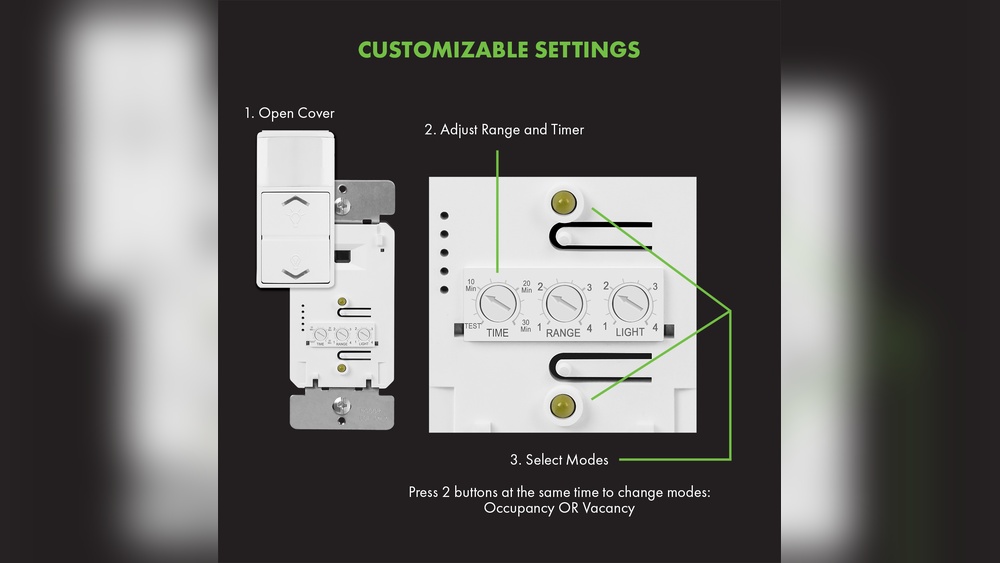
The detection range determines how far the sensor can see motion. Most switches have a dial or button to set this range. Start with a medium range to test the sensor’s reach. Walk across the sensor area to check if it detects you.
Reduce the range if the light turns on too often from far away. Increase it if the light does not turn on when you enter the room. Adjust the range carefully for the best balance.
Adjusting Sensitivity Levels
Sensitivity controls how easily the sensor reacts to movement. High sensitivity picks up small or quick motions. Low sensitivity responds only to larger or slower movements.
Set the sensitivity higher in rooms where you move slowly. Lower the sensitivity in busy areas to avoid constant triggering. Test the settings by moving in front of the sensor at different speeds.
Fine-tune sensitivity until the light turns on only when needed. This adjustment helps save electricity and extends the sensor’s life.
Configuring Time Delay
Configuring the time delay on a motion sensor light switch controls how long the light stays on after detecting motion. Setting the right time delay saves energy and improves convenience. Too short a delay might turn the light off too soon. Too long a delay wastes electricity. Adjusting this setting lets you match the light to your daily needs.
Choosing Time Duration
Start by deciding how long you want the light to stay on. Most switches offer options from a few seconds to several minutes. Think about the area the light covers. For hallways, a shorter delay often works best. For rooms where you stay longer, pick a longer delay. Choose a time that fits your typical use to avoid frequent switching on and off.
Testing And Fine-tuning
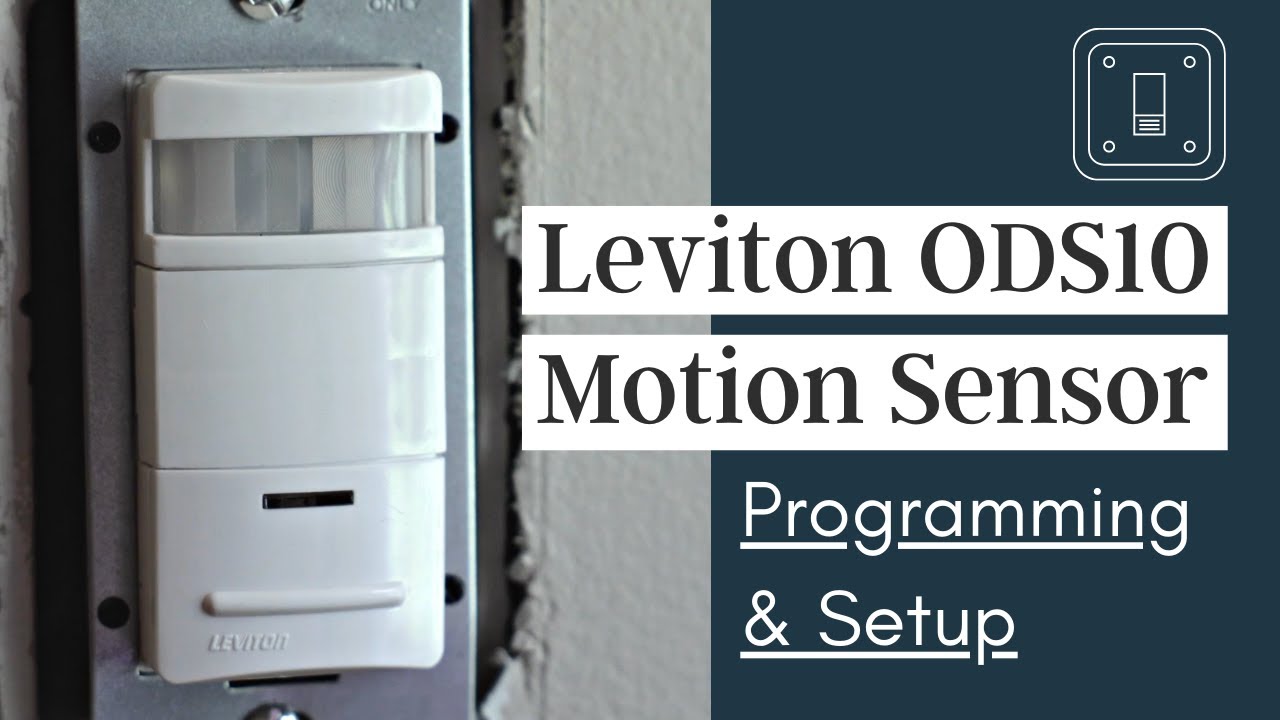
After setting the time delay, test the light’s response. Walk through the sensor’s range and note how long the light stays on. Adjust the delay up or down based on your test. Repeat the process until the timing feels right. Small changes can make a big difference in comfort and energy use. Fine-tuning ensures the sensor works well in your space.
Credit: www.youtube.com
Modifying Light Level Settings
Modifying light level settings on a motion sensor light switch lets you control when the light turns on. This saves energy and improves comfort. Adjusting these settings helps the switch react only when needed. You can set the light to work during low light or darkness. Understanding these options makes your home smarter and more efficient.
Daylight Sensor Adjustment
The daylight sensor tells the switch to stay off if enough natural light is present. Adjusting this sensor sets the brightness level needed to activate the light. Turn the dial or use buttons to change sensitivity. Higher sensitivity means the light turns on with more daylight. Lower sensitivity means the light only activates in darker conditions. Test different settings to find what fits your space.
Setting Ambient Light Thresholds
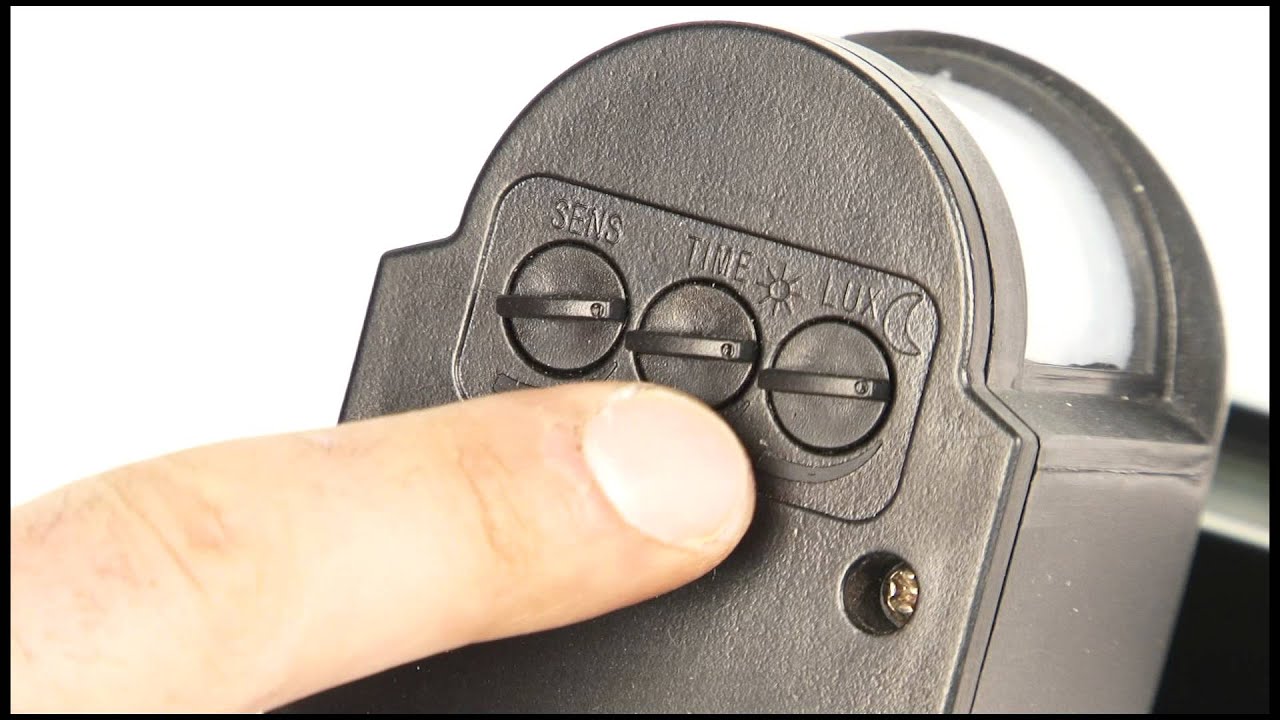
Ambient light thresholds define the minimum light level for the sensor to work. Set this threshold to avoid the light turning on in bright rooms. Use a small screwdriver or control panel to adjust the threshold. Start low and increase until the light stays off during the day. This prevents waste and keeps your lighting smart. Adjust as seasons change for best results.
Troubleshooting Common Issues
Troubleshooting common issues with motion sensor light switches can save time and effort. These problems often have simple fixes. Knowing what to check helps keep your light switch working well. Below are common problems and how to address them.
Sensor Not Detecting Motion
Check the sensor’s placement first. It should face the area where motion happens. Clean the sensor lens gently. Dust or dirt can block motion detection. Adjust the sensor angle if needed. Make sure nothing blocks the sensor’s view. Test by moving in front of the sensor slowly.
Light Stays On Or Off
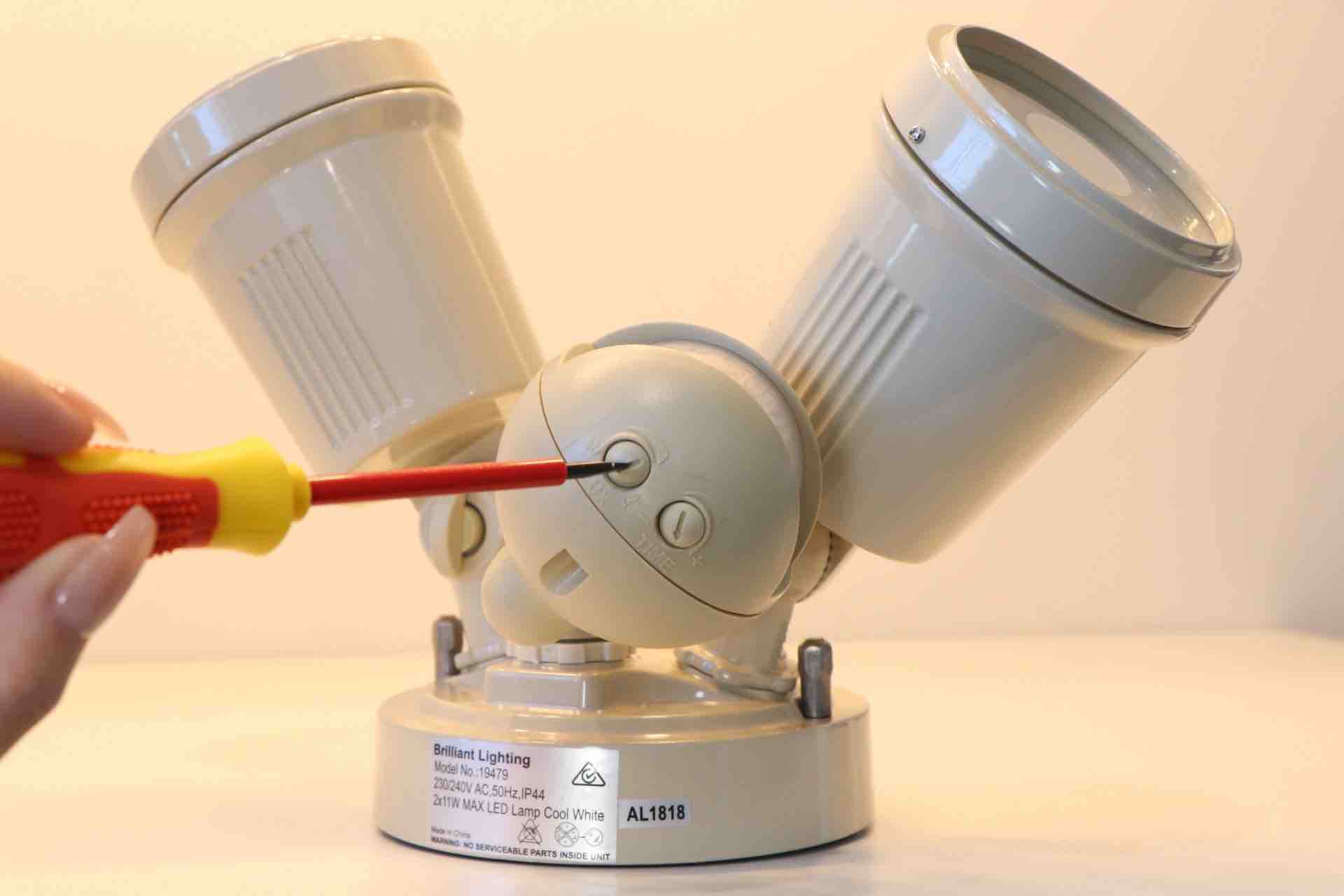
Check the timer settings on the switch. The light may stay on too long or turn off too soon. Adjust the timer to fit your needs. Look for a manual override switch that might be stuck. Ensure the switch is wired correctly. Loose wires can cause power issues. Turn off power before inspecting wiring.
False Triggers
False triggers happen when the light turns on without motion. Remove objects that cause heat or movement near the sensor. Avoid direct sunlight or heat sources pointing at the sensor. Change the sensitivity setting to lower levels. This reduces false alarms. Test the sensor after each adjustment to find the best setting.
Credit: metro-electrical.com.au
Maintaining Your Motion Sensor Switch
Maintaining your motion sensor switch ensures it works correctly and lasts longer. Regular care keeps the sensor sensitive and prevents false triggers. Simple maintenance saves money and effort over time.
Regular Cleaning Tips
Dust and dirt can block the sensor’s view. Wipe the sensor gently with a soft cloth. Avoid using strong cleaners that can damage the surface. Clean the sensor every few weeks for best results. Keep the area around the sensor free of cobwebs and debris.
Periodic Recalibration
Recalibrate the sensor to match your needs and environment. This process resets sensitivity and timer settings. Follow the manufacturer’s instructions to recalibrate correctly. Do this every few months or after major changes in your room. Recalibration helps the sensor avoid false triggers and stay accurate.
Credit: www.youtube.com
Frequently Asked Questions
How Do I Adjust The Sensitivity On A Motion Sensor Light Switch?
To adjust sensitivity, locate the sensor dial on the switch. Turn it clockwise to increase sensitivity or counterclockwise to decrease. This controls how much motion triggers the light, helping avoid false activations.
Can I Change The Timer Settings On My Motion Sensor Switch?
Yes, most motion sensor switches have a timer dial. Adjust it to set how long the light stays on after motion stops, ranging from seconds to several minutes.
What Is The Best Height To Install A Motion Sensor Switch?
Install the sensor at 5 to 6 feet high for optimal detection. This height covers a wide area and captures typical human movement effectively.
How Do I Reset A Motion Sensor Light Switch?
To reset, turn off the power at the breaker. Wait a few seconds, then switch the power back on. This can resolve minor sensor glitches.
Conclusion
Adjusting your motion sensor light switch is simple and quick. Start by setting the sensitivity to avoid false triggers. Next, adjust the time delay so the light stays on as long as you need. Test the sensor in different lighting conditions for best results.
Regular checks keep your switch working well. A well-set motion sensor improves safety and saves energy. Take a few minutes today to make your light switch work smarter. It’s worth the effort.