Have you ever flipped a light switch and nothing happened? It’s frustrating and sometimes a sign that your switch might be bad.
But how can you be sure? Knowing if a light switch is faulty can save you time, money, and even prevent bigger electrical problems. You’ll discover simple ways to check your light switch and understand when it’s time to replace it.
Keep reading—your next fix could be easier than you think.
Common Switch Problems
Light switches can show signs of wear or damage over time. These signs help you know if a switch might be bad. Common problems with switches include feeling loose or stiff, not staying in place, or making strange sounds. These issues can affect the switch’s performance and safety.
Switch Feels Loose Or Stiff
A switch that feels loose may wobble or move too easily. This can mean the internal parts are worn out. A stiff switch is hard to flip or press. Dirt or damage inside the switch can cause stiffness. Both problems suggest the switch needs checking or replacement.
Switch Does Not Stay In Position
A good switch stays in the on or off position firmly. If it moves back by itself or won’t stay put, it is faulty. This may cause lights to flicker or not turn on. The internal mechanism might be broken or weak. Replacing the switch is often the best fix.
Switch Makes Buzzing Or Crackling Sounds
Buzzing or crackling noises from a switch are warning signs. These sounds come from loose wires or poor connections. They can also indicate electrical problems inside the switch. Such issues can be unsafe and should be addressed quickly. Hearing these sounds means the switch should be tested or replaced.
Electrical Symptoms
Electrical symptoms often signal a bad light switch. These signs help identify switch problems early. Watch for unusual behavior in your lights or switch. They warn of potential safety issues or failures.
Checking these symptoms saves time and prevents bigger problems. Simple observations can tell if the switch needs repair or replacement.
Lights Flicker Or Don’t Turn On
Flickering lights often mean a faulty switch connection. The switch might not send steady power to the bulb. Sometimes, lights stay off even when the switch is on. This indicates a bad switch or loose wiring inside.
Flickering can also cause annoying, uneven light. It may lead to bulb damage over time. Pay attention to these signs to avoid electrical hazards.
Switch Feels Warm Or Hot To Touch
A warm or hot switch is unsafe. Heat means extra electrical resistance inside the switch. This could be caused by worn parts or loose wires. The switch should only feel room temperature.
Touching a hot switch risks burns or electric shock. Turn off power before inspecting or fixing the switch. Warmth is a clear sign the switch needs attention.
Burning Smell Near The Switch
A burning smell near a switch is serious. It often means overheating or electrical arcing inside the switch. This can lead to fire hazards if ignored. The smell is a clear warning to act fast.
Stop using the switch immediately. Turn off the power and call a professional electrician. Never ignore strange odors near electrical parts.
Physical Signs Of Damage
Physical signs of damage on a light switch are easy to spot. They show that the switch might not work properly or could be unsafe. Checking for these signs helps you decide if the switch needs fixing or replacing.
Visible Cracks Or Breaks
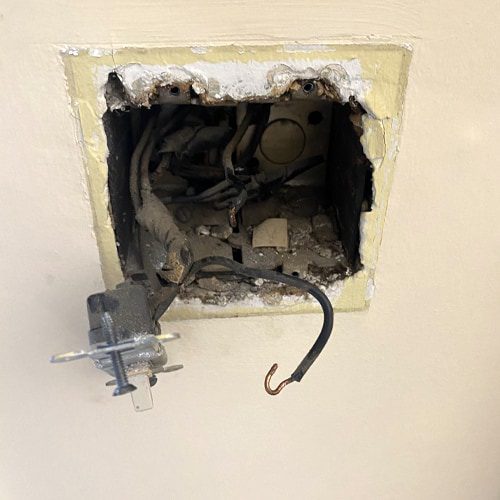
Cracks or breaks on the switch surface are clear warning signs. They may let dust or moisture inside. This can cause the switch to fail or short-circuit. Avoid using switches with visible damage to prevent accidents.
Discoloration Or Burn Marks
Discoloration or burn marks around a switch mean overheating. This could happen from electrical problems or a bad connection. Burn marks often look brown, black, or yellow. Such signs show the switch is unsafe and needs replacement.
Loose Or Exposed Wiring
Wires that are loose or exposed near the switch are dangerous. They increase the risk of electric shock or fire. The wires should be tightly connected and covered. Check switches regularly for any loose or visible wires.

Credit: www.youtube.com
Testing The Switch
Testing a light switch helps find out if it is working or broken. This step is important before replacing any parts. Simple tools can check the switch’s condition safely. Follow easy methods to test the switch at home.
Using A Voltage Tester
A voltage tester shows if electricity reaches the switch. Turn off the power first for safety. Remove the switch cover carefully. Touch the tester to the switch terminals. If the tester lights up, power is present. No light means no power or a bad switch.
Checking Continuity With A Multimeter
Use a multimeter to check the switch’s continuity. Set the multimeter to the continuity mode. Remove the switch from the wall. Place the probes on the switch terminals. Press the switch on and off. The meter should beep or show zero resistance when on. No beep means the switch is faulty.
Swapping With A Known Good Switch
Replace the suspect switch with a working one. Turn off the power before swapping. Remove the bad switch carefully. Install the good switch in the same place. Turn the power back on and test the light. If the light works, the old switch is bad.
When To Replace Or Call A Professional
Knowing when to replace a light switch or call a professional is important. A bad switch can cause electrical problems or even fires. Acting quickly keeps your home safe and your lights working well. This guide helps you decide what to do next.
Safety Risks Of A Bad Switch
A bad switch can create sparks or heat. This can start a fire in your home. It may also cause electric shocks. Flickering lights or a burning smell are warning signs. Avoid touching the switch if you notice these. Safety should always come first.
Diy Replacement Tips
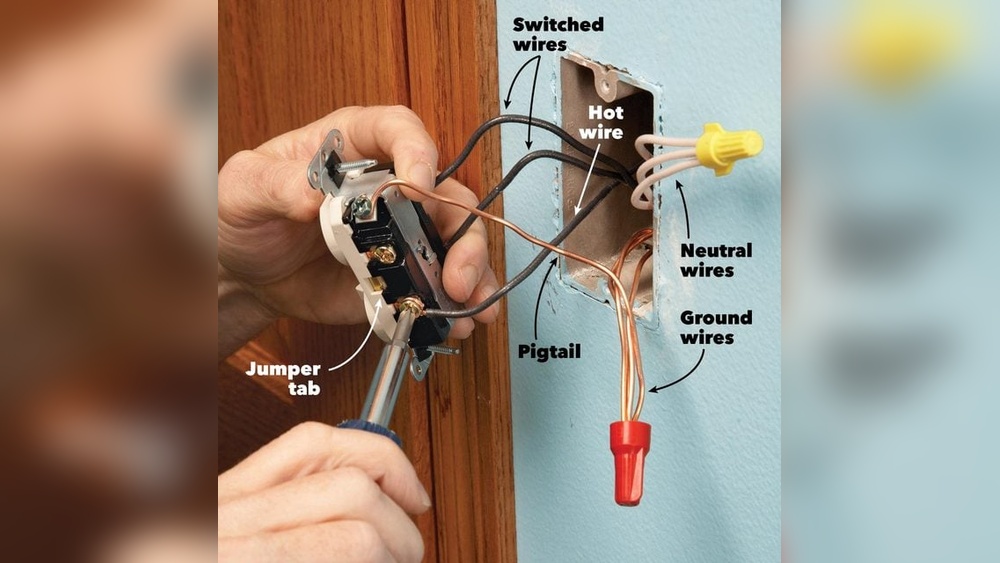
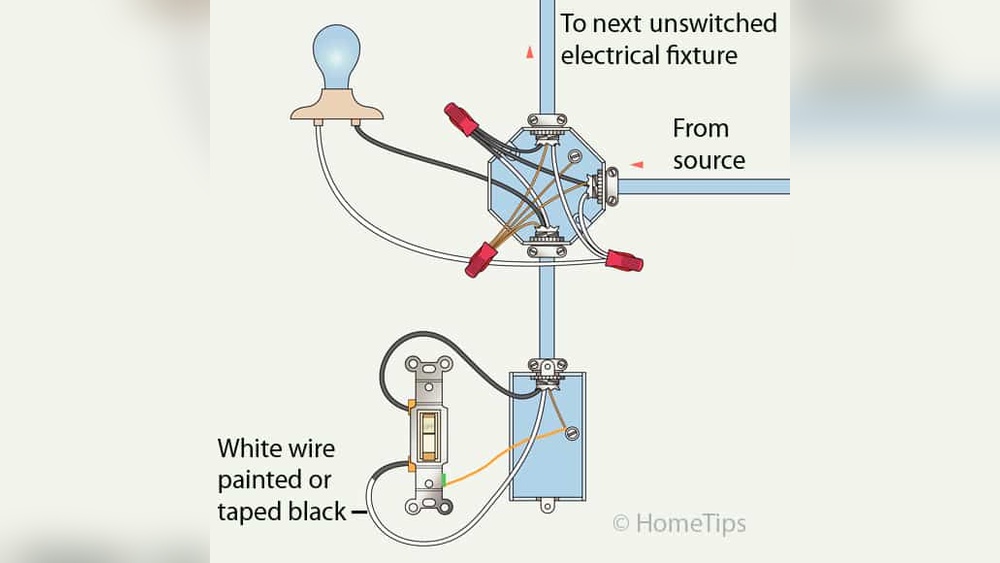
Turn off the power before touching any switch. Use a voltage tester to check the wires. Remove the old switch carefully. Match the new switch’s wires to the old ones. Screw the switch into place and restore power. Test the switch to see if it works. Stop and call a professional if you feel unsure.
Hiring An Electrician
Choose a licensed electrician for complex problems. They have tools and knowledge to fix issues safely. They can spot hidden wiring problems too. A professional ensures your switch works well and meets safety codes. Investing in expert help avoids bigger costs later.
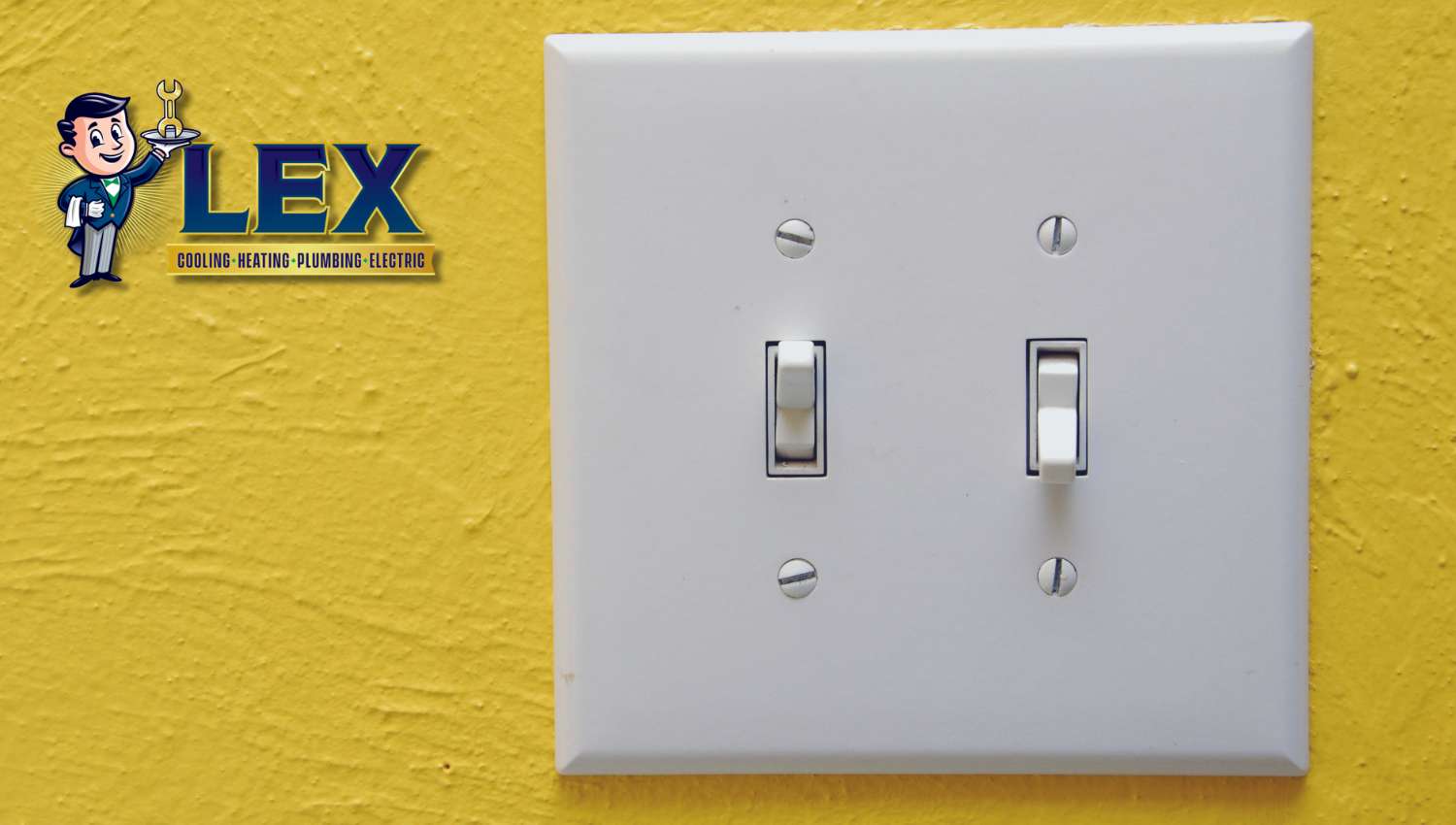
Credit: www.lexairconditioning.com
Credit: rytecelectric.com
Frequently Asked Questions
How Can I Test If A Light Switch Is Faulty?
Use a multimeter to check for continuity. Turn off power, remove the switch cover, and test terminals. No continuity means the switch is bad and needs replacement.
What Are Common Signs Of A Bad Light Switch?
Signs include flickering lights, no response when toggled, buzzing sounds, or a warm switch plate. These indicate internal damage or loose wiring.
Can A Bad Light Switch Cause Electrical Hazards?
Yes, a faulty switch can lead to sparks, short circuits, or even fires. Always replace damaged switches promptly to ensure safety.
How Long Does A Typical Light Switch Last?
Most light switches last 10-20 years with normal use. Frequent use or poor quality can shorten lifespan, increasing failure risk.
Conclusion
A bad light switch can cause many problems in your home. Flickering lights, switches that feel hot, or no power are clear signs. Testing the switch safely helps find the issue fast. Replacing a faulty switch keeps your lights working well.
Don’t ignore small problems; they can turn worse quickly. Knowing these signs saves time and keeps your home safe. Stay alert and fix bad switches to avoid bigger troubles. Simple checks make a big difference in your daily comfort.