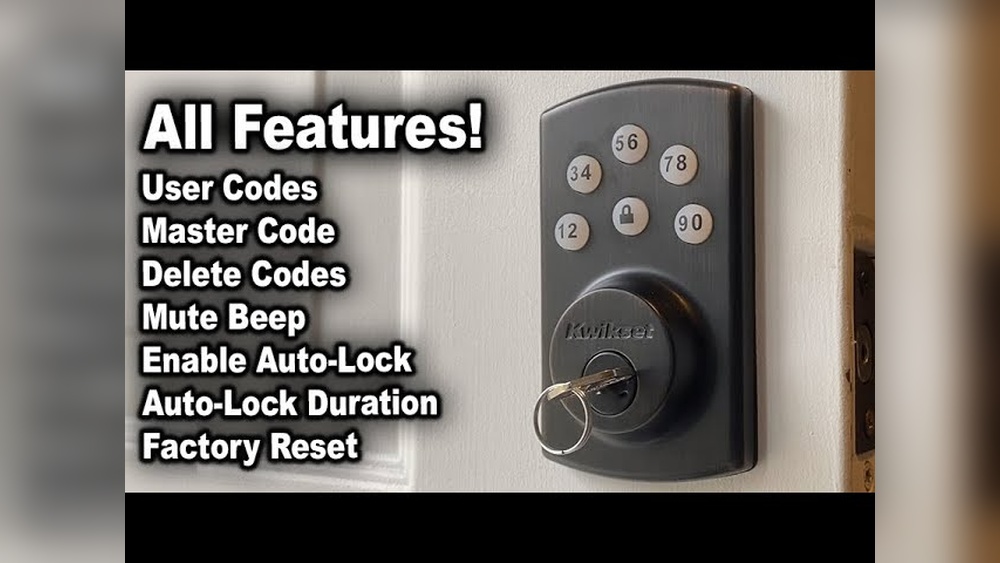
Have you ever wished you could change the codes on your Kwikset deadbolt without calling a locksmith? Reprogramming your deadbolt is easier than you think, and it gives you full control over who can enter your home.
Whether you’ve lost a key or want to add a new code for a family member, this quick guide will show you exactly how to do it step-by-step. Keep reading to learn how to take charge of your home’s security in minutes—no special tools or skills needed.

Credit: www.youtube.com
Kwikset Deadbolt Basics
Kwikset deadbolts are popular for home security. They offer strong protection and easy use. Learning the basics helps you reprogram your lock safely and quickly.
Understanding types, features, and tools needed makes reprogramming simple. This section covers key points to get started.
Types Of Kwikset Deadbolts
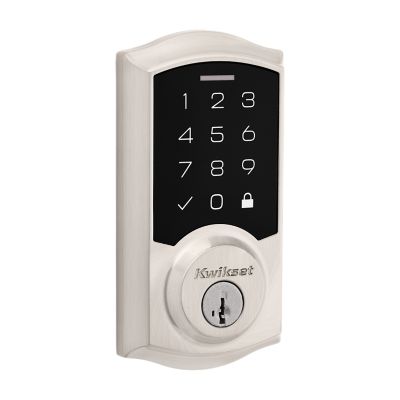
Kwikset offers several deadbolt types. The most common are single-cylinder and double-cylinder models. Single-cylinder locks use a key outside and a thumb turn inside.
Double-cylinder locks require a key on both sides. Smart locks are also available. These connect to your phone or smart home system for keyless entry.
Key Features
Kwikset deadbolts include features like SmartKey technology. This feature allows quick rekeying without removing the lock. Many models have ANSI Grade 1 or 2 security ratings.
Some locks have built-in alarms for added safety. Weather resistance is common for outdoor use. Easy installation is another important feature.
Tools Needed
Most Kwikset deadbolts require basic tools for reprogramming. A Phillips screwdriver is essential. Some models need the original programming code or key.
A small flashlight helps in low light. No special tools are needed for basic rekeying on SmartKey models. Always check your lock’s manual for specific tool needs.
Credit: www.kwikset.com
Preparing For Reprogramming
Reprogramming your Kwikset deadbolt is simple and quick. Follow these clear steps to change user codes or update your lock settings. No special tools needed.
Every step ensures your lock stays secure and easy to use. Keep your new codes private and write them down safely.
Enter Programming Mode
Press the lock’s programming button. It is usually inside the battery cover.
Wait for the lock to beep or the light to flash. This means it is ready for programming.
Enter the current programming code using the keypad. This code is preset or set by you earlier.
Press the lock button again to confirm. Now, the lock is in programming mode.
Add A New User Code
Press the keypad button to start adding a new code.
Enter the new user code. Use 4 to 8 digits for the code.
Press the lock button to save the new code. The lock will beep to confirm.
Test the new code to make sure it works before exiting programming mode.
Delete An Existing Code
Enter programming mode first. Use the programming code and button.
Press the button to delete a user code.
Enter the code number you want to remove. It may be the user slot number.
Press the lock button to confirm the deletion. The lock will beep or flash.
Test The New Code
Exit programming mode by pressing the lock button.
Try the new user code on the keypad.
The lock should open smoothly without delay.
Test all codes you use often to keep security tight.
Step-by-step Reprogramming
Troubleshooting your Kwikset deadbolt can save time and frustration during reprogramming. Some issues are common and easy to fix. Understanding these problems helps you fix your lock quickly. Follow these simple tips to get your deadbolt working again.
Common Errors
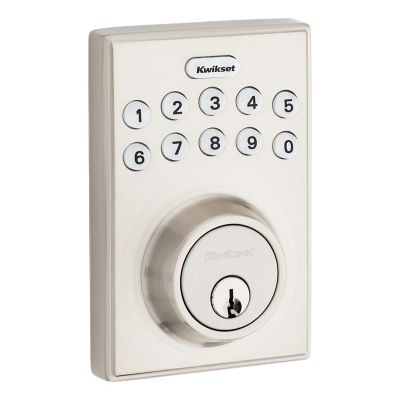
Sometimes the keypad does not respond. This could be due to low battery power. Another issue is entering the wrong code too many times. The lock may temporarily disable itself. Make sure to use the correct master code. Check for stuck or damaged buttons on the keypad.
Resetting The Deadbolt
Resetting the deadbolt often solves programming problems. Find the reset button inside the lock mechanism. Hold the button for about 10 seconds. The lock will beep or flash to confirm reset. After reset, reprogram your codes from the start. This clears any previous errors or settings.
When To Replace Batteries
Weak batteries cause many deadbolt issues. Replace batteries if the lock beeps or the keypad is slow. Use fresh, high-quality alkaline batteries. Avoid rechargeable batteries as they may affect performance. Change batteries every six months to keep your lock reliable.
Credit: www.kwikset.com
Frequently Asked Questions
How Do I Reset My Kwikset Deadbolt?
To reset your Kwikset deadbolt, press the program button inside the lock. Hold it for 10 seconds until the light flashes. This erases all user codes and restores factory settings, allowing you to start fresh with new codes.
Can I Reprogram Kwikset Deadbolt Without A Key?
Yes, you can reprogram your Kwikset deadbolt without a key if you know the current programming code. Use the keypad to enter the code and follow the instructions to add or delete user codes.
How To Add A New User Code To Kwikset Deadbolt?
Enter your existing programming code on the keypad. Press the program button, then enter the new user code followed by the lock button. This adds a new code for keyless entry.
What If Kwikset Deadbolt Programming Fails?
If programming fails, ensure you have the correct programming code. Check battery power and try resetting the lock. Refer to the user manual for specific troubleshooting steps.
Conclusion
Reprogramming your Kwikset deadbolt helps keep your home safe. It takes just a few easy steps to change the codes. You can control who has access without calling a locksmith. Regular updates to your lock codes add extra protection. Stay confident knowing you handle your home security yourself.
Practice these steps a couple of times to feel sure. Your Kwikset deadbolt will work better and smarter for you. Simple actions can make a big difference in safety. Keep your home secure with this handy skill.