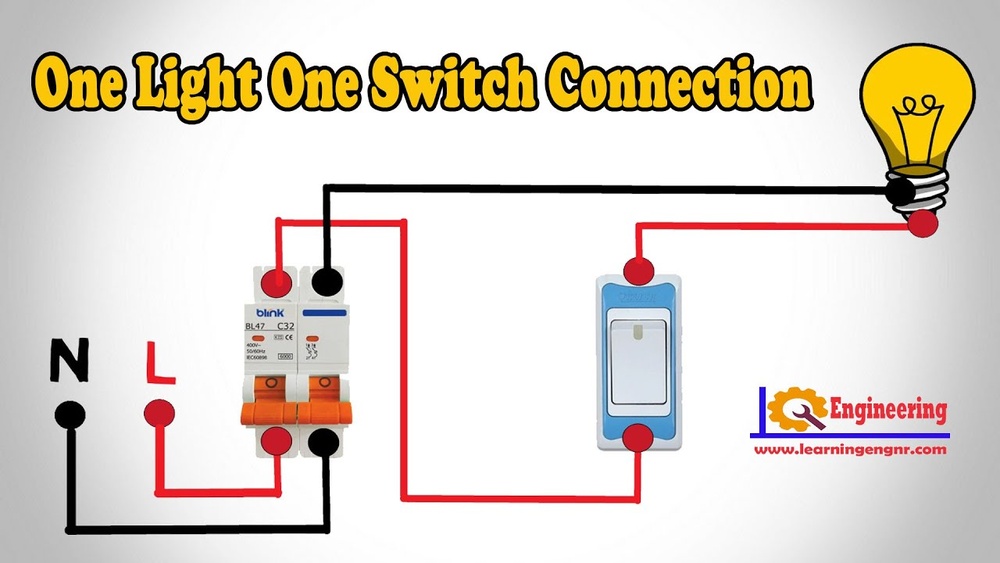
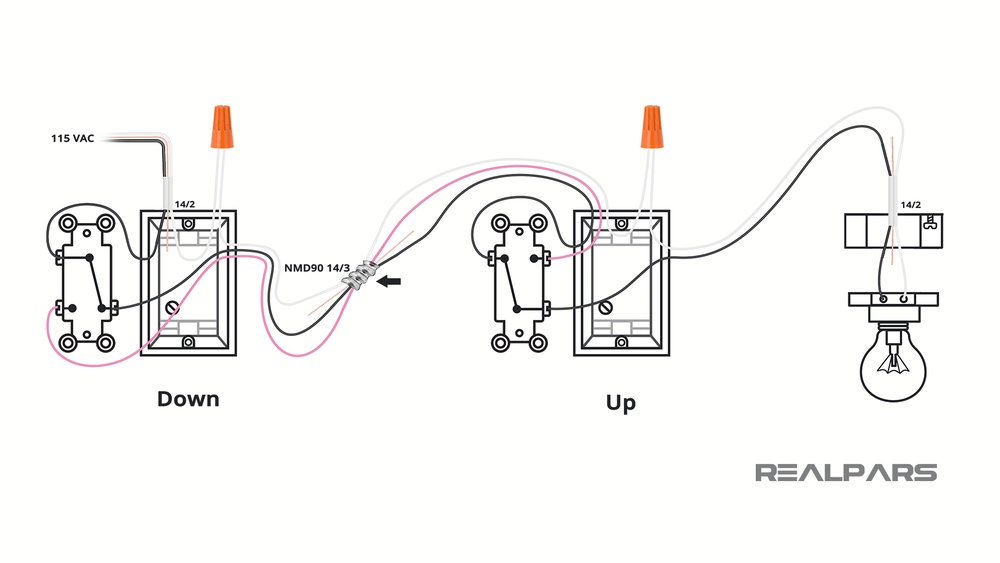
Are you tired of your motion sensor light switch turning on at the worst times? Maybe it’s too sensitive or just not working the way you want.
Learning how to deactivate your motion sensor light switch can save you frustration and give you control over your lighting. In this guide, you’ll discover simple, step-by-step methods to turn off that sensor without needing expert help. Keep reading, and you’ll have your lights working exactly how you want in no time.
Tools Needed
Before you deactivate a motion sensor light switch, gather the right tools. Having the correct tools makes the process safe and smooth. It also saves time and avoids damage.
Most homes have these basic tools. Some might need a special tool for the job. Check what you have and what you need before starting.
Flathead Screwdriver
A flathead screwdriver helps remove the switch cover plate. It fits into the small slots on screws. This tool is simple but essential.
Phillips Screwdriver
Use a Phillips screwdriver for screws with a cross shape. It loosens or tightens screws on the switch. This tool ensures a secure grip.
Voltage Tester
A voltage tester checks if the power is off. Safety first. It prevents electrical shocks during work.
Wire Strippers
Wire strippers remove insulation from wires. They prepare wires for reconnection if needed. Use this tool carefully to avoid wire damage.
Electrical Tape
Electrical tape insulates wire connections. It keeps wires safe and prevents shorts. Always have some on hand.
Safety Gloves
Wear safety gloves to protect your hands. They guard against cuts and shocks. Choose gloves with good grip and insulation.

Credit: www.youtube.com
Locate The Motion Sensor Switch
Start by finding the motion sensor switch on your wall. It usually looks like a regular light switch but with a small sensor window. Check near entrances, hallways, or outdoor areas where motion lights are installed.
Identify Common Locations
Motion sensor switches usually sit near entryways or hallways. Check walls close to doors or staircases. These places catch movement well and control lighting efficiently.
Look For Sensor Components
The switch often has a small, round sensor window. It might look like a tiny lens or a dark plastic circle. This part detects motion and triggers the light.
Check The Switch Plate
The motion sensor switch may look different from regular switches. It often has extra buttons or dials to adjust sensitivity or time delay. Spotting these helps confirm the switch type.
Use A Flashlight If Needed
Sometimes, the sensor is hidden in shadowed areas. Shine a flashlight along the wall or switch panel. This makes it easier to spot the sensor’s shape or lens.
Turn Off Power Safely
Turning off power before working on a motion sensor light switch is very important. It keeps you safe from electric shocks. Always take this step first to avoid accidents and damage to the switch.
Make sure you have the right tools before starting. You might need a screwdriver and a voltage tester to check the power.
Locate The Circuit Breaker
Find the breaker box in your home. This is usually in a basement or utility room. Look for the label that matches the room with the motion sensor switch.
Switch Off The Correct Breaker
Turn the breaker to the “off” position. This stops electricity from flowing to the light switch. Double-check that the switch is off before touching the wires.
Test For Power
Use a voltage tester on the light switch. It shows if electricity is still present. No light or sound means the power is off and safe to work on.
Remove The Switch Cover
Removing the switch cover is the first step to deactivate a motion sensor light switch. This step gives you access to the switch’s wiring and settings. It is important to do this carefully to avoid any damage or electric shock. Follow these simple steps to remove the cover safely.
Turn Off The Power
Before touching the switch, turn off the power at the circuit breaker. This stops any electricity from flowing to the switch. Double-check by flipping the switch to see if the light turns off.
Unscrew The Switch Cover
Use a screwdriver to remove the screws holding the cover. Keep the screws safe to use later. Gently pull the cover away from the wall.
Handle The Cover With Care
The cover may be tight or stuck. Pull slowly to avoid breaking it. Set the cover aside on a flat surface to keep it clean and safe.
Identify The Sensor Components
Start by locating the main parts of the motion sensor light switch. These include the sensor itself, the light bulb, and the control panel or settings. Knowing each component helps in safely turning off the sensor feature.
Understanding The Motion Sensor Lens
The motion sensor lens detects movement in its range. It is usually a small, round, or rectangular cover on the switch. This lens works by sensing infrared light changes caused by moving objects. Spotting this part helps you know where the sensor detects motion.
Locating The Sensor Module
The sensor module is the brain behind the motion detection. It processes signals from the lens and controls the switch’s on/off action. This component is often inside the switch casing. Knowing its location is key to safely deactivating the sensor.
Identifying The Adjustment Knobs Or Buttons
Adjustment knobs or buttons let you control sensor settings. Common controls include sensitivity, time delay, and light level. These are usually on the front or side of the switch. Recognizing these helps you change the sensor behavior without removing parts.
Spotting The Power Source Connection
The power source connection links the switch to your home’s electricity. It is found behind the switch plate, where wires connect. Identifying this part is crucial for turning off power before any work. Safety first to avoid shocks or damage.
Disable The Motion Sensor Function
Disabling the motion sensor function on your light switch can help you control the light manually. It stops the sensor from turning the light on or off automatically. This gives you full control over when the light works.
You can disable the sensor in two main ways. Either by adjusting the switch settings or by disconnecting the sensor wires. Both methods are simple and safe when done carefully.
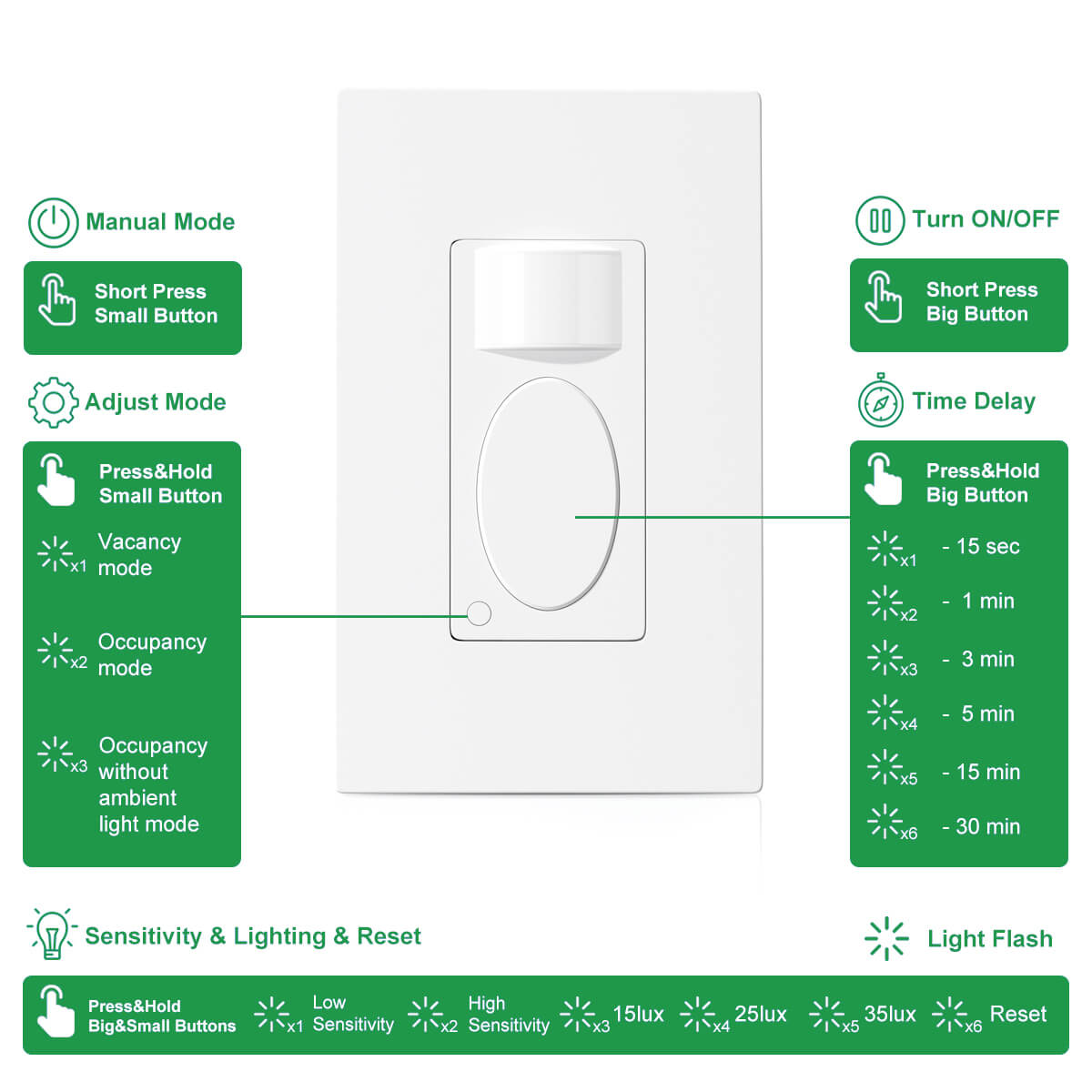
Using The Switch Settings
Many motion sensor switches have a way to turn off the sensor. Look for a small switch or button on the device. It might be labeled as “sensor off” or “manual mode.”
Switching to manual mode lets you use the light like a regular switch. This option does not need any wiring changes. It is the easiest way to disable the sensor function.
Disconnecting Sensor Wires
Another way is to disconnect the sensor wires inside the switch. First, turn off the power at the circuit breaker. This keeps you safe from electric shock.
Open the switch cover and find the wires connected to the sensor. Usually, the sensor wires are separate from the main power wires. Carefully disconnect these wires or cover them with wire nuts.
After this, the light will work only when you use the switch manually. Always check the switch instructions before disconnecting wires. If unsure, ask a professional electrician for help.
Replace With A Standard Switch
Replacing a motion sensor light switch with a standard switch is a simple way to deactivate the sensor. This method lets you control the light manually. It provides a straightforward solution if the sensor causes problems or is no longer needed.
The process involves removing the motion sensor switch and installing a regular switch instead. Basic tools and safety precautions are necessary. Understanding the wiring setup helps to complete the task safely and correctly.
Turn Off Power At The Circuit Breaker
Start by turning off the power to the light switch. Locate the circuit breaker panel. Switch off the breaker controlling the light. Use a voltage tester to confirm no electricity flows. Safety first.
Remove The Motion Sensor Switch
Unscrew the faceplate of the motion sensor switch. Carefully pull the switch out from the wall box. Note how the wires connect to the switch. Take a photo or label the wires. Disconnect the wires from the sensor switch.
Connect The Standard Light Switch
Attach the wires to the new standard switch. Match wires by color or label. Tighten the wire screws securely. Make sure no wires are loose or exposed. Push the switch into the wall box gently.
Secure The Switch And Restore Power
Screw the switch into place firmly. Attach the faceplate over the switch. Return to the circuit breaker panel. Turn the power back on. Test the switch to ensure it works manually.
Credit: www.rayzeek.com
Test The Switch Operation
Testing the motion sensor light switch after deactivation is important. It confirms the switch works correctly without motion sensing. This step ensures the light responds only to manual control. Follow these simple checks to test the switch operation safely and effectively.
Turn The Switch On And Off Manually
Start by turning the switch on. The light should turn on immediately. Turn the switch off and see the light go off. This confirms the manual control is active. There should be no delay or motion sensor activation.
Check For Motion Sensor Response
Move around the sensor area slowly. The light should not turn on or off by your movement. If it reacts, the sensor is still active. This means the deactivation did not work fully.
Test At Different Times Of Day
Try testing the switch both during day and night. Some sensors work differently depending on light levels. Make sure the sensor stays off regardless of the time. This ensures consistent manual operation.
Observe For Any Flickering Or Irregular Behavior
Watch the light for a few minutes after turning on. The light should stay steady without flickering. Flickering may suggest wiring or sensor issues. Address any irregular behavior before final use.
Troubleshooting Tips
Troubleshooting a motion sensor light switch can help you fix common issues fast. Problems often arise from simple errors or settings. Checking these tips can save time and frustration. Follow these steps to find the cause and solve the problem easily.
Check The Power Supply
Ensure the light switch has power. Turn off the breaker before inspecting. Use a voltage tester to confirm electricity reaches the switch. Loose wires can cause power loss. Tighten any connections carefully.
Adjust The Sensitivity Settings
Motion sensors have sensitivity controls. Low sensitivity may not detect movement well. High sensitivity might cause the light to turn on too often. Set the sensitivity to a middle level. Test the motion detection after adjustment.
Clean The Sensor Lens
Dirt or dust can block the sensor lens. Wipe the lens gently with a soft cloth. Avoid using harsh chemicals. A clear lens improves motion detection accuracy.
Check For Obstructions
Objects like furniture or plants can block the sensor’s view. Make sure the sensor has a clear path. Remove or move any items in front of it. This helps the sensor detect motion correctly.
Test The Time Delay Settings
The light switch may have a time delay feature. It controls how long the light stays on after motion stops. If the delay is too short, the light may turn off too soon. Adjust the time delay for better performance.
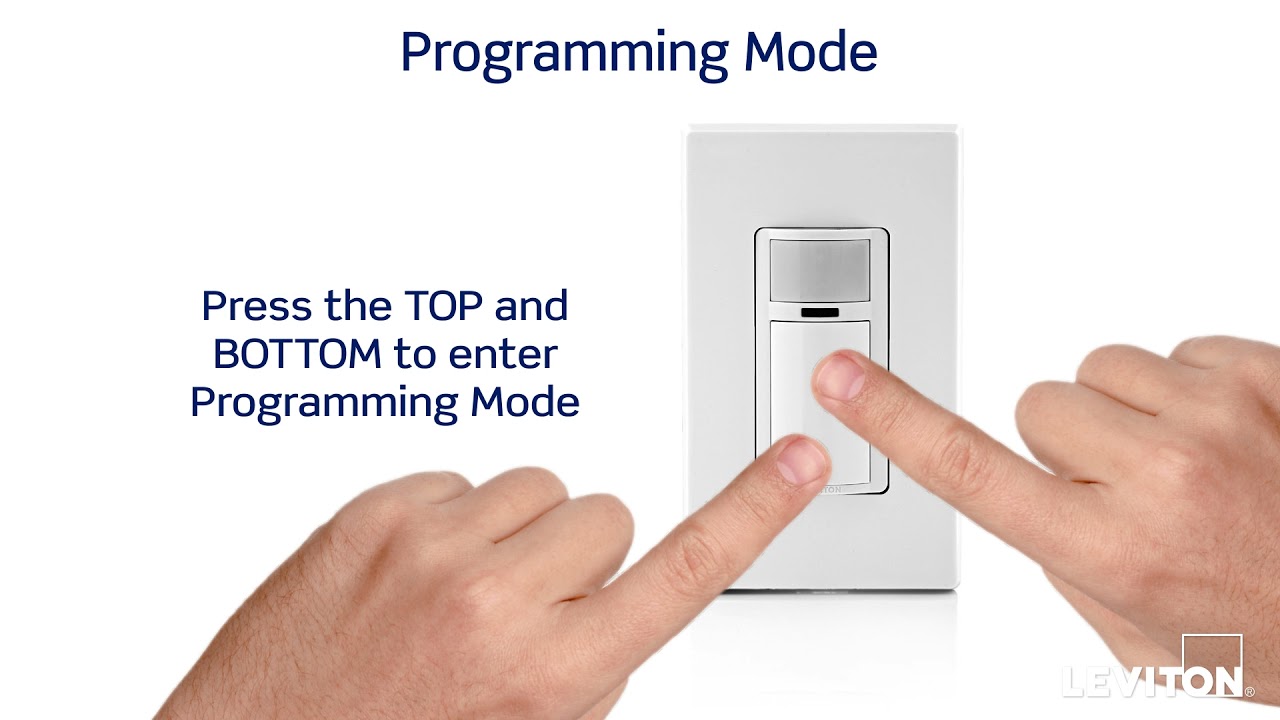
Reset The Motion Sensor Switch
Resetting can fix minor glitches. Turn off the power for 30 seconds. Turn it back on and test the sensor. This often clears small errors and restores normal function.
Credit: www.youtube.com
Frequently Asked Questions
How Do I Turn Off A Motion Sensor Light Switch?
To turn off a motion sensor light switch, locate its manual override or power switch. Alternatively, adjust the settings to disable motion detection. If unavailable, you can disconnect the sensor wires, but always turn off the power first for safety.
Can I Deactivate Motion Sensor Light Without Wiring Changes?
Yes, some motion sensor switches have a manual override or sensitivity adjustment. Use these controls to turn off or reduce motion detection without rewiring. Check your switch’s user manual for specific instructions on disabling the sensor function.
Why Would I Want To Deactivate A Motion Sensor Light Switch?
You may want to deactivate it to save energy during extended use or avoid false triggers from pets. Disabling the sensor can also help if the light switch malfunctions or you prefer manual control over lighting.
Is It Safe To Deactivate A Motion Sensor Light Switch Myself?
Yes, if you follow safety precautions like turning off the circuit breaker. Carefully read the switch’s manual and use proper tools. If unsure, consult a licensed electrician to avoid electrical hazards or damage.
Conclusion
Deactivating your motion sensor light switch is simple and quick. Just follow the steps carefully and avoid mistakes. This helps save energy and stops unwanted light activations. You can turn the switch back on anytime if needed. Regular checks keep your home safe and comfortable.
Now, you have control over your lighting system. No more sudden lights when you don’t want them. Enjoy a peaceful and well-lit space on your terms.