Have you ever found yourself wanting to connect a landline phone but realized there’s no wall outlet nearby? It can feel frustrating when you need a reliable phone line, but the usual connection points just aren’t there.
What if you could set up your landline phone without relying on a traditional wall outlet? You’ll discover simple, practical ways to hook up your landline phone wherever you need it. Keep reading, and you’ll learn easy steps that save you time, money, and headaches—making sure your phone is ready to use when you need it most.

Credit: www.youtube.com
Landline Phone Basics
Understanding landline phone basics is key to setting up phones without wall outlets. Many people think landline phones need a direct connection to a wall outlet. That is not always true. Knowing how these phones work and their connection types helps find new ways to hook them up.
How Landline Phones Work
Landline phones send voice signals through wires. These signals travel over telephone lines. The phone converts your voice into electrical signals. The signals move through wires to reach the other phone. The other phone changes the signals back to sound. This process happens instantly.
Traditional landlines use copper wires. These wires carry power and voice signals. Phones need a power source to work. Usually, the power comes from the phone company’s network. This is why most landlines plug into wall outlets.
Common Connection Types
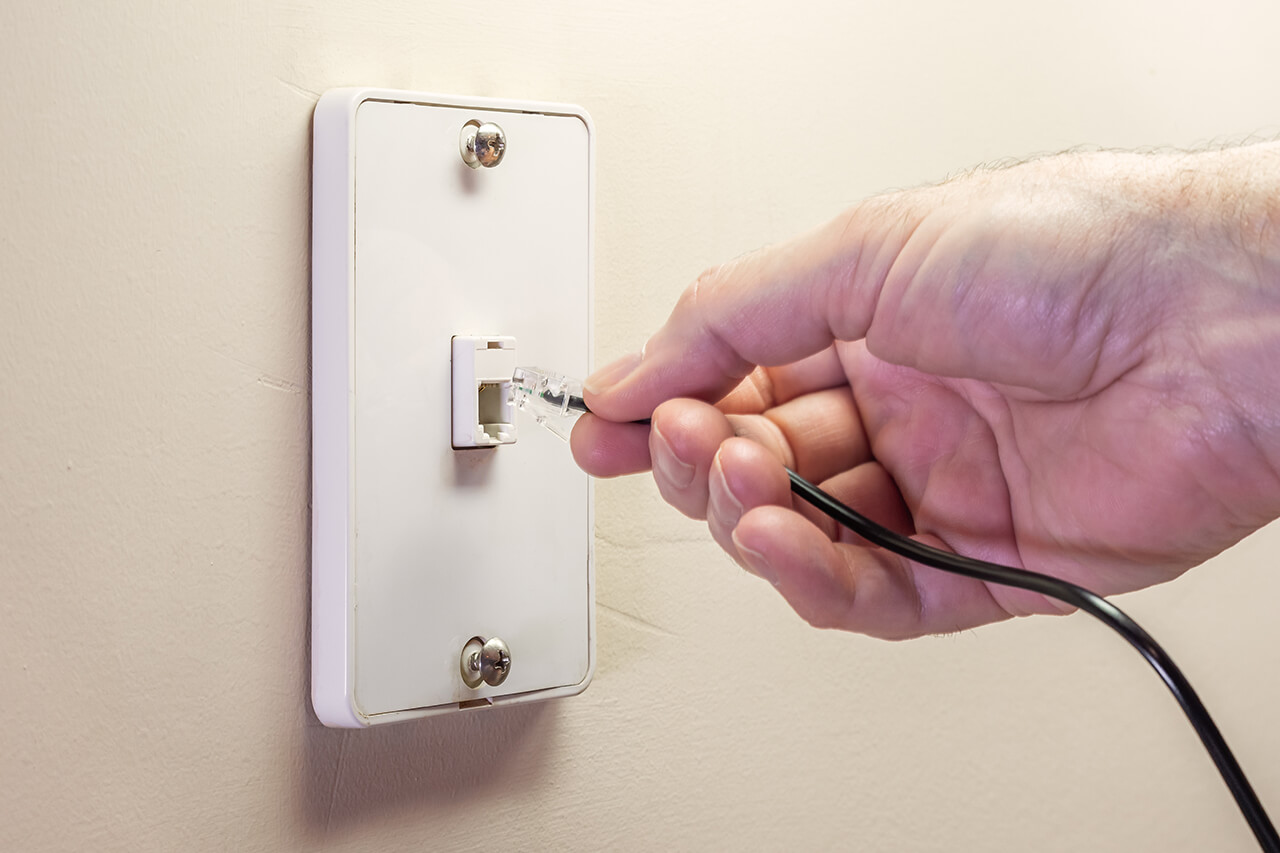
Landline phones connect mainly in two ways. The first is the standard RJ11 jack. This small port links the phone to telephone lines. The second is through cordless base stations. These bases connect to phone lines and power. Cordless handsets communicate wirelessly with the base.
Another connection option is using adapters. These devices help link phones without direct wall jacks. Some adapters connect to power outlets or other phone systems. Understanding these types helps in setting up phones in new places.
Alternatives To Wall Outlets
Not all homes have wall outlets ready for landline phones. This can cause trouble when setting up your phone system. Luckily, there are several alternatives to using wall outlets. These options help connect your landline phone without relying on standard power points. They keep your phone working smoothly and stay easy to install.
Using Phone Line Splitters
Phone line splitters divide a single phone line into multiple connections. This allows you to connect more than one phone to the same line. They plug into existing phone jacks and do not need power outlets. Splitters are simple tools that make phone setup flexible and neat.
Wireless Phone Adapters
Wireless phone adapters connect landline phones to your network without wires. They use Wi-Fi or Bluetooth to link phones to your service. This removes the need for wall outlets near each phone. These adapters are useful in places without easy power access.
Power Over Ethernet (poe) Options
Power Over Ethernet sends both power and data through one cable. PoE can power phones without wall plugs. This works well for VoIP landline phones in offices or homes. Using PoE reduces cable clutter and simplifies phone installation.
Setting Up Without Wall Outlets
Setting up a landline phone without a wall outlet can seem tricky. Many homes and offices may not have a nearby phone jack. This section guides you on connecting your phone in such cases. Simple methods can make your phone work without a traditional wall outlet.
Connecting Through Existing Wiring
Many buildings have phone wiring inside the walls. You can use this wiring to connect your landline phone. Locate the telephone wiring box or junction where wires meet. Strip the wires carefully and connect your phone’s cable to them. This method uses the building’s wiring to deliver the phone signal without a wall outlet.
Check if the wiring is live and connected to the service provider. Use a phone line tester to confirm signal presence. This setup is cheap and does not need extra devices. Be cautious while handling wires to avoid damage or electric shock.
Using Battery-powered Phones
Battery-powered phones do not require wall power. They can work anywhere with a phone signal. These phones come with their own power source inside. Just insert the SIM card or connect to a phone line. This option is good for places without power outlets or wiring.
Battery-powered phones are portable and easy to use. They provide a landline-like experience without relying on wall jacks. Keep spare batteries or charge regularly for uninterrupted use. This method suits remote or temporary setups well.
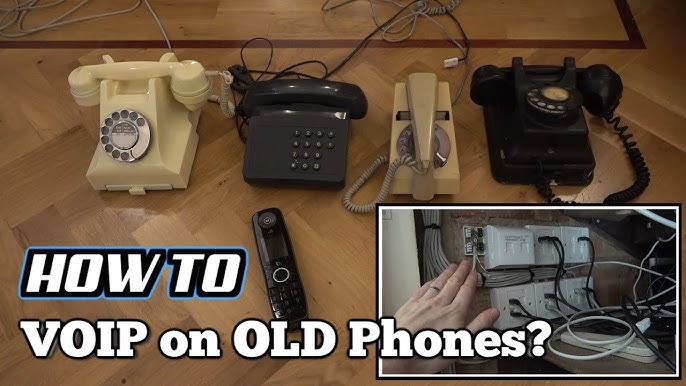
Employing Voip Adapters
VoIP adapters convert internet signals into phone signals. They let you use a landline phone through the internet. Connect the adapter to a power source and your internet router. Then plug your landline phone into the adapter’s phone jack.
This setup works without a wall phone outlet. It uses your internet connection to make calls. VoIP adapters offer clear sound and extra features. They require a steady internet connection and power source. Ideal for modern homes without traditional phone wiring.
Credit: www.youtube.com
Tools And Materials Needed
Setting up a landline phone without a wall outlet needs the right tools and materials. These help connect your phone safely and clearly. Having the correct items avoids damage and ensures good sound quality.
Essential Tools
- Telephone line tester – checks if the line works properly.
- Wire stripper – removes insulation from wires for connections.
- Screwdriver – tightens or loosens screws on connectors.
- Crimping tool – attaches connectors to wires firmly.
- Multimeter – measures voltage and continuity in wires.
- Telephone cable – connects the phone to the line or device.
Recommended Accessories
- RJ11 connectors – standard plugs for telephone cables.
- Inline couplers – join two telephone cables easily.
- Splitters – allow multiple phones to share one line.
- Wall plate adapter – helps connect wires without a wall outlet.
- Electrical tape – secures and insulates wire connections.
- Cable clips – organize and fix cables neatly.
Step-by-step Installation
Setting up a landline phone without a wall outlet is easier than it sounds. Follow clear steps to get your phone working. This guide breaks down the process into simple parts.
Each step helps you avoid problems and connect safely. Keep tools ready and take time to check your work. This ensures a smooth installation and clear calls.
Preparing Your Equipment
Gather all necessary tools and parts first. You will need a phone, a power adapter, and a phone line splitter. Check if your phone has a power port and a line port.
Find a nearby power source for the adapter. Keep a small screwdriver handy to open ports if needed. Clear your workspace for easy handling of cables.
Making Connections Safely
Turn off any devices before starting connections. Plug the phone line splitter into the phone’s line port. Connect the phone line cable from the splitter to your phone.
Attach the power adapter to the splitter or phone, depending on your model. Make sure all plugs fit tightly to avoid loose connections. Keep cables organized to prevent tripping or damage.
Testing The Setup
Turn on your phone and listen for a dial tone. Try calling a familiar number to check the sound quality. If you hear static or no tone, check your cables again.
Move the phone closer to the power source if problems persist. Reset connections if needed. Confirm the phone works well before finalizing the setup.
Troubleshooting Tips
Troubleshooting landline phones without wall outlets can be tricky. Problems may arise from wiring, adapters, or the phone itself. Knowing common issues helps you fix them faster. Here are simple tips to solve common problems and quick fixes to get your phone working again.
Common Problems
No dial tone is the most frequent issue. It may mean a loose connection or bad adapter. Static or crackling sounds can come from old wires or interference. Phones not ringing might result from incorrect wiring or settings. Sometimes, the phone might not power on due to battery or power supply issues.
Quick Fixes
Check all cable connections carefully. Make sure plugs fit tightly in adapters or phone jacks. Try a different phone cord or adapter if available. Restart the phone by unplugging and plugging it back in. Clean the phone’s ports gently with a soft cloth. Test the phone on another line to rule out device problems.
Maintaining Your Landline Setup
Maintaining your landline setup is key to keeping calls clear and reliable. A well-kept system lasts longer and works better. Simple steps help avoid common problems and keep your phone ready to use. Spend a little time checking and upgrading your setup. This keeps your connection strong and your calls uninterrupted.
Regular Checks
Check your phone and cables often. Look for loose or damaged wires. Clean the phone base and handset to avoid dust buildup. Test the sound quality regularly. Replace old or worn parts quickly. These small checks stop problems before they start. Keep your landline working smoothly with simple care.
Upgrading Your System
Upgrade parts if your phone is old or slow. Use better cables to improve signal quality. Consider a cordless phone for more freedom. Newer models often have clearer sound and extra features. Upgrading helps your landline stay useful and easy to use. A modern setup fits your needs and keeps calls clear.
Credit: www.homeadvisor.com
Frequently Asked Questions
How Can I Connect A Landline Phone Without A Wall Outlet?
You can connect a landline phone using a cordless phone base with a built-in battery or a VoIP adapter. These devices do not require traditional wall outlets and can operate via power banks or USB power sources.
What Devices Replace Traditional Wall Outlets For Landlines?
Cordless phone bases with rechargeable batteries and VoIP adapters are common alternatives. They allow landline phones to work without direct wall outlet connections, providing flexibility and portability.
Is It Possible To Use A Landline Phone With A Power Bank?
Yes, you can use a power bank to power cordless phone bases or VoIP adapters. This setup enables landline phone use without a wall outlet, especially useful in remote or temporary locations.
Can I Use An Ethernet Connection Instead Of A Phone Line?
For VoIP phones, yes. Ethernet connections carry internet signals that VoIP adapters convert for landline use. Traditional analog phones require a phone line or adapter to function correctly.
Conclusion
Connecting landline phones without wall outlets is simple with the right steps. Use phone adapters and power sources to keep calls clear. Test the connection before final use to avoid issues. Keep cables organized and secure for safety. This method saves time and keeps your phone working anywhere.
Try these tips to stay connected without wall outlets. Easy and practical.