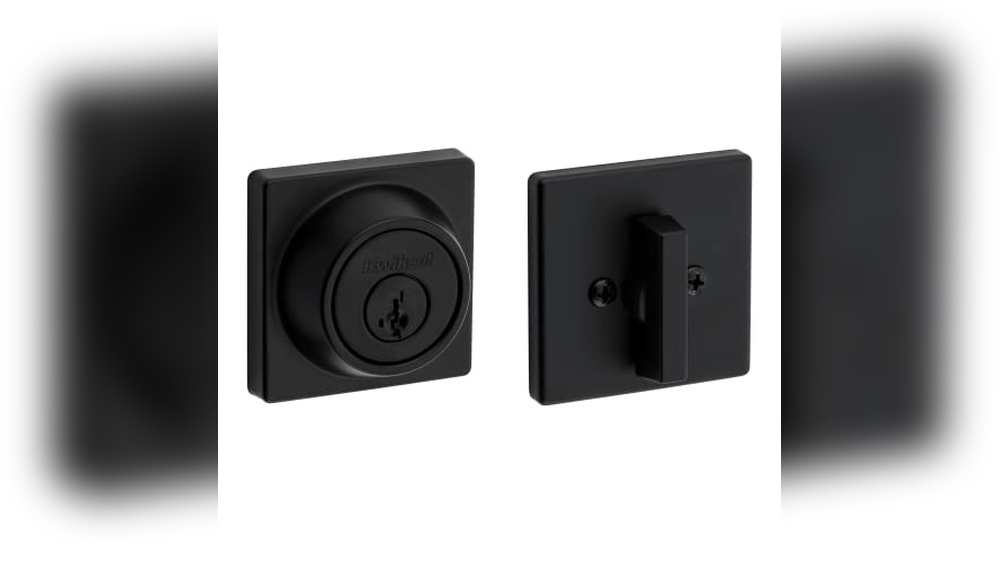
If you’ve ever lost your keys or moved into a new home, you know how important it is to keep your locks secure. Rekeying your Kwikset SmartKey deadbolt lets you change the key that works without replacing the entire lock.
It’s faster, cheaper, and gives you control over who can enter your space. In this guide, you’ll learn simple, step-by-step instructions to rekey your Kwikset SmartKey deadbolt yourself. By the end, you’ll feel confident and ready to protect your home with ease.
Keep reading to unlock the secret to smarter security!
Credit: www.kwikset.com
Kwikset Smartkey Basics
The Kwikset SmartKey is a special type of lock that lets you change the key quickly. It uses new technology to keep your home safe without calling a locksmith. Understanding the basics helps you use the lock better.
This lock allows you to rekey it yourself. It saves time and money. You can make a new key work with your lock in minutes. No need to replace the whole lock.
How Smartkey Technology Works
SmartKey locks have a unique system inside. It uses a small tool to reset the lock’s pins. This lets you change the lock to fit a new key. The tool fits into the lock’s keyhole.
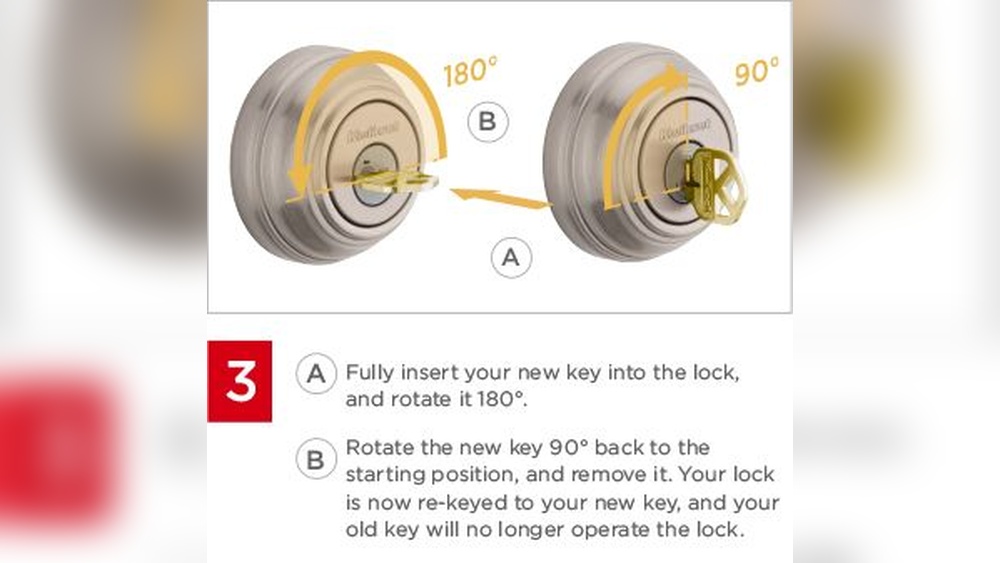
First, insert the tool and turn it. Then, place your new key inside and turn again. The lock changes to match the new key. This process is easy and fast.
Benefits Of Rekeying
Rekeying keeps your home secure after losing a key. It stops old keys from working. You can control who has access without buying a new lock.
It saves money and effort. Rekeying also works if you move to a new house. You make sure no one else can enter with old keys. It is a smart way to protect your home.

Credit: www.youtube.com
Tools Needed
Before starting to rekey your Kwikset SmartKey deadbolt, gather the right tools. Having the correct tools makes the process easier and faster. Using the wrong tools can damage the lock or cause injury.
This section lists the essential tools and safety tips for a smooth rekeying experience.
Essential Tools List
- Kwikset SmartKey tool – specially designed for this lock type
- Flathead screwdriver – to remove the lock cover
- Phillips screwdriver – for screws inside the lock
- Needle-nose pliers – to handle small parts safely
- New keys – to match the rekeyed lock
- Clean cloth – to keep parts free from dust
Safety Precautions
- Work in a well-lit area to see all parts clearly
- Keep small parts away from children and pets
- Wear safety glasses to protect your eyes
- Do not force any parts; this prevents damage
- Keep tools organized to avoid losing pieces
Preparing The Lock
Preparing the lock is the first step to rekey your Kwikset SmartKey deadbolt. You need to get the lock ready before changing the key. This part is simple but very important. It helps you work safely and avoid damage. Follow the steps carefully to make sure everything goes well.
Removing The Deadbolt
Start by opening the door and locating the screws on the inside plate of the deadbolt. Use a screwdriver to take out these screws. Keep the screws safe; you will need them later. Gently pull the interior part of the deadbolt away from the door. Now, remove the exterior part of the deadbolt by sliding it out. Set both parts aside on a clean surface.
Locating The Smartkey Cylinder
Look at the exterior side of the deadbolt. Find the small black SmartKey cylinder near the keyhole. This cylinder is the part you will rekey. It often has a small pin or button that must be pressed to start rekeying. Identifying this cylinder is crucial before moving forward. Make sure the door is open and the lock is in the unlocked position. This step makes rekeying easier and safer.
Credit: www.homedepot.com
Rekeying Process
The rekeying process for a Kwikset SmartKey deadbolt lets you change which key opens the lock. This method is quick and does not need removing the entire lock. Follow these steps carefully to ensure the new key works smoothly.
Inserting The Original Key
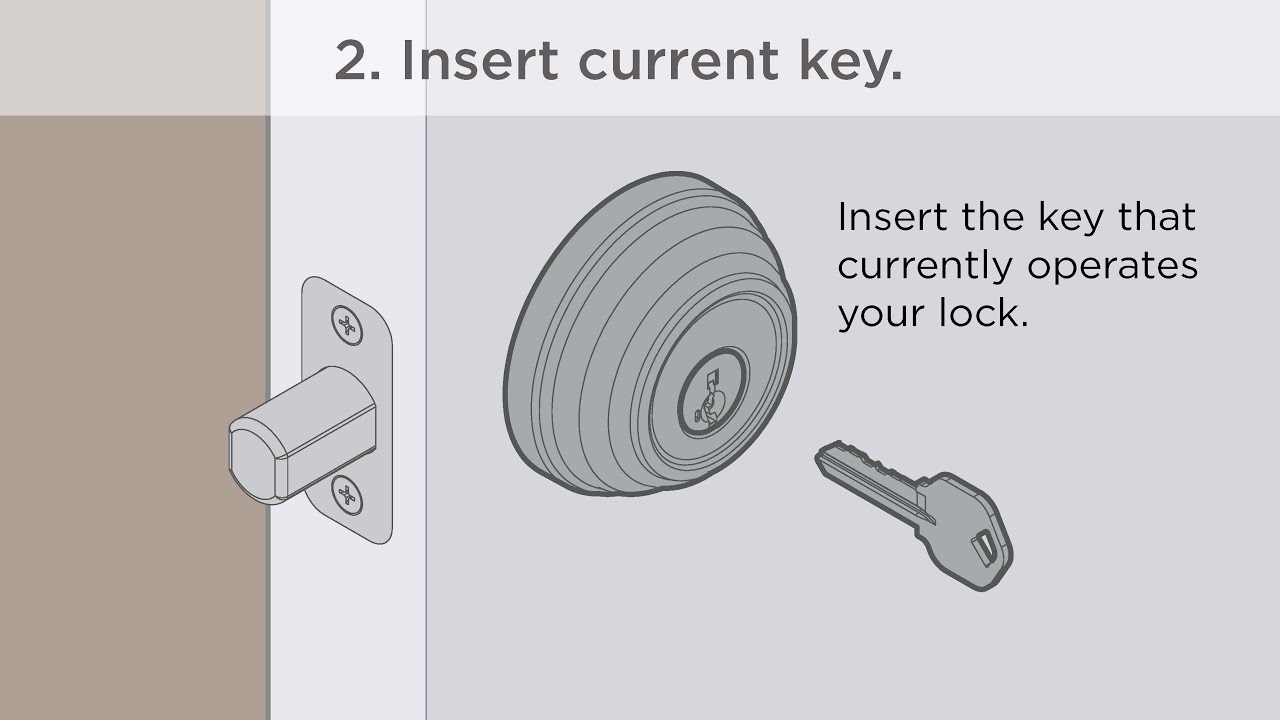
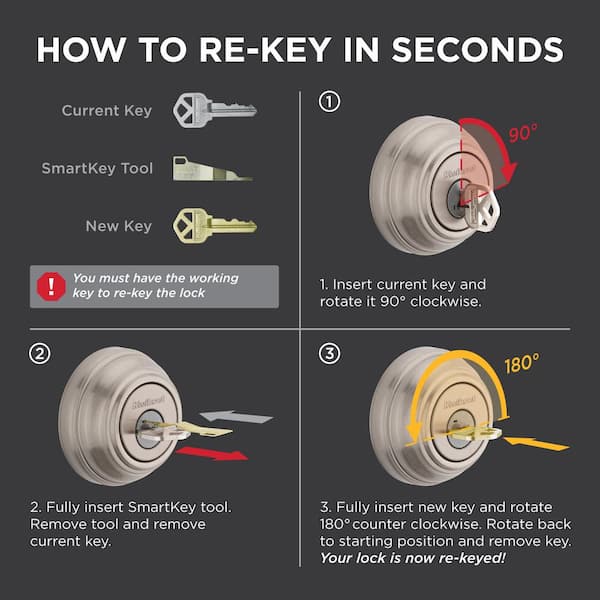
Start by inserting the original key into the lock. Turn the key one-quarter turn clockwise. Keep the key in this position throughout the process. This step unlocks the lock cylinder for rekeying.
Using The Smartkey Tool
Next, take the SmartKey tool that comes with the lock. Insert it into the small hole near the keyhole. Push the tool all the way in and hold it firmly. This action resets the lock pins for the new key.
Aligning The New Key
Remove the original key and the SmartKey tool. Insert the new key into the lock. Turn the new key one-quarter turn clockwise. This aligns the pins to match the new key cuts. Your lock now works with the new key only.
Testing The New Key
Testing the new key is an important step after rekeying your Kwikset SmartKey deadbolt. This ensures the lock works smoothly with the new key. It helps find any problems early. Proper testing saves time and frustration later.
Checking Lock Functionality
Insert the new key into the lock. Turn it slowly to check if it moves smoothly. Try locking and unlocking the door several times. The deadbolt should slide in and out without sticking. Test from both inside and outside. Make sure the key can be removed easily in both positions.
Troubleshooting Common Issues
If the key feels hard to turn, do not force it. Check if the key is cut properly. Dust or debris inside the lock can cause problems. Clean the lock with compressed air or a soft brush. If the key won’t turn, try inserting it again fully. Sometimes, the lock pins need time to settle after rekeying.
Reassembling The Deadbolt
Reassembling the deadbolt is the key step after rekeying your Kwikset SmartKey lock. This process puts all parts back together. It ensures your lock works smoothly and keeps your home safe.
Careful reassembly prevents damage and helps the lock function correctly. Follow each step with patience and care. This way, you avoid mistakes that could cause problems later.
Reinstalling The Lock
Place the deadbolt mechanism back into the door. Align the bolt with the hole in the door frame. Insert the screws and tighten them securely. Avoid over-tightening to prevent stripping the screws.
Attach the interior and exterior lock parts. Make sure the SmartKey cylinder is in the correct position. Secure the mounting plate and test the lock movement. The key should turn smoothly without resistance.
Final Security Checks
Test the lock several times with the new key. Check if the deadbolt extends and retracts fully. Ensure the door closes firmly and locks without force.
Look for any loose screws or parts. Tighten any that feel weak. Confirm the SmartKey feature works with your new key. Your lock is ready to protect your home.
When To Call A Professional
Rekeying a Kwikset SmartKey deadbolt can be a simple task for many homeowners. Still, some situations require professional help. Knowing when to call a locksmith saves time and prevents damage. It ensures your lock works perfectly and keeps your home safe.
Signs You Need Expert Help
Your SmartKey deadbolt feels stuck or hard to turn. The key breaks inside the lock. You lost all keys and cannot open the door. The lock is old and shows rust or damage. You tried rekeying but the lock won’t work right. These signs mean a professional should handle the job.
Choosing A Locksmith
Pick a locksmith with experience in Kwikset SmartKey locks. Check online reviews and ratings. Ask for proof of license and insurance. Confirm they offer a warranty on their work. A good locksmith works quickly and cleanly. They explain the process and answer your questions clearly.
Frequently Asked Questions
How Do I Start Rekeying A Kwikset Smartkey Deadbolt?
Begin by removing the lock from your door. Insert the SmartKey tool into the cylinder and turn it 90 degrees. This unlocks the cylinder to change the pins inside, allowing you to rekey it with a new key.
Can I Rekey A Kwikset Smartkey Deadbolt Myself?
Yes, you can rekey it yourself. The SmartKey system is designed for easy DIY rekeying. Follow the manufacturer’s instructions carefully for a smooth process without needing a locksmith.
How Long Does Rekeying A Kwikset Smartkey Deadbolt Take?
Rekeying typically takes about 5 to 10 minutes. This depends on your familiarity with the process and having the right tools ready. It’s quick and straightforward compared to traditional locks.
Is Rekeying Kwikset Smartkey Deadbolt Cost-effective?
Rekeying your SmartKey deadbolt is more affordable than replacing the entire lock. It saves money and enhances security by allowing you to use a new key without buying a new lock.
Conclusion
Rekeying your Kwikset SmartKey deadbolt keeps your home safe. The process is simple and quick to learn. Follow each step carefully for the best results. You save money by doing it yourself. No need to call a locksmith every time.
Remember, practice makes perfect. Try rekeying on an old lock first. Keep your keys organized and secure after rekeying. Stay confident knowing your lock works the way you want. Safe and smart security starts with you.